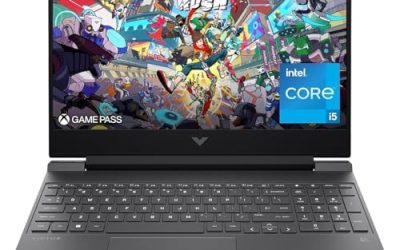
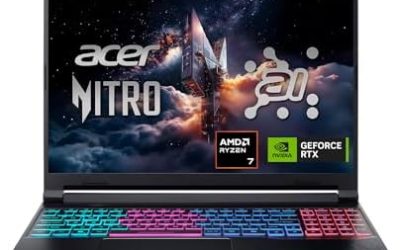
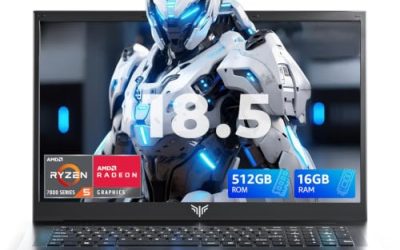
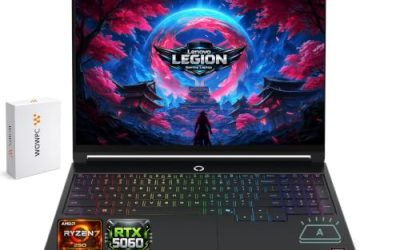
- Top Pick: Acer Predator Helios Neo 18 AI Gaming Laptop | Intel Core Ultra 9 Processor 275HX | NVIDIA GeForce RTX 5070 Ti | 18" WQXGA 240Hz G-SYNC | 32GB DDR5 | 2TB Gen 4 SSD | Killer Wi-Fi 6E | PHN18-72-9474
- Best Value: ASUS ROG Strix G16 (2025) Gaming Laptop, 16” ROG Nebula 16:10 2.5K 240Hz/3ms, NVIDIA® GeForce RTX™ 5070 Ti, Intel® Core™ Ultra 9 Processor 275HX, 32GB DDR5, 1TB SSD, Wi-Fi 7, Win11 Home, G615LR-AS96
- Premium Choice: msi Vector 16 HX AI 16" 240Hz QHD+ Gaming Laptop, AMD Ryzen 9 8940HX, NVIDIA Geforce RTX 5070Ti 12GB GDDR7, 32GB DDR5 RAM, 1TB SSD, Thunderbolt 4, Wi-Fi 7, RGB Backlit, Win 11, w/1TB Portable HDD
Affiliate disclosure: As an Amazon Associate we earn from qualifying purchases. This post contains affiliate links — if you buy through them we may earn a small commission at no extra cost to you. This never affects our recommendations.
As an Amazon Associate we earn from qualifying purchases at no extra cost to you.


In the fiercely competitive world of PC gaming, every millisecond counts. While raw frame rates are crucial, the bridge between your GPU’s output and your eyes’ perception is the display’s refresh rate. For serious competitive gamers, a 240Hz gaming laptop isn’t just a luxury; it’s a necessity, offering an unparalleled level of fluidity and responsiveness that can genuinely impact your performance. As we hurtle towards 2026, the technology behind these high-refresh displays continues to evolve, pairing them with ever-more powerful processors and graphics cards. If you’re looking to gain that crucial edge in fast-paced titles like Valorant, CS2, or Apex Legends, investing in a top-tier 240Hz gaming laptop is your golden ticket. We’ve scoured the market to bring you the definitive list of the best machines that deliver ultra-smooth, high-refresh gameplay.
In a hurry? See the top-rated 240Hz Gaming Laptop deals available right now:
🛒 Check 240Hz Gaming Laptop Prices on Amazon →🛒 Best Price Today on Amazon
Prime members get fast, free shipping on everything above, plus member-only deals. New members get a 30-day free trial — cancel anytime.
Start 30-Day Prime Free Trial →See Today’s Amazon DealsHow We Picked the Best 240Hz Gaming Laptop
Our selection process for the best 240Hz gaming laptops in 2026 was rigorous, focusing on a holistic view of competitive gaming performance. First and foremost, the display itself had to be exceptional: a true 240Hz refresh rate, low response times (preferably under 3ms), and good color accuracy. Beyond the screen, we prioritized raw processing power, looking for the latest generation CPUs from Intel and AMD, paired with high-performance GPUs from NVIDIA and AMD, ensuring these machines could actually push frames high enough to leverage the 240Hz panel. Thermal management was another critical factor; sustained performance under load is paramount for competitive play. We also considered build quality, keyboard comfort, port selection, and overall value, ensuring our picks offered a well-rounded and future-proof gaming experience for every type of player.
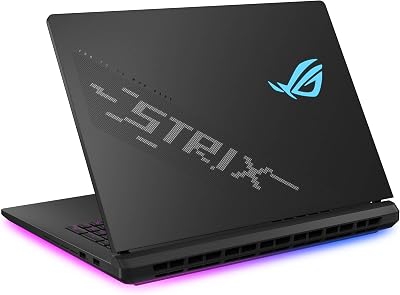
1. ASUS ROG Strix SCAR 17 Xtreme (2026) – The Uncompromised Performer
The ASUS ROG Strix SCAR series has long been synonymous with top-tier performance, and the 2026 Xtreme iteration continues this legacy with audacious power. Designed for the most demanding eSports professionals and enthusiasts, this beast of a machine leaves no stone unturned in its pursuit of frame rate supremacy. Its magnificent 17-inch QHD 240Hz display is a visual feast, offering incredible clarity and butter-smooth motion, making every flick shot and quick peek feel instantaneous. Under the hood, you’ll find the absolute latest generation Intel Core Ultra processor paired with an NVIDIA GeForce RTX 5090 GPU, capable of effortlessly pushing hundreds of frames per second in even the most graphically intensive titles. Advanced liquid metal cooling and a massive vapor chamber ensure that performance remains consistent, even during extended gaming sessions. While its size might not be for everyone, for those who prioritize raw power and an immersive, high-refresh experience, the SCAR 17 Xtreme is the ultimate weapon.
- Cutting-edge Intel Core Ultra CPU & NVIDIA RTX 5090 GPU
- Stunning 17-inch QHD 240Hz display with <3ms response time
- Advanced liquid metal cooling for sustained peak performance
- Robust build quality and comprehensive port selection
2. Lenovo Legion Pro 7i Gen 10 (2026) – Unbeatable Value & Performance
Lenovo’s Legion Pro series consistently hits the sweet spot between premium performance and intelligent value, and the Legion Pro 7i Gen 10 for 2026 is no exception. This laptop is a powerhouse for gamers who demand a high-refresh experience without breaking the bank for every bleeding-edge component. Its 16-inch QHD+ 240Hz display is incredibly vibrant and responsive, making it an ideal canvas for competitive gaming and content creation alike. Powering this machine is a formidable combination of a next-gen Intel Core processor and an NVIDIA GeForce RTX 5080, delivering exceptional frame rates across a wide range of games. What truly sets the Legion Pro 7i apart is its “ColdFront” thermal design, which manages heat remarkably well, preventing throttling and ensuring consistent performance in clutch moments. The full-sized keyboard is comfortable for long gaming sessions, and the overall design strikes a perfect balance between aggressive gaming aesthetics and professional subtlety.

- Excellent performance-to-price ratio with RTX 5080 graphics
- Bright 16-inch QHD+ 240Hz display with G-SYNC support
- Highly effective ColdFront thermal management system
- Comfortable keyboard and robust, understated design
3. Razer Blade 16 Pro (2026) – The Ultra-Portable Powerhouse
For gamers who refuse to compromise on either performance or portability, the Razer Blade 16 Pro (2026) stands as a beacon of engineering excellence. This sleek, CNC-milled aluminum chassis houses a remarkable amount of power, making it the ideal 240Hz gaming laptop for eSports athletes on the go or creative professionals who game. Its 16-inch QHD+ 240Hz display is not only incredibly fast but also boasts stunning color accuracy, making it perfect for both competitive play and demanding visual tasks. Inside, you’ll find the latest AMD Ryzen 9000 series processor paired with an NVIDIA GeForce RTX 5070, offering an incredible performance-per-watt ratio. Despite its thin profile, Razer has implemented an efficient vapor chamber cooling system that allows the components to stretch their legs without excessive thermal throttling. The iconic per-key RGB keyboard and premium build quality further cement its status as a top-tier, ultra-portable gaming machine.
- Sleek, ultra-portable design with premium CNC aluminum chassis
- Vibrant 16-inch QHD+ 240Hz display ideal for gaming and content creation
- Powerful AMD Ryzen 9000 series CPU & NVIDIA RTX 5070 GPU
- Efficient vapor chamber cooling for a thin form factor
4. Alienware m18 R3 (2026) – The Desktop Replacement King
When immersion and raw screen real estate are paramount, the Alienware m18 R3 (2026) steps up as the reigning desktop replacement. This colossal machine is built for gamers who want a truly cinematic and competitive experience without the fuss of a separate monitor. Its massive 18-inch QHD+ 240Hz display not only provides an expansive battlefield but also delivers breathtaking clarity and incredibly smooth motion, pulling you deeper into every game. Underneath its futuristic design, the m18 R3 packs the absolute best of the best: an Intel Core Ultra HX processor and an NVIDIA GeForce RTX 5090, ensuring that no game can challenge its frame rate capabilities. Alienware’s robust Cryo-Tech cooling system, featuring quad fans and seven heat pipes, is designed to keep these high-end components running optimally even during the most intense gaming marathons. This is a machine for those who demand maximum power and an unparalleled big-screen portable experience.

- Immersive 18-inch QHD+ 240Hz display for maximum screen real estate
- Top-tier Intel Core Ultra HX CPU & NVIDIA RTX 5090 GPU
- Robust Cryo-Tech cooling system for sustained extreme performance
- Premium build quality and customizable RGB lighting
5. MSI Katana 15 (2026) – The Accessible High-Refresh Gateway
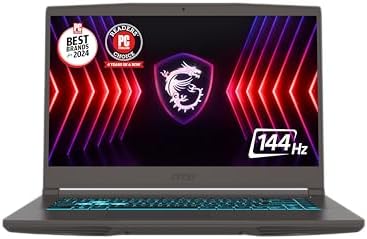
For gamers eager to step into the world of 240Hz competitive play without draining their entire savings, the MSI Katana 15 (2026) offers an incredibly compelling package. This laptop proves that you don’t need to sacrifice smooth gameplay for affordability. Its 15.6-inch FHD 240Hz display is crisp and incredibly fast, providing a significant upgrade for those coming from standard 60Hz or 144Hz panels. Driving the frames is a capable combination of a mid-range Intel Core processor and an NVIDIA GeForce RTX 5060, which is perfectly suited to hit high frame rates in popular eSports titles at 1080p resolution. While it might not boast the same premium materials as its more expensive counterparts, the Katana 15’s build is solid, and its cooling system is surprisingly effective for its class. It’s an ideal choice for the budget-conscious competitive gamer or a student looking for a reliable machine that punches above its weight.
- Budget-friendly entry point into 240Hz gaming
- Responsive 15.6-inch FHD 240Hz display
- Capable Intel Core CPU & NVIDIA RTX 5060 for eSports titles
- Solid cooling performance for its price segment
Buying Guide: What to Look For
Choosing the right 240Hz gaming laptop involves more than just looking at the refresh rate. **GPU Power** is paramount; to truly leverage a 240Hz display, your graphics card needs to consistently push high frame rates. Aim for at least an RTX 5060 for 1080p eSports, and an RTX 5070 or higher for 1440p. **CPU Performance** is also crucial, especially in CPU-bound games like strategy titles or complex simulations; modern Intel Core Ultra or AMD Ryzen 9000 series processors are excellent choices. **Display Resolution** matters: 1080p is easier for GPUs to hit 240Hz, while QHD (1440p) offers sharper visuals but requires more GPU horsepower. **Response Time** (ideally 3ms or less) is critical for minimizing ghosting. **Thermal Design** is often overlooked but vital; a good cooling system prevents throttling and ensures sustained performance. Finally, consider **RAM (32GB DDR5 is ideal), SSD Storage (PCIe Gen 5), Keyboard Quality, and Port Selection** to match your overall gaming setup and usage needs.
The Five Picks at a Glance: Spec Comparison
Reading five separate reviews makes side-by-side differences easy to miss, so here is the shortlist reduced to the specs that actually decide a purchase. Panel type matters more than most buyers expect: IPS panels are the safe all-rounders, OLED delivers near-instant pixel response and perfect blacks, and Mini LED splits the difference with high brightness and strong contrast.
| Laptop | Screen | GPU | Best for | Watch out for |
|---|---|---|---|---|
| ASUS ROG Strix SCAR 17 Xtreme | 17-inch QHD, 240Hz | RTX 5090 | Maximum frame rates at high settings | Large, heavy chassis built for a desk |
| Lenovo Legion Pro 7i Gen 10 | 16-inch QHD+, 240Hz | RTX 5080 | Balanced performance and value | Still a substantial machine to carry daily |
| Razer Blade 16 Pro | 16-inch QHD+, 240Hz | RTX 5070 | Portability without giving up speed | Slim body leaves less thermal headroom |
| Alienware m18 R3 | 18-inch QHD+, 240Hz | RTX 5090 | Big-screen desktop replacement | Far too bulky for regular travel |
| MSI Katana 15 | 15.6-inch FHD, 240Hz | RTX 5060 | Entering 240Hz gaming on a budget | 1080p panel and mid-range GPU cap AAA settings |
One pattern stands out: every step up in screen size and GPU tier adds weight and fan noise. The right choice is the smallest, coolest machine whose GPU still feeds the panel in the games you actually play.
Which 240Hz Laptop Fits Your Play Style?
Competitive shooter players. Your priority is frame rate stability, not peak visuals. A 16-inch QHD+ model with an RTX 5070-class GPU or better, a MUX switch, and low-latency networking will serve you better than an 18-inch flagship you never move. Run esports titles at reduced settings and let the panel do its work.
Desk-bound players. If the laptop lives on one desk, weight stops mattering and screen size becomes free performance. An 18-inch model doubles as a monitor replacement, and the larger chassis usually sustains higher GPU wattage for longer sessions.
Streamers and creators. You need CPU cores and RAM headroom on top of the GPU, because encoding, chat software, and browser sources compete with the game. Favor 32GB of memory, a strong HX-class processor, and a color-accurate panel if you edit video on the same machine.
Players who travel. Every kilogram counts in a backpack, and so does charger size. Slim 16-inch designs with efficient GPUs are the sensible ceiling; flagship 17- and 18-inch machines belong in a car boot, not a carry-on.
How to Set Up a 240Hz Gaming Laptop the Right Way
A surprising number of owners never see 240Hz because the laptop ships with safer defaults. Work through these steps once, on day one:
- Set the refresh rate manually. In Windows display settings, open the advanced display options and select 240Hz. Many machines default to 60Hz out of the box, and some titles inherit that limit.
- Plug in for play. On battery, the GPU is heavily power-limited and frame rates collapse. Treat the charger as part of the console.
- Use the discrete GPU directly. If your model has a MUX switch or Advanced Optimus, select the discrete-GPU mode in the control software for competitive play. Routing frames through the integrated GPU adds latency and can cost frames.
- Turn on adaptive sync. Enable G-SYNC or FreeSync so the panel refresh tracks the frame rate, which removes tearing without the input delay of traditional V-Sync.
- Pick the full performance mode. Manufacturer control software usually hides the highest fan and power limits behind a Turbo or Performance profile. Quieter profiles are for class and office use.
- Set games up per title. Uncap or raise the frame-rate limit, enable NVIDIA Reflex or the equivalent latency option in shooters, and use DLSS or FSR upscaling in demanding AAA games to approach the panel ceiling at QHD.
Common Mistakes That Waste a 240Hz Panel
- Leaving the display at 60Hz. The single most common error. The panel can only show what the settings allow, so verify the refresh rate before judging the hardware.
- Judging performance on battery. Plugged-in and battery results are effectively two different laptops. Every frame-rate expectation in this guide assumes wall power.
- Blocking the vents. Soft surfaces such as beds and sofas choke the intake fans on most gaming laptops. A hard, flat surface or a stand keeps clocks high and noise lower.
- Using frame generation in competitive shooters. Multi-frame generation inflates the displayed frame count but adds latency, which works against the entire point of a 240Hz panel in ranked play. Use it in single-player titles, not in Valorant or CS2.
- Expecting 240 frames everywhere at native QHD. Esports engines are built to run fast; open-world AAA games are not. Plan on upscaling and tuned settings for the heavy titles, and judge a laptop by the games at the top of your own library.
- Ignoring GPU wattage. Two laptops with the same GPU name can perform very differently because laptop GPUs run at different power limits. Check the TGP figure in the spec sheet before assuming two same-named machines are equal.
Who Should Skip a 240Hz Gaming Laptop
Not everyone benefits from this category. If your library is mostly turn-based strategy, visual novels, or slow-paced RPGs capped at modest frame rates, a 240Hz panel adds cost you will never see; a good 144Hz or 165Hz machine serves you just as well. If you mainly play away from a desk socket, the short gaming battery life of high-refresh machines will frustrate you, because the powerful hardware drains the battery quickly under load. And if image quality matters more to you than motion clarity, a 4K OLED creator laptop at a lower refresh rate will look better in films and single-player games than any 240Hz gaming panel. Buy the screen that matches how you actually play, not the biggest number on the box.
More Picks Worth Considering
HP OMEN MAX 16
The OMEN MAX 16 is HP’s flagship-tier entry in this class, built around a 16-inch WQXGA IPS panel running at 240Hz with a 3ms response time. The configuration sold on Amazon pairs an AMD Ryzen AI 7 350 processor with an RTX 5070, 32GB of DDR5 memory, and a generous 2TB SSD, which is storage most rivals only offer in higher trims. HP’s OMEN Tempest cooling and per-key RGB keyboard round out a machine aimed at players who want a mainstream brand with strong service coverage. It suits competitive players who prefer IPS consistency and a large factory SSD. It is less suited to buyers chasing the absolute highest GPU tier, since this configuration stops at the RTX 5070 rather than the Ti or 5080-class chips in pricier flagships.
ASUS ROG Zephyrus G16 (2025)
The Zephyrus G16 takes the opposite approach to the bulky flagships above: a slim aluminum chassis under two kilograms that still hides a 16-inch 240Hz OLED panel with a 0.2ms response time. The Amazon configuration combines an Intel Core Ultra 9 285H with an RTX 5070 Ti, 32GB of memory, and a 2TB SSD, making it a genuine dual-purpose machine for work and play. It suits students, professionals, and frequent travelers who want one laptop for everything and refuse to give up a top-tier screen. It does not suit tinkerers: the memory is soldered and cannot be upgraded later, and the slim cooling system gives the GPU a lower power ceiling than the thick ROG Strix and Legion designs, so sustained frame rates sit a step behind.
GIGABYTE AORUS MASTER 16

The AORUS MASTER 16 is the pick for buyers who want OLED speed without giving up upgrade paths. Its 16-inch WQXGA OLED panel runs at 240Hz with G-SYNC and Advanced Optimus, and the Amazon flagship configuration pairs an Intel Core Ultra 9 275HX with an RTX 5090, 32GB of DDR5 in two SO-DIMM slots, and a 2TB SSD with room for a second drive. The WINDFORCE Infinity cooling is built for sustained flagship loads, and both memory and storage can grow with you. It suits enthusiasts who keep a laptop for many years and upgrade parts over time. It is not for the budget-minded or the weight-conscious: flagship specifications come with flagship bulk, and the RTX 5090 configuration sits at the top of the category in every sense.
Frequently Asked Questions
Q1: Is a 240Hz gaming laptop really necessary for competitive gaming?
A1: While not strictly “necessary” for casual play, for serious competitive gamers, a 240Hz display offers a noticeable advantage. The increased refresh rate translates to smoother motion, reduced input lag, and a clearer view of fast-moving targets, which can improve reaction times and overall performance in twitch-based games like first-person shooters and MOBAs.
Q2: Can an RTX 5060 GPU consistently hit 240 FPS on a 240Hz laptop?
A2: An RTX 5060 GPU can consistently hit 240 FPS, especially in popular competitive eSports titles like Valorant, CS2, or League of Legends, particularly at 1080p resolution and optimized settings. For more graphically demanding AAA titles, you might need to lower settings or accept slightly lower frame rates to maintain fluidity on the 240Hz panel.
Q3: What’s the difference between 240Hz and 144Hz, and is the upgrade worth it?
A3: The difference between 240Hz and 144Hz is an additional 96 frames per second. While the jump from 60Hz to 144Hz is monumental, the leap from 144Hz to 240Hz is more subtle but still perceptible, especially for highly trained eyes and in fast-paced scenarios. For dedicated competitive gamers, the upgrade is often considered worth it for the marginal but critical edge it provides.
The landscape of 240Hz gaming laptops in 2026 is rich with powerful, innovative machines designed to give you the ultimate competitive edge. Whether you’re a professional eSports athlete demanding the best, a value-seeker looking for powerful performance, or a gamer on the go, there’s a perfect high-refresh laptop waiting for you. By prioritizing raw power, exceptional displays, and robust cooling, these top 5 picks ensure you’ll experience ultra-smooth, responsive gameplay that truly elevates your competitive experience.
Related Articles
Looking for more on this topic? Browse the hand-picked guides below — each one applies the same scoring rubric used in this review.