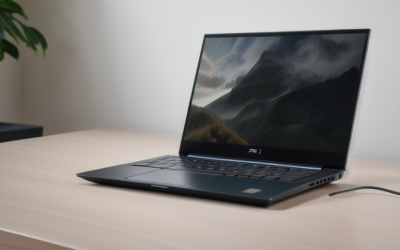
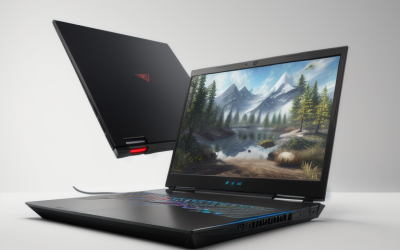
- Top Pick: Acer Nitro V 16S AI Gaming Laptop | AMD Ryzen 7 260 Processor | NVIDIA GeForce RTX 5060 Laptop GPU (572 AI Tops) | 16" WUXGA IPS 180Hz Display | 32GB DDR5 | 1TB Gen 4 SSD | Wi-Fi 6 | ANV16S-41-R2AJ
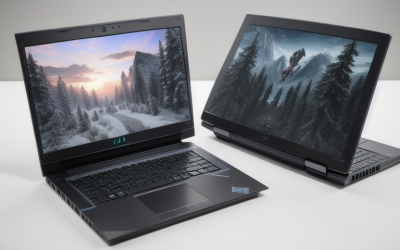
- Best Value: ASUS ROG Strix G16 (2025) Gaming Laptop, 16” FHD+ 16:10 165Hz/3ms, NVIDIA® GeForce RTX™ 5060, Intel® Core™ i7 Processor 14650HX, 16GB DDR5, 1TB Gen 4 SSD, Wi-Fi 7, Windows 11 Home, G615JMR-AS74
- Premium Choice: HP Victus 15.6" Full HD 144Hz Gaming Laptop, Intel Core i5-12450H, NVIDIA GeForce RTX 3050,16GB RAM, 512GB PCIe SSD, Wi-Fi 6, Backlit Keyboard,Windows 11 Pro, Performance Blue
A laptop that plays modern games and also handles security work asks for an odd mix of strengths. Games want a strong graphics chip and a fast screen. Security study, capture-the-flag events, and home-lab practice want lots of memory, plenty of storage, and a processor that can keep several virtual machines awake at once. “Best laptops for gaming and hacking” is a search from students and hobbyists who want one machine for both, usually to practice on systems they own or on legal training platforms.
The six laptops below were chosen because their listings show real gaming graphics and enough memory to run a virtual lab. Three generic 18.5-inch models with integrated graphics were removed, since their specs describe office machines more than gaming ones. Judgments rest on listed specs only, so use the buying notes to check what each title leaves unsaid, such as port selection and wireless chipset details. Every pick is current-generation hardware for 2026, spread across budget, mid-range, and premium tiers.
Quick Picks
As an Amazon Associate we earn from qualifying purchases at no extra cost to you.


| Product | Best for | Key spec from the title |
|---|---|---|
| Acer Nitro V 16S AI | Value-minded lab and games | RTX 5060, 32GB DDR5, 1TB SSD, 180Hz screen |
| ASUS ROG Strix G16 | Wi-Fi 7 and balanced power | Core i7 14650HX, RTX 5060, 165Hz, Wi-Fi 7 |
| HP Victus 15.6 | Entry-level on a tight plan | RTX 3050, 16GB RAM, 512GB SSD, Windows 11 Pro |
| Acer Predator Helios Neo 14 | Compact, portable power | 14.5 inch, Core Ultra 9 285H, RTX 5070, 32GB |
| MSI Crosshair 18 HX AI | Big-screen desktop replacement | 18 inch 240Hz, RTX 5070, 32GB RAM, 2TB SSD |
| Lenovo Legion 5a | OLED display with large memory | 15.3 inch 165Hz OLED, RTX 5060, 32GB, Wi-Fi 7 |
How to Choose
Memory for virtual machines
Security labs often run a few virtual machines at once: an attacker image, a target, and sometimes a monitoring box. Sixteen gigabytes works for a modest lab but leaves little for the host system and a game launcher. Thirty-two gigabytes, as listed on four of these laptops, is the comfortable target. Check whether the memory is soldered or upgradeable on the full listing, since the title does not say. A 16GB laptop can still serve a student who runs a single virtual machine at a time, provided you close the browser and game launcher before starting the lab. Plan to upgrade early if the machine allows it.
Storage size and speed
Virtual machine images and game libraries eat space quickly. A 512GB drive fills within weeks if you install a few modern titles and several lab images. One terabyte is the practical minimum here, and two terabytes, as on the MSI, is a real advantage. Look for NVMe or Gen 4 labeling in the title, since faster drives load virtual machines and games sooner. Budget models cut corners with smaller or slower drives, and a full drive slows both games and virtual machines.
Wireless, ports, and Windows edition
Wi-Fi 7 and Wi-Fi 6 both appear in this group, and either is fine for everyday use. For wireless security practice, built-in adapters often lack the monitor mode features some tools expect, so many learners add an external USB adapter. Ensure a USB-A port exists for that, and look for a wired Ethernet jack on the full listing; a wired connection is steadier for large downloads and for lab traffic you want to keep predictable. Windows 11 Home and Pro both run the common virtualization tools. Pro adds extra business features, such as Hyper-V and device management, that some lab setups use.
Display, graphics, and cooling
The graphics card sets your gaming level: the RTX 3050 is entry level, the RTX 5060 sits in the middle, and the RTX 5070 is the upper tier here. Refresh rates range from 144Hz to 240Hz. A matte panel reduces reflections in bright rooms, while an OLED panel looks richer in a dark one. Smaller chassis like the 14.5-inch model run hotter under long loads than large 18-inch machines. Ignore AI TOPS figures unless you run local AI tools, because they say little about gaming or lab performance. Also ignore bundled extras that do not help your work, such as cables, and focus on memory, storage, and graphics.
The 6 Best Options
Acer Nitro V 16S AI
The Nitro V 16S pairs a Ryzen 7 260 processor with an RTX 5060 laptop GPU, a 16-inch WUXGA IPS display at 180Hz, 32GB of DDR5 memory, and a 1TB Gen 4 SSD. It lists Wi-Fi 6.
- Thirty-two gigabytes of memory suits a multi-machine virtual lab
- High-refresh 180Hz panel and RTX 5060 cover current games, so the same machine doubles as a weekend gaming rig
- Trade-off: Wi-Fi 6 is a generation behind the Wi-Fi 7 on some rivals
Skip it if you want an OLED screen, Wi-Fi 7, or a compact body. Buyers who travel often should also weigh how a 16-inch chassis fits their bag before deciding.
ASUS ROG Strix G16
This Strix G16 uses an Intel Core i7 14650HX with an RTX 5060, a 16-inch FHD+ 16:10 display at 165Hz and 3ms response, plus a 1TB Gen 4 SSD. Wi-Fi 7 and Windows 11 Home are on the spec sheet.
- The 16:10 screen gives extra vertical room for terminals and code windows
- Wi-Fi 7 support is useful for networking practice and for pulling down large lab images quickly
- Trade-off: only 16GB of DDR5 is listed, which restricts larger virtual labs
Skip it if you plan to run several heavy virtual machines without first upgrading the memory. Whether the module slots are accessible is not stated in the title, so confirm it on the full listing.
HP Victus 15.6
The Victus is the entry-level option, with a Core i5-12450H, an RTX 3050 graphics chip, a 144Hz full HD screen, 16GB of RAM, and a 512GB PCIe SSD. It ships with Windows 11 Pro.
- Windows 11 Pro is included, which helps for business-style virtualization
- Backlit keyboard and Wi-Fi 6 cover the basics of a study laptop used late at night
- Trade-off: the processor and graphics chip are older, and 512GB of storage fills fast
Skip it if you want to play recent games at high settings or keep a large library of lab images. This is the model for lighter titles and a single-machine lab, not a long-term powerhouse.
Acer Predator Helios Neo 14
The smallest laptop in the group packs a Core Ultra 9 285H, an RTX 5070, and a 14.5-inch WQXGA 165Hz G-SYNC matte display. It offers 32GB of RAM and a 1TB SSD.
- A 14.5-inch body is easier to carry to a class, a meetup, or a capture-the-flag event
- Matte display and 32GB of memory suit long study sessions under bright classroom or library lighting
- Trade-off: a compact chassis tends to run warmer under long loads than a larger one
Skip it if you want a big screen for multiple windows or if portability is not a concern. A larger laptop or an external monitor handles split terminal layouts more comfortably.
MSI Crosshair 18 HX AI
This is the desktop-replacement model, with an 18-inch 2560×1600 240Hz display, Core Ultra 9 275HX, RTX 5070 with 8GB of GDDR7, 32GB of RAM, and a 2TB NVMe SSD. It includes an HDMI cable.
- The 2TB drive holds many lab images and a sizeable game library
- Large 18-inch panel suits side-by-side windows during lab work, with a terminal on one side and documentation on the other
- Trade-off: an 18-inch machine is bulky and heavy to haul around
Skip it if you need a laptop for lectures or travel. The listing also mentions a bundled HDMI cable, which is handy for a second screen but does not change the size and weight of the machine itself.
Lenovo Legion 5a
The Legion 5a combines a Ryzen 7 250, an RTX 5060, and a 15.3-inch WQXGA 165Hz OLED display. It carries 32GB of DDR5, a 1TB SSD, Wi-Fi 7, and a portable 500GB drive.
- OLED screen and sharp 2560×1600 resolution make text and games look crisp
- A bundled 500GB portable drive helps with backups of lab snapshots, so a broken virtual machine is not a disaster
- Trade-off: OLED panels can be a concern for static windows left up for hours
Skip it if you prefer a matte screen or a very light chassis. Anyone who leaves terminals open for hours may want a panel without OLED burn-in concerns, though the listing makes no claim either way.
Three 18.5-inch models with Ryzen 7430U integrated graphics were not reviewed, because their listed specs point to light office use rather than gaming.
Which One Fits Your Situation
You are a student on a limited plan
The HP Victus 15.6 is the entry point, and it includes Windows 11 Pro. Expect to add storage or memory over time, and pair it with a few free training platforms before investing in heavier gear.
You want a balanced laptop for games and labs
Choose the Acer Nitro V 16S AI. Its 32GB of memory and 1TB drive make it ready for virtual machines straight away, and the RTX 5060 keeps current games enjoyable. The ASUS ROG Strix G16 is the alternative if Wi-Fi 7 matters more than memory.
You carry the laptop everywhere
The Acer Predator Helios Neo 14 has the smallest screen and still lists an RTX 5070 and 32GB of RAM.
You work at one desk and want maximum room
The MSI Crosshair 18 HX AI offers the largest display and the 2TB drive. If a vivid display matters more, the Lenovo Legion 5a is the alternative.
Common Mistakes
- Buying 16GB of memory and then trying to run several virtual machines at once, which leaves the host system starved and the lab sluggish.
- Choosing a small drive and running out of room for lab images within weeks, then juggling external storage for every new download.
- Assuming the built-in Wi-Fi card will support every wireless security tool.
- Weighing AI TOPS figures heavily when they do nothing for games or labs.
- Practicing on networks or devices you do not own or have permission to probe, which is both unethical and often illegal.
Frequently Asked Questions
How much memory do I need for a hacking lab?
Sixteen gigabytes covers a simple one-machine lab. Thirty-two gigabytes gives room for several virtual machines plus the host system, which is why most picks here list that amount.
Will an integrated graphics laptop work for security study?
For command-line work and virtual machines, yes. But it will not run current games well, so it fails the gaming half of this keyword. That is why the lightweight 18.5-inch models were left out of the reviews.
Do I need an external Wi-Fi adapter?
For wireless security practice, many learners do, because internal adapters often lack the needed modes. Check the tool documentation before buying.
Is Windows 11 Home enough?
Yes for most uses, including common virtualization software. Pro adds options that some people prefer for lab management, and the HP Victus is the only listed model that includes it. Many learners also dual-boot or run Linux inside a virtual machine.