Warzone is the most demanding way to play Call of Duty on a laptop. A standard multiplayer match loads a small arena and a handful of players, but a battle royale round drops up to 150 combatants onto a huge map, streams buildings and terrain in as you move, and keeps the action going for twenty minutes or more. That workload punishes weak processors, cut-down graphics chips and small amounts of memory far more than a quick round of Team Deathmatch. This guide explains what the mode actually asks of a laptop, then lines up five machines still sold on Amazon US that meet those demands on published specifications.

As an Amazon Associate we earn from qualifying purchases
Why Warzone Needs More Laptop Than Regular Multiplayer
The first difference is scale. Warzone maps such as Urzikstan and Rebirth Island are far larger than any multiplayer arena, and the game constantly streams textures, geometry and audio as you rotate, drive or redeploy. Streaming is processor and storage work, so a laptop that feels fine in multiplayer can stutter when the CPU cannot feed the graphics card fast enough or the SSD cannot deliver assets on time.
The second difference is memory pressure. With 150 players, vehicles, loot and long sightlines all live at once, Warzone leans hard on both system RAM and graphics VRAM. Sixteen gigabytes of system memory is the sensible floor, and an 8GB graphics card is the realistic minimum for smooth high settings at 1080p. Machines with soldered memory need to be bought in the right configuration from day one.
The third difference is frame rate expectations. Warzone rewards high, stable frame rates because gunfights happen at every range. A high-refresh screen only helps if the GPU can fill it, which is why the graphics power limit, measured as TGP, matters so much: two machines with the same RTX 4070 badge can perform very differently if one runs the chip at a much lower wattage.
How to Choose a Gaming Laptop for Call of Duty Warzone
Processor and graphics power. Prioritise a current HX-class Intel Core i7 or i9, or an AMD Ryzen 7 or Ryzen 9 HS chip, paired with an RTX 4060 or RTX 4070 laptop GPU running at or near its maximum TGP. Always check the wattage in the manufacturer’s specification rather than trusting the GPU name alone. Processor choice matters more in Warzone than in most shooters, and readers who want the detail can work through the breakdown of the best CPU for Call of Duty Warzone before splitting the budget.
Memory and storage. Choose 16GB of DDR5 as a minimum and treat 32GB as the comfortable option if you also run Discord, a browser and capture software. For storage, 1TB is the practical target because the Call of Duty installation grows with every season; 512GB works only if Warzone is nearly the only large game installed. Two memory slots and a spare M.2 bay make a laptop far easier to keep current.
Display. A 1080p or 1200p panel at 144Hz or above suits Warzone best. Higher resolutions such as 1600p look sharper but cost frames, so pair them with an RTX 4070 and be ready to use DLSS. G-SYNC or Adaptive Sync support smooths out the frame dips that happen in busy final circles.
Ports, networking and warranty. Wired Ethernet or Wi-Fi 6E keeps ping stable, HDMI 2.1 allows an external high-refresh monitor, and three USB ports cover mouse, headset and drive. Check the warranty term on the listing before buying, and favour configurations covered by the manufacturer’s own limited warranty.
The Best Gaming Laptops for Call of Duty Warzone
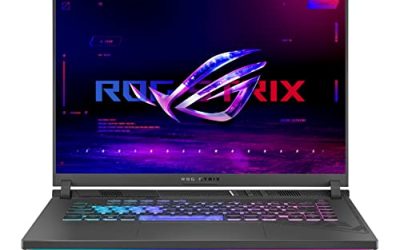
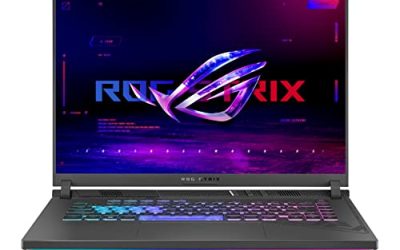
ASUS ROG Strix G16 (2023) G614JI-AS94
The Strix G16 is the heavy hitter of this group. Its Intel Core i9-13980HX is a 24-core desktop-class processor, exactly the kind of CPU that keeps Warzone’s streaming and player tracking from bottlenecking the graphics card. The GeForce RTX 4070 runs at a 140W maximum TGP according to the product listing, and a MUX switch with Advanced Optimus routes frames directly to the display for extra performance. The 16-inch 1920 x 1200 panel refreshes at 165Hz, a good match for the frame rates this hardware sustains at high settings with DLSS.
Memory is 16GB of DDR5-4800 across two slots, so a larger dual-channel kit is a simple upgrade, and the chassis adds a second M.2 slot beside the 1TB PCIe SSD. Ports include Thunderbolt 4, USB-C with DisplayPort output, two USB-A ports, HDMI 2.1 and RJ-45 Ethernet for wired play. The listing describes one-year international warranty coverage with accidental damage protection available on registration.
Specs
- Processor: Intel Core i9-13980HX (24 cores)
- Graphics: NVIDIA GeForce RTX 4070 Laptop GPU, 8GB GDDR6, up to 140W Max TGP
- Display: 16-inch 1920 x 1200, 165Hz, G-SYNC with Advanced Optimus
- Memory: 16GB DDR5-4800, two SO-DIMM slots
- Storage: 1TB PCIe 4.0 NVMe SSD, two M.2 slots
- Ports: Thunderbolt 4, USB-C 3.2 Gen 2, 2 x USB-A 3.2 Gen 2, HDMI 2.1, RJ-45 Ethernet, audio combo jack
- Wireless: Wi-Fi 6E, Bluetooth
- Battery: 90Wh
- Operating system: Windows 11 Home
- Warranty: 1-year limited (per listing)
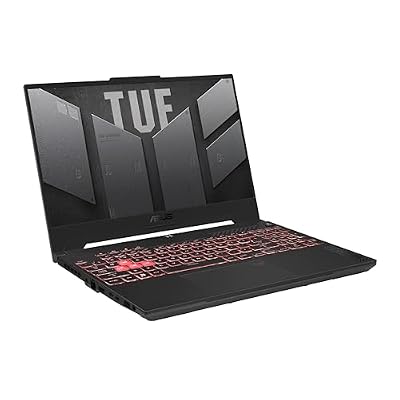
ASUS TUF Gaming A15 (2023) FA507XI-EH94
The TUF Gaming A15 delivers the same full-power graphics idea in a tougher, more portable 15.6-inch chassis. An AMD Ryzen 9 7940HS with eight cores and boost clocks up to 5.2GHz handles Warzone’s simulation load, while the RTX 4070 again runs at a 140W maximum TGP, so there is no hidden performance penalty for choosing the smaller machine. The 144Hz Full HD IPS panel supports Adaptive Sync and covers the full sRGB range according to ASUS.
ASUS fits 16GB of DDR5-4800 memory expandable to 64GB, plus a 1TB PCIe SSD, and a second M.2 slot covers extra game storage later. Connectivity includes a USB4 Type-C port with DisplayPort output, HDMI 2.1, USB-A ports and RJ-45 Ethernet, and the chassis is tested to MIL-STD-810H durability standards. A 90Wh battery and Advanced Optimus switching make it the most travel-friendly option here, under ASUS’s standard one-year limited warranty.
Specs
- Processor: AMD Ryzen 9 7940HS (8 cores, up to 5.2GHz)
- Graphics: NVIDIA GeForce RTX 4070 Laptop GPU, 8GB GDDR6, up to 140W Max TGP
- Display: 15.6-inch 1920 x 1080 IPS, 144Hz, Adaptive Sync
- Memory: 16GB DDR5-4800, upgradeable to 64GB
- Storage: 1TB PCIe 4.0 NVMe SSD, two M.2 slots
- Ports: USB4 Type-C with DisplayPort, USB-A 3.2 ports, HDMI 2.1, RJ-45 Ethernet, audio combo jack
- Wireless: Wi-Fi 6, Bluetooth 5.3
- Battery: 90Wh
- Operating system: Windows 11 Home
- Warranty: 1-year limited (per listing)
Acer Predator Helios Neo 16 PHN16-71-76H5

The Helios Neo 16 is the value play that still respects Warzone’s power requirements. Its RTX 4060 is configured for maximum 140W graphics usage per Acer’s product information, which puts this nominally mid-range GPU much closer to faster machines than the low-wattage RTX 4060 laptops that crowd the market. The Intel Core i7-13650HX supplies fourteen cores for the streaming workload, and the 16-inch 1920 x 1200 display runs at 165Hz with G-SYNC and Advanced Optimus.
Acer installs 16GB of dual-channel DDR5 with a published maximum of 32GB. The 512GB Gen 4 SSD is the one compromise, but the chassis provides two M.2 slots with one free, so adding a larger drive for the Call of Duty installation is an easy first upgrade. The port selection is the strongest here, with two Thunderbolt 4 ports, three USB-A ports, HDMI 2.1, Killer Ethernet and Killer Wi-Fi 6E, while cooling uses all-metal AeroBlade fans with liquid metal on the CPU.
Specs
- Processor: Intel Core i7-13650HX (14 cores)
- Graphics: NVIDIA GeForce RTX 4060 Laptop GPU, 8GB GDDR6, up to 140W maximum graphics power
- Display: 16-inch 1920 x 1200, 165Hz, G-SYNC, Advanced Optimus
- Memory: 16GB DDR5 dual channel, maximum 32GB
- Storage: 512GB PCIe Gen 4 SSD, two M.2 slots (one available)
- Ports: 2 x Thunderbolt 4, 3 x USB-A 3.2, HDMI 2.1, RJ-45 Ethernet, microSD reader, audio combo jack
- Wireless: Intel Killer Wi-Fi 6E, Killer E2600 Ethernet
- Operating system: Windows 11 Home
- Warranty: Acer limited warranty (per listing)
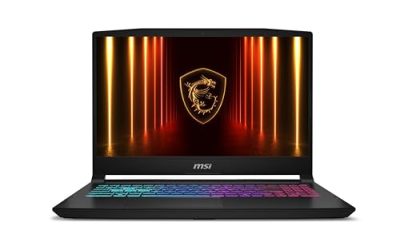
MSI Katana 15 B13VGK-484US

The Katana 15 shows why the TGP check in this guide matters. Its RTX 4070 is rated by MSI at up to 105W maximum graphics power with Dynamic Boost, lower than the ASUS machines above, so expect to lean on DLSS and competitive settings to hold high frame rates in Warzone. In exchange, the Katana pairs that GPU with an Intel Core i7-13620H, 16GB of DDR5 memory and a full 1TB NVMe SSD, removing the storage compromise found on the Acer.
The 15.6-inch Full HD screen refreshes at 144Hz, matching what this configuration can deliver in a battle royale round. Cooler Boost 5 uses dual fans and shared heat pipes for the CPU and GPU. Upgrade headroom is good for the class: MSI publishes two DDR5 slots supporting up to 64GB and two M.2 SSD slots. Ports include USB-C with DisplayPort output, USB-A ports, HDMI 2.1 and Ethernet, and MSI covers the laptop with a one-year limited warranty.
Specs
- Processor: Intel Core i7-13620H (10 cores)
- Graphics: NVIDIA GeForce RTX 4070 Laptop GPU, 8GB GDDR6, up to 105W maximum graphics power with Dynamic Boost
- Display: 15.6-inch 1920 x 1080, 144Hz
- Memory: 16GB DDR5, two slots, up to 64GB
- Storage: 1TB NVMe SSD, two M.2 slots
- Ports: USB-C 3.2 Gen 1 with DisplayPort, USB-A 3.2 ports, USB-A 2.0, HDMI 2.1, RJ-45 Ethernet, audio combo jack
- Wireless: Wi-Fi 6, Bluetooth
- Cooling: Cooler Boost 5 dual-fan system
- Operating system: Windows 11 Home
- Warranty: 1-year limited (per listing)
HP OMEN 16 Gaming Laptop (i7-14700HX, RTX 4070, 32GB)
This OMEN 16 configuration answers Warzone’s memory appetite straight out of the box. It ships with 32GB of DDR5 memory, double the other machines here, leaving comfortable headroom for the game, voice chat and recording tools running together. The Intel Core i7-14700HX brings twenty cores with boost clocks up to 5.5GHz per the listing, and the RTX 4070 carries 8GB of GDDR6 VRAM, enough for high textures at 1080p.
The 16.1-inch Full HD display runs at 165Hz, a sensible target for this GPU in Warzone, and the 1TB PCIe SSD avoids any immediate storage juggling. Because the memory is already generous, upgrades can wait; when they come, the OMEN 16 chassis uses socketed memory and M.2 storage rather than soldered parts, so a larger SSD remains a realistic later step. Wi-Fi 6E handles wireless networking, and HP’s limited warranty covers the configuration. Choose this one if you want the RAM question settled on day one.
Specs
- Processor: Intel Core i7-14700HX (20 cores, up to 5.5GHz)
- Graphics: NVIDIA GeForce RTX 4070 Laptop GPU, 8GB GDDR6
- Display: 16.1-inch 1920 x 1080, 165Hz
- Memory: 32GB DDR5
- Storage: 1TB PCIe NVMe SSD
- Ports: USB-C, USB-A ports, HDMI, RJ-45 Ethernet, audio combo jack (per listing)
- Wireless: Wi-Fi 6E, Bluetooth
- Operating system: Windows 11 Home
- Warranty: HP limited warranty (per listing)
FAQ
How much RAM does a laptop need for Warzone?
Sixteen gigabytes of DDR5 is the working minimum for smooth battle royale play, and 32GB is the comfortable choice if you run voice chat, a browser or capture software alongside the game. Warzone’s big maps and 150-player lobbies use noticeably more memory than standard multiplayer.
Is an RTX 4060 laptop enough for Warzone, or is the RTX 4070 worth it?
A full-power RTX 4060 at a high TGP handles Warzone well at 1080p with DLSS enabled. The RTX 4070 adds headroom for higher settings and 1600p screens, but only when its wattage is not cut down, which is why every pick here lists the graphics power figure.
Does TGP really change Warzone frame rates on a laptop?
Yes. The same RTX 4070 can be configured from low-power designs up to a 140W maximum, and the higher-wattage versions sustain higher clocks during long matches. A twenty-minute Warzone round is exactly the extended load where a low-TGP laptop falls behind an identical-looking full-power model.
Can these laptops run Warzone on an external monitor?
Yes. Every laptop listed here provides HDMI 2.1 or DisplayPort over USB-C, so a high-refresh external monitor is a straightforward upgrade. Keep the laptop on wired Ethernet or Wi-Fi 6E for stable matches.
Conclusion
Warzone asks more of a laptop than any other Call of Duty mode: more CPU for its huge streamed maps, more RAM and VRAM for 150-player lobbies, and a graphics chip allowed to run at full power for long matches. The ROG Strix G16 is the strongest all-round answer, the TUF Gaming A15 matches its GPU wattage in a hardier shell, the Predator Helios Neo 16 proves a full-power RTX 4060 beats a strangled faster chip, the Katana 15 trades some wattage for a full-size SSD, and the OMEN 16 settles the memory question with 32GB fitted from the start.