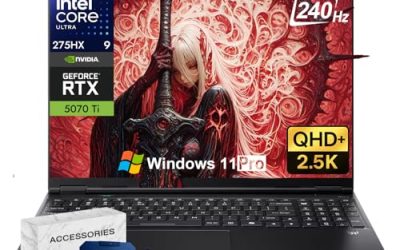
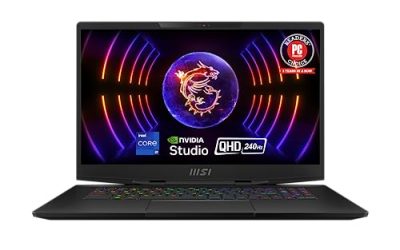
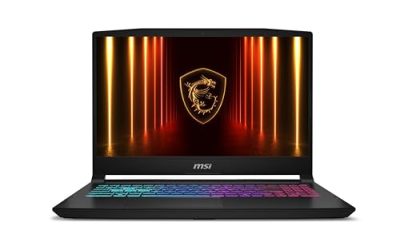
- Top Pick: msi Stealth 16 AI+ 16” 240Hz QHD+ OLED Gaming Laptop: Intel Core Ultra 9 386H, NVIDIA Geforce RTX 5070Ti, 32GB DDR5, 1TB NVMe SSD, Wi-Fi 7, Win 11 Home: Charcoal Black B3WH-036US
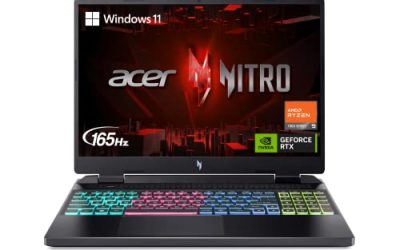
- Best Value: msi Crosshair 18 HX AI 18" 2560×1600 240Hz Display Gaming Laptop, Intel Core Ultra 9 275HX, NVIDIA RTX 5070 8GB GDDR7, 32GB RAM, 2TB NVMe SSD, Windows 11 Home, w/ZYN HDMI Cable
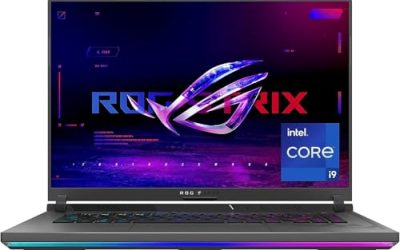
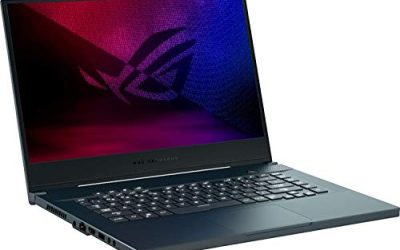
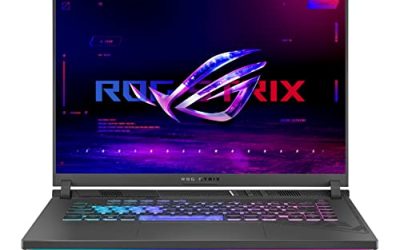
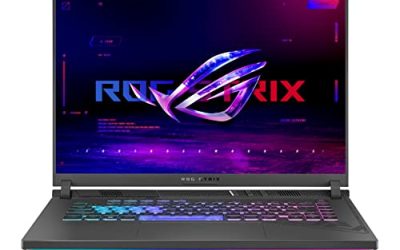
- Premium Choice: ASUS ROG Strix G16 (2026) Gaming Laptop, 16” ROG Nebula HDR 2.5K 240Hz/3ms, Intel Core Ultra 9 290HX Plus, NVIDIA GeForce RTX 5080, 32GB DDR5, 1TB PCIe Gen4 SSD, Wi-Fi 7, Win11 Home, G615LW-AB96
The Lenovo Legion Pro 7i Gen 10 is the best high end gaming laptop for most players, because it delivers a full-power RTX 5080 or RTX 5090 Laptop GPU, a 240Hz OLED panel and replaceable memory in a 16-inch body. The Razer Blade 16 is the pick if you want the same class of graphics in a slim unibody that is easier to carry, and the Alienware 16 Area-51 is the pick for a bold desktop-style machine with strong cooling.
High end is a loose label. On a gaming laptop it should mean three measurable things: a graphics chip running near its maximum power limit, a cooling design that holds that power for an hour, and a screen that does justice to the frame rate. Many models carry a flagship GPU name but run it at a lower wattage and throttle in long sessions. This guide sets thresholds for each criterion and then ranks the real 14 to 16-inch models that meet them. If you want an even larger screen, our separate 18-inch guide covers that class.
As an Amazon Associate we earn from qualifying purchases at no extra cost to you.


Quick picks
- Best overall: Lenovo Legion Pro 7i Gen 10
- Best slim flagship: Razer Blade 16
- Best for maximum power with easy upgrades: ASUS ROG Strix Scar 16
- Best premium desktop-style design: Alienware 16 Area-51
- Best lightweight flagship display: ASUS ROG Zephyrus G16
- Best high-refresh cooling value: ASUS ROG Strix G16
- Best compact high-end: ASUS ROG Zephyrus G14
How we chose
This guide is research-based. We compared manufacturer specification sheets with published 2026 review conclusions from major hardware outlets, focusing on graphics power limit, thermal behavior under long sessions, display type, memory upgradeability and weight. We did not run our own benchmarks, so performance is described in tiers rather than frame rates. A laptop qualified as high end only if it offers an RTX 5080-class or faster Laptop GPU at a high power limit, a high-refresh display with strong contrast, and cooling that reviewers describe as sustained. Where a figure could not be confirmed, we describe it by class.
The criteria, in order of weight:
- Graphics power. An RTX 5090 Laptop GPU can run up to 175W in the best chassis, an RTX 5080 Laptop up to 150W and above, and an RTX 5070 Ti Laptop up to 140W. The same name in a slim body may run much lower.
- Thermal headroom. Vapor chambers, liquid metal and large fans keep clocks steady. Slim designs trade this for portability.
- Display. OLED gives near-instant response and deep contrast. Mini LED gives high brightness and fewer burn-in worries. A fast IPS panel suits competitive play.
- Memory and storage. Replaceable memory extends the life of the machine. Soldered memory is a cost you pay for a thinner body.
- Weight and portability. Range runs from about 1.9 kilograms to roughly 2.7 kilograms before the charger.
Comparison table
| Model | Screen | GPU class | RAM | Weight class |
|---|---|---|---|---|
| Lenovo Legion Pro 7i Gen 10 | 16 in OLED, 240Hz | RTX 5080 or 5090 Laptop, 175W | Replaceable SO-DIMM | About 2.7 kg |
| Razer Blade 16 | 16 in OLED, 240Hz, 1,000+ nits class | RTX 5080 or 5090 Laptop | Soldered | About 2.1 kg |
| ASUS ROG Strix Scar 16 | 16 in Mini LED, 240Hz class | RTX 5090 Laptop class | Replaceable | Heavy 16-inch class |
| Alienware 16 Area-51 | 16 in OLED class (2026) | RTX 5080 or 5090 Laptop class | Check configuration | Heavy 16-inch class |
| ASUS ROG Zephyrus G16 | 16 in OLED, 240Hz, 1,000+ nits class | RTX 5070 Ti up to 5090 Laptop | Soldered | About 1.95 kg |
| ASUS ROG Strix G16 | 16 in IPS, 300Hz | RTX 5080 Laptop, 175W class | Soldered | About 2.65 kg |
| ASUS ROG Zephyrus G14 | 14 in OLED class | Up to RTX 5080 Laptop class, lower limit | Soldered | Lightest class |
The best high end gaming laptops
Lenovo Legion Pro 7i Gen 10
Spec line: 16 in OLED · 240Hz · Intel Core Ultra HX class processor · RTX 5080 or 5090 Laptop GPU at up to 175W · 32GB replaceable SO-DIMM class memory · about 2.7 kg
Best for: Players who want top graphics power, an OLED screen and the ability to upgrade memory later, and who accept a heavier laptop.
Skip if: You carry the laptop daily. At about 2.7 kilograms plus a large charger, it is a desk machine that can travel, not a thin-and-light.
Pros:
- Full 175W graphics power on the top options
- OLED panel with a 240Hz refresh rate
- Replaceable memory and storage
- Reviewers list it among the strongest laptops of the generation
Cons:
- The processor can run hot, reaching about 90 to 100 degrees Celsius in sustained loads
- Heavy for a 16-inch model
- Premium cost on the top tier
Razer Blade 16
Spec line: 16 in OLED · 240Hz · 1,000+ nits class peak · Intel Core Ultra HX class processor · RTX 5080 or 5090 Laptop GPU · 32GB to 64GB soldered memory · about 2.1 kg
Best for: Players who want flagship graphics in the thinnest chassis that still cools them, and who value a CNC aluminum build.
Skip if: You want to upgrade memory later or you are sensitive to cost. The Blade has the highest cost per frame in this guide.
Pros:
- Slim, premium unibody at about 2.1 kilograms
- Bright, fast OLED display
- Reviewers report excellent performance for the size
Cons:
- Soldered memory
- Flagship cost
- Slimmer cooling means more fan noise under full load than the heavier rivals
ASUS ROG Strix Scar 16
Spec line: 16 in Mini LED · 240Hz class · Intel Core Ultra HX class processor · RTX 5090 Laptop class GPU · replaceable memory and storage · vapor-chamber cooling
Best for: Gamers who want the most power and the easiest upgrades in a 16-inch frame and who prefer Mini LED brightness over OLED.
Skip if: You dislike heavy RGB styling or you need long battery life. Reviewers criticize the cost, battery life and the lighting.
Pros:
- Excellent gaming performance and easy internal access
- Fast Mini LED screen
- Strong cooling design
Cons:
- High cost
- Short battery life
- Loud lighting and styling
Alienware 16 Area-51
Spec line: 16 in OLED class panel on the 2026 model · Intel Core Ultra HX class processor · RTX 5080 or 5090 Laptop class GPU · large-vent cooling design
Best for: Players who want a premium, desktop-replacement feel, strong cooling and a glare-free screen on the 2026 revision.
Skip if: You want a slim body. Check the exact configuration and display, since options changed between model years.
Pros:
- Reviewers call it the best premium Alienware to date
- Strong cooling and a sturdy build
- Glare-free OLED option on the 2026 model
Cons:
- Thick and heavy
- Premium cost
- Battery performance falls sharply when unplugged
ASUS ROG Zephyrus G16
Spec line: 16 in OLED · 240Hz · 1,000+ nits class peak · Intel Core Ultra class processor · RTX 5070 Ti up to RTX 5090 Laptop GPU · 32GB to 64GB soldered memory · about 1.95 kg
Best for: Gamers and creators who want the lightest 16-inch flagship and an outstanding screen, and who will choose the RTX 5070 Ti or 5080 tier.
Skip if: You are buying it for the RTX 5090 option. Reviewers report that the 5090 throttles under extended load in this thin body, so the extra cost does little.
Pros:
- Lightest high-end 16-inch option
- Stunning OLED with strong HDR
- Premium aluminum body
Cons:
- Top GPU throttles in long sessions
- Soldered memory
- Higher cost for the cooling it offers
ASUS ROG Strix G16
Spec line: 16 in IPS · 300Hz · Intel Core Ultra HX class processor · RTX 5080 Laptop GPU at 175W class · 32GB soldered memory · about 2.65 kg · vapor chamber and liquid metal
Best for: Competitive players who want the fastest refresh rate, strong cooling and a lower cost than the Scar.
Skip if: You want an OLED panel, an all-metal body or a quiet laptop. Reports of coil whine and a plastic chassis keep it out of the premium tier.
Pros:
- 300Hz panel for fast shooters
- Class-leading cooling for its cost
- High power limit
Cons:
- Plastic chassis
- Reports of coil whine
- Soldered memory
ASUS ROG Zephyrus G14
Spec line: 14 in OLED class panel · AMD Ryzen AI class processor · up to RTX 5080 Laptop class GPU at a lower power limit · soldered memory · lightest class
Best for: Players who want a compact high-end machine for travel, with strong 1440p-class performance in a small body.
Skip if: You want maximum frame rates at 4K or you need the full 175W graphics power. The small chassis limits wattage, so expect a gap to the 16-inch models.
Pros:
- Very portable for the performance class
- Bright OLED display
- Good battery life for a gaming laptop
Cons:
- Lower power limit than the 16-inch models
- Soldered memory
- Premium cost for the size
Worked example: what a power limit does to frame rate
Two laptops can show the same GPU name and run very differently. Use this reasoning to compare them before you buy.
- Find the power limit. Look for the total graphics power in the specification or review. Suppose laptop A runs an RTX 5080 Laptop at 175W and laptop B runs the same chip at 115W.
- Estimate the gap. Graphics performance does not scale in a straight line with wattage. As a rule of thumb, a drop from the top limit to roughly two-thirds of it costs about 10 to 15 percent of frame rate, because lower power also lowers clock speed.
- Apply it. If laptop A runs a game at 100 frames per second, expect laptop B to land near 85 to 90.
- Add thermals. If laptop A runs hot and throttles after an hour, its real figure may fall to 90. At that point the two are close, and the slimmer laptop B becomes the better buy for portability.
- Decide. Pay for wattage only if the chassis can keep it. If a review mentions throttling, treat the lower-power machine as equal.
This is why the Zephyrus G16 with an RTX 5090 can be a worse buy than the same laptop with an RTX 5080. The extra silicon cannot run at full speed in that body.
Buyer criteria with thresholds
Graphics tier
For 2560×1600 and 1440p-class play, an RTX 5070 Ti or 5080 Laptop is plenty. Choose an RTX 5090 Laptop only when the chassis supports its full power limit and you target 4K or heavy ray tracing. Video memory sizes are 12GB, 16GB and 24GB across these three tiers, so choose 16GB or more for modern texture packs.
Display type
OLED has near-instant pixel response and deep blacks, so fast games look smooth. It can show brief afterimages if a static interface stays on screen for hours, so use a dark theme and enable the screen saver. Mini LED reaches higher full-screen brightness and avoids the afterimage risk. A 300Hz IPS panel is the choice for esports.
Memory
Choose 32GB as the floor. Replaceable memory lets you move to 64GB later. If you buy a soldered design, buy the memory you will want in three years.
Ports
Look for Thunderbolt 4 or 5, HDMI 2.1 and a wired Ethernet port, which keeps latency steady in online play. Wi-Fi 7 helps if you do not have a cable.
Weight and charger
Plan for 2 to 2.7 kilograms plus a charger that can weigh close to a kilogram. If you carry the laptop weekly, favor the Razer Blade 16 or the Zephyrus models.
Care tips for gamers
- Use performance mode on mains power. Battery modes limit graphics power sharply.
- Cap frame rates just below the refresh rate. This lowers heat and fan noise with little visible change.
- Keep the intake vents clear. Use a hard flat surface or a riser, not a bed or sofa.
- Use the supplied charger. An underpowered adapter causes throttling.
- Protect the OLED. Hide the taskbar, use dark mode and let the screen turn off when idle.
- Update firmware and graphics drivers. Cooling curves and power tuning improve with updates.
Which one should you buy?
- You want top power and upgrades: Lenovo Legion Pro 7i Gen 10 or ASUS ROG Strix Scar 16.
- You want a slim flagship: Razer Blade 16.
- You want the lightest high-end laptop: ASUS ROG Zephyrus G16 with an RTX 5080-class chip.
- You want a desk-first machine with strong cooling: Alienware 16 Area-51.
- You play esports and want the fastest screen: ASUS ROG Strix G16.
- You travel often: ASUS ROG Zephyrus G14.
Frequently asked questions
What makes a gaming laptop high end?
A high end gaming laptop runs an RTX 5080-class or faster Laptop GPU at a high power limit, with strong cooling and a high-contrast high-refresh display.
The power limit matters as much as the chip name. A slim body that runs a flagship GPU at a low wattage performs like a lower tier, so check reviews for sustained results.
Is an RTX 5090 Laptop GPU worth it?
Only in a chassis that can run it near 175W and for 4K or heavy ray tracing. In a thin body it often throttles, so an RTX 5080 gives similar results for less.
The 5090 Laptop also has 24GB of video memory, which helps with large textures and creative work, so it makes sense for those uses.
OLED or Mini LED for a gaming laptop?
OLED gives better contrast and faster response. Mini LED gives higher brightness and avoids the risk of afterimages, so it suits bright rooms and long static HUD sessions.
Choose OLED for single-player games and movies, Mini LED if you play the same game with a fixed interface for many hours daily.
Is soldered memory a problem?
It is a limit, not a flaw. You cannot upgrade it later, so buy enough at the start, at least 32GB for a high end laptop.
Replaceable memory models such as the Legion Pro 7i and Strix Scar 16 are better for long ownership. Slim laptops solder memory to save space.
Can a high end gaming laptop replace a desktop?
For most games, yes. It matches a mid-to-high desktop, but laptop graphics chips run at lower power than the same-name desktop parts.
A desktop is cheaper for the same speed and easier to upgrade, so choose the laptop if you need one machine for the desk and for travel.
How long does the battery last when gaming?
Expect about one hour or less of gaming on battery, and several hours for light work. Performance drops sharply when unplugged.
Treat the battery as a bridge between outlets. Lighter machines such as the Zephyrus G14 last longer on light tasks.
Do high end gaming laptops overheat?
They run hot under load by design. Good models keep the graphics chip steady, though some processors reach 90 to 100 degrees Celsius in sustained loads.
Keep vents clear, use a hard surface and avoid blocking the exhaust. If temperatures climb at idle, clean the fans or contact the manufacturer.
Which high end gaming laptop is best for travel?
The Razer Blade 16 and ASUS ROG Zephyrus G16 balance power and weight at about 2 kilograms. The Zephyrus G14 is lighter still.
Pack the charger separately, since it adds close to a kilogram, and use a padded sleeve to protect the screen.