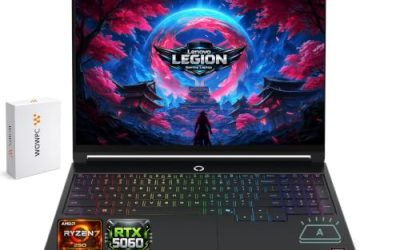
Apex Legends is not a demanding game by modern standards, but ranked play rewards a specific kind of laptop: one that pairs a fast graphics chip with a high-refresh screen, strong CPU speed, and cooling that holds up through long sessions. Every laptop below clears EA’s published recommended specification by a wide margin, so the real differences sit in GPU power limits, panel speed, memory and storage headroom, ports, and upgradeability.
As an Amazon Associate we earn from qualifying purchases
What Apex Legends actually needs from a laptop
EA publishes the system requirements for Apex Legends on PC, and they are modest. The minimum specification calls for 64-bit Windows 10, an Intel Core i3-6300 or AMD FX-4350, 6GB of RAM, and a GeForce GT 640 or Radeon HD 7730 with 1GB of video memory. The recommended specification steps up to a Ryzen 5 or Intel Core i5-3570K, 8GB of RAM, and a GeForce GTX 970 or Radeon R9 290 with 4GB of video memory, with roughly 75GB of free storage.
Hardware that old cannot drive a 165Hz or 240Hz panel, though, and that is the gap this guide is built around. Competitive players typically run reduced detail settings to keep frame rates high, lean on NVIDIA Reflex (a feature EA supports inside Apex Legends) to cut system latency, and play on the internal display. Three things therefore matter more than specification-sheet size: the wattage the laptop allows its GPU to use, the refresh rate and response time of the panel, and a processor with fast cores for busy final circles.
How these laptops were chosen
Each pick below was checked against the same criteria, drawn from the manufacturers’ published specifications:
- CPU and GPU power limits. The same GeForce RTX chip can be configured at very different wattages in different chassis. Where the manufacturer publishes a maximum graphics power or TGP figure, it is listed for every model, because a full-power RTX 4070 and a low-power RTX 4070 are not the same product in practice.
- Display. Every pick has a 165Hz or faster panel with adaptive sync, since panel speed is the biggest quality-of-life factor for a competitive shooter.
- RAM and SSD. 16GB of DDR5 and a 1TB SSD is the baseline, enough for the game alongside Discord, a browser, and recording software.
- Ports and warranty. Wired Ethernet matters for ranked stability, HDMI and USB-C with DisplayPort matter for external monitors.
- Upgradeability. RAM slots, spare M.2 bays, and soldered memory are stated per exact model, because they differ sharply across this group.
Peripherals deserve the same scrutiny; our guide to the best gaming mouse for Apex Legends applies the same spec-first approach to that side of the setup.
ASUS ROG Strix G16 (2024) — G614JIR-AS94

Best all-round pick
The ROG Strix G16 is the most complete Apex machine in this group. Its Intel Core i9-14900HX brings 24 cores with boost clocks up to 5.8GHz, which suits a game whose late-circle fights lean heavily on the processor, and ASUS runs the GeForce RTX 4070 at up to 140W of maximum graphics power with Dynamic Boost — the full-power configuration for this GPU. The 16-inch ROG Nebula panel matches it: 2560 x 1600 at 240Hz with a 3ms response time, G-SYNC, and full DCI-P3 coverage.
Upgradeability is a genuine strength. Both DDR5 SO-DIMM slots accept up to 64GB in total, and a second M.2 slot sits empty next to the factory 1TB drive, so storage can grow without replacing the original SSD. Ports cover desk duty well, with Thunderbolt 4, HDMI 2.1, and wired Ethernet. The trade-off is size: this is a desktop-replacement chassis that travels between desks rather than living in a backpack. ASUS backs it with a one-year limited warranty.
Specs
- CPU: Intel Core i9-14900HX, 24 cores, up to 5.8GHz
- GPU: NVIDIA GeForce RTX 4070 Laptop GPU, 8GB GDDR6, up to 140W maximum graphics power with Dynamic Boost
- Display: 16-inch ROG Nebula IPS, 2560 x 1600, 240Hz, 3ms, G-SYNC, 100% DCI-P3
- Memory: 16GB DDR5-5600, two SO-DIMM slots, expandable to 64GB
- Storage: 1TB PCIe 4.0 NVMe SSD, two M.2 slots
- Ports: Thunderbolt 4, USB-C 3.2 Gen 2 (DisplayPort, power delivery), 2x USB-A 3.2 Gen 2, HDMI 2.1, RJ45 Ethernet, audio combo jack
- Wireless: Wi-Fi 6E, Bluetooth 5.3
- Battery: 90Wh
- Warranty: One-year limited manufacturer warranty
Acer Predator Helios Neo 16 AI — PHN16-73-92B8

Best for players who also play newer, heavier titles
The Helios Neo 16 AI is the newest hardware in this roundup and the pick for anyone whose library extends well past Apex. Its Intel Core Ultra 9 275HX is a 24-core flagship-class processor, and the GeForce RTX 5070 Ti carries 12GB of GDDR7 memory — a third more than the RTX 4070 machines here — which matters far more for texture-heavy single-player games than for Apex itself. Acer’s published GPU power table rates this card at 115W of TGP plus 25W of Dynamic Boost, for 140W of maximum graphics power.
The display keeps pace: a 16-inch 2560 x 1600 IPS panel at 240Hz with G-SYNC. Memory and storage follow the group pattern of 16GB of DDR5 in two SO-DIMM slots and a 1TB Gen 4 SSD with a second M.2 bay, so both can be expanded later. Connectivity is strong, with Thunderbolt 4, three USB-A ports, HDMI 2.1, Killer Wi-Fi 6E, and Ethernet. A one-year limited warranty is standard.
Specs
- CPU: Intel Core Ultra 9 275HX, 24 cores, up to 5.4GHz
- GPU: NVIDIA GeForce RTX 5070 Ti Laptop GPU, 12GB GDDR7, up to 140W maximum graphics power (115W TGP plus 25W Dynamic Boost)
- Display: 16-inch IPS, 2560 x 1600, 240Hz, G-SYNC
- Memory: 16GB DDR5, two SO-DIMM slots, user upgradeable
- Storage: 1TB PCIe Gen 4 SSD, two M.2 slots
- Ports: Thunderbolt 4, USB-C 3.2 Gen 2 (DisplayPort), 2x USB-A 3.2 Gen 2, USB-A 3.2 Gen 1, HDMI 2.1, RJ45 Ethernet, audio combo jack
- Wireless: Killer Wi-Fi 6E, Bluetooth
- Battery: 90Wh
- Warranty: One-year limited manufacturer warranty
Dell G16 7630 — G7630-9926GRY-PUS

Best desktop-replacement value in the group
Dell’s G16 7630 takes a straightforward approach: flagship-class parts, a full-power GPU, and a chassis built for a desk. The Intel Core i9-13900HX boosts to 5.4GHz, and Dell configures the GeForce RTX 4070 at a full 140W TGP, so nothing is held back relative to the other RTX 4070 laptops here. The 16-inch QHD+ panel runs at 240Hz with a 3ms response time, G-SYNC, and full DCI-P3 coverage, level with the ROG Strix screen on the numbers that matter for Apex.
Inside, 16GB of DDR5-4800 sits in two SO-DIMM slots that accept up to 32GB, and the 1TB SSD can be joined by a second M.2 drive later. The port layout is practical — HDMI 2.1, USB-C with DisplayPort, three USB-A ports, and Ethernet — and the 86Wh battery pairs with a large 330W adapter, a reminder that this 2.87kg machine is meant to stay plugged in. Dell includes one year of hardware warranty with onsite service, a convenience advantage over mail-in coverage.
Specs
- CPU: Intel Core i9-13900HX, 24 cores, up to 5.4GHz
- GPU: NVIDIA GeForce RTX 4070 Laptop GPU, 8GB GDDR6, 140W TGP
- Display: 16-inch, 2560 x 1600, 240Hz, 3ms, G-SYNC, 100% DCI-P3
- Memory: 16GB DDR5-4800, two SO-DIMM slots, expandable to 32GB
- Storage: 1TB PCIe NVMe SSD, two M.2 slots
- Ports: HDMI 2.1, USB-C 3.2 Gen 2 with DisplayPort, 3x USB-A 3.2 Gen 1, RJ45 Ethernet, audio combo jack
- Wireless: Wi-Fi 6, Bluetooth
- Battery: 86Wh, 330W adapter
- Warranty: One-year hardware warranty with onsite service
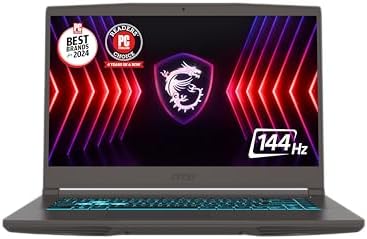
MSI Katana 15 — B13VGK-2000US

Best for a smaller, lighter setup
The Katana 15 is the honest compromise of the group. MSI’s own datasheet for the B13VGK rates the GeForce RTX 4070 at up to 1980MHz boost clock and 105W of maximum graphics power with Dynamic Boost — lower than the 140W configurations above, and the main reason this laptop sits in a lower price band. For Apex specifically, that gap is softened by the game itself: EA’s recommended specification is far below an RTX 4070 at any wattage, and at competitive settings the Katana’s hardware remains well matched to its screen.
That screen is a 15.6-inch QHD panel at 165Hz with full DCI-P3 coverage, a sensible pairing for the GPU’s power envelope. The Intel Core i7-13620H boosts to 4.9GHz, memory is 16GB of DDR5 across two SO-DIMM slots, and the 1TB SSD can be supplemented through a second M.2 slot. The clearest concession besides GPU wattage is the 53.5Wh battery, the smallest here. MSI provides a one-year limited warranty.
Specs
- CPU: Intel Core i7-13620H, 10 cores, up to 4.9GHz
- GPU: NVIDIA GeForce RTX 4070 Laptop GPU, 8GB GDDR6, up to 105W maximum graphics power with Dynamic Boost
- Display: 15.6-inch IPS-level, 2560 x 1440, 165Hz, 100% DCI-P3
- Memory: 16GB DDR5, two SO-DIMM slots, user upgradeable
- Storage: 1TB NVMe PCIe Gen 4 SSD, two M.2 slots
- Ports: USB-C 3.2 Gen 1 with DisplayPort, 2x USB-A 3.2 Gen 1, USB-A 2.0, HDMI 2.1, RJ45 Ethernet, audio combo jack
- Wireless: Wi-Fi 6E, Bluetooth
- Battery: 53.5Wh
- Warranty: One-year limited manufacturer warranty
Alienware X16 R2 — AW16R2-7988SLV-PUS

Best build and screen package, with one upgrade caveat
The Alienware X16 R2 is the premium thin option: a machined-metal chassis noticeably slimmer than the desktop replacements above while keeping a full-power GPU. Dell rates its GeForce RTX 4070 at up to 140W, paired with an Intel Core Ultra 7 155H and Wi-Fi 6E. The display matches the best here — 2560 x 1600 at 240Hz with a 3ms response time, G-SYNC, and full DCI-P3 coverage.
The caveat is memory. The 16GB of LPDDR5X-7467 is soldered and cannot be upgraded, so buyers who expect to need more RAM later should look at the other four laptops instead. Storage is more flexible, with a second M.2 slot beside the factory 1TB SSD. Ports include Thunderbolt 4, HDMI 2.1, and mini DisplayPort, but there is no Ethernet jack, so ranked players who want a wired connection will need a USB adapter. Dell includes one year of onsite service.
Specs
- CPU: Intel Core Ultra 7 155H, 16 cores, up to 4.8GHz
- GPU: NVIDIA GeForce RTX 4070 Laptop GPU, 8GB GDDR6, up to 140W maximum graphics power
- Display: 16-inch, 2560 x 1600, 240Hz, 3ms, G-SYNC, 100% DCI-P3
- Memory: 16GB LPDDR5X-7467, soldered, not upgradeable
- Storage: 1TB PCIe NVMe SSD, two M.2 slots
- Ports: Thunderbolt 4, USB-C 3.2 Gen 2 with DisplayPort, 2x USB-A 3.2 Gen 2, HDMI 2.1, mini DisplayPort, microSD reader, audio combo jack
- Wireless: Wi-Fi 6E, Bluetooth
- Battery: 90Wh
- Warranty: One-year hardware warranty with onsite service
FAQ
What are the official PC requirements for Apex Legends?
EA’s published minimum specification asks for 64-bit Windows 10, an Intel Core i3-6300 or AMD FX-4350, 6GB of RAM, and a GeForce GT 640 or Radeon HD 7730. The recommended specification lists a Ryzen 5 or Intel Core i5-3570K, 8GB of RAM, and a GeForce GTX 970 or Radeon R9 290. Every laptop here exceeds the recommended tier; the differences between them show up at high refresh rates, not at basic playability.
Does GPU wattage matter for Apex Legends on a laptop?
Yes, within limits. The same RTX 4070 appears here at 105W in the MSI Katana 15 and at up to 140W in the other RTX 4070 models, and higher-power configurations sustain higher clock speeds under load. Because Apex is comparatively light, all five laptops suit the game, but the full-power models hold their advantage in busier scenes and carry more headroom for other titles.
Is 16GB of RAM enough for Apex Legends?
For the game itself, comfortably — EA recommends 8GB. 16GB also leaves room for Discord, a browser, and capture software alongside. Players who keep many applications open should note the upgrade paths above: four of these laptops accept more memory later, while the Alienware X16 R2 has soldered RAM that must serve for the machine’s whole life.
Should competitive players choose 1080p, 1440p, or 1600p on a laptop?
At laptop screen sizes, the 2560 x 1600 and 2560 x 1440 panels here stay sharp while their 165Hz to 240Hz refresh rates deliver the motion clarity competitive play depends on, and in-game settings can be lowered to protect frame rates without changing the panel’s native resolution. A fast internal display also keeps NVIDIA Reflex and G-SYNC working together with no extra hardware.
Verdict
For most Apex Legends players, the ASUS ROG Strix G16 is the safest single recommendation: full-power RTX 4070 graphics, a 240Hz Nebula display, and open RAM and SSD slots. The Acer Predator Helios Neo 16 AI suits a mixed library better thanks to its RTX 5070 Ti and 12GB of video memory, while the Dell G16 7630 matches the ASUS on GPU power and panel speed with onsite warranty coverage. The MSI Katana 15 trades GPU wattage for a smaller, lighter machine, and the Alienware X16 R2 offers the slimmest build, provided its soldered memory is acceptable from day one.