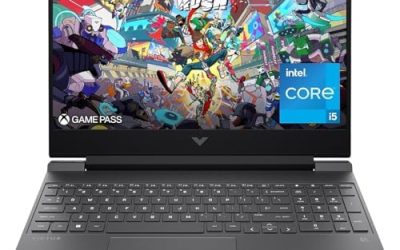
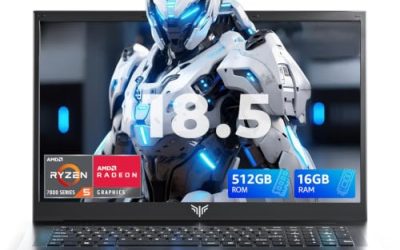
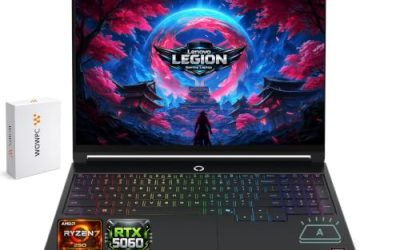
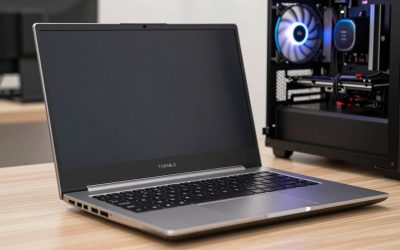
Updated November 2026 – Short answer: yes, gaming laptops suit school, programming and video editing well because of their fast processors, dedicated graphics and upgradeable memory, but they are heavier, louder and shorter on battery life than a thin laptop, so choose a lighter, efficient model if you carry it all day.
So, are gaming laptops good for school programming and video editing (the search many students type)? For editing and heavy coding, they are some of the best-value machines around. For a student who walks between lecture halls with a bag full of books, the weight and charger can outweigh the performance. Here is how to decide.
Are Gaming Laptops Good for School? Weight, Battery and Noise
For lessons and note-taking, a gaming laptop is more machine than you need, and the trade-offs show up in daily carrying. Many models weigh noticeably more than thin-and-light laptops, and the power brick adds to the load. Battery life is usually shorter because the hardware draws more power, even though modern laptops switch to integrated graphics for light tasks.
- Weight: check the maker’s listed weight with and without the charger.
- Battery: makers list battery capacity in watt-hours, and reviewers report real-world runtimes that are often well below a thin laptop.
- Fan noise: fans stay quiet during web browsing and documents but ramp up under load, which can disturb a library or lecture hall.
- Looks: some models carry loud styling and RGB lighting, while others have a plain, professional look.
If you only write essays and browse, a lighter laptop is a better match. If you also game, edit or code, a gaming model covers everything on a single machine.
Are Gaming Laptops Good for Programming?
Yes. Programming rewards a fast multi-core processor, plenty of memory and a quick SSD, all of which gaming laptops provide. Compiling large projects, running containers or virtual machines, and using several development tools at once benefit from 16 GB of RAM or more, and 32 GB is useful for heavier work. The dedicated graphics card helps with game development, machine-learning experiments and GPU-accelerated tools.
Programmers should still check these points:
- RAM capacity and whether it can be upgraded, since some models solder memory.
- Keyboard quality, because you will type for hours.
- Display resolution and size, with a 16:10 screen giving more vertical space for code.
- Port selection for monitors and peripherals.
- Linux compatibility if you use it, especially for Nvidia drivers and Wi-Fi.
Are Gaming Laptops Good for Video Editing?
This is where a gaming laptop shines. Editing software such as Adobe Premiere Pro and DaVinci Resolve can use the graphics card for effects, and both Nvidia and AMD graphics include hardware video encoding and decoding that the software makers list as supported. A fast processor with many cores shortens exports, and a bright, accurate display helps with color work.
| Task | Verdict | Specs that matter |
|---|---|---|
| School and note-taking | Works, heavier than needed | Weight, battery capacity, quiet mode |
| Programming | Very good | 16 to 32 GB RAM, fast multi-core processor, SSD |
| Video editing (1080p) | Very good | Dedicated GPU, 16 GB RAM or more, fast SSD |
| Video editing (4K and effects) | Good, with strong specs | Higher-tier GPU with more video memory, 32 GB RAM, good cooling |
| Gaming alongside work | Excellent | GPU tier, cooling, high-refresh screen |
| Carrying all day | Weak | Look at lighter models |
Specs That Matter Most
Processor
For editing and compiling, favor modern chips with many cores. AMD Ryzen HX and Intel Core Ultra HX processors target this class. Check the maker’s power rating, since the same chip can perform differently depending on how the laptop maker tunes it.
Graphics
Laptop versions of Nvidia RTX 50-series and AMD Radeon graphics use the same names as desktop cards but run at lower power, so they are generally slower than the desktop card of the same name. For editing, more video memory helps with large projects. For school and programming, a mid-range card is plenty.
Memory and storage
Aim for 16 GB of RAM at minimum, and 32 GB for 4K editing or virtual machines. Choose a fast SSD, and see whether the laptop has a second slot for storage upgrades.
Display
A higher refresh rate helps with games, while good color coverage helps with editing. Maker spec sheets list color coverage figures. Matte screens reduce glare in classrooms and offices.
Cooling and thermals
Thin gaming laptops can throttle under long loads, which slows long exports. Reviewers publish thermal and noise measurements, so read them before buying a thin model.
Gaming Laptops for Esports: CS2, MW2 and ARK
Many readers want a laptop that also handles specific games. Match the hardware to each game’s demands, and use the game maker’s published system requirements.
Gaming Laptop for Esports
Esports titles reward high refresh rates and a fast processor more than a top graphics card. A mid-range RTX-class laptop with a 144 Hz or 240 Hz display is usually enough. Fast response and a good keyboard matter as much as raw power.
Best Gaming Laptop for CS2
Counter-Strike 2 depends heavily on the processor and responds well to high refresh rates. Reviewers who benchmark laptops report that mid-range models reach high frame rates at 1080p. Pick a strong processor and a high-refresh screen rather than the most expensive graphics card.
Best Gaming Laptop for MW2
Call of Duty Modern Warfare II runs on a wide range of laptops. The maker lists minimum and recommended specs on the game’s page, and a mid-range RTX laptop meets the recommended level at 1080p. Make sure the laptop has good cooling for long sessions.
Best Gaming Laptop for ARK
The two ARK games differ a lot. The older ARK: Survival Evolved runs on mid-range hardware, while ARK: Survival Ascended is far more demanding and benefits from a stronger graphics card, more video memory and upscaling. If you want the newer game at good settings, aim higher in the lineup.
Are HP Gaming Laptops Good?
HP has long sold Omen and Victus gaming laptops. For 2026, HP moved its Omen gaming hardware under the HyperX name, so newer models may be listed as HyperX Omen rather than HP Omen, and the entry-level lineup has been shifting. Reviewers have generally described the budget-oriented models as the value pick and the Omen models as more premium, with the usual caveats of any brand: results vary by model and by year. Compare reviews of the specific model, and look at cooling, port selection and upgradeability rather than the brand name alone.
Are MSI Gaming Laptops Good?
MSI covers a wide range, from budget Thin and Cyborg models to high-end Raider and Titan machines. Reviewers often praise the performance for the money and the wide choice, and sometimes note fan noise and build differences between lines. As with HP, choose by model, read thermal and noise reviews, and check the warranty terms from the maker.
Best Gaming Laptop on a Mid-Range Budget
People search for the best gaming laptop for a fixed mid-range budget because they want a balanced machine. At that tier, aim for a recent RTX 50-series or Radeon RX laptop GPU in the mid-range, 16 GB of RAM, a fast 512 GB or larger SSD and a 144 Hz or better display. Do not trade RAM and cooling for a slightly faster graphics chip, because the cooling design decides how long the performance lasts.
| Feature | Target | Why |
|---|---|---|
| RAM | 16 GB, upgradeable to 32 GB | Compiling, editing, multitasking |
| Storage | 512 GB to 1 TB SSD | Projects, games and footage |
| Graphics | Mid-range RTX or Radeon laptop GPU | Games and editing acceleration |
| Display | 144 Hz or higher, matte if possible | Games and daily comfort |
| Weight | As light as your budget allows | Carrying to school |
Gaming Laptop for Parts: Is It Worth Buying?
Some people search for a gaming laptop for parts, meaning a broken unit sold for components. This can work for a skilled repairer who wants a screen, keyboard or board, but it is risky for most buyers. Parts laptops often have unknown faults and no warranty. If you are not experienced in repair, buy a working laptop. Power off, unplug the charger and disconnect the internal battery as the service manual describes before opening any laptop, and never attempt repairs on a swollen battery. Contact a technician instead.
Battery, Charging and Everyday Habits
A few habits make a gaming laptop far easier to live with as a daily machine. Use the maker’s power or performance mode switch: a quiet or balanced mode lowers fan noise and extends battery life during classes and coding. Many models include a graphics switching feature that turns the dedicated card off for light work, so check the manual for the option name. Plugging in for editing exports and games matters, because many laptops cut performance on battery to protect the cell.
Also consider a smaller, lighter charger if the maker sells one, and keep vents unblocked on soft surfaces such as beds. Heat shortens the life of any laptop, and sustained high temperatures are the main reason reviewers flag thin gaming models for throttling.
Gaming Laptop or Thin Laptop: A Quick Rule
Choose a gaming laptop if at least two of these apply: you edit video, you game regularly, you run heavy development tools, or you work mostly at a desk. Choose a thin laptop if you carry the machine all day and mostly write, browse and attend video calls. A middle path exists in lighter gaming or creator laptops that pair a mid-range graphics card with a slimmer body and longer battery life.
Frequently Asked Questions
Is a gaming laptop too heavy for school?
It can be. Many weigh more than thin laptops, plus the charger. If you carry it daily, choose a lighter model and check the maker’s listed weight.
How much RAM do I need for programming and editing?
16 GB is a sensible minimum, and 32 GB suits 4K editing and virtual machines. Check whether the laptop’s memory can be upgraded.
Do gaming laptops have good battery life?
Usually not as good as thin laptops. Reviewers report shorter runtimes, especially under load. Switching to integrated graphics or a quiet mode helps.
Is a gaming laptop good for video editing?
Yes. Dedicated graphics and fast processors speed up effects and exports, and hardware encoders help with common formats.
Which games matter when choosing a gaming laptop?
Match the laptop to your heaviest game. CS2 and similar esports titles run well on mid-range models, while ARK: Survival Ascended needs stronger hardware.
Are MSI or HP gaming laptops better?
Neither brand wins across the board. Both make good and weaker models, so read reviews for the specific model and compare cooling, upgradeability and warranty.