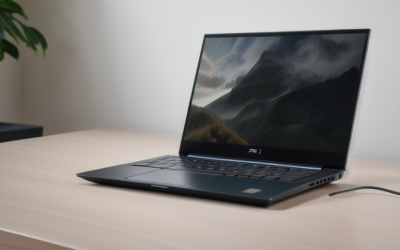
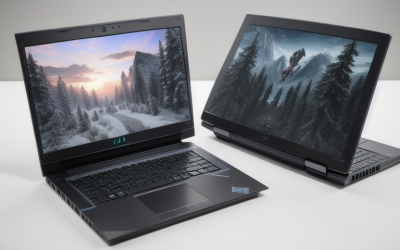
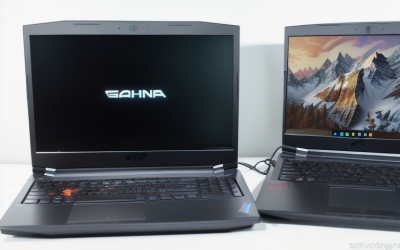
- Top Pick: ASUS ROG Strix G18 G815 Gaming AI Laptop 18" 2560×1600 240Hz (100% DCI-P3) Intel 24-core Ultra 9 275HX 64GB RAM 4TB SSD GeForce RTX 5070 (Up to 798 AI Tops) RGB Backlit Win11Pro ICP Acc/
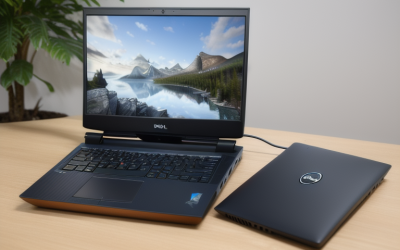
- Best Value: GIGABYTE Gaming A16 – AMD Ryzen 7 260 GeForce RTX 5060 16" Laptop | 165Hz, 1920×1200 WUXGA, 1TB SSD, 16GB DDR5 RAM, Windows 11 Home, Black Steel
- Premium Choice: MSI Cyborg 15 Gaming AI Laptop | 15.6" FHD IPS 144Hz | AMD 8-core Ryzen 9 270 (>i9-12950HX) | 16GB DDR5 512GB SSD | GeForce RTX 5060 GDDR7 Up to 572 TOPS | 4-zone RGB Backlit Win11Pro w/DLCA Accessory
Ray tracing is the feature that turns puddles into mirrors and window light into believable shadows, and it is also the setting that punishes a weak graphics chip first. Shopping for a laptop that handles it is less about the brand sticker and more about three things: which GeForce RTX tier sits inside, how much memory and storage surround it, and whether the screen is worth looking at once the lighting effects are switched on. All six machines below carry an RTX 50-series GPU, so the hardware ray tracing cores are a given; the differences lie in the tier and everything built around it.
The audience here is the player who wants modern lighting effects in recent single-player games without buying a desktop, plus students and travelers who need one machine for classes, work, and evenings in front of a game. In 2026, the choice usually comes down to a balance between screen quality, portability, and GPU tier. Every note below comes from specifications printed in the listing titles, with no claims about frame rates or battery life, so verify details such as weight and port layout on the maker’s page.
Quick Picks
As an Amazon Associate we earn from qualifying purchases at no extra cost to you.




| Product | Best for | Key spec from the title |
|---|---|---|
| ASUS ROG Strix G18 G815 | Big-screen, maximum-memory setup | 18″ 2560×1600 240Hz, RTX 5070, 64GB RAM, 4TB SSD |
| GIGABYTE Gaming A16 | Balanced 16-inch all-rounder | RTX 5060, 165Hz, 1920×1200, 1TB SSD |
| MSI Cyborg 15 | Compact 15-inch entry into RTX 5060 | 15.6″ FHD 144Hz, RTX 5060 GDDR7 |
| Lenovo LOQ Gaming AI | Starting out with ray tracing | RTX 5050 GDDR7, 144Hz, 100% sRGB |
| HP Omen Transcend 14 | Portable OLED gaming | 14″ 3k OLED 120Hz, RTX 5070, Thunderbolt |
| ASUS V16 Gaming 5060 | Memory and storage on a 16-inch frame | RTX 5060, 32GB DDR5, 2TB SSD, 16:10 |
How to Choose
Read the GPU tier, not just the generation
The RTX 5050, 5060, and 5070 listed here share the same family, but they sit on different rungs, and the number in the name is the quickest guide to how much ray tracing headroom you get. Ray tracing at higher settings leans harder on the GPU than ordinary rasterized lighting, so the 5070 models have the most room, the 5060 machines cover mainstream use, and the 5050 suits lighter settings or upscaling. Because upscaling technologies work alongside ray tracing, the tier decides how much you lean on them.
Aim for 16GB of RAM at the least, 32GB when you multitask
Sixteen gigabytes of DDR5 is the floor in this group, and it is workable for games alone. Streaming, running a browser with many tabs, or editing video pushes toward 32GB, which the ASUS V16 and HP Omen Transcend list. The ROG Strix G18 goes to 64GB, a figure that mostly matters for creative work rather than games.
Match storage and screen to your habits
A 512GB drive fills quickly when single games routinely take huge installs, so 1TB or more is the comfortable target. For the screen, a 144Hz refresh and a 1080p panel are fine at this tier. Higher resolutions like 2560×1600 demand more from the GPU in exchange for sharper detail. OLED, as on the Omen Transcend 14, brings deeper contrast, which suits ray-traced lighting. Color claims such as 100% DCI-P3 matter to creators more than to pure gamers.
Ports, size, and what budget models cut
Check for HDMI if you connect a monitor or television, Thunderbolt if you use fast external drives or docks, and a numeric keypad if you use spreadsheets. Smaller 14-inch frames sacrifice size for portability, while the 18-inch machine is a desktop replacement. Entry-level machines usually cut corners on RAM, storage, or display quality first, so a model that pairs a capable GPU with a basic 512GB drive will want an upgrade sooner. Ignore the AI Tops numbers when comparing for games; they matter far less than the GPU tier.
The 6 Best Options
ASUS ROG Strix G18 G815
The title lists an 18-inch 2560×1600 display at 240Hz with 100% DCI-P3 coverage, a 24-core Intel Core Ultra 9 275HX, 64GB of RAM, a 4TB SSD, and an RTX 5070, with Windows 11 Pro and an RGB backlit keyboard. This is a desktop-replacement for someone who wants a large, fast screen for ray-traced games and plenty of room for a library.
- Strength: A large 240Hz panel at 2560×1600 with wide color coverage.
- Strength: 64GB of RAM and a 4TB SSD are the largest in this group.
- Trade-off: An 18-inch body is a poor fit for backpacks and cramped desks.
Skip it if portability matters more than screen size. The 64GB and 4TB configuration also goes beyond what games demand, so a buyer who only plays may prefer a smaller build that spends its budget on the display and GPU instead.
GIGABYTE Gaming A16
A 16-inch laptop with an AMD Ryzen 7 260, an RTX 5060, a 165Hz 1920×1200 display, 1TB SSD, and 16GB of DDR5, running Windows 11 Home in a Black Steel finish. It reads as a balanced pick for a player who wants a single machine for games and everyday work.
- Strength: A 165Hz refresh, the highest among the 16-inch models here.
- Strength: The 1TB SSD gives room for several large games.
- Trade-off: 16GB of RAM is the minimum, leaving little headroom for heavy multitasking.
Skip it if you plan to stream and game simultaneously, since the memory configuration is the spec most likely to need attention first. Anyone who wants a quick upgrade path should check whether the manufacturer lists user-accessible slots.
MSI Cyborg 15
The Cyborg 15 pairs a 15.6-inch FHD IPS 144Hz screen with an AMD Ryzen 9 270, 16GB of DDR5, a 512GB SSD, and an RTX 5060 with GDDR7, quoted up to 572 TOPS. A four-zone RGB keyboard and Windows 11 Pro round it out. It suits someone who wants the RTX 5060 tier in a smaller frame.
- Strength: The 5060-tier GPU with GDDR7 in a 15.6-inch body.
- Strength: An 8-core Ryzen 9 named in the title pairs a strong processor with the GPU.
- Trade-off: A 512GB SSD fills fast.
Skip it if you need ample built-in storage, or if you expect to keep a large library installed at once. Players who mostly rotate through one or two titles at a time can live with it more easily.
Lenovo LOQ Gaming AI
The LOQ carries a 15.6-inch FHD IPS 144Hz panel with 100% sRGB and FreeSync, a Ryzen 7 170, 16GB of RAM, a 512GB SSD, and an RTX 5050 with GDDR7. A privacy camera and Nahimic audio are also listed. It is meant for newcomers who want to try ray tracing at moderate settings.
- Strength: FreeSync and 100% sRGB on the display.
- Strength: A privacy camera adds comfort for classes and calls.
- Trade-off: The RTX 5050 is the lowest GPU tier in this group.
Skip it if you intend to push ray tracing to high settings in demanding titles. It also helps to remember that the same 512GB limit applies here, so a plan for external or added storage is sensible.
HP Omen Transcend 14
A 14-inch machine with a 3k OLED display at 120Hz, 100% DCI-P3, HDR at 500 nits, a 16-core Intel Core Ultra 9 285H, 32GB of RAM, a 2TB SSD, an RTX 5070, and Thunderbolt. It is the portable option for players who want an OLED screen they can carry to class.
- Strength: OLED with HDR, a strong match for ray-traced lighting.
- Strength: 32GB of RAM and 2TB of storage in a 14-inch body.
- Trade-off: At 120Hz it trails the faster panels here.
Skip it if high refresh rates matter more than contrast, or if you want a larger screen for a fixed desk setup where a 14-inch panel feels small.
ASUS V16 Gaming 5060
This 16-inch model lists an Intel Core 7 processor 240H, an RTX 5060, a 16:10 WUXGA 144Hz display, 32GB of DDR5, a 2TB SSD, a numeric keypad, and HDMI, with Windows 11 Home and a bundle. It suits a buyer who wants memory and storage generosity at the 5060 tier.
- Strength: 32GB of DDR5 and 2TB of storage at the 5060 tier.
- Strength: A 16:10 panel and numeric keypad help with work tasks.
- Trade-off: The bundle contents are not spelled out in the title.
Skip it if you want an OLED screen or a higher GPU tier, or if you want exact details about what the included bundle contains before you commit.
Which One Fits Your Situation
You want ray tracing and a laptop that travels
The HP Omen Transcend 14 is the clearest fit, because it combines an RTX 5070 with a 14-inch OLED body and Thunderbolt. A student carrying it between classes gets a bright HDR screen without the bulk of a larger chassis, and the 2TB drive keeps coursework and games on one device.
You are replacing a desktop
The ASUS ROG Strix G18 G815 offers the big screen, the RTX 5070, and the storage that a desktop owner expects, along with memory beyond what most games need.
You game and work from the same machine
Pick the ASUS V16 Gaming 5060, since 32GB of RAM, 2TB of storage, and a numeric keypad suit both. The GIGABYTE Gaming A16 is a lighter-spec alternative with a faster 165Hz screen.
You are starting with ray tracing at moderate settings
The Lenovo LOQ Gaming AI with its RTX 5050 is the gentle entry and works well for someone who mostly plays lighter games and only occasionally switches ray tracing on, while the MSI Cyborg 15 steps up to an RTX 5060 in a similar 15.6-inch layout.
Common Mistakes
- Choosing by processor name while ignoring which RTX tier the machine carries, even though ray tracing leans on the GPU.
- Accepting a 512GB drive without planning for an upgrade when modern installs are large.
- Treating AI Tops figures as a measure of game performance.
- Overlooking the display, then discovering a basic panel flattens the lighting that ray tracing is meant to improve.
- Forgetting that a bundle or accessory pack in the title is not a guarantee of what ships in the box.
Related guides
- Battery Operated Smoke And Carbon Monoxide Detectors
- Combination Smoke And Carbon Monoxide Detectors
- Aio Liquid Coolers For High Performance Gaming
Frequently Asked Questions
Does every RTX laptop support ray tracing?
Every GeForce RTX GPU includes ray tracing hardware, so all six qualify, and each also supports upscaling features that help recover smoothness. The practical difference is how much performance each tier leaves once the effect is on.
Is the RTX 5050 enough?
It can handle ray tracing at lighter settings, particularly with upscaling enabled. If you want higher settings, the 5060 and 5070 machines give more room.
Is OLED worth choosing for gaming?
OLED offers deep contrast and strong color, which shows off lighting effects. The trade-off is that listed refresh rates may be lower than on IPS gaming panels.
How much RAM do I need?
Sixteen gigabytes covers games alone, while 32GB suits multitasking with a browser, chat apps, and a capture tool open. The 64GB configuration is mostly for creative work such as large video projects.