As an Amazon Associate we earn from qualifying purchases.
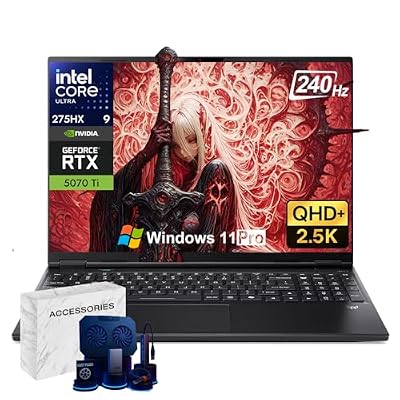

A 240Hz display only helps if the rest of the laptop can feed it. At 240 frames per second, each frame lasts just over four milliseconds, so the graphics card, processor, cooling and memory must sustain very high frame rates rather than reach them briefly. That is why the best gaming laptops with 240Hz display pair fast panels with powerful RTX graphics and high-core-count processors.
Every laptop here has a verified 240Hz panel, confirmed on its product listing. All five use a 16-inch 2560 x 1600 screen, spanning IPS and OLED technology, RTX 40-series and RTX 50-series graphics, and Intel and AMD processors. Some prioritise upgradeability. Others trade that flexibility for a thinner chassis and onboard memory.
How to Choose a Gaming Laptop with a 240Hz Display
Match the graphics card to the resolution
A 2560 x 1600 panel has considerably more pixels than 1920 x 1080, so reaching high frame rates takes more graphics power. Esports titles at competitive settings are the easiest route to very high frame rates. Large open-world and ray-traced games are much harder, and DLSS, including frame generation on RTX 50-series graphics, plays a larger role there. Check graphics memory too: configurations below range from 12GB on the RTX 5070 Ti and RTX 4080 models to 24GB on the RTX 5090 models.
Pay attention to GPU power limits
Two laptops with the same graphics chip can perform differently because manufacturers set different power limits. Where a listing states a total graphics power figure, it is included below. The Razer Blade 16 states up to 160W for its RTX 5090, while the Acer Predator Helios Neo 16S states 115W for its RTX 5070 Ti. A higher limit generally supports higher sustained clock speeds, provided cooling can handle the heat. If a listing does not state a limit, do not assume it matches another laptop with the same chip.
Choose between IPS and OLED panels
Four of these laptops use OLED panels, which deliver true blacks, very fast pixel response and wide colour coverage. The ASUS configuration below uses an IPS-level Nebula display instead, with a stated 3ms response time and 500 nits of brightness. OLED suits players who also edit video. IPS remains practical for bright rooms and long desktop sessions. Either way, look for adaptive sync, listed as G-SYNC or Advanced Optimus on several models here, to reduce tearing when frame rates fluctuate.
Check memory, storage and upgradeability
A 240Hz laptop is a long-term purchase, so upgrade paths matter. The GIGABYTE AORUS Master 16 states two SO-DIMM sockets and up to 64GB of memory, plus multiple M.2 storage slots. The Razer Blade 16 uses fast LPDDR5X memory for its thin design, while still providing two M.2 slots holding up to 8TB in total. The Alienware x16 R2 also uses onboard LPDDR5X, so its 32GB configuration should be chosen for the full life of the laptop. For a broader shortlist, see our guide to the best 240Hz gaming laptop options across screen sizes and budgets.
Check ports, warranty and wireless
A desk setup needs HDMI for an external monitor, USB ports for peripherals, and ideally Ethernet for stable online play. These models differ: some include Ethernet and a card reader, while thinner designs lean on USB-C and Thunderbolt. Wi-Fi 7 appears on several listings, with Wi-Fi 6E on the Acer. Warranty terms range from a one-year manufacturer warranty to Alienware’s onsite service model.
The Best Gaming Laptops with 240Hz Display
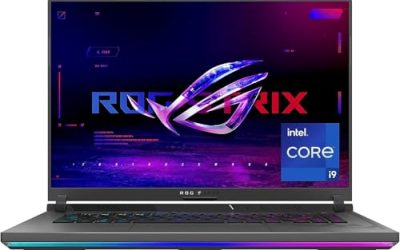
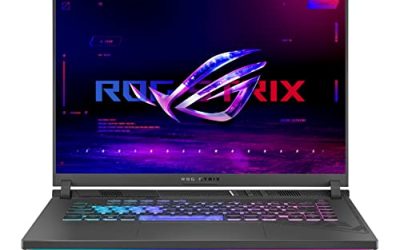
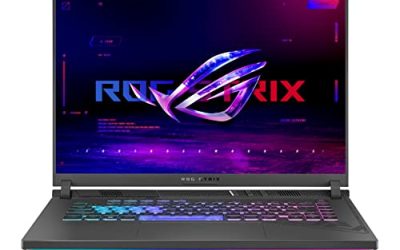
ASUS ROG Strix G16 (2025) Gaming Laptop with RTX 5070 Ti
The ROG Strix G16 is the balanced high-performance option here. Its Intel Core Ultra 9 275HX has 24 cores and a maximum speed of 5.4GHz, giving it headroom for processor-heavy games, streaming and video work. The RTX 5070 Ti Laptop GPU is paired with 32GB of DDR5 memory at 5600MHz and a 1TB PCIe 4.0 SSD, a combination that fits the 2560 x 1600 panel well: competitive titles can run at reduced settings for maximum frame rates, while DLSS helps heavier games stay smooth at native resolution. The product description notes easy upgrades and includes three months of PC Game Pass. Cooling comes from ROG Intelligent Cooling, and the Nebula display runs at 240Hz with a 3ms response time.
Specs
- Processor: Intel Core Ultra 9 275HX, 24 cores, up to 5.4GHz
- Graphics: NVIDIA GeForce RTX 5070 Ti Laptop GPU
- Display: 16-inch 2560 x 1600 ROG Nebula display, 240Hz, 3ms
- Memory: 32GB DDR5, 5600MHz
- Storage: 1TB PCIe 4.0 SSD
- Wireless: Wi-Fi 7, Bluetooth
- Operating system: Windows 11 Home
- Battery: 90Wh lithium ion
- Warranty: 1 year warranty description on listing
Acer Predator Helios Neo 16S AI Gaming Laptop with RTX 5070 Ti
The Predator Helios Neo 16S AI pairs RTX 5070 Ti graphics with a slim OLED design. Its listing states a maximum graphics power of 115W for the RTX 5070 Ti, which carries 12GB of GDDR7 memory, alongside an Intel Core Ultra 9 275HX with 24 cores and up to 5.4GHz turbo. The 16-inch OLED panel runs at 2560 x 1600 and 240Hz with a stated 500 nits of brightness and 100 percent DCI-P3 colour, appealing to players who also edit photos or video. This configuration includes 32GB of DDR5 memory and 2TB of storage, with memory support listed up to 64GB. Cooling uses a 5th Gen AeroBlade 3D design with a liquid-metal interface. The listing states the original seal is opened for upgrade only on upgraded configurations, with a one-year manufacturer warranty, so confirm the exact configuration before ordering.
Specs
- Processor: Intel Core Ultra 9 275HX, 24 cores, up to 5.4GHz
- Graphics: NVIDIA GeForce RTX 5070 Ti Laptop GPU, 12GB GDDR7, 115W max graphics power stated
- Display: 16-inch 2560 x 1600 OLED, 240Hz, 500 nits, 100 percent DCI-P3
- Memory: 32GB DDR5, support up to 64GB stated on listing
- Storage: 2TB SSD
- Ports: Thunderbolt 4, USB-C, 3 x USB-A, HDMI 2.1, RJ-45 Ethernet, combo audio jack
- Wireless: Wi-Fi 6E, Bluetooth 5.4
- Operating system: Windows 11 Pro
- Warranty: 1 year manufacturer warranty stated on listing
Alienware x16 R2 Gaming Laptop with RTX 4080
The Alienware x16 R2 is the RTX 40-series option here, built around an RTX 4080 with 12GB of GDDR6 memory, well matched to the 16-inch QHD+ panel at 2560 x 1600 and 240Hz with a 3ms response time. The Intel Core Ultra 9 185H has 16 cores and a maximum speed of 5.1GHz, supported by 32GB of LPDDR5X memory at 7467MHz and a 1TB SSD. The memory is onboard and the listing gives 32GB as the maximum, so buy this as a finished specification rather than a platform for later upgrades. The Lunar Silver chassis is 0.73 inches thick, with AlienFX lighting and a 90Wh battery. Connectivity is a strength, spanning Thunderbolt 4, HDMI 2.1, USB-A ports, a mini DisplayPort and a micro-SD reader. Warranty coverage stands out, described as one-year hardware service with onsite or in-home service after remote diagnosis.
Specs
- Processor: Intel Core Ultra 9 185H, 16 cores, up to 5.1GHz
- Graphics: NVIDIA GeForce RTX 4080, 12GB GDDR6
- Display: 16-inch 2560 x 1600 QHD+, 240Hz, 3ms
- Memory: 32GB LPDDR5X, 7467MHz, onboard
- Storage: 1TB SSD
- Ports: Thunderbolt 4, USB-C, 2 x USB-A, HDMI 2.1, mini DisplayPort, micro-SD reader, headset jack
- Wireless: Wi-Fi 7, Bluetooth
- Operating system: Windows 11 Home
- Battery: 90Wh, 6-cell lithium ion
- Warranty: 1 year hardware service with onsite or in-home service after remote diagnosis
GIGABYTE AORUS Master 16 Gaming Laptop with RTX 5090

The AORUS Master 16 is the upgrade-focused flagship here. Its RTX 5090 Laptop GPU carries 24GB of graphics memory according to the listing, paired with an Intel Core Ultra 9 275HX reaching 5.4GHz. The 16-inch OLED display runs at 2560 x 1600 and 240Hz, with 100 percent DCI-P3 colour, Pantone Validation, Dolby Vision, G-SYNC and Advanced Optimus listed, plus a stated 0.03ms response time. Memory is a clear strength: 32GB of DDR5 at 5600MHz sits in two SO-DIMM sockets, with a stated maximum of 64GB, so a later upgrade is part of the design. Storage starts at 2TB, with multiple M.2 slots supporting PCIe Gen5 and Gen4. Other details include a 99Wh battery and WINDFORCE Infinity EX cooling, with a one-year manufacturer warranty. For a desktop-replacement role, this is the most expandable configuration here.
Specs
- Processor: Intel Core Ultra 9 275HX, up to 5.4GHz
- Graphics: NVIDIA GeForce RTX 5090 Laptop GPU, 24GB graphics memory stated on listing
- Display: 16-inch 2560 x 1600 OLED, 240Hz, 100 percent DCI-P3, G-SYNC, Advanced Optimus
- Memory: 32GB DDR5, 5600MHz, 2 SO-DIMM sockets, up to 64GB
- Storage: 2TB PCIe NVMe M.2 SSD, multiple M.2 slots, Gen5 and Gen4 support stated
- Ports: Thunderbolt, HDMI, USB, Ethernet
- Wireless: Wi-Fi 7, Bluetooth 5.4
- Operating system: Windows 11 Home
- Battery: 99Wh lithium polymer
- Warranty: 1 year manufacturer warranty
Razer Blade 16 (2025) Gaming Laptop with RTX 5090

The Razer Blade 16 takes a different route to RTX 5090 performance: portability. The listing highlights a 14.9mm design milled from a single block of aluminium, the thinnest chassis here by a wide margin. Its RTX 5090 Laptop GPU is stated as pushing up to 160W TGP, with manufacturer notes clarifying up to 135W sustained and up to 160W with NVIDIA Dynamic Boost, notable output for this size. The AMD Ryzen AI 9 HX 370 has 12 cores and 24 threads, plus an NPU rated at up to 50 TOPS. The 16-inch QHD+ OLED display runs at 240Hz with a stated 2ms response time. This configuration includes 64GB of LPDDR5X memory at 8000MHz and 4TB of storage across two 2TB PCIe Gen4 SSDs, the largest total here. Storage upgradeability is explicit: two M.2 slots can each accept up to a 4TB single-sided SSD, for up to 8TB in total.
Specs
- Processor: AMD Ryzen AI 9 HX 370, 12 cores, 24 threads, NPU up to 50 TOPS
- Graphics: NVIDIA GeForce RTX 5090 Laptop GPU, up to 160W TGP stated on listing
- Display: 16-inch QHD+ 2560 x 1600 OLED, 240Hz, 2ms response time
- Memory: 64GB LPDDR5X, 8000MHz
- Storage: 4TB total, 2TB plus 2TB PCIe Gen4 SSD, two M.2 slots up to 8TB stated
- Operating system: Windows 11 Home
Frequently Asked Questions
Is 240Hz worth it over 165Hz on a gaming laptop?
For competitive games, yes, provided the graphics card can produce frame rates well above 165 frames per second at the settings in use. The step to 240Hz shortens the time between displayed frames, helping motion clarity and input feel in fast shooters. In demanding single-player games at much lower frame rates, the advantage is smaller, and resolution and graphics settings matter more.
Can these laptops actually reach 240 frames per second?
In esports titles at competitive settings, the stronger configurations here are built for that goal. In large AAA games at native 2560 x 1600 with high settings and ray tracing, frame rates will usually be lower, and upscaling and frame generation become important. A 240Hz panel still helps as frame rates rise and fall, especially with adaptive sync enabled, but not every game will fill the full refresh rate at maximum settings.
Is OLED or IPS better for a 240Hz gaming laptop?
OLED offers true blacks, stronger contrast and very fast pixel response, and four of the five laptops here use it. It suits mixed gaming and media use and colour-sensitive work, with several listings stating 100 percent DCI-P3 coverage. The IPS-level panel on the ASUS configuration offers 240Hz with a stated 3ms response and 500 nits of brightness, a strong option for bright environments. Neither technology changes the refresh rate itself, so choose based on contrast and brightness needs.
How much RAM and storage should a 240Hz gaming laptop have?
The configurations here start at 32GB of memory, a sensible baseline for gaming alongside streaming and background applications, while the Razer configuration doubles that to 64GB. For storage, 1TB fills quickly with modern game installs, so the 2TB and 4TB configurations offer more room. Where upgrades matter, check slot details before buying: the GIGABYTE model states two SO-DIMM sockets and multiple M.2 slots, while models with onboard LPDDR5X memory should be bought in the capacity needed for the life of the laptop.
Conclusion
The best gaming laptops with 240Hz display succeed on balance, not refresh rate alone. The ASUS ROG Strix G16 offers a well-rounded Intel and RTX 5070 Ti specification, while the Acer Predator Helios Neo 16S adds an OLED panel, a stated 115W graphics limit and 2TB of storage in a slim design. The Alienware x16 R2 counters with RTX 4080 graphics, a wide port selection and onsite service coverage. At the top end, the GIGABYTE AORUS Master 16 is the expandable desktop replacement, and the Razer Blade 16 is the thin RTX 5090 option with 64GB of memory and 4TB of storage.