As an Amazon Associate we earn from qualifying purchases
Engineering and gaming need similar hardware. A CAD assembly, a finite element simulation, a MATLAB script working through a large data set, and a modern game all benefit from a fast multi-core processor, a dedicated graphics card with its own memory, plenty of system memory, and fast solid-state storage. The priorities differ slightly. Gaming rewards high refresh rates, while engineering rewards sustained performance, screen space for toolbars and code, ports for monitors and peripherals, and the ability to keep several demanding applications open at once.
This guide explains how to judge a gaming laptop for engineering, then looks at five models. Each model is described only with specifications stated in its listing or by its manufacturer. No benchmark scores are invented, because results in a specific simulation or render depend on the software version, project size, drivers, and settings. Instead, the focus is on why each specification matters, so the shortlist can be matched to a particular course, job, or project.
If the main use is coursework, it is also worth comparing these machines with the options in our guide to the best laptops for engineering students,
How to Choose a Gaming Laptop for Engineering
Start with the processor. Some engineering tasks, such as rebuilding a parametric CAD model or compiling code, lean heavily on one or a few fast cores. Others, such as running a simulation, rendering a scene, or processing data in parallel, can spread work across many cores and finish sooner when more cores are available. High-performance mobile processors ending in H or HX suit this work better than low-power processors for thin laptops.
Next, consider the graphics card and its power limit. The graphics processor drives the viewport in CAD and 3D modelling software, so rotating and zooming a complex assembly stays smooth. In software supporting GPU compute, it can also accelerate rendering and simulation using its parallel cores and video memory. Two laptops can carry a graphics card with the same name but different power limits, stated as TGP or MGP in watts, and the higher-power version can typically sustain higher performance in a thicker chassis with stronger cooling. Where a listing states a power figure, it is noted below. Where it does not, no figure is assumed.
Memory holds the operating system, the engineering application, the open project, and everything running alongside it. When memory runs out, the system leans on storage and work slows noticeably. Light CAD, programming, and general study can work with a mid-sized capacity. Large assemblies, virtual machines, and bigger data sets need more. Check upgradeability as stated: a laptop with two memory slots and a stated maximum can be extended later, while soldered memory must be bought in the capacity needed for the life of the machine.
Storage fills quickly with projects, software, games, and simulation files. A fast NVMe drive shortens loading and saving. Check capacity and whether a second drive slot is stated as available.
A 16-inch 16:10 panel gives more vertical space for code and CAD toolbars. Higher resolution sharpens detail and text, though it asks more of the graphics card in games. Colour coverage matters for design work, and an anti-glare finish helps in bright rooms.
Finally, check ports, cooling, and warranty. HDMI and USB-C with DisplayPort support make adding monitors easy. USB-A still matters for peripherals and lab equipment, and Ethernet helps with large transfers. Cooling determines whether performance holds during a long simulation. Confirm warranty cover for the exact configuration before buying.
The Five Picks
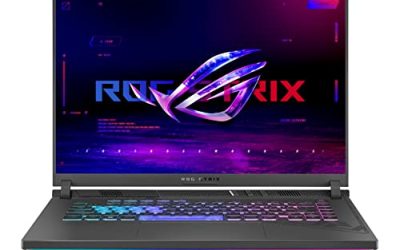
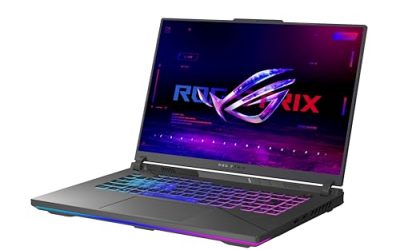
ASUS ROG Strix G16 G614JV-AS74

The ROG Strix G16 is built around sustained performance, which suits workloads that run for more than a few minutes. Its Intel Core i7-13650HX is an HX-class processor intended for larger laptops with cooling headroom, paired with an NVIDIA GeForce RTX 4060 Laptop GPU stated at 140W Max TGP in the listing. That stated figure places this graphics configuration at the higher end for its class, which matters for GPU-accelerated viewports and longer gaming sessions. The 16-inch display uses 1920 x 1200 resolution in a taller format than standard Full HD, with a 165Hz refresh rate and full sRGB coverage stated, plus Pantone Validation. That suits technical work and gaming, with space for toolbars without a resolution that makes games hard to drive.
Specs
- Processor: Intel Core i7-13650HX
- Graphics: NVIDIA GeForce RTX 4060 Laptop GPU at 140W Max TGP
- Display: 16-inch FHD+ 1920 x 1200, 165Hz, 100% sRGB, Pantone Validated
- Memory: 16GB DDR5-4800
- Storage: 1TB PCIe Gen4 SSD
- Operating system: Windows 11 Home
- Connectivity: Wi-Fi 6E
- Model: G614JV-AS74
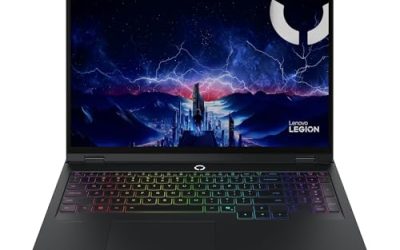
Lenovo Legion 5i

The Legion 5i stands out for memory and screen sharpness, two features that map directly onto engineering use. The listing states 32GB of DDR5 memory fitted as two modules, with two slots and a stated maximum of 64GB, giving a clear upgrade path if projects grow. That capacity suits running CAD, documentation, and a development environment together. The Intel Core i7-13650HX is described as having 14 cores and 20 threads, boosting to 4.9 GHz as stated, covering both multi-threaded simulation and rendering and the responsive single-core performance that modelling and compiling rely on. Graphics come from an NVIDIA GeForce RTX 4060 with 8GB of GDDR6 memory, stated at 140W TGP, so the power limit is transparent here too. The 16-inch 2560 x 1600 display at 165Hz, with G-SYNC and 100% sRGB stated, gives more detail for fine CAD work and text than a Full HD panel. The listing also states a one-year manufacturer warranty, which should be confirmed for the exact seller and region.
Specs
- Processor: Intel Core i7-13650HX, 14 cores, 20 threads, up to 4.9 GHz
- Graphics: NVIDIA GeForce RTX 4060, 8GB GDDR6, 140W TGP
- Display: 16-inch WQXGA 2560 x 1600, 165Hz, G-SYNC, 100% sRGB
- Memory: 32GB DDR5-4800, 2 slots, maximum 64GB as stated
- Storage: 1TB PCIe NVMe SSD
- Operating system: Windows 11 Home
- Warranty: 1 year manufacturer warranty as stated
Acer Predator Helios Neo 16 PHN16-71-76H5

The Predator Helios Neo 16 shares its processor and graphics class with the first two picks, so its other details decide its appeal. It uses an Intel Core i7-13650HX and an NVIDIA GeForce RTX 4060 Laptop GPU, with the listing stating the machine is optimised for maximum 140W MGP usage. That combination targets the same mix: processor-led simulation, compiling, and data work, and GPU-led 3D viewport work and gaming. The 16-inch WUXGA display is 1920 x 1200 at 165Hz with a 3ms response time and G-SYNC and Advanced Optimus support stated by Acer. This model is particularly clear on internals and ports. The listing states 16GB of DDR5 dual-channel memory with a maximum of 32GB, and a 512GB PCIe Gen 4 SSD with two PCIe M.2 slots and one slot available, so adding a second drive is a stated option. Ports include Thunderbolt 4, HDMI 2.1, USB, and Ethernet. Cooling uses metal AeroBlade fans and liquid metal on the processor as described by Acer.
Specs
- Processor: Intel Core i7-13650HX
- Graphics: NVIDIA GeForce RTX 4060 Laptop GPU, maximum 140W MGP as stated
- Display: 16-inch WUXGA 1920 x 1200, 165Hz, 3ms, G-SYNC, Advanced Optimus
- Memory: 16GB DDR5 dual channel, maximum 32GB as stated
- Storage: 512GB PCIe Gen 4 SSD, 2 x PCIe M.2 slots, 1 slot available as stated
- Ports: 2 x Thunderbolt 4 USB-C, USB 3.2 ports, HDMI 2.1, Ethernet RJ-45, headphone jack
- Connectivity: Intel Killer Wi-Fi 6E and Killer Ethernet
- Battery: 90 Watt Hour
- Operating system: Windows 11 Home
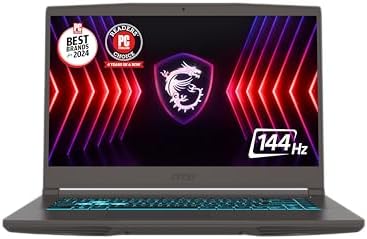
MSI Katana 15 B13VGK-484US

The Katana 15 is the pick for a step up in graphics class in a smaller 15.6-inch chassis. Its listing describes an Intel Core i7-13620H paired with an NVIDIA GeForce RTX 4070 Laptop GPU, which sits above the RTX 4060 models in NVIDIA’s range and brings more GPU compute capacity for GPU-accelerated rendering, 3D work, and gaming at higher settings. The 15.6-inch Full HD display runs at 144Hz, keeping the focus on smooth gaming and responsive viewport movement rather than maximum detail. Buyers who spend the day reading fine CAD detail may prefer a higher-resolution 16-inch panel here, or an external monitor at a desk, a common setup for engineering and gaming. DDR5 memory and a 1TB NVMe drive give room for major applications, projects, and games on a single drive. The listing states Cooler Boost 5 cooling, and the compact size makes this the easier machine to carry between home, campus, and office, with screen size as the trade-off.
Specs
- Processor: Intel Core i7-13620H
- Graphics: NVIDIA GeForce RTX 4070 Laptop GPU
- Display: 15.6-inch Full HD 1920 x 1080, 144Hz
- Memory: 16GB DDR5
- Storage: 1TB NVMe SSD
- Cooling: Cooler Boost 5 as stated
- Operating system: Windows 11 Home
- Model: B13VGK-484US, Black
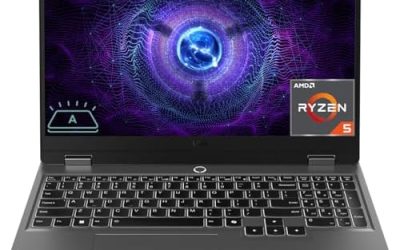
Lenovo LOQ 15

The LOQ 15 takes the AMD route with a generous memory and storage configuration as described in its listing. It is listed with an AMD Ryzen 7 7435HS processor with 8 cores, paired with an NVIDIA GeForce RTX 4060 graphics card with 8GB of memory. An 8-core processor covers simulation, rendering, and multitasking demands. The described configuration includes 32GB of DDR5 memory and a 1TB solid-state drive, a practical combination from day one: enough memory to keep a modelling application, a development environment, and reference material open together, and enough storage for software, projects, and games. The 15.6-inch Full HD IPS display runs at 144Hz with 100% sRGB coverage and G-SYNC support stated, serving colour-relevant design work and fast gaming, even if it offers less detail and vertical space than the 16-inch panels above. Listed ports include USB-A, USB-C, HDMI, RJ-45 Ethernet, and a headphone and microphone combo jack, covering a desk setup, wired networking, and peripherals without adapters for everyday connections.
Specs
- Processor: AMD Ryzen 7 7435HS, 8 cores
- Graphics: NVIDIA GeForce RTX 4060, 8GB
- Display: 15.6-inch Full HD IPS, 144Hz, 100% sRGB, G-SYNC as stated
- Memory: 32GB DDR5
- Storage: 1TB SSD
- Ports: USB-A, USB-C, HDMI, Ethernet RJ-45, headphone and microphone combo jack as stated
- Keyboard: Backlit keyboard
- Operating system: Windows 11 Home
Frequently Asked Questions
How much memory does a gaming laptop need for engineering software?
It depends on the size of the work. Programming, coursework, and moderate CAD can run on a mid-sized capacity, but large assemblies, simulations holding big data sets in memory, virtual machines, and several heavy applications at once push memory use up quickly. A larger capacity gives headroom and fewer slowdowns, and upgradeable slots, where stated, let memory grow with the work.
Does GPU power limit matter, or only the GPU name?
The power limit matters because the same GPU name can be configured at different wattages. A higher stated TGP or MGP generally allows the graphics card to sustain higher performance, especially in a chassis with cooling to match, while a lower-power configuration prioritises portability. Compare the wattage where a listing states it, alongside chassis and cooling, rather than judging by name alone.
Is a gaming laptop suitable for CAD and simulation, or is a workstation required?
For most students and many professionals, a gaming laptop with a strong multi-core processor, a dedicated NVIDIA GPU, and sufficient memory handles CAD, simulation, MATLAB, and programming well, and doubles for gaming. A certified workstation matters more where an employer or client requires certified drivers and support for a particular application, or formal support contracts. Check the software vendor’s requirements for the exact programs in use.
What should be checked about upgradeability and warranty before buying?
Check only what the listing or manufacturer states: the number of memory slots, the maximum memory capacity, and whether a second M.2 slot is available. If that is not stated, do not assume a particular upgrade is possible. For warranty, confirm the length and type of cover for the exact model and region, and the process if a fault occurs during a busy term or project, since terms differ between models and sellers.
Conclusion
The best gaming laptop for engineering matches its processor, graphics power, memory, storage, display, and ports to the software that will actually run on it. Core counts help simulations, rendering, and compiling. GPU compute and video memory help 3D viewports, GPU-accelerated tasks, and games. Memory and storage decide how much work can stay open and on the machine at once, and stated upgradeability extends the useful life of the purchase.
Among these five, the Legion 5i suits buyers wanting more memory as standard and a sharp screen. The Predator Helios Neo 16 suits buyers valuing a stated second storage slot and wide port selection. The ROG Strix G16 suits buyers focused on sustained graphics power in a 16-inch chassis. The Katana 15 suits buyers wanting the higher graphics class in a portable 15.6-inch size. The LOQ 15 suits buyers preferring an AMD processor with a generous memory and storage configuration. Confirm specifications and warranty on the chosen listing before buying.