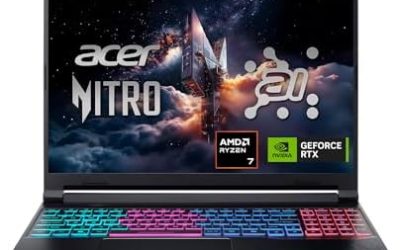
Updated November 2026 – How long do gaming laptops last? Buying and repair guides commonly estimate around four to six years of useful gaming life, though these are rough planning ranges rather than data, and yes, you can upgrade some parts: RAM, the M.2 SSD and the battery on most models, but not the soldered CPU or GPU. Adding a Thunderbolt or OCuLink external GPU is the only realistic graphics boost.
How Long Do Gaming Laptops Last?
There is no maker-guaranteed lifespan, so any number is an estimate. The warranty, often one to two years, is the only commitment from the maker. In practice, a laptop’s life is limited by three things: how fast its GPU falls behind new games, how the cooling holds up as dust builds, and how the battery ages.
- Hardware that still works: a well-cared-for laptop can run for many years, but fans, hinges and batteries are the usual wear items.
- Performance that stays good enough: a mid-range GPU often drives 1080p play at reasonable settings for several years. Games with heavy ray tracing or large VRAM needs age a laptop faster.
- Battery: lithium-ion batteries lose capacity with charge cycles. Many makers state a capacity retention figure after a set number of cycles in their battery documentation.
| Part | Typical wear | Replaceable? |
|---|---|---|
| Battery | Loses capacity after a few years of cycles | Usually yes, screws or adhesive |
| Fans and heatsink | Dust buildup, bearing noise | Cleaning or fan swap on most models |
| Thermal paste | Dries out over years | Yes, with care |
| SSD | Write endurance far above normal use | Yes, M.2 slot |
| RAM | Rarely fails | Yes on SODIMM models; no if soldered |
| CPU and GPU | Falls behind new games | No, soldered on almost all models |
| Hinges and screen | Loosening, cracks from pressure | Repairable, parts vary |
Can You Upgrade a Gaming Laptop?
Partly. The upgrade path depends on the model, so read the maker’s service manual or spec page for your exact laptop. As a rule, memory and storage are the easy upgrades, the battery is a repair, and the processor and graphics chip are fixed.
What you can usually upgrade
- RAM: many gaming laptops have two SODIMM slots.
- M.2 SSD: most have one or two slots for 2280-length drives.
- Wi-Fi card: on some models this is a replaceable M.2 card, though some makers lock or solder it.
- Battery: replaceable on many models, with the maker’s part.
What you usually cannot upgrade
- CPU: soldered to the board on the vast majority of gaming laptops.
- GPU: soldered too. Older MXM modules are rare today. The Framework Laptop 16 with its swappable graphics module is the best-known exception, according to the maker.
- Display: technically replaceable on many models, but panel connectors and sizes must match.
Upgrade Laptop Memory: SODIMM, DDR4 and DDR5
If you want to upgrade laptop memory or buy laptop RAM, the first step is finding what your laptop uses. Check the maker’s spec page for the memory type, the maximum supported capacity and the number of slots. DDR4 and DDR5 SODIMMs are not interchangeable and have different notch positions, so a DDR5 module will not fit a DDR4 slot.
| Capacity | Type | Good for | Notes |
|---|---|---|---|
| 16GB DDR4 SODIMM (usually 2 x 8GB) | DDR4 | Older laptops, 1080p gaming | Fine for most games, tight with browser and streaming open |
| 32GB DDR4 SODIMM (2 x 16GB) | DDR4 | Older machines with heavy multitasking | Confirm the maximum in the manual |
| 32GB DDR5 SODIMM (2 x 16GB) | DDR5 | Current laptops, gaming plus streaming | Common sweet spot |
| 64GB DDR5 SODIMM (2 x 32GB) | DDR5 | Video editing, virtual machines, large mods | Only if the board and BIOS support it |
16GB laptop RAM SODIMM
Sixteen gigabytes is the minimum most reviewers consider comfortable for modern games. If your laptop has a single 8GB stick, adding a matching second stick gives dual-channel mode and more bandwidth, which can help integrated and discrete graphics alike.
32GB laptop RAM SODIMM
Thirty-two gigabytes helps when games run alongside a browser, voice chat, capture software or mods. For pure gaming at 1080p or 1440p, reviewers often report little difference between 16GB and 32GB in most titles, but some large open-world games and heavy multitasking show gains.
64GB DDR5 laptop RAM
This is mainly for creators and developers. Check the laptop maker’s maximum supported capacity first, because the platform limit is set by the CPU and BIOS rather than the slots.
How to match memory
- Match the type (DDR4 or DDR5), speed and voltage the maker lists. Faster modules usually run at the board’s top supported speed.
- Use a matched pair of two modules for dual-channel operation.
- Use the manual’s disassembly steps. Disconnect the battery if the maker says so, and ground yourself.
- Some thin gaming laptops use soldered LPDDR5 or LPDDR5X with no slot. These cannot be upgraded.
- Some newer designs use CAMM2 memory modules instead of SODIMM, so a SODIMM kit will not fit those models.
Upgrading Storage and Battery
M.2 SSD
Replace or add an NVMe SSD in a 2280 slot. Check whether the slot supports PCIe 4.0 or 5.0 and whether a heatsink or thermal pad is needed. Clone or reinstall Windows, and back up your data first. Some models have a second slot, which is a cheap way to add game storage.
Battery
A worn battery is a service item rather than a performance upgrade. Use the maker’s part or an authorised service. Do not puncture, bend or use a swollen battery. If the case bulges, stop using the laptop and contact the maker or a technician.
What About the GPU? eGPU via Thunderbolt or OCuLink
The GPU cannot be swapped on most laptops, but an external GPU enclosure can add graphics power.
- Thunderbolt 4 or 5 eGPU: a desktop graphics card in an enclosure connects over Thunderbolt. Thunderbolt 4 offers 40 Gbps, according to the Intel and USB specs, which is considerably narrower than a full PCIe x16 slot, so reviewers report a performance loss compared with the same card in a desktop.
- OCuLink eGPU: OCuLink exposes PCIe lanes directly, usually four. Reviewers commonly find it performs closer to a desktop slot than Thunderbolt does, but it needs an OCuLink port or an adapter and is not hot-pluggable in the same way.
An eGPU needs a separate power supply and adds bulk, so it suits a desk setup more than travel. It also does not help the CPU, and a weak laptop processor can bottleneck a fast graphics card.
Maintenance That Extends Laptop Life
- Clean the vents and fans every six to twelve months with compressed air, holding the fans still.
- Use a hard flat surface or a stand so the intake can breathe.
- Use the maker’s battery care mode if one is offered, which limits charging to a lower percentage.
- Keep the BIOS, GPU drivers and the maker’s control app up to date from official sources.
- Avoid carrying the laptop by the screen or pressing the lid in a crowded bag.
- Avoid sustained maximum power profiles when you do not need them.
Should You Upgrade or Replace?
| Situation | Verdict | Reason |
|---|---|---|
| 8GB RAM, one stick, slots free | Upgrade | Cheapest improvement, large gain in stutter |
| Storage full | Upgrade | Extra M.2 SSD or larger drive |
| Battery drains quickly | Service | Replace battery if you use it unplugged |
| Games run at low frame rates at low settings | Replace or eGPU | GPU is soldered |
| Overheating after years | Service first | Clean and repaste may restore performance |
| CPU bottleneck in CPU-heavy games | Replace | CPU cannot be changed |
When buying new, a laptop with two SODIMM slots, two M.2 slots, a replaceable battery and good service documentation will age better than a slim sealed design. Look at the maker’s service manual or the repair guides published by independent teardown outlets before purchase.
Which Games and Resolutions Age Fastest?
Resolution and settings decide how long a laptop stays useful. A laptop with a mid-range graphics chip typically holds up longest at 1080p with medium to high settings, because that resolution asks the least of the GPU. Pushing a 1440p external monitor, ray tracing or the highest texture settings shortens the useful life, as does VRAM: reviewers frequently report that cards with 8GB of video memory struggle with the newest large games at high texture settings, so a model with more VRAM tends to age better. Esports titles and older games run well on aging hardware for much longer than the latest releases.
Upscaling helps extend life. DLSS, FSR and XeSS let an older GPU render at a lower internal resolution, so enabling them in supported games can buy another year or so. Frame generation features need compatible hardware, so read the maker’s list for your GPU generation.
Buying Used or Refurbished
A second-hand gaming laptop can be a sensible way to get more performance, but its remaining life is shorter. Ask for the battery health report, check that the fans spin quietly, look for hinge play and confirm the remaining warranty. Laptops that were run hot for years may need fresh thermal paste, and a battery near the end of its life will need replacing.
Frequently Asked Questions
How many years does a gaming laptop usually last?
Buying guides commonly estimate four to six years of useful gaming life, but these are rough ranges. Actual life depends on cooling, battery wear and how demanding your games are. The maker’s warranty is usually much shorter.
Can you upgrade the graphics card in a gaming laptop?
Almost never. The GPU is soldered to the motherboard on nearly all models. The Framework Laptop 16 is a modular exception, and an external GPU over Thunderbolt or OCuLink is the other route.
How much RAM should a gaming laptop have in 2026?
Sixteen gigabytes is the practical minimum and thirty-two is comfortable. Choose DDR5 on newer laptops and DDR4 on older ones, based on the maker’s spec. Check the maximum supported capacity first.
Is it hard to upgrade laptop memory?
It is usually simple on SODIMM models, taking a screwdriver and a few minutes. Follow the maker’s manual, since some models require removing the whole bottom panel. Soldered memory cannot be upgraded.
Does upgrading RAM void the warranty?
It depends on the maker and the region. Some makers allow user memory and storage upgrades, while others treat opening the case as a warranty issue. Read the warranty terms or ask the maker before you open it.
Is an eGPU worth it for a gaming laptop?
It can be, if you game at a desk and the laptop has a strong CPU. Reviewers report a performance loss compared with a desktop slot, and OCuLink typically loses less than Thunderbolt. The extra cost and bulk make it a niche option.