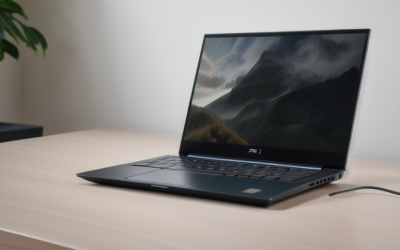
- Top Pick: Acer Nitro V 16S AI Gaming Laptop | AMD Ryzen 7 260 Processor | NVIDIA GeForce RTX 5060 Laptop GPU (572 AI Tops) | 16" WUXGA IPS 180Hz Display | 32GB DDR5 | 1TB Gen 4 SSD | Wi-Fi 6 | ANV16S-41-R2AJ
- Best Value: GIGABYTE Gaming A16 – Intel i7-13620H GeForce RTX 5070 16" Laptop | 165Hz, 1920×1200 WUXGA, 1TB SSD, 32GB DDR5 RAM, Windows 11 Home AD, Black Steel
- Premium Choice: HP Victus 15.6" Gaming Laptop, AMD Ryzen 7 7445HS CPU, NVIDIA GeForce RTX 4050 6GB GPU, FHD 144Hz IPS, 32GB DDR5 RAM, 1TB SSD, HDMI, USB-C, RJ-45, Wi-Fi 6, Backlit Keyboard, Windows 11, Mica Silver
Searching for a gaming laptop with 32GB of RAM usually means one of two things: you already hit the ceiling of a 16GB machine, or you want to avoid hitting it later. Sixteen gigabytes still runs most current games, but it gets crowded the moment you add a streaming program, a voice chat client, a browser full of guides, and a few mods. A 32GB configuration gives that background clutter somewhere to live. The real question is not whether 32GB sounds impressive, but where the rest of the machine sits next to it: graphics card, display, storage, and cooling.
This guide suits players who also edit video, run virtual machines, stream, or keep a heavy mod list. Each pick is described only from what its listing states, and you should read it as a shortlist for 2026 shopping, not a ranking of measured performance. One entry is flagged because its title names no dedicated graphics card, which changes who it fits.
Quick Picks
As an Amazon Associate we earn from qualifying purchases at no extra cost to you.


| Product | Best for | Key spec from the title |
|---|---|---|
| Acer Nitro V 16S | All-around 16-inch play | RTX 5060, 16″ 180Hz, 32GB DDR5, 1TB Gen 4 SSD |
| GIGABYTE Gaming A16 | Higher-tier graphics in a 16-inch frame | RTX 5070, 165Hz WUXGA, 32GB DDR5 |
| HP Victus Ryzen 7 | Mainstream 1080p gaming with ports | RTX 4050 6GB, 144Hz, 32GB DDR5, RJ-45 |
| MSI Crosshair 18 HX AI | Large-screen enthusiasts | 18″ 240Hz, RTX 5070 8GB GDDR7, 2TB NVMe |
| Lenovo Legion 5a | OLED display fans | 15.3″ WQXGA 165Hz OLED, RTX 5060, Wi-Fi 7 |
| Lenovo LOQ | Straightforward 1080p play | RTX 4050, 144Hz FHD, 32GB DDR5, Ethernet |
| HP Victus Core i5 | Windows 11 Pro gamers | 8-core i5-13420H, RTX 4050 6GB, Type-C |
| Ryzen 7 5825U 16-Inch | Non-gaming heavy multitasking | 32GB DDR4, 1TB SSD, no graphics card named |
How to Choose
Graphics card tier before anything else
RAM does not draw frames, so the graphics chip decides what you can play. The RTX 4050 with 6GB of video memory and the RTX 5060 sit at the entry to mid tier, suited to 1080p and some 1440p play with settings adjusted. An RTX 5070 with 8GB steps up for higher resolutions. If the title never names a discrete graphics card, assume the integrated graphics handle everything, which limits you to lighter titles.
Display refresh and resolution
For competitive shooters, look for 144Hz at minimum, with 165Hz to 240Hz being better for fast-paced titles. Resolution matters equally: 1920×1080 is easier on the graphics card, while 1920×1200 and 2560×1600 panels give sharper text in exchange for heavier rendering. An OLED panel brings deep contrast but looks different from a standard IPS, so decide whether picture quality or frame rate rules.
Memory type, storage, and connectivity
DDR5 is faster than DDR4, and 32GB of DDR5 is the better pairing with a recent processor. Aim for at least a 1TB SSD, because modern games can occupy well over 100GB each. A Gen 4 or NVMe drive loads levels faster than older storage. Wi-Fi 6 or Wi-Fi 7 helps online play, while an RJ-45 Ethernet port gives the steadiest connection for competitive matches.
What to ignore and where budget models cut corners
Ignore bundled extras like HDMI cables, accessories, and external drives when comparing core specs. Lower-tier gaming laptops usually trim the display brightness, the cooling design, and the graphics tier first. A large amount of RAM paired with a weak graphics card is the most common imbalance, so check the GPU line before the memory line.
The 8 Best Options
Acer Nitro V 16S
This Acer lists a Ryzen 7 260 processor, an RTX 5060 laptop GPU, a 16-inch WUXGA IPS display at 180Hz, 32GB of DDR5, and a 1TB Gen 4 SSD, with Wi-Fi 6. It is a balanced configuration for players who want a modern graphics card and a fast display in a 16-inch body. The model number ANV16S-41-R2AJ makes it easy to match the exact listing when comparing stores, and the AI branding in the title points to current-generation hardware.
- Strength: 180Hz panel pairs well with a current-generation graphics chip.
- Strength: 1TB Gen 4 SSD and 32GB DDR5 round out the build.
- Trade-off: Wi-Fi 6, not the newer Wi-Fi 7 found on some rivals.
Skip it if you want a larger or higher-resolution panel.
GIGABYTE Gaming A16
The GIGABYTE A16 lists an Intel i7-13620H, an RTX 5070, a 16-inch 1920×1200 display at 165Hz, 32GB of DDR5, and a 1TB SSD. The RTX 5070 puts it a tier above the RTX 5060 and RTX 4050 machines here, which makes it the pick for players who care about graphics first and processor generation second. Windows 11 Home is listed, which is fine for a home gaming setup.
- Strength: RTX 5070 graphics in a 16-inch frame.
- Strength: 1920×1200 resolution adds vertical space over standard 1080p.
- Trade-off: the processor is an earlier generation than the graphics card.
Skip it if you need a high-end processor to match the graphics.
HP Victus Ryzen 7
This HP Victus pairs a Ryzen 7 7445HS with an RTX 4050 6GB, a 15.6-inch FHD 144Hz IPS display, 32GB of DDR5, and a 1TB SSD. It also lists HDMI, USB-C, RJ-45, and a backlit keyboard, so a monitor, a wired network, and a charging accessory can all connect without adapters. That makes it practical for a desk setup that also travels to a dorm or a friend’s place.
- Strength: wired Ethernet plus HDMI and USB-C cover common connections.
- Strength: 32GB DDR5 with a 1TB SSD at the 1080p tier.
- Trade-off: the RTX 4050 6GB is an entry-tier graphics card.
Skip it if you want higher resolution or more video memory.
MSI Crosshair 18 HX AI
The MSI Crosshair 18 HX AI lists an 18-inch 2560×1600 display at 240Hz, a Core Ultra 9 275HX, an RTX 5070 with 8GB of GDDR7, 32GB of RAM, and a 2TB NVMe SSD. It is the largest and most storage-rich machine in this group, and the HDMI cable named in the title is a small extra. The Core Ultra 9 processor is the highest-tier chip listed in this roundup, which suits players who also edit or stream.
- Strength: 240Hz at 2560×1600 on an 18-inch screen.
- Strength: 2TB NVMe storage holds a large library.
- Trade-off: the 18-inch size is not a casual carry.
Skip it if you travel with the laptop daily.
Lenovo Legion 5a
The Legion 5a lists a Ryzen 7 250, an RTX 5060, a 15.3-inch WQXGA 2560×1600 OLED panel at 165Hz, 32GB of DDR5, a 1TB SSD, Wi-Fi 7, and RGB backlighting, plus a portable 500GB drive. That bundled drive is handy for moving clips or older save files, though it does not change the core build. The 15.3-inch size sits between a compact 14-inch and a full 16-inch frame.
- Strength: OLED display at a sharp resolution and 165Hz.
- Strength: Wi-Fi 7 and a bundled portable drive.
- Trade-off: the RTX 5060 must drive a 2560×1600 screen, so settings may need lowering.
Skip it if you prefer a conventional IPS panel.
Lenovo LOQ
This Lenovo LOQ lists an RTX 4050, a Ryzen 5 7235HS, a 15.6-inch 144Hz FHD display, 32GB of DDR5, a 1TB SSD, Wi-Fi 6, Ethernet, USB-C, HDMI, and a backlit keyboard. It targets players who want a no-nonsense 1080p machine with all the connections a desk setup needs, without extras such as an OLED panel or a high-resolution screen, which keeps the spec sheet simple to read.
- Strength: full port selection including Ethernet and HDMI.
- Strength: 32GB DDR5 and 1TB at the entry gaming tier.
- Trade-off: Ryzen 5 and RTX 4050 are modest by current standards.
Skip it if you want newer graphics.
HP Victus Core i5
This second Victus lists an 8-core Intel i5-13420H, an RTX 4050 6GB, a 15.6-inch FHD IPS 144Hz screen, 32GB of RAM, a 1TB SSD, Type-C, B&O audio branding, and Windows 11 Pro. The title also lists an accessory bundle, which is separate from the laptop specs. It fits players who also use the machine for work and want the Pro edition’s management features.
- Strength: Windows 11 Pro on a gaming build.
- Strength: B&O audio and Type-C fast charging listed.
- Trade-off: graphics tier matches the other RTX 4050 machines.
Skip it if you want the highest graphics tier.
Ryzen 7 5825U 16-Inch
This unbranded 16-inch laptop is called a gaming laptop in its title, but it lists a Ryzen 7 5825U, 32GB of DDR4, a 1TB SSD, Windows 11 Pro, a backlit keyboard, and an FHD display, with no graphics card named. It is included because the listing does highlight 32GB, but it fits a student or office user better than a dedicated player, and the DDR4 memory is older than the DDR5 in most other machines here.
- Strength: 32GB RAM and 1TB SSD for heavy multitasking.
- Strength: Windows 11 Pro and Wi-Fi 6.
- Trade-off: no dedicated graphics are listed, so demanding games are unlikely to run well.
Skip it if gaming is the main goal.
Which One Fits Your Situation
You want a balanced 16-inch laptop
Pick the Acer Nitro V 16S for its RTX 5060, 180Hz screen, and 1TB Gen 4 SSD. Choose the GIGABYTE Gaming A16 if you want an RTX 5070 and are comfortable with an older Intel chip.
You want 1080p gaming with solid ports
Dorm rooms and shared apartments often rely on wired internet for steady online matches, so Ethernet counts. The HP Victus Ryzen 7 and Lenovo LOQ both pair an RTX 4050 with Ethernet, HDMI, and USB-C. Pick the HP Victus Core i5 instead if Windows 11 Pro matters.
You care about the screen as much as the frame rate
The Lenovo Legion 5a offers an OLED panel at 2560×1600, while the MSI Crosshair 18 HX AI offers an 18-inch display at 240Hz.
You mostly multitask and game lightly
If your day is video calls, spreadsheets, virtual machines, and the occasional casual title, memory matters more than graphics. The Ryzen 7 5825U 16-Inch carries 32GB of DDR4 and a 1TB SSD, but treat it as a productivity machine with light gaming at most.
Common Mistakes
- Buying 32GB of RAM on a laptop whose graphics chip is not named, and expecting strong frame rates.
- Assuming a higher refresh rate helps when the graphics card cannot reach those frame rates.
- Ignoring video memory, where 6GB limits texture settings in newer titles.
- Overlooking the Ethernet port when competitive online play is the main use.
- Focusing on bundled accessories instead of core specs like the processor and graphics card.
Frequently Asked Questions
Is 32GB of RAM necessary for gaming?
Not strictly. Sixteen gigabytes runs most games, but 32GB helps when you stream, edit video, or run many programs in the background while gaming.
Does more RAM improve frame rates?
Only when 16GB was the bottleneck. Frame rates depend mainly on the graphics card and processor, so a stronger GPU raises them far more.
Is DDR5 better than DDR4 for gaming laptops?
DDR5 offers higher bandwidth and pairs with newer processors. The difference in games is modest, but DDR5 is the better long-term choice.
How much storage should a gaming laptop have?
One terabyte is a sensible minimum because large games can take over 100GB each. Two terabytes gives more room for a bigger library.