As an Amazon Associate we earn from qualifying purchases
A budget of one thousand euros buys a genuinely capable gaming laptop in 2026, as long as the money goes to the parts that decide how games run: a dedicated graphics card, a fast screen, enough memory, and quick storage. Every laptop here is a mainstream model from a major brand, built around exactly that formula, with a high-refresh Full HD display and a solid-state drive as standard.
One point needs to be clear first. The budget is set in euros, but every pick below is a United States listing priced in dollars, and dollar prices move with exchange rates, promotions, and stock levels, so the euro total will vary from week to week. For that reason no prices are printed here. Each model was chosen because its United States listing sits in the usual band for this class, the band that plausibly fits a budget of one thousand euros once the conversion is done. Always check the live listing total, including shipping or import charges, against your euro budget before ordering.
If you are weighing up the same budget expressed the other way around, our guide to the best laptop for gaming under 1000 dollars covers that framing too.
How to Choose a Gaming Laptop at This Budget
Graphics come first. At this level, the NVIDIA GeForce RTX 4050 Laptop GPU with six gigabytes of GDDR6 memory is the common thread, and that is good news: it supports DLSS upscaling and Frame Generation, which help modern games stay smooth at Full HD. What differs between models is the power limit the manufacturer allows the graphics chip to draw. A higher limit, where a listing states one, generally means the same chip can sustain higher clock speeds for longer, so treat any stated wattage as a real buying clue rather than fine print.
The processor matters next, mainly so it never holds the graphics card back. The chips here are six-core and eight-core parts from the Intel Core i5 and i7 and AMD Ryzen 5 and Ryzen 7 families. Any of them is fast enough for gaming alongside work, study, and streaming, so core counts rarely decide the purchase alone.
Memory and storage are where corners get cut. Eight gigabytes of RAM is the floor and it is workable, but sixteen gigabytes is the comfortable target for gaming plus a browser, chat apps, and a launcher at once. Check whether the listing states spare memory slots or a maximum capacity, because a laptop that accepts a second stick later is far easier to live with. For storage, a five-hundred-twelve-gigabyte SSD is the norm; a one-terabyte drive is a genuine upgrade for anyone who keeps several large games installed.
Finally, look at the screen and ports. A one-hundred-forty-four-hertz refresh rate is the standard to expect, and it makes fast-paced games visibly smoother than a sixty-hertz panel. Full sRGB coverage, where stated, matters if the laptop will also handle photo or video work. HDMI, USB-C, Ethernet, and a headphone jack cover most setups without a dock.
The Five Picks
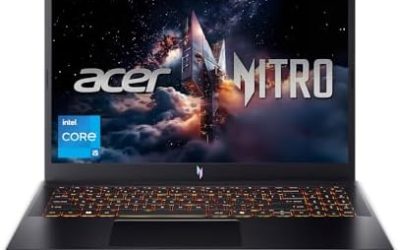
Acer Nitro V 15 (ANV15-51-51H9)
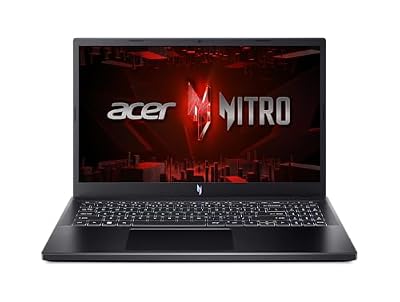
The Acer Nitro V 15 is the straightforward value pick of this group, in its Intel configuration. It pairs a thirteenth-generation Intel Core i5-13420H processor with the RTX 4050 Laptop GPU, aimed squarely at smooth Full HD gaming without paying for features most buyers never use. The fifteen-point-six-inch IPS display runs at one hundred forty-four hertz, which suits shooters, racing games, and anything where motion clarity counts.
Storage is a five-hundred-twelve-gigabyte fourth-generation SSD, so Windows, launchers, and game installs load quickly. The trade-off sits in the memory: this configuration ships with eight gigabytes of DDR5 RAM. That is enough to get started, but buyers who multitask heavily while gaming should treat a later memory upgrade as part of the plan. Cooling is handled by a dual-fan design, and the backlit keyboard and Wi-Fi 6 round out a package focused on the essentials. For a buyer whose euro budget must also stretch to a headset or a mouse, this is the pick that leaves the most room.
Specs
- CPU: Intel Core i5-13420H
- GPU: NVIDIA GeForce RTX 4050 Laptop GPU, 6GB graphics memory
- Display: 15.6-inch Full HD (1920 x 1080) IPS, 144Hz
- RAM / SSD: 8GB DDR5 / 512GB PCIe Gen 4 SSD
- Connectivity: Wi-Fi 6, backlit keyboard
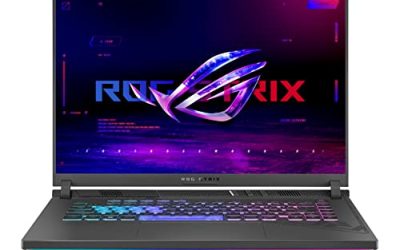
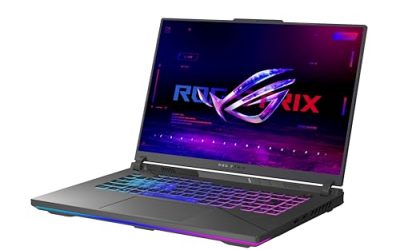
ASUS TUF Gaming A15 (FA507NU-DS74)

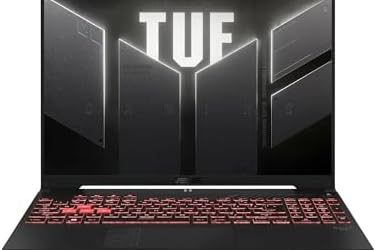
The ASUS TUF Gaming A15 is the durability-focused option, from a chassis line ASUS rates for military-grade toughness testing, and it is also the most generously specified laptop here. An AMD Ryzen 7 7735HS processor drives the RTX 4050 Laptop GPU, and ASUS states a maximum graphics power of one hundred forty watts for this model, the highest figure in this guide, giving the graphics chip the most headroom to hold its boost clocks in long sessions.
Storage is the other headline: a one-terabyte PCIe SSD doubles the room of most rivals here, which matters more every year as game installs grow. Sixteen gigabytes of DDR5 memory means there is no early upgrade decision to make, either. The fifteen-point-six-inch Full HD display runs at one hundred forty-four hertz with full sRGB coverage, so it doubles up well for creative work, and Wi-Fi 6E is a step above the Wi-Fi 6 found on most of this class. Buyers who want to unbox, install their library, and not think about upgrades for a long while will find this the easiest pick to justify, provided the live listing total still lands inside the euro budget on the day.
Specs
- CPU: AMD Ryzen 7 7735HS
- GPU: NVIDIA GeForce RTX 4050 Laptop GPU, stated maximum power 140W
- Display: 15.6-inch Full HD (1920 x 1080), 144Hz, 100% sRGB
- RAM / SSD: 16GB DDR5 / 1TB PCIe SSD
- Connectivity: Wi-Fi 6E
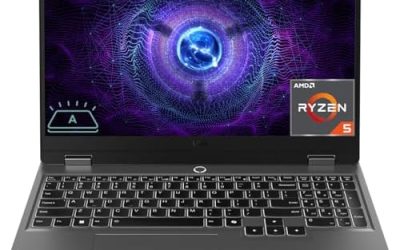
Lenovo LOQ 15 (83DX00B2US)

Lenovo’s LOQ line brings the design lessons of the company’s premium Legion range down to a friendlier budget, and this configuration shows that intent clearly. The processor is an AMD Ryzen 7 8845HS, the most modern chip in this guide, paired with the RTX 4050 Laptop GPU and its six gigabytes of GDDR6 memory. Sixteen gigabytes of RAM and a five-hundred-twelve-gigabyte SSD match the sensible mid-point specification most buyers in this class should aim for.
The LOQ design is deliberately understated, in a Luna Grey finish, which suits a laptop that moves between a desk at home, a lecture hall, and an office without shouting about its gaming hardware. The fifteen-point-six-inch Full HD display keeps the focus on the standard resolution for this graphics class, where the RTX 4050 and DLSS are at their most comfortable. For buyers who want current-generation processing power and a clean, work-friendly look in the same machine, the LOQ is the balanced choice of the five.
Specs
- CPU: AMD Ryzen 7 8845HS
- GPU: NVIDIA GeForce RTX 4050 Laptop GPU, 6GB GDDR6
- Display: 15.6-inch Full HD
- RAM / SSD: 16GB RAM / 512GB SSD
- Operating system: Windows 11 Home, Luna Grey finish
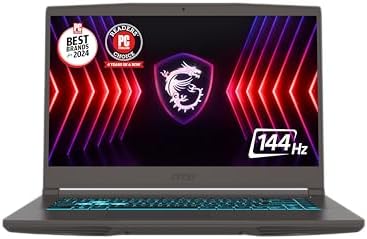
MSI Thin 15 (B12VE-2023US)

Portability is the reason the MSI Thin 15 earns its place here. Gaming laptops are rarely light, and the Thin line is MSI’s answer for buyers who carry their machine every day, to campus, to work, or between rooms at home. It still packs proper gaming hardware: an Intel Core i7-12650H processor and the RTX 4050 Laptop GPU, so the slim build does not mean dropping to integrated graphics.
The specification around that pairing is well judged. Sixteen gigabytes of DDR5 memory avoids the upgrade question that hangs over the eight-gigabyte picks, and the five-hundred-twelve-gigabyte NVMe SSD keeps loading times short. The fifteen-point-six-inch Full HD display runs at one hundred forty-four hertz, matching the rest of this guide. MSI’s Cooler Boost 5 thermal system handles the heat in the thinner chassis. The honest trade-off with any slim gaming laptop is that compact cooling has less thermal mass than a chunkier rival, so the Thin 15 suits players who value carrying weight over the last drop of sustained performance. For students and commuters, that is often exactly the right exchange.
Specs
- CPU: Intel Core i7-12650H
- GPU: NVIDIA GeForce RTX 4050 Laptop GPU
- Display: 15.6-inch Full HD (1920 x 1080), 144Hz
- RAM / SSD: 16GB DDR5 / 512GB NVMe SSD
- Cooling: Cooler Boost 5; Windows 11
HP Victus 15 (15-fb2082wm)

The HP Victus 15 takes the opposite design approach to most gaming laptops: it looks like an ordinary silver notebook, and for many buyers that is the whole appeal. Under the plain Mica Silver shell sits an AMD Ryzen 5 8645HS processor, a six-core, twelve-thread chip with a stated maximum boost clock of five gigahertz, alongside the RTX 4050 Laptop GPU with six gigabytes of GDDR6 memory.
The screen is a strong point: a fifteen-point-six-inch Full HD IPS panel at one hundred forty-four hertz with a micro-edge, anti-glare finish, which helps in bright rooms. Memory is eight gigabytes of DDR5 at fifty-six hundred megahertz in a single stick, and storage is a five-hundred-twelve-gigabyte fourth-generation NVMe SSD. As with the Acer, the single memory stick is the obvious first upgrade later, and it is worth checking the listing for the current configuration before ordering, since Victus models are sold in many variants. Ports stated for this model include HDMI 2.1, an RJ-45 Ethernet socket, and a headphone and microphone combo jack. Buyers who want gaming hardware that can sit in a meeting or classroom without drawing attention should start here.
Specs
- CPU: AMD Ryzen 5 8645HS, up to 5.0 GHz max boost, 6 cores / 12 threads
- GPU: NVIDIA GeForce RTX 4050 Laptop GPU, 6GB GDDR6
- Display: 15.6-inch Full HD (1920 x 1080) IPS, 144Hz, micro-edge, anti-glare
- RAM / SSD: 8GB DDR5-5600 (1 x 8GB) / 512GB PCIe Gen4 NVMe M.2 SSD
- Ports: HDMI 2.1, RJ-45 Ethernet, headphone/microphone combo jack; Wi-Fi 6 and Bluetooth 5.3
Frequently Asked Questions
Can a laptop in this class play modern games at Full HD?
Yes, that is exactly the job these machines are built for. The RTX 4050 Laptop GPU shared by all five picks is a Full HD graphics chip, and its DLSS upscaling and Frame Generation support help demanding titles stay smooth at each screen’s native resolution. Esports and competitive titles, which are usually lighter, are the natural match for the one-hundred-forty-four-hertz displays. For the heaviest releases, expect to tune settings rather than maximise every option, and expect the sixteen-gigabyte models to feel more comfortable when other apps stay open.
Why are the picks United States listings when the budget is in euros?
Because this guide is written around United States retail listings, which is where the linked models are sold. The budget is expressed in euros because that is the currency many readers plan in. Since the listings are priced in dollars, the euro cost depends on the exchange rate on the day of purchase, plus any shipping and import charges. Treat one thousand euros as the planning figure, convert at the current rate before ordering, and leave a small margin for rate movement.
Is eight gigabytes of RAM enough, or should I insist on sixteen?
Eight gigabytes will run games, but it leaves little headroom, and modern titles, a browser, and a voice chat app together can push past it. Sixteen gigabytes is the comfortable specification, which is why three of the five picks ship with it as standard. If a cheaper eight-gigabyte configuration is the one that fits, check whether the listing states spare slots or a maximum capacity, because adding a second stick later is usually the best-value upgrade a gaming laptop can get.
What should I check before ordering a laptop from another region?
Check the keyboard layout first, since United States listings ship with a US keyboard, which may differ from the layout you are used to. Check the power adapter and plug type, the warranty terms and whether they are honoured in your country, and the seller’s returns policy. Finally, confirm the exact configuration on the listing itself, because gaming laptops are sold under one model name in many combinations of processor, memory, and storage.
Conclusion
A budget of one thousand euros, spent carefully, covers a proper gaming laptop: a dedicated RTX graphics card, a one-hundred-forty-four-hertz screen, and fast SSD storage are standard among the five picks above. The differences that matter are the details. The Acer Nitro V 15 keeps the entry cost lowest and accepts an early memory upgrade as part of the deal. The ASUS TUF Gaming A15 offers the most complete specification, with double storage and the highest stated graphics power. The Lenovo LOQ 15 brings the newest processor and a discreet design, the MSI Thin 15 is the one to carry every day, and the HP Victus 15 hides its gaming hardware in the plainest shell. Whichever you lean towards, convert the live dollar total into euros before ordering and confirm the exact configuration on the listing.