As an Amazon Associate we earn from qualifying purchases
Best Gaming Laptop for Valorant Laptop Compatibility
Valorant is not a demanding game by modern standards, and that is why laptop compatibility deserves a closer look than raw power alone. Riot publishes modest minimum and recommended system requirements, and almost any current gaming laptop clears them comfortably. The real question is what happens beyond launching the game: whether the display refreshes fast enough for a tactical shooter, whether the network connection stays stable in ranked matches, whether cooling holds up over a long session, and whether memory and storage leave room for voice chat, a browser, and recording tools alongside the game.
That is the angle used for the five laptops below. Each pairs a modern Intel or AMD processor with dedicated NVIDIA graphics, at least a 144Hz display, and fast solid-state storage. The differences that matter are in the details the listings state clearly: refresh rate, graphics power limits where published, Wi-Fi generation, Ethernet where present, ports, warranty, and upgradeability where stated.
How to Choose a Gaming Laptop for Valorant Compatibility
Start with Valorant’s own published requirements, and treat them as a floor rather than a target. Riot lists separate minimum, recommended, and high-end specifications, and the recommended tier is the sensible baseline for a new purchase. Every laptop in this roundup exceeds that tier on processor, graphics, memory, and storage, so compatibility with the game itself is not in doubt for any of them. What separates the models is how much headroom they provide and how well the rest of the machine supports competitive play.
The display should be the first specification checked after basic compatibility. Valorant rewards fast, clear information: spotting movement and tracking an opponent crossing a doorway both benefit from a panel that refreshes quickly. A 144Hz panel is a practical minimum for a dedicated Valorant laptop, and 165Hz panels add a further step in motion clarity. Resolution pulls in the opposite direction. A Full HD panel places less load on the graphics hardware, while a QHD or WQXGA panel offers sharper text and more workspace. Neither breaks compatibility, but buyers should match the panel to their priority: pure shooter focus, or a balance of gaming and general work.
Processor and graphics come next. Valorant is a processor-sensitive game in general terms, so a modern Intel Core i7 or AMD Ryzen 7 class chip is a comfortable pairing, and the laptops below sit in that territory or above. A dedicated NVIDIA GeForce RTX 4050, 4060, or 4070 Laptop GPU provides far more capability than the game requires, leaving headroom for higher settings, external monitors, and other titles. Where a listing states a graphics power limit, often shown as a TGP figure, that number shows how the same named graphics chip can be configured differently between models. A higher stated limit generally indicates a configuration intended to sustain more graphics power, provided cooling keeps pace.
Memory and storage deserve a realistic look. Valorant itself is light, but a laptop rarely runs only the game. Voice applications, launchers, browsers, and capture software all compete for memory, so 16GB is the comfortable level for most buyers, and an 8GB model should be considered with that multitasking load in mind. Every model here uses a solid-state drive, which helps loading into matches and maps; larger drives simply reduce how often a growing library needs managing. Where a listing states that memory or storage can be upgraded, that extends the machine’s useful life; where nothing is stated, buyers should not assume slots are available.
Networking is easy to overlook and hard to forgive in a tactical shooter. A current standard such as Wi-Fi 6 or Wi-Fi 6E provides a stronger wireless foundation than older generations, especially on busy home networks. A wired Ethernet port, where present, remains the most straightforward way to remove wireless variability from ranked play, so its presence or absence is noted below as far as each listing states it. Cooling completes the picture: sustained sessions place sustained load on the processor and graphics hardware, and each brand describes its own fan and exhaust arrangement in general terms. Finally, check the practical details: ports for a mouse, headset, and external display, weight if the laptop travels, and the warranty term stated on the listing. Readers comparing wider categories can also browse our guide to the best gaming laptops for Valorant for additional models and background.
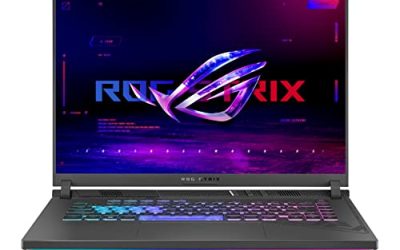
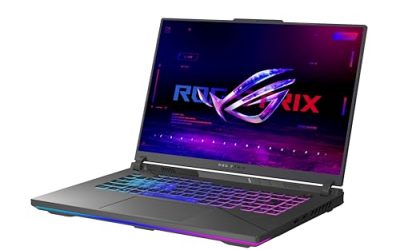
ASUS ROG Strix G16 G614JV-AS74

The ROG Strix G16 is the most performance-oriented model here, and its listing states the figure that sets it apart: the NVIDIA GeForce RTX 4060 Laptop GPU runs at a 140W maximum TGP. Paired with a 13th Gen Intel Core i7-13650HX, that places it comfortably above what Valorant requires, with headroom for higher settings and other games. The 16-inch FHD panel refreshes at 165Hz and is listed with full sRGB coverage and Pantone Validation. ASUS describes ROG Intelligent Cooling for this model, including liquid metal on the processor and a third intake fan, intended to support sustained performance in longer sessions. Networking covers both routes: Wi-Fi 6E wireless, plus an Ethernet port confirmed in the listing, alongside Thunderbolt and HDMI connections. The stated warranty is a one-year limited warranty. For a player who wants compatibility plus maximum headroom in a 16-inch chassis, this is the clearest match.
Specs
- Processor: Intel Core i7-13650HX (13th Gen)
- Graphics: NVIDIA GeForce RTX 4060 Laptop GPU, 140W Max TGP, 8GB graphics memory
- Display: 16-inch FHD, 165Hz, 100% sRGB, Pantone Validated
- Memory: 16GB DDR5-4800MHz
- Storage: 1TB PCIe Gen4 SSD
- Networking: Wi-Fi 6E, Ethernet port listed
- Ports: Thunderbolt, HDMI, and USB ports as listed
- Operating system: Windows 11 Home
- Warranty: 1-year limited warranty as listed
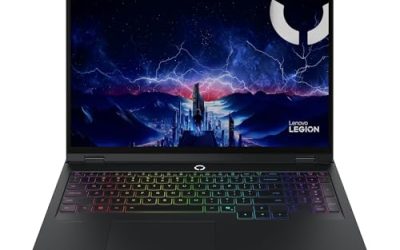
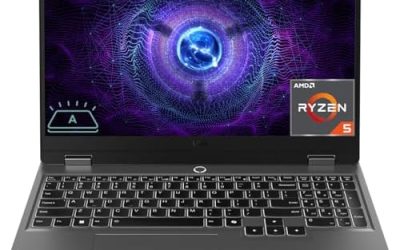
Lenovo Legion Slim 5

The Legion Slim 5 takes a different balance: a slimmer 16-inch design around an AMD Ryzen 7 8845HS and an NVIDIA GeForce RTX 4060 with 8GB of GDDR6 memory, listed at a 140W TGP. That matches the highest stated graphics power level in this roundup. The 16-inch QHD+ IPS panel runs at 165Hz, pairing that refresh class with a sharper 2560 x 1600 resolution that also benefits text clarity and general desktop use. The hardware clears Valorant’s published requirements by a wide margin, and the higher resolution gives the laptop a second life as an everyday machine. Storage is the tighter specification, at 512GB, so buyers with large libraries should plan installs accordingly. Buyers who value portability and screen sharpness alongside shooter compatibility will find this the most rounded option here.
Specs
- Processor: AMD Ryzen 7 8845HS, 8 cores and 16 threads, up to 5.1GHz as listed
- Graphics: NVIDIA GeForce RTX 4060, 8GB GDDR6, 140W TGP as listed
- Display: 16-inch QHD+ (2560 x 1600) IPS, 165Hz
- Memory: 16GB DDR5
- Storage: 512GB SSD, PCIe 4.0 as listed
- Operating system: Windows 11 Home as listed
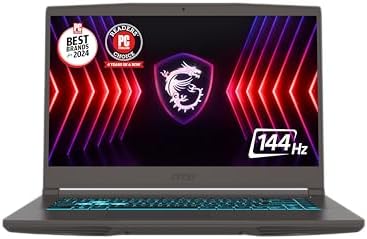
MSI Katana 15 B13VGK-484US

The Katana 15 is the step-up graphics option. Its listing pairs a 13th Gen Intel Core i7-13620H with an NVIDIA GeForce RTX 4070 Laptop GPU, the strongest graphics chip named here, plus 16GB of DDR5 memory and a 1TB NVMe drive. That is far beyond Valorant’s published requirements, and the extra capability shows up as headroom for higher settings, an external high-refresh monitor, or more demanding games. The 15.6-inch FHD display refreshes at 144Hz, meeting the practical threshold for a tactical shooter, and MSI names its Cooler Boost 5 cooling design. Thunderbolt 4 and USB Type-C are named in the listing, giving flexible options for docks and displays. The listing states a one-year limited warranty including one year of global cover. The trade-off is size: a traditional gaming chassis rather than a slim design.
Specs
- Processor: Intel Core i7-13620H (13th Gen)
- Graphics: NVIDIA GeForce RTX 4070 Laptop GPU
- Display: 15.6-inch FHD, 144Hz
- Memory: 16GB DDR5
- Storage: 1TB NVMe SSD
- Cooling: Cooler Boost 5 as listed
- Ports: Thunderbolt 4 and USB Type-C named in the listing, plus USB ports
- Operating system: Windows 11 Home
- Warranty: 1-year limited warranty including 1-year global cover, as listed
Dell G15 5530

The Dell G15 5530 configuration listed here combines an Intel Core i7-13650HX with an NVIDIA GeForce RTX 4060 with 8GB of GDDR6 memory, 16GB of DDR5 memory, and a 1TB solid-state drive. Its 15.6-inch FHD panel refreshes at 165Hz, placing it in the faster tier of this roundup and suiting a shooter where motion clarity matters. The appeal is straightforward: current processor and graphics hardware, a fast panel, and a full terabyte of storage in a mainstream gaming chassis. Compatibility is not a close call on any axis, since each core specification exceeds Valorant’s published recommended level comfortably. The HX-class processor also suits buyers who split time between gaming and heavier everyday work. Buyers should confirm the exact port layout and warranty terms for this configuration on the listing before ordering, since G15 variants differ.
Specs
- Processor: Intel Core i7-13650HX
- Graphics: NVIDIA GeForce RTX 4060, 8GB GDDR6
- Display: 15.6-inch FHD, 165Hz
- Memory: 16GB DDR5
- Storage: 1TB SSD
- Operating system: Windows 11 Home as listed for this configuration
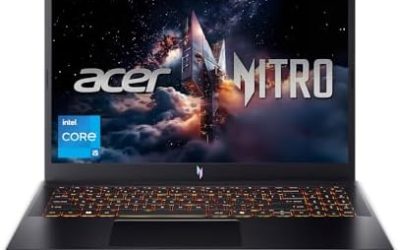
Acer Nitro V 15 ANV15-51-51H9
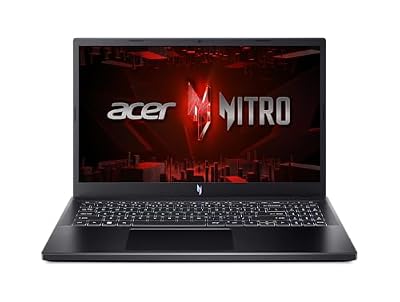
The Nitro V 15 is the entry point, and it shows how far the entry level sits above Valorant’s requirements. The listing pairs a 13th Gen Intel Core i5-13420H with an NVIDIA GeForce RTX 4050 Laptop GPU with 6GB of graphics memory, still clearing the game’s published recommended specification comfortably. The 15.6-inch FHD IPS display refreshes at 144Hz, keeping the feature that matters most for a tactical shooter. Acer describes a dual-fan cooling arrangement for the Nitro V line, and networking is Wi-Fi 6. The honest limitation is memory: 8GB of DDR5 and a 512GB Gen 4 drive. Valorant itself remains light, but 8GB leaves less room for voice chat, browsers, and background tools at the same time, so heavy multitaskers should weigh that carefully. At a listed 4.66 pounds, it is also one of the easier models here to carry.
Specs
- Processor: Intel Core i5-13420H (13th Gen)
- Graphics: NVIDIA GeForce RTX 4050 Laptop GPU, 6GB graphics memory
- Display: 15.6-inch FHD IPS, 144Hz, 1920 x 1080
- Memory: 8GB DDR5, 4800MHz as listed
- Storage: 512GB Gen 4 SSD
- Networking: Wi-Fi 6 (802.11ax), Bluetooth as listed
- Ports: USB ports as listed, 4 USB 3.0 ports in the listing details
- Weight: 4.66 pounds as listed
- Operating system: Windows 11 Home
Frequently Asked Questions
Does Valorant need a dedicated graphics card on a laptop?
Riot’s published requirements include integrated and entry-level graphics options at the minimum level, so a dedicated card is not strictly required to run the game. A dedicated NVIDIA graphics card, as fitted to every laptop above, provides far more headroom for higher settings, high-refresh displays, and running other applications at the same time, which is why gaming laptops remain the more comfortable choice.
Is a 144Hz or 165Hz display better for Valorant?
Both refresh rates suit a tactical shooter and both are a clear step above a standard 60Hz panel. A 165Hz display offers a further increase in refresh frequency on paper, while a 144Hz display already covers the needs of most players. Buyers should weigh refresh rate alongside resolution, panel type, and the rest of the specification rather than treating the number alone as decisive.
How much memory does a Valorant laptop need?
Valorant’s own published requirements are modest, but a laptop runs more than the game. With voice chat, a launcher, and a browser open, 16GB is the comfortable level, and it is the amount fitted to most models in this roundup. An 8GB configuration can still run the game itself, but it leaves less multitasking headroom, so it suits lighter use.
Is Wi-Fi good enough for ranked Valorant, or is Ethernet better?
A current Wi-Fi standard such as Wi-Fi 6 or Wi-Fi 6E on a stable home network is workable for ranked play, and every laptop here includes at least Wi-Fi 6. Where a model provides an Ethernet port, a wired connection removes wireless variability entirely and is the most consistent option for competitive matches, so the port is worth checking on the listing before buying.
Conclusion
Compatibility with Valorant is the easy part: Riot publishes modest requirements, and all five laptops above clear them comfortably on processor, graphics, memory, and storage. The better decision comes from the surrounding details. Choose the ROG Strix G16 for its stated 140W graphics configuration, 165Hz panel, and wired networking. Choose the Legion Slim 5 for the sharper 165Hz QHD+ display in a slimmer design, or the MSI Katana 15 for the strongest graphics hardware listed here. The Dell G15 5530 offers a balanced 165Hz configuration with generous storage, while the Acer Nitro V 15 keeps the essential 144Hz panel and dedicated graphics at the entry level, with memory as its main compromise. Match the display, networking, and memory to how matches are actually played, and any of these laptops will handle Valorant with room to spare.