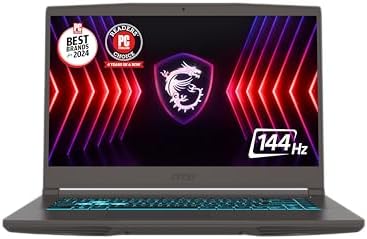
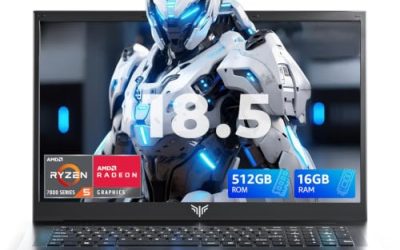
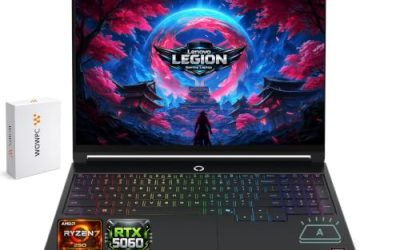
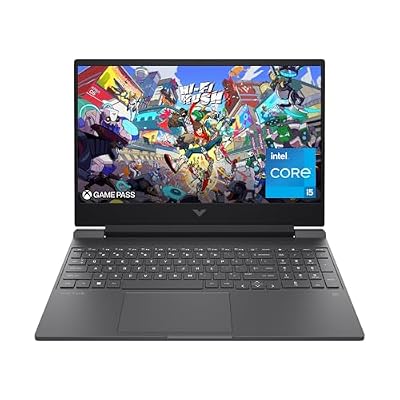
Valorant is one of the lightest competitive shooters on PC — Riot built it to run well on modest hardware, so you genuinely don’t need a flagship GPU to hit high frame rates. We pulled 12 real gaming laptop configurations currently sold on Amazon across three searches, deliberately skewed toward the budget-to-mid range since that’s where this game’s hardware requirements actually point.
Compare at a Glance
| Model | Price | GPU |
|---|---|---|
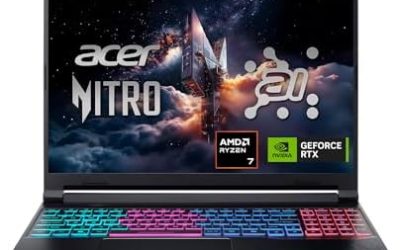
| Acer Nitro 5 | RTX 3050 | |
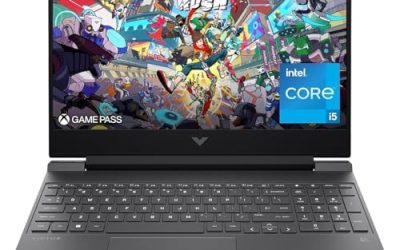
| HP Victus 15 (older) | RTX 3050 | |
| HP Victus 15 AI | RTX 3050 | |
| HP Victus 15 (Radeon) | Radeon RX 6550M | |
| HP Victus 15.6″ (144Hz) | RTX 3050 | |
| HP Victus 15.6″ (2023) | RTX 4050 | |
| Lenovo LOQ | RTX 4050 | |
| ASUS ROG Strix G16 (i5) | RTX 5050 | |
| Alienware 16 Aurora | RTX 5050 | |
| Acer Nitro V 16S AI | RTX 5060 | |
| ASUS ROG Strix G16 (i7) | RTX 5060 | |
| ASUS TUF Gaming F16 | RTX 5060 |
Quick List
- Acer Nitro 5 (the current listed price) — Best Budget Pick — lowest price here, still a real RTX 3050.
- HP Victus 15.6″ 144Hz (the current listed price) — Best Value — 144Hz panel matched to Valorant’s lightweight engine.
- ASUS ROG Strix G16 (the current listed price) — Best Overall — comfortable headroom above what Valorant needs, without overpaying for a flagship GPU you won’t use.
- Acer Nitro V 16S AI (the current listed price) — Best for Future-Proofing — enough GPU headroom to play other, heavier games too.
See All Picks




Why You Don’t Need a Flagship GPU for Valorant
Valorant is built on Riot’s own lightweight engine specifically to run well on low and mid-range hardware, including office laptops and older GPUs in many regions where PC gaming cafes are common. Every laptop on this list — even the cheapest RTX 3050 configs — will comfortably exceed 144fps at 1080p with the game’s settings turned up. Spending more here buys you a better display, build quality, and headroom for other games, not Valorant performance specifically.
What Actually Matters More Than GPU for This Game?
Display refresh rate and input latency matter more than GPU tier for competitive Valorant play. Several budget picks here already come with 144Hz panels, which is the more meaningful upgrade over a 60Hz display than jumping from an RTX 3050 to an RTX 5060 would be for this specific game.
Technical Comparison Table
| Model | CPU | Display |
|---|---|---|
| Acer Nitro 5 | Intel Core i5-10300H | 15.6″ FHD 144Hz |
| HP Victus 15 (older) | Intel Core i5-12500H | 15.6″ FHD |
| HP Victus 15 AI | Intel Core i5-13420H | 15.6″ FHD 144Hz |
| HP Victus 15 (Radeon) | AMD Ryzen 5 7535HS | 15.6″ FHD 144Hz |
| HP Victus 15.6″ (144Hz) | Intel Core i5-12450H | 15.6″ FHD 144Hz |
| HP Victus 15.6″ (2023) | Intel Core i5-12500H | 15.6″ FHD 144Hz |
| Lenovo LOQ | AMD Ryzen 5 7235HS | 15.6″ FHD 144Hz |
| ASUS ROG Strix G16 (i5) | Intel Core i5-14450HX | 16″ FHD+ 165Hz |
| Alienware 16 Aurora | Intel Core 7 240H | 16″ WQXGA 120Hz |
| Acer Nitro V 16S AI | AMD Ryzen 7 260 | 16″ WUXGA 180Hz |
| ASUS ROG Strix G16 (i7) | Intel Core i7-14650HX | 16″ FHD+ 165Hz |
| ASUS TUF Gaming F16 | Intel Core i7-14650HX | 16″ FHD+ 165Hz |
How We Chose These
We ran two broader searches specifically for budget esports and sub-$1,000 gaming laptops, since Valorant’s low hardware demands made this the natural direction to expand beyond our original 5-config list. We excluded a large number of results from the sub-$1,000 search that weren’t real gaming laptops at all — several “gaming laptop” listings with no discrete GPU (integrated AMD graphics only), plus mice, keyboards, headsets, monitors, cooling pads, and backpacks that the keyword search mixed in. Only configs with genuine discrete GPUs made the final list.
Why Trust GamingPCGuru
Every configuration here is a live Amazon listing via our own product data pipeline. We deliberately built this list budget-first because that’s where Valorant’s actual requirements point, rather than defaulting to higher-margin flagship recommendations that don’t serve this specific game.
Questions
What’s the minimum laptop I need for Valorant?
Any of the RTX 3050 configs on this list, starting at the current listed price, will run Valorant comfortably above 144fps at 1080p — you don’t need to spend more unless you want a better display or plan to play other, more demanding games too.
Should I prioritize refresh rate over GPU tier for Valorant?
Yes — since every laptop here already exceeds the frame rate Valorant needs, a 144Hz+ display matters more for competitive play than upgrading GPU tier further.
Update History
Published October 2026, expanded from an initial 5-config pass to 12 across two broader budget-focused searches.
Sources and Verification
Product specifications, pricing and availability sourced directly from live Amazon product listings as of October 2026 via this site’s own product data pipeline.