Updated November 2026 – Yes, HP gaming laptops are good when you match the line to the job: HyperX Omen (formerly plain Omen) for the strongest cooling and power, Victus for affordable mainstream gaming, and Envy only for creative and everyday work, since it is not a gaming line.
If you are asking “are HP Omen, Victus and Envy gaming laptops good”, the real question is which HP line fits your games and budget. This guide explains how HP’s lineup is arranged in 2026, what changed with the Omen name, how the lines differ on cooling, screens and upgrades, and how HP compares with MSI and ASUS.
Are HP Gaming Laptops Good?
HP’s dedicated gaming laptops are competitive with other major brands and are generally treated by reviewers as solid mainstream choices. The weak spots people raise are the same ones that affect most thin gaming laptops: fan noise under load, limited battery life on heavy games, and a range of build quality between the entry and flagship lines.
HP sells three groups that get mixed up. Gaming lines are the Omen family and Victus. Everyday and creator lines include Envy, Pavilion and the premium Spectre, which are built for work, school and media rather than for sustained gaming loads. Treat the label on the lid as a guide to purpose.
Is the HP Omen Still Called Omen? The HyperX Change
Omen now sits under the HyperX gaming brand. At CES in January 2026, HP announced that HyperX and Omen are coming together under a single master gaming brand, HyperX, covering gaming PCs, displays, peripherals and software, according to HP’s own press release. HP’s CES showcase lists HyperX Omen laptops in 15-inch, 16-inch and Max 16 sizes, and at HP Imagine in March 2026 the company added HyperX Omen desktops.
Coverage of the CES launch describes the Omen Max 16 as the flagship, with Intel Core Ultra 200HX or AMD Ryzen AI processors and graphics up to an RTX 5090 Laptop GPU, according to HP’s press release. The Omen 16 and the smaller Omen 15 sit below it, and the Victus 15 continues as the more accessible line, so look at the maker’s product page for the exact name and specs of the model you are considering. Older Omen laptops with the earlier badge remain on sale, so you will see both names.
Is HP Omen a Good Gaming PC?
Yes, the Omen family is the line HP aims at demanding gamers. Explainers describe the Omen cooling design as using multiple fans, large vapor chambers and in some models liquid metal on the processor, and the family offers a higher GPU ceiling than Victus, with RTX 50-series options reaching the top-end cards on the Omen Max 16. RTINGS comparisons of earlier generations found Omen models run quieter and cooler than Victus under load, though that data comes from older machines and is only a rough guide.
The trade-offs are thickness, weight and a high price tier for the top configurations. If you want maximum performance at a desk and plan to plug in, the Omen Max suits you. If you want to carry the laptop daily, a thinner model from another brand may suit better.
HP Victus Gaming Laptop: What You Get
Victus is HP’s entry-level gaming line, built to bring RTX graphics to a lower budget. Reports list RTX 50-series entry GPUs in the Victus range, and exact options differ by region and configuration, so check the GPU tier on the specific model. Entry GPUs carry lower power ratings than the Omen family, which helps temperatures but limits the frame-rate ceiling.
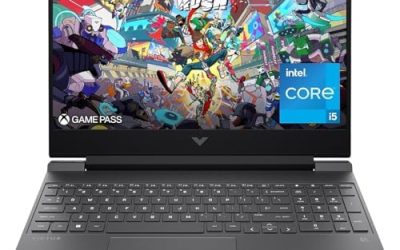
HP Victus 15 – Best for budget 1080p gaming
15.6-inch class display · RTX 50-series entry GPUs per reports · aimed at 1080p play. HP presented the Victus 15 at CES 2026 as the accessible option.
HP Victus 16 – Best for a larger screen on a budget
16-inch class display · mainstream RTX options · same entry-level positioning. Check the specific configuration, since GPU, memory and panel vary widely between listings.
What is the best HP Victus gaming laptop?
The best Victus is the one with the highest GPU tier you can afford, a 144 Hz or faster screen, and at least 16 GB of memory. A configuration with a weaker GPU and a fast screen is a poor match, because the GPU limits the frame rate.
Is the HP Envy a Gaming Laptop?
No, Envy is not a gaming line. Envy laptops focus on design, battery life and creator work. Some 16-inch models offer a discrete RTX 4050 or 4060 option, per an HP lineup explainer, which suits video editing and light games. They lack the sustained cooling of Omen or Victus, so heavy gaming will run hotter and louder. If you want to play modern games for hours, choose Victus or Omen instead.
HP Lines Compared
| Line | Verdict | What to pair it with |
|---|---|---|
| HyperX Omen Max 16 | Top performance, highest power | Demanding games, 1440p to high-refresh play, external monitor |
| HyperX Omen 16 | Strong all-rounder with better cooling than Victus | 1440p gaming, esports titles |
| Victus 15 and 16 | Good mainstream value | 1080p gaming, a 144 Hz screen |
| Envy | Not a gaming line; fine for creative work and light games | Editing, study, esports on low settings |
MSI vs HP Gaming Laptop
MSI focuses entirely on gaming and creator hardware, which gives it wide variety, including thin-and-light and desktop-replacement ranges. HP’s gaming range is narrower but clearer, with a tidy entry line (Victus) and a flagship line (Omen). Reviewers tend to separate them by the specific model’s cooling, screen and keyboard rather than by brand, so compare reviews of the exact laptops. Warranty terms, service access and software also differ by region, so read each maker’s support page.
ASUS vs Omen Gaming Laptop
ASUS offers more lines, including TUF for value, ROG Strix and Zephyrus for premium performance, and thin Flow designs. Omen competes mainly with ROG Strix and Zephyrus for performance and TUF for value through Victus. Pick by the thermal design, display and weight of the specific model. If portability and an OLED screen matter, ASUS Zephyrus models are a frequent suggestion; if raw power in a bigger chassis matters, the Omen Max is a direct rival.
Which HP Line Should You Choose?
- Choose Victus if you play esports and popular titles at 1080p, want a 144 Hz screen and have a firm budget. Check that the GPU tier, not just the processor, matches your target games.
- Choose HyperX Omen 16 if you want a stronger cooling system, a higher refresh display and more headroom for 1440p without moving to the largest chassis.
- Choose HyperX Omen Max 16 if you want the highest graphics power HP offers and will mostly play plugged in at a desk.
- Choose Envy only if your main work is creative or everyday and gaming is a side activity at low settings.
When reading reviews, separate marketing claims from measured results. HP’s own materials mention features such as self-cleaning fans and AI-assisted frame-rate gains; independent reviewers are the better source for noise, surface temperature and sustained performance. Also compare the display carefully, because a bright 240 Hz panel and a dim 60 Hz panel can sit in the same product family at very different tiers.
Thermals, Upgrades and Warranty Notes
- Thermals: expect fan noise under load on every gaming laptop. Raising the laptop for airflow and cleaning vents helps; follow the maker’s guidance.
- Upgrades: many HP gaming models allow access to memory and storage, but layouts vary. Read the maintenance guide on HP’s support page before buying if you plan to upgrade, and note that opening a laptop may affect warranty terms.
- Warranty: terms differ by model and country, so read the warranty on the specific configuration.
- Software: the control app lets you set performance modes and fan behaviour; keep drivers current from the maker’s support page.
Resolution and Game Fit by HP Line
Think in terms of resolution. Victus configurations are generally sized for 1080p, where an RTX 5050 or 5060 class GPU can run popular esports and many single-player titles at sensible settings, using upscaling such as DLSS when a game is demanding. The Omen 16 targets 1440p and high-refresh play, and the Omen Max 16, with its much higher power budget, is the HP option for the heaviest games or for driving an external 1440p or 4K monitor. Laptop GPUs share names with desktop cards but run at lower power, so a laptop RTX 5060 is not equal to a desktop RTX 5060 in speed.
Memory and storage also decide how a laptop ages. Sixteen gigabytes of memory is a sensible floor, thirty-two is better for heavy multitasking, and a one-terabyte drive avoids constant clearing out of large game installs. Read the listing for the exact amounts, since HP sells the same model name with several configurations.
Frequently Asked Questions
Are HP gaming laptops good?
Yes. The Omen and Victus lines are mainstream, well-reviewed choices, with Victus for value and Omen for higher performance. Check reviews of the exact model for noise and temperatures.
Is HP Omen a good gaming PC?
Yes, Omen is HP’s performance line, with stronger cooling and higher GPU options than Victus. It now falls under the HyperX brand for 2026 models.
Is HP Victus good for gaming?
Yes, for 1080p gaming on a budget. It offers mainstream RTX 50-series graphics at lower power limits, so expect solid but not top-tier frame rates.
Is the HP Envy good for gaming?
Not really. Envy is built for everyday and creative work, and its cooling is not designed for long gaming sessions even if some models have a discrete GPU.
Why is Omen now called HyperX Omen?
HP announced at CES 2026 that HyperX and Omen are combining under the HyperX brand. HyperX covers gaming PCs, monitors, peripherals and software.
Can I upgrade an HP gaming laptop?
Often memory and storage can be changed, but it depends on the model. Check HP’s maintenance guide and warranty terms first.