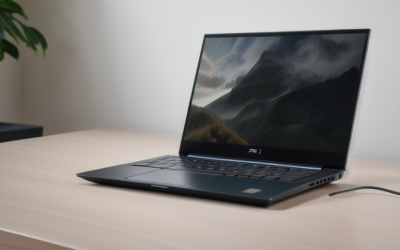
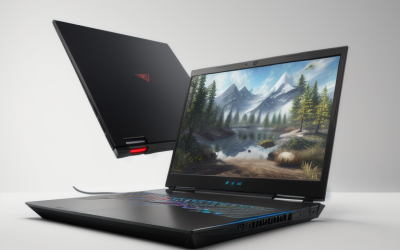
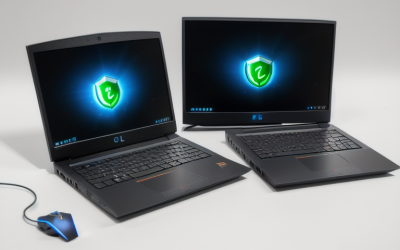
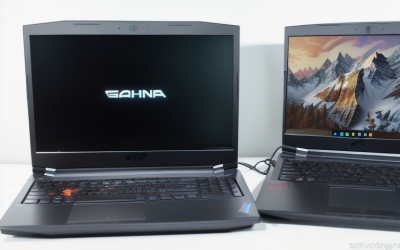
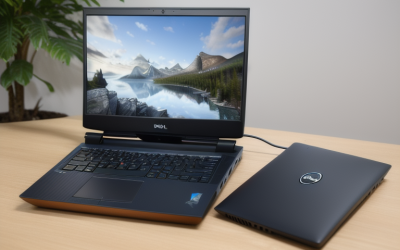
- Top Pick: ASUS ROG Strix G16 (2025) Gaming Laptop, 16” FHD+ 16:10 165Hz/3ms, NVIDIA® GeForce RTX™ 5060, Intel® Core™ i7 Processor 14650HX, 16GB DDR5, 1TB Gen 4 SSD, Wi-Fi 7, Windows 11 Home, G615JMR-AS74
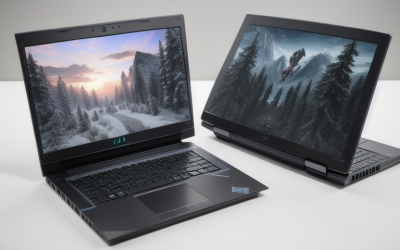
- Best Value: Alienware 16 Aurora Gaming Laptop, RTX 5050, Intel Core 7 240H | WQXGA 120Hz Display, 16GB DDR5 RAM, 1TB SSD, NVIDIA GeForce, Wi‑Fi 7, Windows 11 Home, Blue
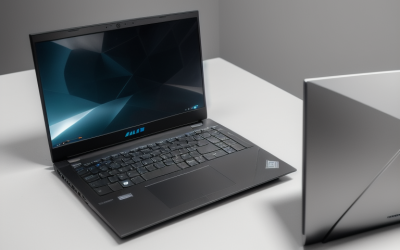
- Premium Choice: Lenovo Legion 5a Gaming Laptop, AMD Ryzen 7 250, GeForce RTX 5060, 15.3" WQXGA (2560×1600) 165Hz OLED Display, 32GB DDR5 RAM, 1TB SSD, Wi-Fi 7, RGB Backlit, Win 11, Black, w/Portable 500GB Drive
Virtual reality is the harshest job you can hand a laptop. A headset wants a steady high frame rate for two displays at once, and any dip is felt in your head and stomach rather than just seen on a monitor. That is why a “gaming laptop for VR” is not the same shopping task as a gaming laptop for flat-screen games: the graphics chip, the memory and the cooling headroom decide whether the experience is smooth or nauseating.
This guide narrows a larger candidate list to seven laptops that each list a dedicated GeForce RTX graphics chip, for 2026 buyers who plan to plug in a headset. Two listings with only integrated graphics were left out because VR needs discrete GPU power. Everything below comes from the product titles, so confirm ports and thermals on the full product page before deciding. Expect to weigh three trade-offs: graphics power against weight, memory against the rest of the configuration, and screen quality against how much of your time is spent with a headset on instead of looking at the laptop.
Quick Picks
As an Amazon Associate we earn from qualifying purchases at no extra cost to you.


| Product | Best for | Key spec from the title |
|---|---|---|
| ASUS ROG Strix G16 G615JMR | Entry-level VR with a fast screen | RTX 5060, Core i7-14650HX |
| Alienware 16 Aurora | Larger-screen starter rig | RTX 5050, WQXGA 120Hz |
| Lenovo Legion 5a | OLED display and spare storage | RTX 5060, 32GB DDR5, 165Hz OLED |
| Acer Nitro V 16S AI | RTX 5060 with 32GB memory | Ryzen 7 260, 180Hz IPS |
| ASUS ROG Strix G16 G614FP | Stronger GPU and CPU pairing | RTX 5070, Ryzen 9 9955HX |
| Acer Predator Helios Neo 14 AI | Compact RTX 5070 build | Core Ultra 9 285H, 14.5-inch G-SYNC |
| MSI Katana 15 HX | RTX 5070 with a Core i9 | Core i9-14900HX, 32GB DDR5 |
How to Choose
Graphics tier decides everything
For VR, treat the GPU as the first filter. RTX 5050 sits at the entry end, RTX 5060 is the mid-range step, and RTX 5070 offers more headroom for higher render resolutions or heavier games. Do not let a bigger processor or flashier screen pull you away from the graphics line in the title; the headset displays are rendered by the GPU. A laptop RTX 5070 and a desktop-class card of the same name are not identical either, so read each listing as a tier marker rather than an exact performance promise.
Memory and storage
Sixteen gigabytes of DDR5 is a workable floor, and 32GB gives breathing room when a game, a streaming app and a browser run together. Large VR titles take space, so a 1TB SSD is a sensible minimum. The Legion’s bundled portable 500GB drive helps with extra library space.
Ports, cooling and power
Titles rarely list headset connections, yet VR needs a video output your headset accepts and enough USB ports for tracking accessories. Confirm those on the product page, and consider a USB hub if the count looks tight. Sustained load also stresses cooling, so favor full-size 16-inch chassis, and always play plugged in, because battery operation throttles performance. A cooling pad or a raised stand can help in a warm room, particularly with the compact 14.5-inch and 15-inch bodies.
Screen and wireless: what to ignore
Your headset has its own displays, so laptop panel size and resolution matter only for desktop use. Wi-Fi 7 or Wi-Fi 6E helps if you stream a game wirelessly to a headset, while budget models usually cut corners on RAM, panel quality and cooling before they trim the GPU name.
The 7 Best Options
ASUS ROG Strix G16 G615JMR
A 16-inch laptop with a 16:10 FHD+ 165Hz panel, an RTX 5060, a Core i7-14650HX, 16GB DDR5, a 1TB Gen 4 SSD and Wi-Fi 7. It targets players who want a capable graphics tier without moving to the next one up, and who like a fast 165Hz screen for flat-screen games between VR sessions.
- RTX 5060 gives it a real VR-capable GPU class.
- Wi-Fi 7 helps wireless headset streaming.
- Trade-off: 16GB of memory is the minimum, not a comfortable margin.
Skip it if you want more memory or a faster GPU for demanding VR titles. Buyers who plan to keep the laptop for several years of heavier releases may prefer a configuration with 32GB from day one, since upgrading later means opening the case.
Alienware 16 Aurora
This 16-inch model lists an RTX 5050, Intel Core 7 240H, a WQXGA 120Hz display, 16GB DDR5, a 1TB SSD and Wi-Fi 7. It is the lowest graphics tier here, so it fits lighter VR use and mixed work, such as school or office tasks during the day.
- WQXGA screen for desktop work between sessions.
- Wi-Fi 7 and a 1TB drive are included.
- Trade-off: RTX 5050 is the entry tier and offers the least GPU headroom of the seven.
Skip it if you want to run demanding VR titles at higher settings. Anyone who already knows the headset they want, and the games they plan to play, should confirm that the entry-tier graphics will keep up before choosing this one.
Lenovo Legion 5a
A 15.3-inch laptop with a 2560×1600 165Hz OLED display, a Ryzen 7 250, RTX 5060, 32GB DDR5, a 1TB SSD, Wi-Fi 7 and an RGB keyboard. The title also adds a portable 500GB drive, which suits buyers who pile up large game installs and want somewhere to park older titles.
- 32GB of DDR5 offers headroom for multitasking.
- Extra portable storage is included.
- Trade-off: the 15.3-inch body is smaller, which may leave less room for cooling.
Skip it if you want a full 16-inch chassis. Players who care mainly about keeping the graphics chip cool through long sessions may prefer one of the larger bodies listed alongside it.
Acer Nitro V 16S AI
Listed with a Ryzen 7 260, an RTX 5060 laptop GPU rated at 572 AI TOPS, a 16-inch WUXGA IPS 180Hz screen, 32GB DDR5 and a 1TB Gen 4 SSD. It pairs a mid-range GPU with a larger memory configuration, a combination that suits players who keep a launcher, a voice app and a browser open while a headset game runs.
- 32GB of DDR5 and a Gen 4 SSD are both listed.
- 180Hz panel suits desktop gaming too.
- Trade-off: Wi-Fi 6 is the older wireless standard here.
Skip it if wireless headset streaming is a priority. Players who also want the newest connectivity standards for a streaming headset will find the other RTX 5060 options better matched.
ASUS ROG Strix G16 G614FP
This 16-inch ROG pairs an RTX 5070 with a Ryzen 9 9955HX, 16GB DDR5-5600, a 1TB PCIe Gen 4 SSD and Wi-Fi 6E, with a 16:10 FHD+ 165Hz panel. It sits a step above the other Strix on graphics and processor, which makes it the one to consider when you expect to push render settings higher in demanding titles.
- RTX 5070 and Ryzen 9 combine for more headroom.
- Wi-Fi 6E supports wireless play.
- Trade-off: 16GB of memory is the floor, so heavy multitasking may call for an upgrade.
Skip it if memory capacity matters as much as the GPU. Streamers and creators who keep many programs open next to a headset should weigh a model that lists 32GB instead.
Acer Predator Helios Neo 14 AI
A 14.5-inch laptop with a Core Ultra 9 285H, RTX 5070 (798 AI TOPS), a WQXGA 165Hz G-SYNC matte display, 32GB of RAM and a 1TB SSD. It is the compact option for people who carry the machine often, for example to a friend’s place or a school event where a headset demo is the main attraction.
- RTX 5070 and 32GB of RAM in a smaller body.
- G-SYNC matte screen is listed.
- Trade-off: a 14.5-inch chassis may leave less thermal room under long sessions.
Skip it if you plan marathon VR sessions and want a bigger chassis. It makes the most sense for someone who values a lighter bag over the largest possible cooling area.
MSI Katana 15 HX
The title lists a 15.6-inch 165Hz QHD+ screen, Core i9-14900HX, RTX 5070, 32GB DDR5, a 1TB NVMe SSD and an RGB keyboard. It combines a high-end processor with the RTX 5070 tier and a generous memory amount, so it reads as the muscle-first pick of the group for players who plan to stay at one desk.
- Core i9-14900HX and RTX 5070 together.
- 32GB DDR5 and 1TB NVMe storage.
- Trade-off: no wireless standard appears in the title, so confirm it.
Skip it if Wi-Fi 7 matters or you need a compact body. A 15.6-inch machine with this much hardware is likely to be a desk-first laptop, so it suits a permanent VR corner better than a backpack.
Which One Fits Your Situation
Your first headset, a modest ambition
The ASUS ROG Strix G16 G615JMR or the Acer Nitro V 16S AI gives you an RTX 5060 without stepping up to the next tier. Pick the Nitro for 32GB, or the ASUS if Wi-Fi 7 for a wireless headset link appeals more than extra memory.
A laptop that travels to LAN nights
The Acer Predator Helios Neo 14 AI keeps an RTX 5070 in a 14.5-inch body, a sensible match for frequent carrying. Plan on a power adapter in the bag, because VR sessions should stay plugged in.
The most GPU in the group for long sessions
The ASUS ROG Strix G16 G614FP offers the RTX 5070 in a full 16-inch frame, and the MSI Katana 15 HX adds 32GB of memory. Both suit a permanent VR corner, where the laptop stays on a stand and plugged in for hours.
Games plus creative work
The Lenovo Legion 5a brings an OLED panel, 32GB of DDR5 and spare storage, which helps with mixed workloads such as video editing and photo work alongside VR.
Common Mistakes
- Buying on processor name while ignoring the discrete GPU, which does the heavy lifting for headset rendering.
- Assuming integrated graphics will run a headset.
- Never confirming the video outputs and USB ports your headset needs, which titles rarely list.
- Playing on battery, which reduces performance and makes frame rates less steady.
- Choosing a thin body for long sessions without thinking about cooling.
Frequently Asked Questions
Is an RTX 5050 enough for VR?
It is the entry tier in this list and suits lighter experiences, such as seated or casual titles. Players who want higher settings, or who expect to keep the laptop for years, should lean toward the RTX 5060 or RTX 5070 models.
Do I need 32GB of RAM?
Sixteen gigabytes works as a floor. Thirty-two gives more margin when other apps run beside a game, and the Legion, Nitro, Predator and Katana all list that amount.
Does the laptop screen matter for VR?
Not much while the headset is on, because the headset has its own displays. It matters for desktop use, for setup before you put the headset on, and for everyday games, where the OLED, 180Hz and G-SYNC options listed here become relevant.
Can I stream VR wirelessly?
Some headsets support it, and Wi-Fi 6E or Wi-Fi 7 on the laptop helps, along with a decent router nearby. Confirm the headset’s own requirements separately, since this guide only covers what the laptop titles list.