An RTX 5090 laptop GPU is the closest thing to desktop flagship performance you can carry – the pick for 4K gaming, heavy content creation, or just wanting zero compromise. Every major gaming laptop brand now has at least one RTX 5090 configuration. We rounded up real options currently sold on Amazon, from $4,499 to $5,999.
Quick List
- GIGABYTE AORUS Master 16 Gen 2 ($4,799.99) – 240Hz 2560×1600 WQXGA display.
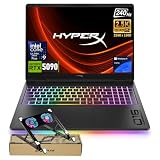
- HP HyperX OMEN Max 16 ($4,499.00–$5,099.00, 32GB or 64GB DDR5) – Intel Core Ultra 9 290HX, 24 cores, 2TB SSD.
- MSI Vector 18 HX AI ($4,499.99) – 18″ 240Hz QHD+ display, Intel Core Ultra 9 275HX, 32GB DDR5.
- ASUS ROG Strix SCAR 18 ($4,499.99) – 18″ ROG Nebula HDR 2.5K 240Hz display, the most display-focused SCAR configuration.
- Razer Blade 16 (2026) ($5,599.99) – 64GB DDR5, QHD+ 240Hz 0.2ms, Razer’s CNC aluminum chassis.
- ASUS ROG Zephyrus Duo ($5,499.00) – dual-touchscreen detachable design, 16″ 3K OLED ROG Nebula HDR, the most unconventional form factor here.
- Dell Alienware 18 Area-51 ($5,846.99) – 18″ 2.5K WQXGA anti-glare display, Intel Ultra 9 275HX.
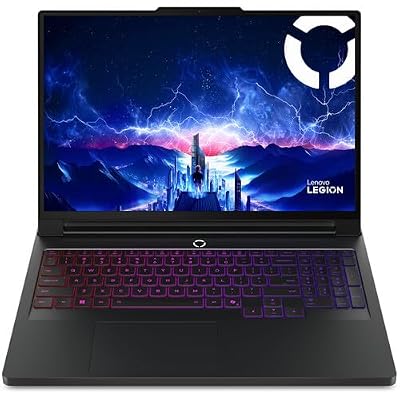
- Lenovo Legion Pro 7i Gen 10 ($5,999.00) – 16″ OLED, 64GB RAM, 2TB storage – the most expensive configuration on this list.
See All Picks


At This Tier, the GPU Isn’t the Differentiator – the Chassis Is
Every laptop on this list runs the same RTX 5090 mobile GPU, so raw gaming performance differences between them come down to cooling design and power limits more than the GPU itself. What actually separates these picks is everything around the GPU: the ASUS Zephyrus Duo’s second touchscreen for streaming overlays or Discord, the Alienware 18 and MSI Vector 18’s larger 18″ panels for more immersive desk use, the Razer Blade 16’s smaller, more travel-friendly chassis at the same GPU tier, and RAM/storage configuration (32GB vs. 64GB, 1TB vs. 2TB) which matters more for heavy multitasking or content creation than for gaming itself.
Do You Actually Need an RTX 5090 Laptop?
If you’re gaming at 1440p, no – an RTX 5070 or 5080 laptop handles 1440p comfortably for thousands less. The RTX 5090 earns its price specifically at 4K gaming with high settings and ray tracing, or for GPU-accelerated creative work (3D rendering, AI/ML workloads, heavy video editing) where the extra VRAM and compute genuinely cuts render times. Buying this tier purely for 1080p or 1440p esports titles is spending far more than the games will ever use.
Questions
How much faster is an RTX 5090 laptop GPU than an RTX 5080?
Meaningfully faster, but with diminishing returns below 4K – the gap is most visible at 4K with ray tracing enabled. At 1440p, the difference narrows enough that many buyers are better served saving the money and picking an RTX 5080 configuration instead.
Will these laptops throttle under sustained gaming load?
All flagship RTX 5090 laptops manage thermals well enough for normal gaming sessions, but sustained max-load workloads (like long render jobs) will generally run a bit below the GPU’s peak boost clock as it settles into its thermal limit – expected behavior for a laptop chassis, not a defect.
Is 32GB or 64GB RAM worth the upgrade on these laptops?
32GB is plenty for gaming alone. 64GB is worth paying for specifically if you’re also doing heavy multitasking, streaming while gaming, or running VMs/creative software alongside games – it won’t improve your frame rate on its own.
Prices and availability current as of October 2026, pulled from live Amazon listings.