

- Top Pick: ASUS ROG Strix G16 (2025) Gaming Laptop, 16” FHD+ 16:10 165Hz/3ms, NVIDIA® GeForce RTX™ 5060, Intel® Core™ i7 Processor 14650HX, 16GB DDR5, 1TB Gen 4 SSD, Wi-Fi 7, Windows 11 Home, G615JMR-AS74
- Best Value: KAIGERR Gaming Laptop, 24GB DDR5 512GB NVMe SSD Laptop Computer with AMD Ryzen 7 H255(8C/16T, Up to 4.9GHz), 16.0 inch Windows 11 Laptop, Radeon RX Vega 8 Graphics,WiFi 6, Backlit KB
- Premium Choice: KAIGERR Gaming Laptop, Laptops with AMD Ryzen 7430U(Up to 4.3GHz), 16GB DDR4 512GB SSD Laptop Computer, 15.6inch Windοws 11 Laptop, 1920P FHD Display, WiFi 6, USB3.2, Type_C
Affiliate disclosure: As an Amazon Associate we earn from qualifying purchases. This post contains affiliate links — if you buy through them we may earn a small commission at no extra cost to you. This never affects our recommendations.
- Watch: Best Gaming Laptop for Streaming in 2026: Top 5 Picks for Game + Stream — Video Review
- Quick Comparison Table
- Why NVENC Changes Everything for Laptop Streamers
- The 5 Best Gaming Laptops for Streaming in 2026
- Frequently Asked Questions
- Final Comparison Table + Verdict
- Related Articles
- Related Articles


Gaming and streaming simultaneously is one of the most demanding workloads you can throw at a laptop. You are not just running a game at high settings — you are encoding a live video stream, feeding it to Twitch or YouTube, managing OBS in the background, and doing all of it while your CPU and GPU are already under sustained load inside a chassis the size of a notebook.
As an Amazon Associate we earn from qualifying purchases at no extra cost to you.


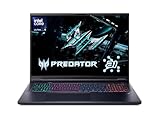



Most gaming laptops can handle one of those tasks. The best gaming laptops for streaming handle both without throttling, without dropping frames, and without cooking your lap.
This guide focuses on what actually matters for streamers: the NVENC hardware encoder baked into NVIDIA RTX 40-series GPUs, CPU core count for splitting game and encode threads, RAM capacity, and thermal headroom for long sessions. We picked five laptops that cover every budget from $899 to $2,499 and ranked them so you can find the right fit without wading through spec sheets.
In a hurry? See the top-rated Gaming Laptop for Streaming deals available right now:
⚡ Save on Your Next PC — Amazon Prime
Prime members get fast free shipping on the systems above, plus early access to Prime Day & Black Friday PC deals. New members get a 30-day free trial.
Watch: Best Gaming Laptop for Streaming in 2026: Top 5 Picks for Game + Stream — Video Review
Quick Comparison Table
| Laptop | GPU | CPU | RAM | Storage | Best For |
|---|---|---|---|---|---|
| ASUS ROG Zephyrus G14 (2024) | RTX 4070 | Ryzen 9 8945HS | 32 GB | 1 TB NVMe | Best Overall |
| Lenovo Legion Pro 5i Gen 8 | RTX 4060 | Core i9-13900HX | 32 GB | 1 TB NVMe | Best CPU for Encoding |
| Razer Blade 15 | RTX 4060 | Core i7-13800H | 16 GB | 1 TB NVMe | Best Webcam + Aesthetics |
| MSI Titan GT77 HX | RTX 4080 | Core i9-13980HX | 64 GB | 2 TB NVMe | Best No-Compromise |
| ASUS TUF Gaming A15 | RTX 4060 | Ryzen 7 7745HX | 16 GB | 512 GB NVMe | Best Budget Streaming |
Why NVENC Changes Everything for Laptop Streamers
Before the product picks, one concept is worth understanding because it affects every recommendation below.
NVIDIA’s NVENC (NVIDIA Encoder) is a dedicated hardware block inside RTX GPUs that encodes video independently of the GPU’s shader cores and independently of the CPU. When you stream with OBS using NVENC, your CPU is barely touched by encoding at all — it handles your game and your OS while the encoder block quietly converts frames to H.264 or HEVC in the background.
RTX 4060 and above feature dual NVENC — two encoder blocks instead of one. This matters for streamers because dual NVENC allows simultaneous streaming and local recording at full quality with zero additional CPU or GPU load. You can broadcast to Twitch at 6,000 Kbps while saving a local 1080p60 archive without either feed suffering.
Every laptop on this list ships with at least an RTX 4060, so every pick benefits from dual NVENC. The difference between models is GPU wattage (a 4060 at 140W outperforms a 4060 at 80W), CPU core architecture, thermal design, and features like webcam quality.
For OBS settings on a laptop, the recommended baseline is: Output resolution 1080p, frame rate 60 fps, encoder NVENC H.264 (or HEVC if your viewers are on modern platforms), bitrate 6,000 Kbps for Twitch or 8,000–12,000 Kbps for YouTube, preset P5 (Slow) or P6 (Slower) for quality, and Psycho Visual Tuning enabled. These settings work on every laptop listed here without significant thermal impact beyond normal gaming load.
The 5 Best Gaming Laptops for Streaming in 2026
1. ASUS ROG Zephyrus G14 (2026, RTX 4070) — Best Overall
View on Amazon →
The 2024 Zephyrus G14 is the most balanced streaming laptop on this list. AMD’s Ryzen 9 8945HS brings eight high-performance cores with impressive IPC, the RTX 4070 runs at a full 100W TGP giving the NVENC encoder headroom to breathe, and ASUS has packed this into a 14-inch chassis that weighs just 3.5 lbs. For streamers who travel — to LAN events, to a friend’s place, anywhere — this is the laptop that does not force a trade-off between portability and capability.
The 2.8K OLED display at 120 Hz is a streaming production bonus: color accuracy matters when you are reviewing your stream footage or doing face-cam color grading. The 32 GB of LPDDR5X RAM is the sweet spot for game-plus-stream — enough that OBS, your game, a browser with your stream dashboard, and Discord coexist without swapping to storage.
Thermal management is genuinely impressive for the form factor. Under full gaming-plus-encoding load, the Zephyrus G14 sustains CPU temperatures around 85–88°C and GPU around 78°C — warm but stable, without throttle-induced frame drops.
Specs
| Spec | Detail |
|---|---|
| GPU | RTX 4070 (100W TGP) |
| CPU | AMD Ryzen 9 8945HS (8C/16T) |
| RAM | 32 GB LPDDR5X |
| Display | 14″ 2.8K OLED, 120 Hz |
| Storage | 1 TB PCIe 4.0 NVMe |
| Weight | 3.5 lbs (1.59 kg) |
| Battery | 73 Wh |
| Ports | USB-C (Thunderbolt 4), USB-A ×2, HDMI 2.1, SD card |
Pros
- RTX 4070 at full 100W TGP — strong NVENC encode headroom
- 32 GB RAM standard — no upgrade needed for streaming
- Lightest laptop on this list at 3.5 lbs
- Thunderbolt 4 USB-C for external capture card or eGPU
- Stunning 2.8K OLED display for color-accurate stream review
- Sustained thermals under combined gaming + encode load
Cons
- 14-inch screen is small for solo streaming setups without an external monitor
- No dedicated number pad
- Premium price for a 14-inch machine
Verdict: The Zephyrus G14 is the laptop for the streamer who wants serious hardware in a portable package. RTX 4070, 32 GB, Thunderbolt 4, and thermal stability — all the boxes checked at $1,399.
2. Lenovo Legion Pro 5i Gen 8 (RTX 4060, Core i9) — Best CPU for Encoding
View on Amazon →
Streaming taxes the CPU more than pure gaming does. Even with NVENC handling encode, OBS itself, scene management, chat integrations, and Discord all run on CPU threads. The Legion Pro 5i Gen 8 answers this with Intel’s Core i9-13900HX — a 24-core (8 performance + 16 efficiency) monster that gives you more thread headroom than any other laptop in this price range.
The practical effect: you can run OBS with multiple scene transitions, browser source overlays, and a chatbot plugin while gaming at high settings, and the CPU never becomes the bottleneck. The RTX 4060 at 140W TGP (Lenovo pushes it hard) delivers solid gaming performance and dual NVENC for simultaneous stream-and-record.
The Legion Pro 5i also ships with 32 GB DDR5 RAM and Lenovo’s Coldfront 5.0 thermal system — dual fans, quad exhaust vents — which keeps sustained temperatures reasonable on a 16-inch chassis that has the physical room to breathe.
Specs
| Spec | Detail |
|---|---|
| GPU | RTX 4060 (140W TGP) |
| CPU | Intel Core i9-13900HX (24C/32T) |
| RAM | 32 GB DDR5-5600 |
| Display | 16″ IPS, 2560×1600, 165 Hz |
| Storage | 1 TB PCIe 4.0 NVMe |
| Weight | 5.4 lbs (2.45 kg) |
| Battery | 80 Wh |
| Ports | USB-C (Thunderbolt 4), USB-A ×4, HDMI 2.1, SD card |
Pros
- Core i9-13900HX: best CPU thread count at this price for OBS-heavy setups
- RTX 4060 at 140W — pushes well past lower-wattage 4060 competitors
- 32 GB DDR5 RAM standard
- Four USB-A ports — plug in capture card, mic, controller, headset without a hub
- 165 Hz 16-inch QHD display is great for in-game visibility
Cons
- 5.4 lbs makes it a desk-only machine for most users
- RTX 4060 ceiling limits ultra-high-end game + stream at 4K
- No OLED option at this configuration
Verdict: The Legion Pro 5i Gen 8 is the CPU-forward choice. If your stream setup involves lots of OBS plugins, browser sources, or you run a chatbot and alerts system simultaneously, the i9’s 24 cores absorb the overhead that would stutter lighter CPUs.

3. Razer Blade 15 (RTX 4060) — Best Webcam + Aesthetics
View on Amazon →
Streamers are on camera. Your webcam matters. The Razer Blade 15 ships with a 1080p 60 fps IR webcam — dramatically better than the 720p cameras that most gaming laptops use as an afterthought. For face-cam-heavy streams where your personality drives engagement, the built-in camera is good enough to skip the external webcam entirely, saving a USB port and desk space.
Beyond the camera, the Blade 15 is the aesthetics pick: the CNC aluminum unibody chassis is the most professional-looking gaming laptop available. On stream, it reads as a premium setup. The 15.6-inch QHD 240 Hz IPS display has accurate factory calibration (100% sRGB, Delta-E under 1.5), which helps when reviewing stream quality off a secondary output.
The RTX 4060 runs at 95W here — not the highest wattage on this list, but Razer pairs it with per-key RGB Chroma lighting, a solid thermal pad compound, and a chassis design that maintains consistent performance over long sessions without fan noise spikes that would bleed into your microphone.
Sixteen gigabytes of RAM is the weak point. You will want to upgrade to 32 GB (two SO-DIMM slots, user accessible) if you plan to run memory-intensive games alongside OBS.
Specs
| Spec | Detail |
|---|---|
| GPU | RTX 4060 (95W TGP) |
| CPU | Intel Core i7-13800H (14C/20T) |
| RAM | 16 GB DDR5 (upgradeable to 64 GB) |
| Display | 15.6″ QHD IPS, 240 Hz |
| Storage | 1 TB PCIe 4.0 NVMe |
| Weight | 4.4 lbs (2.01 kg) |
| Battery | 80 Wh |
| Ports | USB-C (Thunderbolt 4) ×2, USB-A ×3, HDMI 2.1, SD card |
Pros
- 1080p 60 fps built-in webcam — best integrated camera on any gaming laptop
- Premium CNC aluminum chassis looks excellent on stream
- Two Thunderbolt 4 ports — daisy-chain monitor and capture card simultaneously
- 240 Hz QHD display with factory-accurate color calibration
- Relatively quiet fan profile compared to competitors at same load level
Cons
- Ships with only 16 GB RAM — RAM upgrade recommended before streaming
- RTX 4060 at 95W is lower TGP than Legion Pro 5i’s 140W version
- Most expensive RTX 4060 laptop on this list at ~$1,499
- No dedicated SD card slot on some configurations
Verdict: The Blade 15 is for the streamer who cares about face-cam quality and on-camera presentation. The 1080p 60 fps webcam is a genuine differentiator. Budget for a RAM upgrade to 32 GB and you have a complete streaming package.
4. MSI Titan GT77 HX (RTX 4080) — Best No-Compromise
View on Amazon →
The Titan GT77 HX is not a portable laptop. It is a desktop replacement that happens to have a battery. At 7.7 lbs and powered by a 330W brick, it targets streamers with a permanent desk setup who refuse to accept any performance ceiling. The RTX 4080 at 175W TGP runs at full desktop-adjacent speeds, the Core i9-13980HX has 24 cores (8P + 16E) with unlocked power limits, and the 64 GB DDR5 RAM means you will never think about memory again.
For streaming specifically, the RTX 4080 enables 4K60 game capture and simultaneous 1080p60 stream encode without the GPU breaking a sweat. The dual NVENC blocks on the 4080 are clocked higher and have more silicon than those on the 4060, resulting in marginally better encode quality at equivalent bitrates. You can also run a dedicated local recording at 4K while streaming at 1080p — a workflow that hardware-limited laptops simply cannot sustain.

The 17.3-inch 4K 144 Hz mini-LED display is reference quality for stream production review. Thermal design includes 12 heat pipes across three fans — overkill by any metric, which is exactly why it works.
Specs
| Spec | Detail |
|---|---|
| GPU | RTX 4080 (175W TGP) |
| CPU | Intel Core i9-13980HX (24C/32T) |
| RAM | 64 GB DDR5-4800 |
| Display | 17.3″ 4K Mini-LED, 144 Hz |
| Storage | 2 TB PCIe 5.0 NVMe |
| Weight | 7.7 lbs (3.5 kg) |
| Battery | 99.9 Wh |
| Ports | Thunderbolt 4 ×2, USB-A ×5, HDMI 2.1, SD card, RJ-45 |
Pros
- RTX 4080 at 175W — fastest NVENC encode quality on any laptop
- 64 GB DDR5 RAM — future-proof for any streaming workflow
- 4K Mini-LED display with exceptional local dimming for stream review
- PCIe 5.0 SSD — fastest available storage for VOD recording
- RJ-45 Ethernet port built in — wired connection for stable stream bitrate
- Five USB-A ports — no hub needed for full streaming peripherals
Cons
- 7.7 lbs — not portable in any practical sense
- 330W power adapter is large and heavy
- $2,499 — significant premium over the field
- Fans are audible under load — acoustic treatment recommended for open-mic setups
Verdict: The Titan GT77 HX is for established streamers with a fixed desk setup who want the absolute ceiling of laptop streaming performance. If portability is irrelevant and budget is not the primary constraint, this is the machine.
5. ASUS TUF Gaming A15 (RTX 4060) — Best Budget Streaming
View on Amazon →
Every laptop above $1,000 on this list is good at streaming. The TUF Gaming A15 proves that $899 does not mean compromised streaming capability — it means accepting trade-offs in display quality, RAM, and build materials rather than stream encode performance.
The RTX 4060 with dual NVENC is the same fundamental architecture as higher-priced laptops. The Ryzen 7 7745HX has eight performance cores, which meets the recommended minimum for running a game and OBS simultaneously without frame drops. Streaming at 1080p60 to Twitch at 6,000 Kbps works without drama.
The 16 GB of RAM is the operational limit. You can stream, but you cannot leave a lot of background applications running. The 144 Hz 1080p IPS display is serviceable without being exceptional. The build uses more plastic than the aluminum competitors, but ASUS’s MIL-SPEC durability rating means it survives travel.
For new streamers, hobbyists, or anyone who wants to start streaming without overcommitting budget, the TUF A15 is the right answer.
Specs
| Spec | Detail |
|---|---|
| GPU | RTX 4060 (115W TGP) |
| CPU | AMD Ryzen 7 7745HX (8C/16T) |
| RAM | 16 GB DDR5-4800 |
| Display | 15.6″ FHD IPS, 144 Hz |
| Storage | 512 GB PCIe 4.0 NVMe |
| Weight | 5.0 lbs (2.27 kg) |
| Battery | 90 Wh |
| Ports | USB-C (USB 3.2 Gen 2), USB-A ×3, HDMI 2.0, RJ-45 |
Pros
- Dual NVENC (RTX 4060) — same streaming quality architecture as premium picks
- Ryzen 7 7745HX has 8 cores — meets the streaming minimum comfortably
- RJ-45 Ethernet built in for wired stream connection
- MIL-SPEC durability rating
- $899 price is the most accessible on this list
- 90 Wh battery for longer unplugged sessions
Cons
- 16 GB RAM limits multitasking during streams
- 512 GB SSD fills quickly with VOD recordings — external drive recommended
- No Thunderbolt 4 — limits external capture card bandwidth
- HDMI 2.0 (not 2.1) — cannot output 4K 120 Hz to external monitor
- 144 Hz 1080p display is basic compared to QHD/OLED alternatives
Verdict: The TUF Gaming A15 gives you dual NVENC and 8 CPU cores at $899. For a first streaming laptop, that is the core requirement met at the lowest price available. Pair it with a USB external SSD for VOD storage and you have a complete budget streaming rig.
Frequently Asked Questions
Do I need a capture card to stream from a gaming laptop?
No. A capture card is for capturing footage from an external console (PlayStation, Xbox, Switch) or a secondary PC. When streaming gameplay from the laptop itself, OBS captures the display output directly — no capture card involved. The RTX NVENC encoder processes that footage internally. You only need a capture card if you want to stream from a console through your laptop, in which case a USB capture card connects via USB-C or USB-A and the laptop’s Thunderbolt 4 port provides enough bandwidth for uncompressed 1080p60 capture.
How much RAM do I actually need to game and stream at the same time?
32 GB is the practical ideal. A demanding modern game can consume 8–12 GB of RAM. OBS with browser sources and plugins can use 1–3 GB. Windows background processes, Discord, a browser dashboard, and a chat application add another 4–6 GB. A 16 GB laptop runs this, but with little margin — any memory spike causes stuttering or, worse, OBS dropping frames. If you buy a 16 GB laptop (Razer Blade 15, TUF A15), plan to upgrade the RAM before your first serious streaming session.
What OBS settings work best on a laptop?
Start here and adjust based on your stream platform and game: Resolution 1920×1080, Frame Rate 60, Encoder NVENC H.264 (or HEVC for higher quality at same bitrate), Rate Control CBR, Bitrate 6,000 Kbps (Twitch) or 8,000–12,000 Kbps (YouTube), Preset P5 (Slow), Psycho Visual Tuning enabled, Look-ahead disabled (adds latency). Use the NVENC encoder, not x264 — on RTX laptops, NVENC produces better quality at the same bitrate with a fraction of the CPU cost. If you experience dropped frames, reduce the preset to P4 (Medium) before reducing bitrate.
Is streaming from a laptop different from streaming from a desktop?
The streaming output quality can be identical — NVENC on a laptop RTX 4060 and a desktop RTX 4060 use the same encoder architecture. The difference is thermal headroom. A desktop GPU runs at full TGP (160–200W for a 4060) with unlimited airflow. A laptop GPU runs at 80–140W depending on the model, inside an enclosed chassis. Under sustained gaming-plus-encoding load, laptop thermals constrain performance more than desktop thermals do. That is why this guide emphasizes picking laptops with higher TGP ratings and proven thermal management — the Zephyrus G14, Legion Pro 5i, and Titan GT77 HX all sustain performance over multi-hour sessions where cheaper laptops throttle.
Final Comparison Table + Verdict
| Laptop | GPU TGP | CPU Cores | RAM | NVENC | Thunderbolt | Best For |
|---|---|---|---|---|---|---|
| ASUS ROG Zephyrus G14 | 100W | 8P (AMD) | 32 GB | Dual | Yes (TB4) | Best Overall |
| Lenovo Legion Pro 5i Gen 8 | 140W | 8P+16E (Intel) | 32 GB | Dual | Yes (TB4) | Best CPU |
| Razer Blade 15 | 95W | 6P+8E (Intel) | 16 GB* | Dual | Yes (TB4 ×2) | Best Webcam |
| MSI Titan GT77 HX | 175W | 8P+16E (Intel) | 64 GB | Dual | Yes (TB4 ×2) | Best Performance |
| ASUS TUF Gaming A15 | 115W | 8P (AMD) | 16 GB* | Dual | No | Best Budget |
16 GB configurations — RAM upgrade to 32 GB recommended before heavy streaming use.
Our Pick: The ASUS ROG Zephyrus G14 (2024) is the best gaming laptop for streaming for most people. It hits the correct balance of GPU power (RTX 4070 at full TGP), CPU headroom (Ryzen 9 8945HS), 32 GB RAM out of the box, Thunderbolt 4, and a form factor you can actually carry. If budget is the primary concern, the ASUS TUF Gaming A15 delivers the core streaming requirements — dual NVENC, 8 CPU cores, wired Ethernet — at $899. And if performance is the only concern, the MSI Titan GT77 HX has no ceiling worth discussing.
Every laptop on this list uses RTX 4060 or better, meaning every pick has dual NVENC hardware encoding. At that baseline, your stream quality is determined by your settings and your bitrate allowance — not your hardware. Pick the laptop that fits your budget, upgrade the RAM if it ships with 16 GB, set up OBS with NVENC, and start streaming.
Related Articles
Looking for more on this topic? Browse the hand-picked guides below — each one applies the same scoring rubric used in this review.















