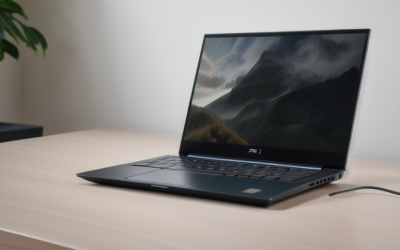
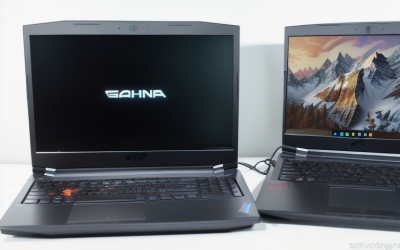
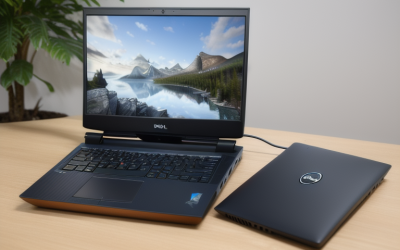
- Top Pick: GIGABYTE Gaming A16 – Intel i7-13620H GeForce RTX 5070 16" Laptop | 165Hz, 1920×1200 WUXGA, 1TB SSD, 32GB DDR5 RAM, Windows 11 Home AD, Black Steel
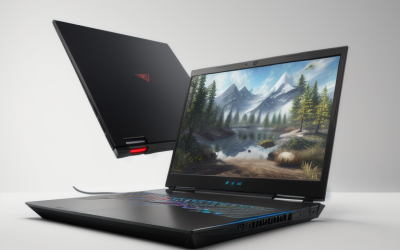
- Best Value: HP Omen 16 Slim Gaming AI Laptop 16" WUXGA IPS 144Hz Intel 16-core Ultra 9 285H 32GB RAM 1TB SSD GeForce RTX 5070 GDDR7 (Up to 988 Tops) 4-Zone RGB Backlit Wi-Fi6E HyperX Win11Pro ICP Acc
- Premium Choice: ASUS TUF Gaming A16 Laptop: AMD Ryzen 7 7445HS, 16" Full HD+ 145Hz Display, NVIDIA GeForce RTX 4050, 16GB DDR5 RAM, 512GB SSD, Backlit Keyboard, Windows 11
Nobody wants to unbox a new gaming laptop and lose the first evening closing pop-ups, trial subscriptions and vendor launchers. The phrase “without bloatware” is a real purchasing concern, but it is also one that a product title almost never answers. A listing can name the processor, graphics card, memory and operating system; it cannot promise a clean software image. So the useful approach is to pick hardware that is worth keeping, then plan a short cleanup that leaves you with a lean system.
This guide ranks nine gaming laptops by the specifications each listing states and shows how to strip unwanted software from any of them. As the 2026 lineup shows, current-generation GeForce RTX 50-series and Ryzen chips are everywhere, so the differences come down to screen, memory, storage and cooling. Nothing here claims a particular machine ships free of preinstalled apps, because the titles do not say so.
Quick Picks
As an Amazon Associate we earn from qualifying purchases at no extra cost to you.


| Product | Best for | Key spec from the title |
|---|---|---|
| GIGABYTE Gaming A16 (RTX 5070) | Balanced all-rounder | i7-13620H, 32GB DDR5, 1TB SSD |
| HP Omen 16 Slim | Thin 16-inch power | Ultra 9 285H, RTX 5070, 144Hz |
| ASUS TUF Gaming A16 | Entry gaming tier | Ryzen 7 7445HS, RTX 4050, 145Hz |
| ASUS ROG Strix G18 G815 | Maximum specs, big screen | 64GB RAM, 4TB SSD, 240Hz |
| HP HyperX Omen 15 | Sharp 15-inch display | RTX 5060, 15.3″ WQXGA 180Hz |
| Acer Nitro V Slim | High-resolution slim build | RTX 5070, 16″ WQXGA 180Hz |
| MSI Cyborg 15 | Compact gaming | Ryzen 9 270, RTX 5060, 144Hz |
| GIGABYTE Gaming A16 (RTX 5060) | 1TB storage with AMD | Ryzen 7 260, 1TB SSD |
| ASUS ROG Strix G18 RTX 5070 | Big-screen ROG buyers | RTX 5070, 18-inch class |
How to Choose
Treat “no bloatware” as a setup goal
Preinstalled software varies by seller, bundle and region, so a title cannot guarantee anything. Expect a brand utility for fans, lighting and updates; keep what controls hardware and remove the rest. A fresh Windows reset with the “remove everything” option, or a clean install from official media, is the most thorough route. Back up saved files first, then reinstall only the drivers and the one hardware utility you actually need. Anything else can be added back later if a feature turns out to be missed.
Windows edition and bundle codes
Several titles list Windows 11 Home and others Windows 11 Pro. Pro gives extra management and privacy features and is commonly sold with business-minded configurations. Strings at the end of some titles, such as accessory codes, hint at bundled extras, so read the box contents before you buy.
Graphics, memory and storage thresholds
For current 1080p to 1440p play, look for an RTX 5060 or better and at least 16GB of RAM. Thirty-two gigabytes helps with streaming and mods. A 512GB drive fills quickly with modern game installs, so favor 1TB where the listing offers it.
Display and cooling
A 144Hz panel is the minimum for smooth competitive play, and the 165Hz to 240Hz models listed here go further, though a high refresh rate only helps if the graphics card can push that many frames. Resolution matters too: 1920×1200 suits mid-range graphics, while 2560×1600 asks more of the GPU. Names such as Tempest Cooling hint at thermal design but are not a measured result.
The 9 Best Options
GIGABYTE Gaming A16 (RTX 5070)
Fits a player who wants strong graphics without a flashy chassis. The title lists an Intel i7-13620H, GeForce RTX 5070, a 16-inch 1920×1200 165Hz display, 1TB SSD, 32GB DDR5 and Windows 11 Home.
- 32GB DDR5 and a 1TB SSD are both generous.
- The 165Hz WUXGA screen suits fast shooters and open-world games.
- Trade-off: the i7-13620H is an older-generation CPU beside the newer chips listed here.
Skip it if you want a newer-generation processor. A buyer who mostly plays at 1080p-class resolution, however, will find the graphics card and memory more relevant than the CPU generation.
HP Omen 16 Slim
A thin 16-inch pick for players who also create content. The title lists a 16-core Intel Core Ultra 9 285H, 32GB RAM, 1TB SSD, RTX 5070 with GDDR7, a 144Hz WUXGA IPS display, 4-zone RGB backlighting, Wi-Fi 6E and Windows 11 Pro.
- A 16-core processor and 32GB of RAM handle streaming alongside play.
- Wi-Fi 6E and a 144Hz IPS panel round out the connected setup.
- Trade-off: the title ends with accessory text, so confirm exactly what ships.
Skip it if you prefer a plain, unbundled listing. Creators who edit video between sessions get the most from the core count and memory here, while pure esports players may not need this much.
ASUS TUF Gaming A16
For gamers who want a recognized brand at the entry tier of the group. The title lists a Ryzen 7 7445HS, 16-inch Full HD+ 145Hz display, RTX 4050, 16GB DDR5, 512GB SSD, a backlit keyboard and Windows 11.
- The 145Hz screen and DDR5 memory are current features.
- A clean, concise title makes it easy to see what you are getting.
- Trade-off: the RTX 4050 and 512GB drive are the most modest pairing here.
Skip it if you want RTX 50-series graphics. Players who stick to esports and older titles can still be well served, and a short setup pass keeps the system tidy.
ASUS ROG Strix G18 G815
The spec leader for a desk-bound gamer. The title lists an 18-inch 2560×1600 240Hz display with 100% DCI-P3, an Intel Core Ultra 9 275HX with 24 cores, 64GB RAM, a 4TB SSD, RTX 5070 and Windows 11 Pro.
- 64GB RAM and 4TB of storage are unmatched in this list.
- The 240Hz, wide-gamut panel suits both fast play and creative work.
- Trade-off: an 18-inch body is a desktop-replacement size, not a commuter.
Skip it if you carry your laptop to class daily. The size also means a bigger charger and bag, so measure your desk and backpack before committing to an 18-inch frame.
HP HyperX Omen 15
For those who care about the screen and the ports. The title lists an AMD Ryzen 7 260, RTX 5060, 32GB DDR5, 1TB SSD, a 15.3-inch WQXGA 180Hz display with 100% sRGB, a numeric keypad, Ethernet, Wi-Fi 7 and Tempest Cooling.
- Ethernet and Wi-Fi 7 give two strong network options.
- 32GB of RAM with a 1TB drive pairs well with a sharp 180Hz display.
- Trade-off: the RTX 5060 is a step below the 5070 in the larger models.
Skip it if raw graphics power outranks display quality. Anyone who wants a wired connection for online matches will like the Ethernet port named in the listing.
Acer Nitro V Slim
A match for players who want a high-resolution slim body. The title lists a 16-inch WQXGA IPS 180Hz panel, Ryzen 7 260 with 8 cores, 16GB RAM, 512GB SSD, RTX 5070 and Windows 11 Pro.
- RTX 5070 graphics in a slim design.
- A 2560×1600 180Hz display is among the sharper screens here.
- Trade-off: 16GB RAM and 512GB storage lag behind similar-class rivals.
Skip it if you plan to install many large games without adding storage. The M.2 slot situation is not stated, so confirm upgrade options on the product page before assuming a second drive fits.
MSI Cyborg 15
Aimed at a gamer who prefers a smaller laptop. The title lists a 15.6-inch FHD IPS 144Hz display, 8-core Ryzen 9 270, 16GB DDR5, 512GB SSD, RTX 5060, 4-zone RGB and Windows 11 Pro.
- A Ryzen 9 270 is the highest AMD tier in the group.
- A 15.6-inch body is easier to carry than the 18-inch models.
- Trade-off: 512GB of storage will need expansion early.
Skip it if you want a higher-resolution panel. Gamers who value a compact footprint and a bright RGB keyboard, and who plan to add an external drive, are the natural audience.
GIGABYTE Gaming A16 (RTX 5060)
A good option for AMD fans who like the A16 shape. The title lists a Ryzen 7 260, RTX 5060, a 16-inch 1920×1200 165Hz display, 1TB SSD, 16GB DDR5 and Windows 11 Home.
- A 1TB SSD is included, which is rare among 16GB configurations.
- The 165Hz WUXGA display favors responsive play.
- Trade-off: 16GB of RAM suits play but is tight for streaming.
Skip it if you want RTX 5070 graphics. Buyers comparing the two A16 listings should note that the RTX 5070 version carries 32GB of RAM, while this one trades memory for an AMD processor.
ASUS ROG Strix G18 RTX 5070
For buyers who want the ROG Strix name in an 18-inch format. The title lists only the model, the RTX 5070 and an AI gaming laptop label, so most details must be confirmed on the product page.
- RTX 5070 graphics match the higher-tier models in the roundup.
- The ROG Strix family offers a large chassis.
- Trade-off: no memory, storage or display figures appear in the title.
Skip it if you compare machines on printed specifications. This one only makes sense once you have confirmed the missing numbers against the seller’s detail page and your own needs.
Which One Fits Your Situation
You want a fast, clean setup
The ASUS TUF Gaming A16 has the simplest title and a Windows 11 listing with no bundle text, which makes the contents easier to anticipate. Plan a quick uninstall pass regardless, because even a tidy listing can arrive with promotional software added by a reseller.
You stream and play at once
The HP Omen 16 Slim with 32GB RAM and a 16-core processor, or the ROG Strix G18 G815 with 64GB, gives the most breathing room.
You carry the laptop daily
The MSI Cyborg 15 at 15.6 inches or the HP HyperX Omen 15 at 15.3 inches stays more portable than the 18-inch machines.
You care about storage space
The GIGABYTE Gaming A16 in either configuration includes 1TB, avoiding the quick fill of a 512GB drive.
Common Mistakes
- Expecting a title to promise a software-free image when none states it.
- Never opening Task Manager’s list of apps that launch at sign-in, which leaves launchers running every time the laptop boots.
- Uninstalling the vendor driver and fan-control app along with the trial software.
- Reading AI TOPS figures closely while ignoring RAM and storage.
- Assuming a 512GB drive will hold a modern game library.
Related guides
- Battery Operated Smoke And Carbon Monoxide Detectors
- Combination Smoke And Carbon Monoxide Detectors
- Aio Liquid Coolers For High Performance Gaming
Frequently Asked Questions
Can I remove bloatware from any gaming laptop?
Yes. Uninstall unwanted apps from Settings, trim the apps that launch at sign-in, and if you want a fully clean image, use Windows reset with the remove everything option or a clean install.
Is Windows 11 Pro cleaner than Home?
Not automatically. The edition affects features, not which third-party apps the manufacturer or seller adds. Check after setup either way, and keep the recovery tools handy so a reset stays an easy option if the first pass leaves clutter behind.
Which manufacturer apps are worth keeping?
Keep the ones that control fans, keyboard lighting and firmware updates. Drop trial antivirus, promotional offers and duplicate game launchers.
How much RAM does a gaming laptop need?
Sixteen gigabytes covers most play, while 32GB suits streaming and heavy multitasking, and RAM is among the easiest parts to compare across the nine listings. The 64GB ROG Strix G18 G815 targets creators and power users.