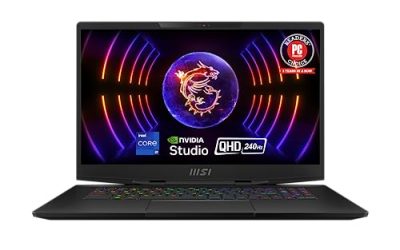
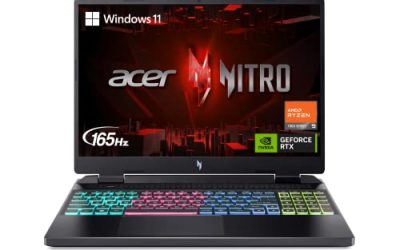
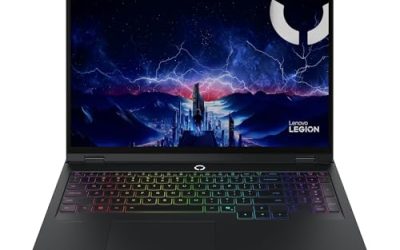
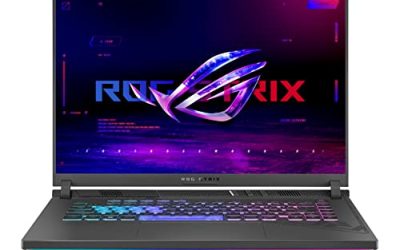
The MSI Katana 15 HX is the strongest overall pick here: a 15.6-inch QHD+ panel at 165Hz, a Core i9-14900HX, an RTX 5070, 32GB of DDR5 memory, and a 1TB SSD in one chassis. If that build is more machine than you need, the HP OMEN 15 and Lenovo LOQ below keep the same 15-inch footprint with RTX 5050 and RTX 4050 graphics.
Fifteen inches is the compromise most gamers actually live with: large enough to play on without an external monitor, small enough to carry in a standard bag. The catch is that screen size alone tells you almost nothing. Panels in this class run from Full HD at 144Hz to QHD+ at 165Hz, graphics run from an RTX 2050 to an RTX 5070, and memory runs from 8GB to 32GB, so two laptops with the same diagonal can play very different games.
This guide is written for students, commuters, and anyone replacing a desktop with a single portable machine. Every laptop below is judged only on the specifications stated on its Amazon product page — screen size, resolution, refresh rate, graphics, processor, memory, and storage — so you can compare the five on the same terms and pick the one that fits how you play.
Quick Picks
As an Amazon Associate we earn from qualifying purchases
| Product | Best for | Key spec from title |
|---|---|---|
| MSI Katana 15 HX | Strongest graphics and sharpest panel | 15.6-inch QHD+ 165Hz, RTX 5070, 32GB DDR5 |
| HP HyperX OMEN 15 | Current-generation graphics, compact frame | 15 inch 2K 165Hz, RTX 5050, Ryzen 5 240 |
| Lenovo LOQ 15.6-inch | Daily carry with upgrade room | 15.6-inch FHD 144Hz, RTX 4050, Ryzen 7 170 |
| Acer Nitro V ANV15-51-51H9 | Entry RTX 4050 gaming | 15.6-inch FHD 144Hz, RTX 4050, i5-13420H |
| HP Victus 15 | First gaming laptop, older titles | 15.6-inch FHD 144Hz, RTX 2050, Ryzen 5 7535HS |
How to Choose
Start with the panel, not the processor
Every laptop here is a 15-inch machine, but the panels are not interchangeable. A Full HD screen at 144Hz is the baseline in this group: crisp enough for most games, and easy for an RTX 4050 or RTX 2050 to drive at high frame rates. The HP OMEN 15 steps up to a 1920 x 1200 panel at 165Hz, which adds vertical space for chat windows and timelines, while the MSI Katana 15 HX goes further with a QHD+ panel at 165Hz that shows noticeably more detail. Higher resolution is only a win when the graphics card can keep up, so match the panel to the GPU before you fall for the sharper screen.
Match the graphics card to your games
The GPU decides which games run smoothly and at what settings. An RTX 2050, as in the HP Victus 15, handles older titles and competitive games at Full HD without complaint, but it will struggle with demanding new releases at high settings. An RTX 4050, found in the Lenovo LOQ and Acer Nitro V, is the mainstream choice for current games at Full HD. The RTX 5050 in the HP OMEN 15 brings newer Blackwell architecture to the same class, and the RTX 5070 in the Katana 15 HX is the only card here built to drive a QHD+ panel properly. Buy the card for the games you play most, not the ones you might play someday.
Memory and storage set the real lifespan
Memory is where the cheapest 15-inch gaming laptops quietly cut corners. The Acer Nitro V ships with 8GB of DDR5, which runs current games but leaves little room for a browser, voice chat, and a game running at once. Sixteen gigabytes, as in the OMEN 15, LOQ, and Victus 15, is the comfortable standard for gaming plus everyday multitasking, and the Katana 15 HX doubles that to 32GB. Storage follows the same logic: four of the five laptops here carry a 512GB SSD, which fills quickly once a few large games are installed, while the Katana pairs its memory with a 1TB drive. The LOQ leaves room to grow, with dual slots listed for memory and storage upgrades.
Weight, ports, and the fine print
A 15-inch laptop is only portable if you are willing to carry it. The Lenovo LOQ weighs about 3.97 pounds, while the HP OMEN 15 lists 5.34 pounds, and that gap is noticeable in a bag over a full day. Ports matter just as much: the LOQ lists HDMI 2.1, USB-C with Power Delivery, two USB-A ports, and Ethernet, so it docks without adapters, while other listings name fewer connections. Check the backlit keyboard, the webcam, and the wireless standard too, since these vary across the group. Finally, match the model code on the listing — Victus, LOQ, and Katana lines all sell look-alike configurations, and one digit can change the graphics card.
The 5 Best Options
MSI Katana 15 HX

The Katana 15 HX is the most capable machine in this group by a clear margin. Its Core i9-14900HX and RTX 5070 sit behind a 15.6-inch QHD+ panel at 165Hz, and 32GB of DDR5 with a 1TB NVMe SSD means neither memory nor storage holds it back. That combination suits players who want high refresh rates at 1440p, as well as anyone who edits video or streams alongside gaming. The RGB keyboard and Windows 11 Home round out a package aimed squarely at heavy use rather than light travel.
Specs
- 15.6-inch QHD+ display, 165Hz
- Intel Core i9-14900HX processor
- NVIDIA GeForce RTX 5070 laptop GPU, 8GB GDDR7
- 32GB DDR5 memory
- 1TB NVMe SSD
- RGB keyboard, Windows 11 Home
- Model B14WGK-016US
Best for: Players who want the strongest graphics and the sharpest panel in a 15-inch body.
Watch out for: MSI sells look-alike Katana 15 HX configurations, so match model B14WGK-016US on the listing, and confirm it is still sold before buying.
HP HyperX OMEN 15

The OMEN 15 is the newest-feeling laptop here, pairing an AMD Ryzen 5 240 with an RTX 5050 built on NVIDIA Blackwell architecture. Its 15-inch display runs at 165Hz with a 1920 x 1200 resolution, giving a little more vertical room than a standard Full HD panel, and 16GB of DDR5 with a 512GB PCIe Gen4 SSD covers current games comfortably. It suits a buyer who wants current-generation graphics in a compact frame without stepping up to the heaviest hardware in this group.
Specs
- 15 inch display, 1920 x 1200, 165Hz
- AMD Ryzen 5 240 processor
- NVIDIA GeForce RTX 5050 laptop GPU, 8GB GDDR7
- 16GB DDR5 RAM
- 512GB PCIe Gen4 NVMe SSD
- Windows 11 Home, Shadow Black
- Model 15-gb0099nr
Best for: A current-generation graphics card in the most compact 15-inch frame here.
Watch out for: The title calls the panel 2K while the listing details give 1920 x 1200, so check the resolution on the page, and confirm it is still sold before buying.
Lenovo LOQ 15.6-inch

The LOQ is the easiest laptop here to live with day to day. At about 3.97 pounds it is the lightest machine in the group, yet it still carries an RTX 4050 with 6GB of GDDR6, a Ryzen 7 170 processor, and 16GB of DDR5 behind a 15.6-inch Full HD IPS panel at 144Hz. Dual memory and storage slots leave room to grow to 64GB of RAM and a 2TB SSD, and the port list covers HDMI 2.1, USB-C, and Ethernet without adapters. It is the sensible pick for a student or commuter who games after hours.
Specs
- 15.6-inch Full HD IPS display, 144Hz, anti-glare
- AMD Ryzen 7 170 processor, 8 cores
- NVIDIA GeForce RTX 4050 laptop GPU, 6GB GDDR6
- 16GB DDR5 RAM, 512GB PCIe SSD
- HDMI 2.1, USB-C, RJ-45 Ethernet, Wi-Fi 6
- Backlit keyboard with numeric keypad, Windows 11 Home
- About 3.97 lbs, Luna Grey
Best for: Daily carry and dorm use, with room to upgrade memory and storage later.
Watch out for: The listing’s screen-size field reads 15.3 inches while the title and bullets say 15.6, so match the model code on the page, and confirm it is still sold before buying.
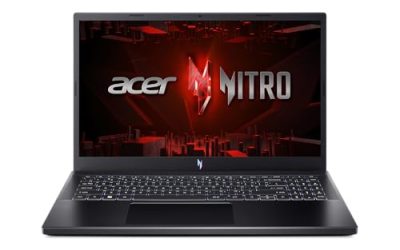
Acer Nitro V ANV15-51-51H9
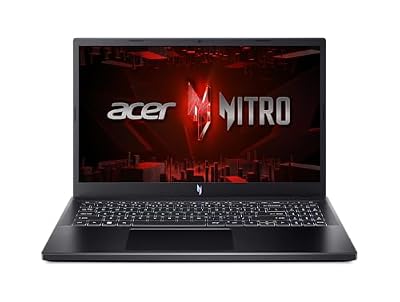
The Nitro V is the entry point to dedicated RTX graphics in this group. Its Core i5-13420H and RTX 4050 drive a 15.6-inch Full HD IPS panel at 144Hz, and a 512GB Gen 4 SSD keeps load times short. The trade-off is memory: 8GB of DDR5 is the smallest amount here, so heavy multitasking will feel tight sooner than on the 16GB machines. It fits a buyer who plays at Full HD, keeps few apps open, and would rather put the budget toward the graphics card than the memory.
Specs
- 15.6-inch Full HD IPS display, 144Hz
- Intel Core i5-13420H processor
- NVIDIA GeForce RTX 4050 laptop GPU
- 8GB DDR5 memory
- 512GB Gen 4 SSD
- Wi-Fi 6, backlit keyboard
- Model ANV15-51-51H9
Best for: Full HD gaming on the most affordable RTX 4050 build in this group.
Watch out for: 8GB of memory is the floor for current games, so plan an upgrade path, and confirm it is still sold before buying.
HP Victus 15

The Victus 15 covers the basics with no fuss. A Ryzen 5 7535HS and an RTX 2050 with 4GB of GDDR6 power a 15.6-inch Full HD panel at 144Hz, while 16GB of DDR5 and a 512GB PCIe SSD handle the game library and everyday work. It will not keep up with the RTX 4050 and 5050 machines on demanding new releases, but for older titles, esports, and a first gaming laptop, it is a straightforward place to start.
Specs
- 15.6-inch Full HD display, 144Hz
- AMD Ryzen 5 7535HS processor
- NVIDIA GeForce RTX 2050, 4GB GDDR6
- 16GB DDR5 RAM
- 512GB PCIe M.2 SSD
- HDMI, webcam, backlit keyboard, Wi-Fi 6
- Windows 11 Home, Silver
- Model TPN-Q279
Best for: Older titles, esports, and a first gaming laptop with 16GB of memory.
Watch out for: The RTX 2050 is the oldest graphics card here, and Victus sells many look-alike configs, so match model TPN-Q279 and confirm it is still sold before buying.
Which One Fits Your Situation
You want the sharpest screen and the most headroom
Pick the MSI Katana 15 HX. It is the only laptop here with a QHD+ panel, and its RTX 5070, 32GB of DDR5, and 1TB SSD are the strongest combination in the group. It suits players who run demanding games at higher resolutions and anyone who also edits video or streams. The trade-off is bulk and weight compared with the lighter machines below.
You carry the laptop everywhere
Pick the Lenovo LOQ. At about 3.97 pounds it is the lightest machine here, and its port list means it works at a desk without a bag full of adapters. The RTX 4050 and 16GB of DDR5 handle current games at Full HD, and the upgrade slots let the machine grow with you. It is the right balance of portability and gaming power for students and commuters.
You want current-generation graphics in a compact frame
Pick the HP OMEN 15. Its RTX 5050 is the newest graphics card in the group after the Katana, and the 165Hz panel with a 1920 x 1200 resolution gives a little extra vertical space for work and chat. Sixteen gigabytes of memory and a 512GB SSD keep it competitive, and the 15-inch body stays easy to pack. Check the resolution wording on the listing before you order.
You play older games and want a simple first laptop
Pick the HP Victus 15 or the Acer Nitro V. The Victus pairs 16GB of memory with an RTX 2050 that handles older titles and esports comfortably, while the Nitro V trades memory for a newer RTX 4050. Either one plays at Full HD on a 144Hz panel, and both keep the decision simple: choose the Victus for memory, the Nitro V for the stronger graphics card.
Common Mistakes
- Treating every 15-inch listing as the same size: some listings round the number in the title, so check the screen-size field and the display details on the product page before you order.
- Buying 8GB of memory and expecting it to last: it runs current games, but multitasking fills it fast, so 16GB is the safer baseline.
- Pairing a high-resolution panel with an entry graphics card: a QHD+ screen only pays off when the GPU can drive it, so a Full HD panel with a stronger card often plays better.
- Ordering by name alone: Victus, LOQ, Nitro, and Katana lines all sell look-alike configurations, so match the model code and the ASIN on the listing.
- Forgetting how fast 512GB fills: a few large games plus Windows leave little room, so check whether the laptop has a second SSD slot before you buy.
Frequently Asked Questions
Is a 15.6-inch screen big enough for gaming?
For most players, yes. A 15.6-inch Full HD panel shows the full game interface clearly at a normal desk distance, and the 144Hz and 165Hz panels in this group keep motion smooth. A larger screen helps mainly for split-screen work or couch play, where a 17-inch machine or an external monitor makes more sense.
Is 144Hz enough, or do I need 165Hz?
For most games, 144Hz is plenty — the step to 165Hz is noticeable mainly in fast competitive titles, and only when the graphics card can actually reach those frame rates. A 144Hz panel paired with an RTX 4050 will feel smoother than a 165Hz panel paired with a card that cannot keep up. Prioritize the GPU first, then the refresh rate.
How much RAM does a 15-inch gaming laptop need?
Sixteen gigabytes is the sensible baseline for gaming plus everyday multitasking in 2026. Eight gigabytes, as in the Acer Nitro V here, runs current games but leaves little room for a browser and voice chat alongside them. Thirty-two gigabytes, as in the Katana 15 HX, is generous today and useful if you also edit video or run heavy creative software.
Can a 15-inch gaming laptop replace a desktop?
It can for most players, with two conditions. First, the laptop needs enough graphics power and memory for the games you play — the RTX 4050 and 5050 machines here cover current titles at Full HD. Second, expect shorter upgrade options than a desktop: memory and storage can often grow, but the graphics card cannot, so buy the GPU you will want in two years, not just today.