A dedicated sim racing laptop needs two things most gaming laptops already have but some skimp on: enough GPU to hold high frame rates with ray-traced reflections off wet track surfaces, and a big enough screen (or triple-monitor output support) to make the cockpit feel immersive. We picked real gaming laptops currently sold on Amazon with the screen size and GPU tier that actually matter for sim racing.
Quick List
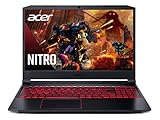
- MSI Cyborg 15 ($1,449.99) – AMD Ryzen 9 270, 144Hz FHD IPS – the budget entry point.
- GIGABYTE Gaming A16 ($1,629.00) – RTX 5070, 165Hz 1920×1200 – strong GPU-to-price ratio.
- ASUS TUF Gaming A18 ($1,629.00) – 18″ WUXGA 144Hz, 100% sRGB, G-Sync – the biggest screen at this price point.
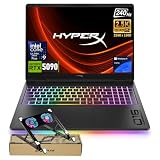
- HP Omen 16 Slim ($1,978.99) – Intel Ultra 9 285H, 16-core, 32GB RAM – the most CPU headroom here, useful if you also run complex telemetry/overlay software.
- ASUS ROG Strix G18 ($2,579.00) – RTX 5070, 18″ – bigger screen at the same GPU tier as the GIGABYTE.
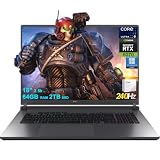
- ASUS ROG Strix G18 G815 ($3,329.00) – 24-core Ultra 9, 64GB RAM, 100% DCI-P3, 240Hz – the flagship pick, color-accurate panel included.
See All Picks


Why Screen Size Matters More Here Than in Most Games
Sim racing is one of the few genres where a bigger laptop panel genuinely improves the experience rather than just being a nice-to-have – peripheral vision for spotting cars beside you matters for actual racecraft, not just immersion. The 18″ picks here (ASUS TUF A18, ROG Strix G18, G815) give meaningfully more usable field of view than the 15–16″ options, at the cost of portability and often a higher price for the same GPU tier.
Can You Connect a Laptop to a Triple-Monitor Sim Rig?
Most modern gaming laptops, including everything on this list, have enough video outputs (HDMI plus USB-C with DisplayPort Alt Mode, sometimes a second HDMI) to drive a triple-monitor setup if you want to go beyond the built-in screen for your sim rig. Check the specific laptop’s port list for your exact monitor count and connector types before buying if a triple-screen setup is the end goal, since output counts vary by model.
Questions
Do I need RTX 5070 or higher for sim racing?
RTX 5070 handles most sim racing titles at high settings and high refresh comfortably. You’d need to step up only if you’re running ray-traced reflections at max settings on a 240Hz panel, or driving a demanding triple-monitor setup.
Is an 18-inch laptop too big for a sim rig?
Not if it’s staying mounted on your rig rather than being carried around – in that context, bigger is a genuine advantage, not a downside. It only becomes a real tradeoff if you also need the laptop to be portable for other uses.
Does CPU core count matter for sim racing?
It matters more than in most games if you’re running additional telemetry overlays, voice chat, and stream software simultaneously – the HP Omen 16 Slim’s 16-core CPU here gives more headroom for that than the lighter configurations.
Prices and availability current as of October 2026, pulled from live Amazon listings.