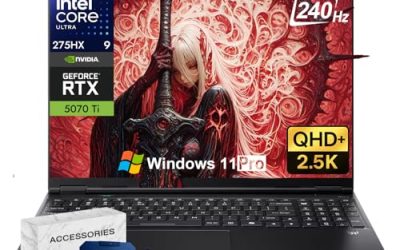
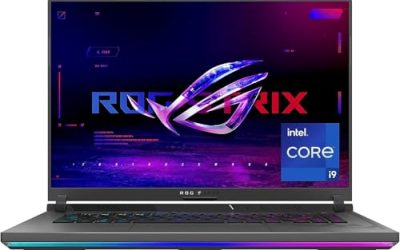
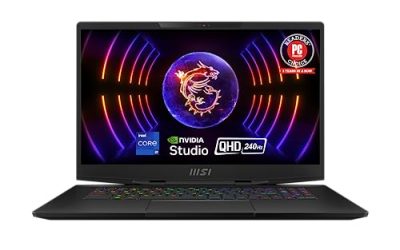
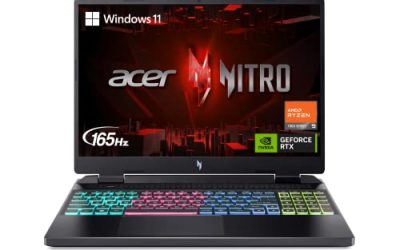
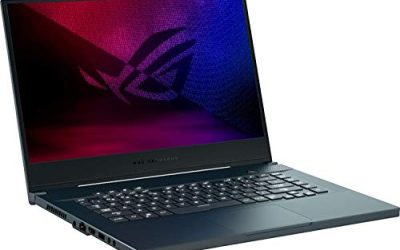
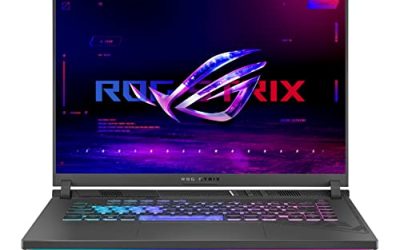
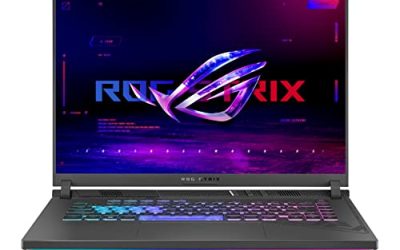
- Top Pick: ASUS ROG Strix G18 Gaming Laptop,AMD Ryzen 9 9955HX,NVIDIA GeForce RTX 5070 | 18" ROG Nebula Display 16:10 2.5K 240Hz/3ms, Wi-Fi 6E, 4-Zone RGB Backlit, CyberGeek Customized 16GB-64GB DDR5, 512GB-2TB SSD
- Best Value: Alienware 18 Area-51 Gaming Laptop, RTX 5080, Intel Ultra 9 290HX | WQXGA 300Hz Display, NVIDIA GeForce, 32GB DDR5 RAM, 2TB NVMe SSD, Windows 11 Home, Liquid Teal, AA18250
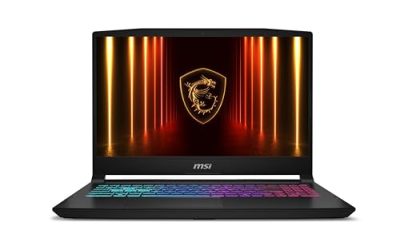
- Premium Choice: msi Crosshair 18 HX AI 18" 2560×1600 240Hz Display Gaming Laptop, Intel Core Ultra 9 275HX, NVIDIA RTX 5070 8GB GDDR7, 32GB RAM, 2TB NVMe SSD, Windows 11 Home, w/ZYN HDMI Cable
The Alienware 18 Area-51 and the ASUS ROG Strix Scar 18 are the best 18 inch gaming laptops for most players: the Alienware for sustained cooling and a plain desktop-replacement design, the Scar for the sharpest display options and a lower cost than the extreme tier. If you want the most powerful machine in this size and can carry the weight, the MSI Titan 18 HX AI is the ceiling. The Razer Blade 18, Lenovo Legion 9i (18-inch), MSI Raider A18 HX, ASUS ROG Strix G18 and Acer Predator Helios 18 AI fill the gaps for specific buyers.
An 18-inch laptop is not a travel machine. It is a gaming desktop with a built-in monitor, keyboard and battery, designed to sit on one desk and occasionally move to another. That framing decides everything: you are buying cooling capacity, a screen you can live with, and a power brick you will plug in every session. This guide covers the criteria gamers compare, concrete thresholds, and the real models worth shortlisting.
As an Amazon Associate we earn from qualifying purchases at no extra cost to you.


Quick picks
- Best overall desktop replacement: Alienware 18 Area-51
- Best display and performance for the cost: ASUS ROG Strix Scar 18
- Most powerful: MSI Titan 18 HX AI
- Best for a premium aluminum build: Razer Blade 18
- Best liquid-cooled design: Lenovo Legion 9i (18-inch)
- Best for AMD X3D gaming performance: MSI Raider A18 HX
- Best lower-cost 18-inch: ASUS ROG Strix G18
- Best for a mid-range 18-inch with a bright screen: Acer Predator Helios 18 AI
How we chose
This guide is research-based. We compared manufacturer specifications, published specification sheets and the consensus across independent 2026 reviews from major hardware outlets. We favored 18-inch models that are widely sold, have a current-generation processor and an RTX 50-series laptop graphics chip, and use a cooling design reviewers describe as sustained rather than a short boost. We did not run our own benchmarks, so we describe performance in tiers. Where a spec varies by configuration, we say so rather than guessing, and we name the families rather than a single memory or storage option.
The criteria, in order of weight:
- Graphics power limit. The same GPU name can run at very different wattages. A higher total graphics power (TGP) means higher sustained frame rates.
- Cooling headroom. A larger chassis can hold a vapor chamber, liquid metal and big fans. Look for reviews describing sustained, not burst, clocks.
- Display. At 18 inches, a 2560×1600 panel at 240Hz or higher suits fast shooters. A 4K Mini LED panel suits single-player games and creative work.
- Ports and upgrade path. RAM and storage slots matter on a machine you keep for years. Thunderbolt 5 and HDMI 2.1 help with external monitors and VR.
- Weight and power brick. Most land between 3 and 4 kilograms before the charger.
Comparison table
| Model | Display class | GPU class | CPU class | Best for |
|---|---|---|---|---|
| Alienware 18 Area-51 | 18 in, 2560×1600, high refresh | RTX 5090 or 5080 Laptop | Core Ultra 9 HX class | Sustained cooling, desk setup |
| ASUS ROG Strix Scar 18 | 18 in, 2560×1600 or 4K Mini LED | RTX 5090, 5080 or 5070 Ti Laptop | Core Ultra 9 HX class | Display choice, value near the top |
| MSI Titan 18 HX AI | 18 in, 4K Mini LED, 120Hz class | RTX 5090 Laptop | Core Ultra 9 HX class | Maximum power, creator work |
| Razer Blade 18 | 18 in, 2560×1600 high refresh | RTX 50-series Laptop | Core Ultra 9 HX class | Aluminum build, travel-friendlier |
| Lenovo Legion 9i (18-inch) | 18 in, 2.5K class | RTX 5090 Laptop class | Core Ultra 9 HX class | Liquid-cooled design |
| MSI Raider A18 HX | 18 in, Mini LED class | RTX 5090 Laptop class | Ryzen 9 X3D class | AMD gaming chip |
| ASUS ROG Strix G18 | 18 in, 2560×1600 high refresh | RTX 5080 or lower Laptop | Core Ultra 9 HX class | Lower entry cost |
| Acer Predator Helios 18 AI | 18 in, 2560×1600 high refresh | RTX 5090 or lower Laptop | Core Ultra 9 HX class | Bright display, mid-range cost |
The best 18 inch gaming laptops
Alienware 18 Area-51
Spec line: 18 in 2560×1600 high-refresh panel · Core Ultra 9 HX class processor · up to RTX 5090 Laptop GPU · sustained-cooling chassis · desktop-replacement design
Best for: Players who want one machine that stays on a desk, runs near its full power limit for hours and offers a screen large enough to replace a monitor for most games.
Skip if: You need strong battery-only performance, or you care about the highest resolution. Reviewers describe the screen as good but not class-leading, and unplugged performance drops sharply.
Pros:
- Large cooling system keeps clocks steady in long sessions
- Comfortable palm rest and a full-size layout with a number pad
- Strong port selection for a gaming setup
Cons:
- Heavy and thick; this is not a bag laptop
- Display is a step behind the Mini LED options
- Premium cost on the top graphics tier
ASUS ROG Strix Scar 18
Spec line: 18 in panel in 2560×1600 or 4K Mini LED options · Core Ultra 9 HX class processor · RTX 5090, 5080 or 5070 Ti Laptop GPU · vapor-chamber and liquid-metal cooling class
Best for: Competitive and single-player gamers who want a choice between a very fast QHD-class panel and a 4K Mini LED panel, with a cost that sits below the extreme tier.
Skip if: You want a quiet machine. Under full load the fans are audible in a small room, and the chassis is still large and heavy.
Pros:
- Display options cover both esports and high-resolution play
- Strong sustained performance in independent reviews
- Lower cost than the MSI Titan for similar gaming results
Cons:
- Heavy with a large charger
- Fan noise under load
- Configurations vary widely, so check the exact panel and GPU before ordering
MSI Titan 18 HX AI
Spec line: 18 in 4K Mini LED panel · Core Ultra 9 HX class processor · RTX 5090 Laptop GPU · very high combined CPU and GPU power limit · large RAM capacity class
Best for: Buyers who want the most powerful 18-inch laptop and use it for game development, video work or high-end gaming at 4K.
Skip if: Cost matters. The Titan carries the highest cost in this guide, and its gaming gains over the cheaper Scar are modest compared with the cost gap.
Pros:
- Top-tier power limit and a large cooling system
- Sharp Mini LED display that handles HDR content well
- Generous memory and storage ceilings
Cons:
- Highest cost and heaviest chassis
- Large power brick
- Gaming frame-rate gain over the Scar is small
Razer Blade 18
Spec line: 18 in 2560×1600 high-refresh panel · Core Ultra 9 HX class processor · RTX 50-series Laptop GPU · CNC aluminum chassis · thinner design for the size
Best for: Players who want a refined aluminum build, a clean look on a desk and a machine that is easier to move than the Alienware.
Skip if: You want the maximum sustained wattage. The thinner body limits how hard the hardware can push, and the cost is premium.
Pros:
- Excellent build quality and a clean design
- Slimmer than most rivals in this size
- Fast display for competitive games
Cons:
- Premium cost for the performance level
- Runs warmer and louder than larger chassis
- Check the exact generation, since older versions with a previous GPU are still sold
Lenovo Legion 9i (18-inch)
Spec line: 18 in 2.5K class panel · Core Ultra 9 HX class processor · RTX 5090 Laptop class GPU · liquid-assisted cooling design
Best for: Gamers who prefer a quieter, steadier thermal design and want a high-end machine that looks understated.
Skip if: You want the lowest cost or the highest-resolution display. Reviewers note the Alienware sacrifices a little display resolution relative to the Legion, so compare panels directly.
Pros:
- Advanced cooling design aimed at steady clocks
- Restrained styling
- Strong performance class
Cons:
- Premium cost
- Availability and configuration options vary by region
MSI Raider A18 HX
Spec line: 18 in Mini LED class panel · Ryzen 9 X3D class processor · RTX 5090 Laptop class GPU · high power limit
Best for: Gamers who want the AMD X3D cache chip in a laptop, which helps in CPU-heavy games such as simulation and strategy titles.
Skip if: You plan to do all-core creative work, where the Intel Core Ultra chips are strong, or you want a lighter laptop.
Pros:
- X3D cache helps in CPU-limited games
- Reviewers rank it among the most powerful laptops they have measured
- Bright Mini LED display
Cons:
- Large, heavy and expensive
- Fan noise under load
ASUS ROG Strix G18
Spec line: 18 in 2560×1600 high-refresh panel · Core Ultra 9 HX class processor · RTX 5080 Laptop or lower GPU · lower cost than the Scar
Best for: Players who want the 18-inch screen and a strong processor, but do not need the top graphics tier.
Skip if: You want a Mini LED panel or the highest graphics power. This model trades those for a lower cost.
Pros:
- Lowest entry cost in the roundup
- Same large screen and full keyboard
Cons:
- Lower graphics ceiling
- Plainer cooling and build than the Scar
Acer Predator Helios 18 AI
Spec line: 18 in 2560×1600 high-refresh panel · Core Ultra 9 HX class processor · RTX 5090 or lower Laptop GPU · mid-range to premium cost
Best for: Buyers who want a bright display and strong graphics options at a cost under the Alienware and Titan.
Skip if: You want the best keyboard feel or top-tier cooling. Confirm the exact configuration, since options vary.
Pros:
- Competitive cost for the hardware class
- Good display brightness
Cons:
- Cooling and build trail the best models
- Fans are noticeable under load
Worked example: how much graphics power do you actually need?
The GPU name on the box is only half the answer. Laptop graphics chips share a name with very different power limits. A common top-tier RTX 5090 Laptop GPU can run up to 175W, an RTX 5080 Laptop GPU up to 150W and an RTX 5070 Ti Laptop GPU up to 140W. A lower-power variant of the same chip can run noticeably slower. Use this logic:
- Pick the display target. A 2560×1600 panel has about 4.1 million pixels. A 3840×2400 panel has about 9.2 million. That is roughly 2.2 times the pixels, so the GPU has to do over twice the work to hold the same frame rate.
- Pick the frame target. If you want 240 frames per second in a competitive shooter at 2560×1600, you need a strong processor more than a top GPU, because the game is CPU-limited.
- Apply the pixel math. If a game runs at 120 frames per second at 2560×1600 on a given GPU, expect roughly 60 to 70 at 4K before upscaling. Upscaling and frame generation then recover some of that.
- Check video memory. The RTX 5090 Laptop has 24GB, the 5080 Laptop 16GB and the 5070 Ti Laptop 12GB. Games with large texture packs at 4K want 16GB or more.
- Decide. For 2560×1600 competitive play, an RTX 5080-class or 5070 Ti-class chip is plenty. For 4K single-player games with ray tracing, the RTX 5090 earns its premium.
Decision matrix
| If you mainly… | Choose | Why |
|---|---|---|
| Play fast shooters at 240Hz+ | ROG Strix Scar 18 (QHD-class panel) or Alienware 18 Area-51 | High refresh, strong CPU |
| Play 4K single-player games | MSI Titan 18 HX AI or ROG Strix Scar 18 (Mini LED) | 4K Mini LED, RTX 5090 |
| Want one quiet, steady machine | Lenovo Legion 9i (18-inch) | Liquid-assisted cooling |
| Play CPU-heavy strategy or simulation | MSI Raider A18 HX | X3D cache |
| Move the laptop often | Razer Blade 18 | Thinner aluminum body |
| Have a tighter budget | ASUS ROG Strix G18 or Acer Predator Helios 18 AI | Lower entry cost |
Buyer criteria with thresholds
Graphics power
For 2560×1600 play, an RTX 5070 Ti Laptop or 5080 Laptop is sufficient. Step up to the RTX 5090 Laptop only for 4K or heavy ray tracing. Confirm the maximum TGP in the spec sheet; below about 130W on a high-tier chip, you are paying for the name rather than the speed.
Display
At 18 inches, 2560×1600 gives about 168 pixels per inch, which is sharp enough for desktop distance. A 4K panel reaches about 250 pixels per inch. Choose 240Hz or higher for competitive games; 120Hz is enough for story-driven titles. Look for HDR certification on Mini LED panels to get real contrast gains.
Memory and storage
Choose 32GB of RAM as the floor on a machine at this level, and confirm the memory is in slots you can replace rather than soldered. Look for at least two storage slots so you can add a second drive later.
Ports and connectivity
Prefer Thunderbolt 5 or a fast USB-C port with display output for an external monitor, an HDMI 2.1 port, and wired Ethernet. Wi-Fi 7 helps with cloud streaming and large downloads.
Weight and power
Expect 3 to 4 kilograms for the laptop plus a large charger. If you carry it daily, a Razer Blade-class body is the better fit. If it lives on a desk, ignore weight and choose on cooling.
Setup and care tips for gamers
- Raise the back edge. A stand or a simple riser lets the intake fans pull in more air.
- Use the manufacturer performance mode while plugged in only. Performance profiles drop sharply on battery.
- Cap the frame rate slightly under the display refresh. This cuts heat and fan noise with little visible loss.
- Use the supplied charger. High-power laptops need the original brick to hold full power; underpowered chargers cause throttling.
- Clean the vents every few months. Dust blocks fins and raises temperatures.
- Do not use the laptop on a bed or sofa. Blocked vents can overheat the hardware and the surface can become hot.
Frequently asked questions
Is an 18 inch gaming laptop worth it over a 16 inch?
Yes if the laptop stays on a desk. The extra size buys cooling headroom and a bigger screen, but not portability.
An 18-inch chassis can hold larger fans and a higher power limit, so the same GPU often runs faster and quieter than in a 16-inch model. If you travel often, the 16-inch is the better choice.
Which 18 inch gaming laptop has the best display?
The 4K Mini LED options on the MSI Titan 18 HX AI and the newest ROG Strix Scar 18 have the sharpest and brightest panels. The Scar also offers a faster QHD-class option.
The Alienware 18 Area-51 uses a fast 2560×1600 panel that reviewers rate as good but not class-leading. Choose Mini LED for HDR, and the faster QHD panel for competitive play.
Can an 18 inch gaming laptop replace a gaming desktop?
For most games, yes. A top configuration matches a high-end desktop in gaming, but laptop graphics chips run at lower power than their desktop counterparts.
The trade-offs are cost, upgradeability and noise. A desktop is easier to upgrade and usually cheaper for the same performance, while the laptop includes the screen, keyboard and battery.
How long do 18 inch gaming laptops last on battery?
Expect about one to two hours of gaming, and a few hours of light use. Performance also drops sharply when unplugged.
Treat the battery as a backup for moving between rooms or riding through short outages, not as a way to play away from a socket.
Do I need an RTX 5090 Laptop GPU?
No. For 2560×1600 gaming, an RTX 5080 Laptop or 5070 Ti Laptop is plenty. The 5090 mainly helps at 4K and with heavy ray tracing.
Because the 5090 Laptop has 24GB of video memory, it also helps with large textures and creative work. If your games are mostly esports titles, the extra cost does little.
Are 18 inch gaming laptops loud?
Under full load, yes. Large fans reach audible levels on every model, though liquid-assisted and larger designs tend to stay steadier.
Use a headset for gameplay, and set a quieter fan profile for lighter games. Capping frame rates also lowers noise.
Is a Mini LED screen better for gaming?
For HDR and dark scenes, yes. Mini LED gives higher peak brightness and deeper contrast than a standard LCD panel.
The trade-off is that many Mini LED laptop panels top out at a lower refresh rate than the fastest QHD panels, so competitive players may prefer the faster option.
Can I upgrade RAM and storage on these laptops?
Often yes, but it varies by model. Most 18-inch laptops use replaceable memory modules and have more than one storage slot.
Check the model specification for soldered memory before you buy, because some thin designs solder part or all of it.