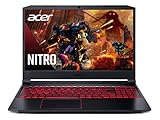
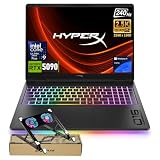
- Top Pick: KAIGERR Gaming Laptop, 24GB DDR5 512GB NVMe SSD Laptop Computer with AMD Ryzen 7 H255(8C/16T, Up to 4.9GHz), 16.0 inch Windows 11 Laptop, Radeon RX Vega 8 Graphics,WiFi 6, Backlit KB
- Best Value: NIMO Light Gaming Laptop, AMD Ryzen 7 7735HS 8 Core (Up to 4.75GHz), 15.6"
- Premium Choice: HP Victus 15.6" Full HD 144Hz Gaming Laptop, Intel Core i5-12450H, NVIDIA GeForce RTX 3050,16GB RAM, 512GB PCIe SSD, Wi-Fi 6, Backlit Keyboard,Windows 11 Pro, Performance Blue
Affiliate disclosure: As an Amazon Associate we earn from qualifying purchases. This post contains affiliate links — if you buy through them we may earn a small commission at no extra cost to you. This never affects our recommendations.
College students face a uniquely demanding laptop brief: the machine needs to survive a full day of lectures on a single charge, be light enough to carry across campus without back pain, look professional enough for the library, and still have enough GPU muscle to decompress with games in the evening. That’s a lot to ask of one device under a tight budget. Fortunately, 2025 has brought a wave of genuinely capable sub-$700 gaming laptops that tick nearly every box. From budget Ryzen-powered picks to entry NVIDIA GPU options, the market has never been more competitive for student gamers. We’ve focused this list on portability, battery life, build quality, and gaming performance — the four factors that matter most when you’re balancing deadlines and boss fights.
In a hurry? See the top-rated Gaming Laptops for College Students deals available right now:
🛒 Check Gaming Laptops For College Students Prices on Amazon →🛒 Best Price Today on Amazon
Prime members get fast, free shipping on everything above, plus member-only deals. New members get a 30-day free trial — cancel anytime.
Start 30-Day Prime Free Trial →See Today’s Amazon DealsTop Picks at a Glance
| Product | Best For |
|---|---|
| KAIGERR Ryzen 7 5700U | Tightest budget |
| Acer Aspire Go 15 AI | Budget + AI features |
| HP OmniBook 5 OLED Snapdragon | Best battery + display |
| Lenovo IdeaPad 2025 Core i5 | Balanced all-rounder |
| MSI Thin 15 i5 RTX 4050 | Best gaming performance |
As an Amazon Associate we earn from qualifying purchases at no extra cost to you.





KAIGERR Ryzen 7 5700U
The KAIGERR laptop powered by AMD’s Ryzen 7 5700U punches above its price class for everyday tasks and light gaming. The integrated Radeon graphics handle popular esports titles like Valorant and League of Legends at 1080p medium settings, making it a capable companion for students who game casually. The lightweight chassis and solid battery life make it a practical daily driver. For students who game occasionally rather than seriously, this is an honest, affordable pick.
- Pros: Very affordable, lightweight, capable integrated graphics for esports, good battery
- Cons: No discrete GPU, struggles with demanding AAA titles, limited future-proofing
Acer Aspire Go 15 AI
Acer’s Aspire Go 15 AI brings Intel’s neural processing unit (NPU) AI acceleration to the sub-$550 bracket, making it forward-compatible with AI-assisted productivity tools arriving in 2025-2026. The performance is solid for classwork and video calling, and the build quality is sturdy for daily campus carry. Gaming is limited to esports titles, but it handles those smoothly. A smart pick for students whose workload skews more academic than gaming.
- Pros: AI NPU for future-proofing, good everyday performance, solid build for the price
- Cons: Integrated graphics only, no dedicated GPU for gaming, display quality average
HP OmniBook 5 14″ OLED Snapdragon
The HP OmniBook 5 is arguably the best non-gaming laptop a student gamer could buy in 2025. Its Snapdragon X platform delivers exceptional battery life — routinely 14-18 hours — and the OLED display is stunningly good for a $564 laptop. ARM-native apps run flawlessly, and emulated x86 apps (including many games) work reasonably well. For students who game on Windows-native titles and prioritize display quality and endurance, this is a standout choice.
- Pros: Exceptional battery life, beautiful OLED display, lightweight, great value
- Cons: Snapdragon ARM limits compatibility with some games, no discrete GPU
Lenovo IdeaPad 2026 Core i5
Lenovo’s IdeaPad lineup continues to represent one of the safest bets in budget laptops. The 2025 Core i5 model hits a balanced sweet spot — capable Intel CPU, decent integrated graphics, and Lenovo’s trademark reliable keyboard and build quality. It handles productivity software, video streaming, and lighter gaming without complaint. If brand reliability and keyboard quality are important to you, the IdeaPad 2025 earns its spot in this guide.
- Pros: Reliable Lenovo build, good keyboard, solid performance for productivity and light gaming
- Cons: Integrated graphics limit gaming headroom, nothing spectacular in any single category
MSI Thin 15 i5 RTX 4050
If gaming is your priority and you can stretch to $702, the MSI Thin 15 with RTX 4050 is a massive jump in gaming capability over every other pick on this list. The discrete GPU means you can actually play modern AAA games at high settings at 1080p — not just esports titles. At 4.2 lbs, it’s portable enough for campus life. The 144Hz display makes gaming feel genuinely smooth. Battery life drops to around 5-6 hours under productivity use, so a charger in your bag is advisable.

- Pros: RTX 4050 for serious gaming, 144Hz display, lightweight, great value for GPU performance
- Cons: Shorter battery than non-gaming options, no webcam on some SKUs
Buying Guide
Gaming vs. Productivity Balance
The core decision for student gamers is how much gaming performance you’re willing to pay for versus how much battery life and portability you’re willing to sacrifice. Laptops with discrete GPUs (RTX 3050, RTX 4050) deliver real gaming capability but typically run 4-7 hours on battery. Integrated graphics machines (Snapdragon, Ryzen 7 with Radeon iGPU) last 10-18 hours but limit gaming to esports titles. Honest assessment: if you game more than 3 sessions per week and want to play modern releases, the RTX 4050 is worth the battery trade-off.
Budget Tiers for College Gamers
Under $550: Esports and productivity only — no discrete GPU, capable for League of Legends, Valorant, older titles.
$550-$700: Transition zone — good productivity machines with improving integrated graphics; still limited for AAA gaming.
$700-$900: Entry discrete GPU range — RTX 3050/4050 capable of high-settings 1080p gaming in most titles.
$900-$1000: Mid-range discrete GPU — RTX 4050 at full power or entry RTX 4060, excellent 1080p and capable 1440p gaming.
Weight and Portability
Every pound matters when you’re walking between classes. A 14-inch laptop typically weighs 3.0-3.8 lbs; a 15-inch model runs 4.0-4.8 lbs. With a charger, textbooks, and other gear, a heavy gaming laptop becomes genuinely burdensome over a full day. The sweet spot for student gamers is a 15-inch model under 4.5 lbs — exactly what the MSI Thin 15 and its competitors offer.
Build Quality Longevity
College laptops endure real abuse — backpack jostling, coffee shop surfaces, occasional drops. Prioritize MIL-SPEC durability ratings (drop and vibration tested), hinge build quality (should feel firm, not wobbly), and keyboard durability (spill resistance is a huge bonus). Lenovo and ASUS consistently score well here; budget brands like KAIGERR are functional but less battle-tested over years of campus carry.

FAQ
What specs do I need in a college gaming laptop?
Minimum: 16GB RAM, 512GB SSD, Intel Core i5 or Ryzen 5. For gaming: add at least RTX 4050 discrete GPU and 144Hz display. For productivity priority: focus on battery life over GPU, targeting 8+ hours.
Can I use a gaming laptop for college coursework?
Absolutely. Gaming laptops are overpowered for most coursework. The concern is portability and battery — choose a thin gaming laptop under 4.5 lbs with a decent battery for the best balance.
Is $700 enough for a good college gaming laptop?
Yes. The MSI Thin 15 at $702 delivers RTX 4050 gaming performance and a 144Hz display, making it a genuinely strong pick at that price point. You’ll get solid 1080p gaming and comfortable productivity performance for college work.
Should I get a 14-inch or 15-inch laptop for college?
14-inch models save about 0.5 lbs and fit smaller backpack pockets more easily. 15-inch models are better for gaming (more screen space, slightly better thermals). If you commute long distances daily, go 14-inch. If you game daily, go 15-inch.

Verdict
For college students in 2025, the best gaming laptop depends on your primary use case. If gaming is your main reason to buy, the MSI Thin 15 i5 RTX 4050 at $702 is unbeatable value. If you need maximum battery and a beautiful display for lectures and light gaming, the HP OmniBook 5 OLED Snapdragon at around $560 is a surprise standout. The KAIGERR Ryzen 7 5700U serves budget-constrained students who game casually on esports titles.
Related Articles
Looking for more on this topic? Browse the hand-picked guides below — each one applies the same scoring rubric used in this review.
Frequently Asked Questions
Can a gaming laptop actually last a full day of classes?
Not on heavy settings, but modern efficiency cores help. With the discrete GPU disabled via Optimus and a moderate brightness, expect roughly six to eight hours of note-taking and browsing on the better models. Thin machines with 76-90Wh batteries do best. Gaming unplugged still drops you to about an hour.
What size laptop is practical to carry around campus?
14 to 16 inches is the practical range. A 14-inch machine like the ROG Zephyrus G14 weighs under 1.7kg and fits any bag, while 16-inch models offer more screen at around 2 to 2.5kg. Avoid 17-inch machines for campus use; they rarely fit standard backpacks and the chargers are heavy.
Will a gaming laptop handle engineering or design software?
Yes, and often better than an equivalently priced ultrabook. The discrete GPU accelerates CAD, Adobe Premiere, Blender and machine learning workloads. Confirm your program’s specific software requirements first, since some engineering packages certify only professional GPUs, though consumer cards nearly always work fine in practice.
How much storage do I need for both games and coursework?
1TB is the practical minimum if you game seriously, since a handful of AAA installs plus Windows will fill 512GB. Coursework files are tiny by comparison. Most gaming laptops include a second M.2 slot, so buying 512GB now and adding a 1TB drive later is a cheap and easy path.
Is it worth buying an extended warranty for a student laptop?
Accidental damage coverage is often worth it in a dorm environment, where spills and drops are the leading causes of failure. Standard extended warranties covering only manufacturing defects are less compelling, since most component failures appear inside the first year. Check whether your home or renters insurance already covers portable electronics.