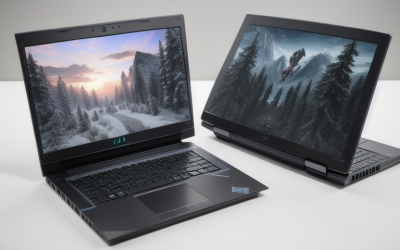
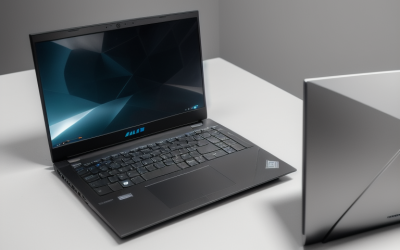
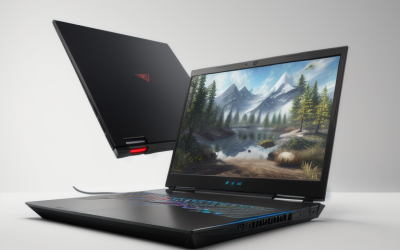
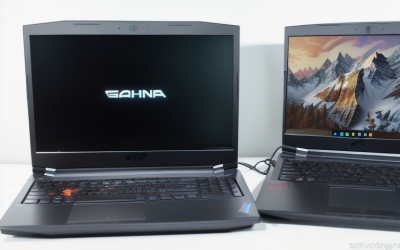
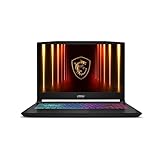
- Top Pick: msi Katana 15 HX 15.6” 165Hz QHD+ Gaming Laptop: Intel Core i9-14900HX, NVIDIA Geforce RTX 5070, 32GB DDR5, 1TB NVMe SSD, RGB Keyboard, Win 11 Home: Black B14WGK-016US
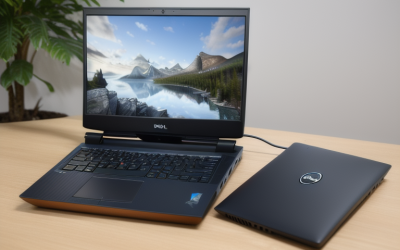
- Best Value: ASUS ROG Strix G18 (2025) Gaming Laptop, 18” FHD+ 16:10 144Hz/3ms Display NVIDIA® GeForce RTX™ 5070, Intel® Core™ i9 Processor 14900HX, 32B DDR5-5600, 1TB PCIe Gen 4 SSD, Wi-Fi 7
- Premium Choice: Lenovo Legion 5 15IRX10 15.1" WQXGA OLED, Gaming Laptop, Intel Core i9 14th Gen 14900HX 1.6GHz; NVIDIA GeForce RTX 5070 8GB GDDR7; 32GB DDR5 RAM; 1TB NVMe M.2 SSD; Gigabit LAN, 2×2 WiFi 7
An i9 gaming laptop is a specific kind of purchase. You are asking for the top Intel Core tier inside a portable chassis, which means high sustained power draw, loud fans under load, and a screen and graphics card that need to keep up with the processor. A fast CPU alone does not lift frame rates much if it is paired with a weak graphics chip, so this guide looks at each machine as a package: processor generation, GPU, memory, storage, and display.
The shortlist is deliberately narrow. Only laptops whose listings name a Core i9 processor made the cut, which leaves six. Machines with Core Ultra 9, Core 9, or Ryzen 9 chips are different families and were set aside even when they looked strong. Whether you stream while gaming, edit video on the side, or simply want the highest ceiling for 2026 releases, the details below show where each laptop leads and where it gives ground. Pay attention to the trade-off lines, because a spec that looks impressive in a table can hide a weakness elsewhere in the same machine.
Quick Picks
As an Amazon Associate we earn from qualifying purchases at no extra cost to you.


| Product | Best for | Key spec from the title |
|---|---|---|
| MSI Katana 15 HX | Balanced 15 inch QHD+ play | i9-14900HX, RTX 5070, 165Hz QHD+ |
| ASUS ROG Strix G18 | Big-screen desktop replacement | 18″ 16:10 144Hz, RTX 5070, Wi-Fi 7 |
| Lenovo Legion 5 15IRX10 | Rich color and wired networking | WQXGA OLED, RTX 5070 8GB GDDR7 |
| THUNDEROBOT Radiant 16 | High refresh competitive play | 16″ WQXGA 300Hz, i9-13900HX |
| TVEPGZD S1 Pro 16 | Entry into the i9 tier | i9-9880H, RTX 3050 Ti, 144Hz |
| MSI Vector 17 HX | Large QHD+ screen with 24 cores | 17″ 2560×1600, i9-14900HX, RTX 4070 |
How to Choose
Read the suffix and the generation
The letters after the i9 name matter. An HX chip, such as the 14900HX or 13900HX, is the high-power part built for thick gaming chassis. An H chip, like the 9880H, is an older, lower-power design from several generations back. If two laptops both say i9, the newer HX generation will usually lead in multi-core tasks such as streaming and video exports, while an older H part will trail. Check the generation before assuming the badge means equal performance. The model number is the quickest clue: a 14 in the digits signals a 14th generation part, while a 9 at the front points to a much older design.
Match the GPU to the screen
Graphics hardware decides how well games run at the panel’s resolution. An RTX 5070 or RTX 4070 pairs sensibly with QHD+ or WQXGA screens at 2560×1440 or higher. A GeForce RTX 3050 Ti is better suited to 1920×1200 at moderate settings. Look for the memory type too: GDDR7 on the newest cards is a generational step beyond GDDR6. If a listing names only “NVIDIA GeForce” without a model, ask the seller before buying.
Refresh rate, resolution, and panel type
For competitive shooters, 240Hz or 300Hz panels pay off, but only if the GPU can feed them. For story games and general use, a 144Hz or 165Hz panel is plenty. OLED options offer deeper blacks and richer color, while IPS-style panels tend to be brighter in daylight. A 16:10 aspect ratio gives extra vertical room for work. Sixteen gigabytes of RAM is the floor, 32GB gives headroom for multitasking, and 1TB of NVMe storage keeps a few large games installed.
Plan for heat, weight, and connectivity
An i9 HX chip draws serious power, so larger 17 and 18 inch bodies tend to cool better but weigh more. Wi-Fi 7 helps with future routers; Wi-Fi 6 is still fine today. A Gigabit Ethernet port is a real advantage for online play. Budget models sometimes cut corners on cooling, keyboard feel, or speakers, so keep expectations modest where the specs read as dated. A 100W USB-C power delivery port, when listed, is handy for travel, but it will not replace the main charger for gaming.
The 6 Best Options
MSI Katana 15 HX
The Katana 15 HX combines a Core i9-14900HX with an RTX 5070, 32GB of DDR5, and a 1TB NVMe drive behind a 15.6 inch 165Hz QHD+ display. It is a balanced pick for players who want a current graphics generation without moving to an oversized chassis. An RGB keyboard and Windows 11 Home round out the listing. Buyers who split time between esports titles and visually rich single-player games get a sensible middle ground here.
- Strength: QHD+ resolution at 165Hz matches the RTX 5070 sensibly.
- Strength: 32GB of DDR5 leaves room for streaming and browser tabs.
- Trade-off: a 15.6 inch body limits cooling room compared with larger machines.
Skip it if you want a screen larger than 16 inches.
ASUS ROG Strix G18
The ROG Strix G18 puts the same i9-14900HX and RTX 5070 behind an 18 inch FHD+ 16:10 panel rated at 144Hz with 3ms response. It lists DDR5-5600 memory, a 1TB PCIe Gen 4 SSD, and Wi-Fi 7. This is the desktop-replacement choice for players who want space on screen and a roomy chassis, and who will mostly leave the machine on a desk beside a power outlet.
- Strength: the 18 inch 16:10 display gives a very large canvas.
- Strength: PCIe Gen 4 storage and Wi-Fi 7 are modern touches.
- Trade-off: FHD+ resolution is lower than the QHD+ screens on other models.
Skip it if portability matters or you want a sharper panel.
Lenovo Legion 5 15IRX10
This Legion pairs a Core i9 14900HX with an RTX 5070 carrying 8GB of GDDR7. Its standout is a 15.1 inch WQXGA OLED display, alongside 32GB of DDR5, a 1TB NVMe drive, Gigabit LAN, and 2×2 Wi-Fi 7. It suits players who care about color depth and want a wired connection option, such as those who split time between big visual adventures and online matches.
- Strength: OLED WQXGA is the most premium panel type in the group.
- Strength: Gigabit LAN plus 2×2 Wi-Fi 7 covers connectivity well.
- Trade-off: the 15.1 inch size is compact, so cooling headroom is limited.
Skip it if you need a very high refresh rate for esports.
THUNDEROBOT Radiant 16
Radiant 16 uses a Core i9-13900HX with a 5070 graphics card, 32GB of memory, and 1TB of storage. The 16 inch WQXGA display is listed at 300Hz, the fastest panel here. It also includes a backlit keyboard, a numeric keypad, Ethernet, and Wi-Fi 6. It targets competitive players who value high refresh rates and want a full-size numeric keypad for spreadsheets or simulators between matches.
- Strength: 300Hz WQXGA suits fast shooters if frame rates keep up.
- Strength: Ethernet and a numeric keypad add practical convenience.
- Trade-off: the 13th generation chip is a step behind the 14900HX models, and Wi-Fi 6 is older.
Skip it if you prefer a better-known brand with wider support.
TVEPGZD S1 Pro 16
This laptop is the outlier. It lists a Core i9-9880H, an RTX 3050 Ti with 8GB GDDR6, 16GB of DDR4, and a 512GB SSD. The 16 inch 1920×1200 display runs at 144Hz, and the machine includes a webcam, HDMI, Wi-Fi 6, and Windows 11 Pro. It is aimed at buyers who want the i9 label at the lowest tier and are willing to accept older hardware and lighter games in exchange.
- Strength: 144Hz 16:10 screen with a backlit keyboard.
- Strength: Windows 11 Pro and a webcam are included.
- Trade-off: the i9-9880H is an older part, and DDR4 plus 512GB storage trail current machines.
Skip it if you want strong performance in current games or longevity.
MSI Vector 17 HX
Vector 17 HX offers a 17 inch QHD+ 2560×1600 display, a 24-core Core i9-14900HX, 32GB of memory, a 1TB SSD, and an RTX 4070. It is a middle path between the compact 15 inch models and the 18 inch ROG. The graphics card is a generation behind the RTX 5070 machines, but the screen and CPU are strong, which makes it a fit for players who also edit video or run heavy creative software.
- Strength: 17 inch 16:10 QHD+ gives space without the largest footprint.
- Strength: the 24-core processor suits streaming and creative work.
- Trade-off: the RTX 4070 is older than the 5070 cards used elsewhere.
Skip it if you want the newest graphics generation.
Which One Fits Your Situation
You want the most screen area for desk gaming
The ASUS ROG Strix G18 is the natural pick, with its 18 inch panel and roomy body. The MSI Vector 17 HX is a slightly smaller alternative with a sharper resolution, which helps if the laptop also doubles as a workstation for editing or design.
You care about image quality over raw frame rate
The Lenovo Legion 5 15IRX10 brings OLED color and WQXGA sharpness, which suits story-driven games and media. Its compact 15.1 inch size also makes it easier to carry between rooms or to a friend’s place.
You play competitive shooters online
The THUNDEROBOT Radiant 16 has the 300Hz panel and Ethernet. The MSI Katana 15 HX is a sound alternative if you prefer a more established brand and a newer processor generation.
You want the i9 label at the lowest tier
The TVEPGZD S1 Pro 16 is the entry option, with the caveat that its processor and graphics are older. It makes sense for older titles, emulators, and everyday tasks rather than the newest releases.
Common Mistakes
- Assuming every i9 chip performs the same across different generations and suffixes.
- Pairing a flagship CPU with a low-end GPU and expecting big frame-rate gains.
- Ignoring refresh rate and resolution, then driving a 300Hz panel with a graphics card that cannot keep up.
- Skipping cooling and weight, then finding a thin 15 inch body too hot for long sessions, or an 18 inch machine too heavy to carry to class or work.
- Accepting 16GB of RAM or a small SSD on a machine meant to last several years, when memory and storage are the easiest places for a listing to cut corners.
Related guides
- Battery Operated Smoke And Carbon Monoxide Detectors
- Combination Smoke And Carbon Monoxide Detectors
- Aio Liquid Coolers For High Performance Gaming
Frequently Asked Questions
Is an i9 laptop worth it for gaming?
For most games the GPU matters more than the CPU. An i9 shines when you stream, edit video, or play CPU-heavy titles such as large strategy and simulation games, so pick it when your workload goes beyond gaming alone.
What is the difference between HX and H processors?
HX chips are the high-power versions designed for large gaming laptops and offer more cores. H chips draw less power and, in older generations, offer less performance.
How much RAM and storage should I get?
Aim for 32GB of RAM if you multitask and at least 1TB of NVMe storage. Sixteen gigabytes works for pure gaming but leaves less room to grow, and modern game installs fill a 512GB drive quickly.
Are Core Ultra 9 laptops the same as i9?
No. Core Ultra 9 is a newer naming family with a different design. It can be very capable, but it is not the same as the Core i9 line covered here.