Yes, a budget gaming laptop with RTX 4070 graphics exists in 2026, and the strongest entry-tier picks are the Acer Nitro 16 and the ASUS TUF Gaming A15, because both pair the 4070 with a Ryzen 9 processor, 16GB of DDR5 memory and a 1TB solid-state drive. The MSI Katana 15, Lenovo Legion 5i and HP Victus 16 listings below show the other way this tier is built, where one headline component stays generous while the panel, the drive or the memory configuration does the quiet compromising.
As an Amazon Associate we earn from qualifying purchases
What the Entry Tier Keeps, and What It Trades Away
The graphics card name stays, the power envelope moves
Every machine in this roundup carries the same GeForce RTX 4070 Laptop GPU branding, yet that shared label hides the widest spread in the whole segment. Laptop makers set the power ceiling for this chip model by model, and a restrained ceiling inside a thin or inexpensive chassis produces different sustained frame rates from an unrestricted ceiling inside a bulky one, even though the silicon name reads identically on both boxes. Notice something telling about the five listings gathered here: none of them prints a wattage figure in its title. The number that arguably shapes gaming output the most is the one number the entry tier rarely advertises, so treat any listing that omits it as unfinished research and dig into the full product details before deciding.
Displays split into two camps
Panel choice is where the trade becomes visible at a glance. Two of the laptops below settle for Full HD resolution, meaning 1920 by 1080 pixels, matched with a 144Hz refresh rate. That combination suits the 4070 well, because the chip can feed high frame rates at that pixel count without leaning constantly on upscaling. The other camp climbs to WQXGA resolution, 2560 by 1600 pixels, and in the Acer Nitro 16 listing that sharper panel also runs at 165Hz. A denser screen looks crisper for strategy titles, photo work and everyday text, but it asks the graphics card to push considerably more pixels in every frame, so the sharper display is not a free upgrade for gaming.
Memory and storage decide how the machine ages
Most entry configurations land on 16GB of DDR5 memory, which remains the practical floor for modern gaming alongside streaming or voice chat. Storage divides the field more sharply. Half a terabyte fills quickly once two or three large releases are installed, while a 1TB drive buys breathing room, and the upgraded HP Victus 16 listing below goes far beyond either figure. Read the exact configuration line rather than the model family name, because the same laptop nameplate is sold with several memory and drive combinations, and the cheapest-looking listing for a familiar model often turns out to be the one carrying the smaller drive.
Processor pairing is rarely the weak point
Curiously, the processor is seldom where this tier economises. The listings below pair the 4070 with chips such as the AMD Ryzen 9 7940HS, the Ryzen 7-class silicon found across this segment, and Intel parts including the Core i7-13620H, the Core i7-13700H and the Core i7-14650HX. Any of those processors can keep a 4070 fed in current games. The compromises gather elsewhere instead: cabinet materials, hinge feel, speaker quality, webcam resolution and battery capacity are the areas where entry models quietly spend less, and none of those qualities appear in a specification headline.
Five Verified Entry-Tier Listings
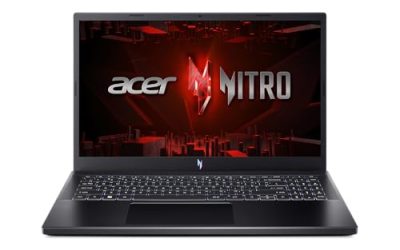
Acer Nitro 16 AN16-41-R5KC

Acer builds the most balanced sheet in this group. The Nitro 16 matches its 4070 with the range-topping Ryzen 9 7940HS, then adds the sharper WQXGA panel at 165Hz rather than reserving resolution for pricier lines. Sixteen gigabytes of DDR5 and a full terabyte of fourth-generation storage mean neither memory nor drive space needs attention on day one. If one machine here avoids an obvious sacrifice, it is this one, with the caveat that a 2560 by 1600 screen asks more of the graphics card than a Full HD panel does.
Specs
- GPU: NVIDIA GeForce RTX 4070 Laptop GPU
- CPU: AMD Ryzen 9 7940HS octa-core
- RAM: 16GB DDR5
- Storage: 1TB Gen 4 SSD
- Display: 16 inch WQXGA 165Hz IPS
- Connectivity: Wi-Fi 6E, RGB backlit keyboard
ASUS TUF Gaming A15 FA507XI-EH94
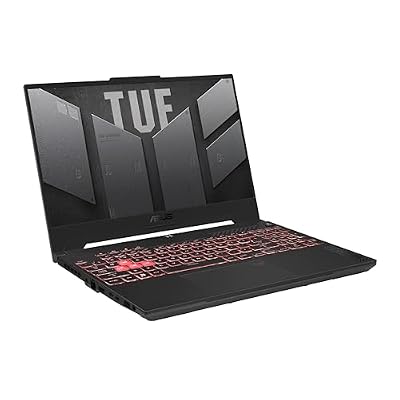
The TUF Gaming A15 takes the opposite display decision and arguably the smarter gaming one. Its 15.6 inch Full HD panel refreshes at 144Hz, a target the 4070 can sustain in demanding titles without constant quality reductions. Underneath sits the same Ryzen 9 7940HS silicon as the Acer, again with 16GB of DDR5 memory and a 1TB PCIe solid-state drive, so the core specification is identical while the screen philosophy differs. Buyers choosing between these two are really choosing resolution against frame-rate headroom.
Specs
- GPU: NVIDIA GeForce RTX 4070
- CPU: AMD Ryzen 9 7940HS
- RAM: 16GB DDR5
- Storage: 1TB PCIe SSD
- Display: 15.6 inch FHD 144Hz
- Connectivity: Wi-Fi 6, Windows 11, Mecha Gray finish
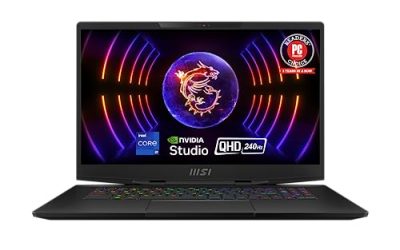
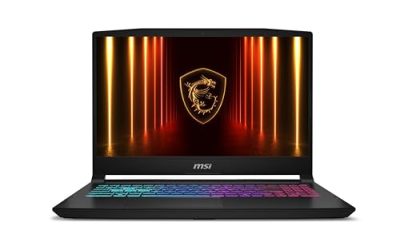
MSI Katana 15 B13VGK-484US

MSI aims the Katana 15 squarely at buyers who want the graphics card and the terabyte drive, and who accept a plainer cabinet in exchange. The Intel Core i7-13620H handles processor duties, working alongside 16GB of DDR5 memory and a 1TB NVMe solid-state drive. Its 15.6 inch Full HD screen runs at 144Hz, matching the ASUS approach of favouring attainable frame rates over pixel density. Cooler Boost 5 cooling is named in the listing, a reminder that thermal hardware is another place where entry models differ even when headline components look alike.
Specs
- GPU: NVIDIA GeForce RTX 4070
- CPU: Intel Core i7-13620H, 13th generation
- RAM: 16GB DDR5
- Storage: 1TB NVMe SSD
- Display: 15.6 inch FHD 144Hz
- Weight: 4.96 pounds
- Extras: Cooler Boost 5, USB Type-C, Windows 11 Home
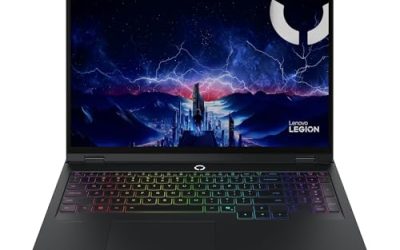
Lenovo Legion 5i 83DG00BDUS

Lenovo’s listing inverts the usual entry-tier pattern. Memory doubles to 32GB, generous for gaming plus content creation, while storage shrinks to 512GB, the tightest drive in this group. The processor is an Intel Core i7-14650HX, an HX-series chip from a higher performance class than the H-series parts in the MSI and HP listings, and the 16 inch WQXGA display delivers the sharper resolution camp’s clarity. This configuration suits someone who values memory headroom and processing muscle, and who manages a smaller game library or owns external storage already.
Specs
- GPU: NVIDIA GeForce RTX 4070, 8GB
- CPU: Intel Core i7-14650HX
- RAM: 32GB
- Storage: 512GB SSD
- Display: 16 inch WQXGA
- Extras: G-SYNC, privacy shutter camera, Windows 11 Home, Luna Grey
HP Victus 16 seller-configured listing

The HP Victus 16 listing verified for this article is a seller-configured variant, and its numbers need reading in that light. It carries the Core i7-13700H processor with memory and storage expanded well beyond factory entry trim, reaching 64GB of DDR5 and a 2TB solid-state drive. The screen is the largest here at 16.1 inches, though it stays in the Full HD and 144Hz camp. Treat this one as evidence of how far a Victus configuration can stretch rather than as the base specification, and confirm which configuration a given listing actually ships before ordering any Victus.
Specs
- GPU: NVIDIA GeForce RTX 4070
- CPU: Intel Core i7-13700H, 14 cores
- RAM: 64GB DDR5
- Storage: 2TB SSD
- Display: 16.1 inch FHD 144Hz, 1920 by 1080
- Connectivity: Wi-Fi 6, backlit keyboard, Windows 11 Home
Side-by-Side Comparison
| Product | CPU | RAM | Storage | Display |
|---|---|---|---|---|
| Acer Nitro 16 AN16-41-R5KC | Ryzen 9 7940HS | 16GB DDR5 | 1TB Gen 4 SSD | 16 inch WQXGA 165Hz |
| ASUS TUF Gaming A15 FA507XI-EH94 | Ryzen 9 7940HS | 16GB DDR5 | 1TB PCIe SSD | 15.6 inch FHD 144Hz |
| MSI Katana 15 B13VGK-484US | Core i7-13620H | 16GB DDR5 | 1TB NVMe SSD | 15.6 inch FHD 144Hz |
| Lenovo Legion 5i 83DG00BDUS | Core i7-14650HX | 32GB | 512GB SSD | 16 inch WQXGA |
| HP Victus 16 listing | Core i7-13700H | 64GB DDR5 | 2TB SSD | 16.1 inch FHD 144Hz |
Who It Is For, and Who Should Skip It
This tier fits a player moving up from an older GTX or early RTX machine who plays at Full HD, values high refresh rates, and would rather accept a plastic cabinet than drop down a graphics class. It also suits students and remote workers who game in the evening, since every processor listed here handles ordinary productivity without strain, and the WQXGA models double nicely as sharp everyday work screens.
Skip this tier if your desk already holds a high-resolution external monitor you intend to game on, because driving an external QHD or larger panel exposes the limits of a laptop 4070 far sooner than the built-in screens do. Skip it as well if you dislike opening a laptop for upgrades and simultaneously want a huge installed library, since the 512GB configuration will feel cramped quickly, and pass entirely if colour-critical creative work is the main job, because none of these listings leads with a colour-focused display.
Frequently Asked Questions
Does a budget RTX 4070 laptop handle modern games well?
At Full HD resolution, yes, comfortably. The 4070 was designed with 1080p high-refresh play in mind, and the 144Hz panels in the ASUS, MSI and HP listings match that strength. At WQXGA resolution the same chip works harder, so expect to adjust quality settings or lean on upscaling features in the heaviest releases.
Why do two laptops with the same RTX 4070 perform differently?
Because the graphics name is only part of the story. Each maker sets a power ceiling for the chip, designs a different cooling system around it, and pairs it with different memory and screen combinations. A 4070 pushing a 2560 by 1600 panel also renders far more pixels than one driving a 1920 by 1080 panel, which alone explains many gaps.
Is 16GB of memory enough for this class of laptop?
For gaming on its own, 16GB of DDR5 remains workable across current releases, and three of the five listings ship exactly that amount. It becomes tight when gaming overlaps with streaming, many browser tabs or editing software. The 32GB Lenovo configuration removes that worry, while the 64GB HP listing reflects a seller upgrade rather than a factory baseline.
Which matters more here, a bigger drive or a sharper screen?
For most buyers, the drive. A 1TB solid-state drive holds a healthy library without constant deleting, whereas a 512GB drive fills after a handful of large installs. The sharper WQXGA screen improves daily clarity and strategy-game detail, but it also taxes the graphics card in every title, so choose it for how the laptop feels to use, not as a gaming upgrade.
Can these laptops be upgraded later?
Gaming lines in this class generally use standard memory modules and M.2 drives, and several listings here describe configurations that sellers have already expanded, which shows the headroom exists. Confirm the exact slot layout on the specific model page before relying on an upgrade plan, because configurations under one model name can differ internally.