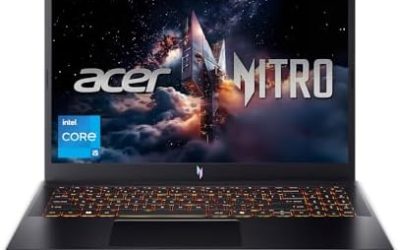
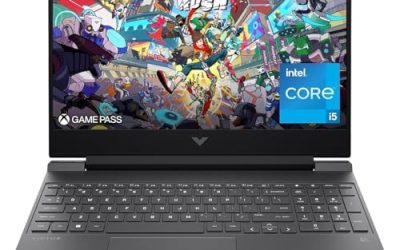
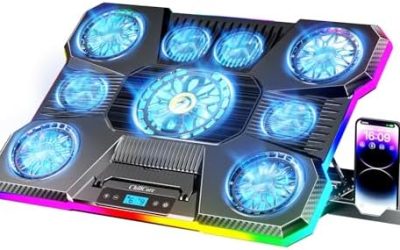
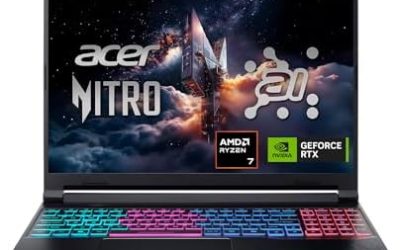
A gaming laptop earns its place in a creator’s bag when it can render a timeline in the morning and hold high frame rates at night. The hardware priorities overlap more than marketing suggests: a many-core processor for exports, an RTX graphics card for GPU-accelerated effects and encoding, a display covering the DCI-P3 color space for grading, and enough memory and fast storage for large project files. The catch is that two laptops with the same GPU badge can perform very differently, because each manufacturer sets its own power limit.
As an Amazon Associate we earn from qualifying purchases
This guide compares five current models that balance both jobs, each checked against the manufacturer’s published specifications for processor, graphics power, display coverage, memory, storage, ports and upgrade paths.
What to check before buying a gaming laptop for content creation
Processor and graphics power. Video exports, 3D renders and compiling all scale with core count, so HX-class Intel processors and AMD’s HS/HX Ryzen chips are the ones to look for. For the GPU, the model name is only half the story. TGP, or Total Graphics Power, is the wattage the manufacturer allows the graphics card to draw: a full-power RTX 4070 rated at 140 W sustains noticeably higher clock speeds during a long render than the same GPU limited to a much lower figure in a thin chassis. Each product section states the manufacturer’s TGP figure for that exact model.
Display accuracy. Creation work needs color coverage first and refresh rate second. Look for a manufacturer-stated 100 percent DCI-P3 gamut, factory calibration or a Pantone Validated or CalMAN Verified panel for color-critical grading. OLED panels add per-pixel contrast that suits HDR timelines, while high-refresh IPS remains a solid pick for mixed gaming and editing.
Memory and storage. Sixteen gigabytes of RAM is the working minimum for editing suites, and 32 GB is the comfortable target for 4K timelines. Just as important is how the memory is fitted: SO-DIMM or CSODIMM slots let owners upgrade later, while soldered LPDDR5X memory is fixed for the life of the machine. The same applies to storage, where a second M.2 slot is the cheapest future-proofing available.
Ports and warranty. Thunderbolt 4 or USB4 simplifies a desk setup with a single-cable dock, an SD reader saves photographers a dongle, and HDMI 2.1 covers external monitors. Readers who mostly work at one desk can compare the desktop route in our guide to the best gaming PCs for content creation, where larger chassis remove these power limits.
Lenovo Legion Pro 5i Gen 10 (16IAX10)

The Legion Pro 5i Gen 10 is the most complete creator package here because it pairs the newest hardware with the fewest compromises. Its Intel Core Ultra 9 275HX brings 24 cores to export queues and compile jobs, and the GeForce RTX 5070 Laptop GPU runs at a 115 W TGP according to Lenovo’s PSREF specification, a healthy figure for GPU-accelerated effects and rendering. The 16-inch PureSight OLED panel is the other half of the appeal: 100 percent DCI-P3 coverage, factory color calibration, DisplayHDR True Black 1000 and a 165 Hz refresh rate.
Upgradeability is where this model pulls ahead. The 32 GB of DDR5 memory sits in two serviceable CSODIMM slots, and two M.2 2280 slots mean a second SSD can be added without replacing the factory drive. Connectivity is practical too: Thunderbolt 4 for a desk dock, wired Ethernet for large transfers, and HDMI 2.1. The trade-off is size: at roughly 2.43 kg, this is a desk-first machine.
Specs
- Processor: Intel Core Ultra 9 275HX (24 cores, up to 5.4 GHz)
- Graphics: NVIDIA GeForce RTX 5070, 8 GB GDDR7, 115 W TGP
- Display: 16-inch WQXGA (2560 x 1600) OLED, 165 Hz, 500 nits, 100% DCI-P3, DisplayHDR True Black 1000, G-SYNC
- Memory: 32 GB DDR5, two CSODIMM slots (user-replaceable)
- Storage: 1 TB PCIe 4.0 SSD, two M.2 2280 slots
- Ports: Thunderbolt 4, USB-C (DisplayPort 2.1), 3x USB-A, HDMI 2.1, RJ-45, 3.5 mm jack
- Battery: 80 Wh; weight approx. 2.43 kg
- Warranty: 1-year Legion Ultimate Support (US)
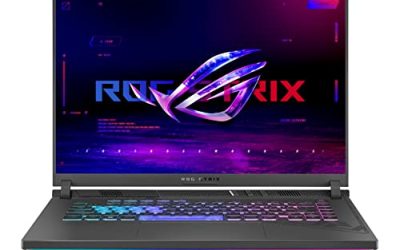
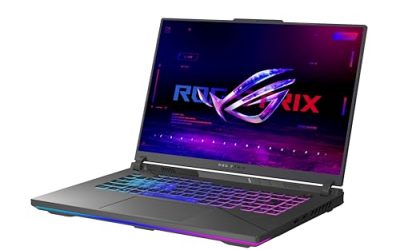
ASUS ROG Strix G16 (2024) G614JIR-AS94

The Strix G16 is the full-power value pick. ASUS fits its GeForce RTX 4070 Laptop GPU at a 140 W maximum TGP, the highest figure the chip supports with Dynamic Boost, alongside a 24-core Intel Core i9-14900HX. For creators, that means the GPU holds its boost clocks through long NVENC encodes instead of throttling back like low-wattage designs. The ROG Nebula display is IPS rather than OLED, but ASUS rates it at 100 percent DCI-P3 coverage with Pantone Validation, and its 240 Hz refresh rate keeps fast games fluid.
Long-term ownership is straightforward. Both memory slots are standard SO-DIMMs, so the fitted 16 GB of DDR5-5600 can be replaced with a larger kit later, and a second M.2 slot waits empty for another drive. The ports cover a typical creator desk: Thunderbolt 4, USB-C with DisplayPort and power delivery, HDMI 2.1, wired Ethernet and two USB-A ports. The compromises are those of a performance-first chassis: it is heavy, and the fitted 16 GB is the minimum a serious editor should accept.
Specs
- Processor: Intel Core i9-14900HX (24 cores, up to 5.8 GHz)
- Graphics: NVIDIA GeForce RTX 4070, 8 GB GDDR6, 140 W max TGP
- Display: 16-inch QHD+ (2560 x 1600) IPS ROG Nebula, 240 Hz, 100% DCI-P3, Pantone Validated, G-SYNC
- Memory: 16 GB DDR5-5600, two SO-DIMM slots (up to 64 GB)
- Storage: 1 TB PCIe 4.0 SSD, two M.2 slots
- Ports: Thunderbolt 4, USB-C (DisplayPort, power delivery), 2x USB-A, HDMI 2.1, RJ-45, 3.5 mm jack
- Battery: 90 Wh; weight approx. 2.5 kg
- Warranty: 1-year ASUS limited warranty (US)
Razer Blade 16 (2024) RZ09-0510SEN3

The Blade 16 is the premium option for creators who grade color all week and want a machine that looks at home in a client meeting. Its 16-inch OLED panel pairs QHD+ resolution and 240 Hz with a manufacturer-stated 100 percent DCI-P3 gamut, CalMAN Verified calibration and DisplayHDR 500. Under the CNC-milled aluminum unibody, an Intel Core i9-14900HX and a GeForce RTX 4070 Laptop GPU at up to 140 W TGP give it the same full-power graphics ceiling as the Strix above, which matters more for sustained rendering than burst benchmarks.
Unlike many slim premium laptops, the Blade 16 keeps its upgrade paths open. The 16 GB of DDR5-5600 occupies two slots Razer rates for expansion up to 96 GB, and there are two M.2 slots for storage growth. Photographers get a genuinely useful extra in the UHS-II SD card reader, far faster for camera footage than the microSD slots common in this class, alongside Thunderbolt 4, three USB-A ports and HDMI 2.1. The 95.2 Wh battery is the largest here, though heavy rendering belongs on wall power.
Specs
- Processor: Intel Core i9-14900HX (24 cores, up to 5.8 GHz)
- Graphics: NVIDIA GeForce RTX 4070, 8 GB GDDR6, up to 140 W TGP
- Display: 16-inch QHD+ (2560 x 1600) OLED, 240 Hz, 0.2 ms, 100% DCI-P3, CalMAN Verified, DisplayHDR 500
- Memory: 16 GB DDR5-5600, two SO-DIMM slots (up to 96 GB)
- Storage: 1 TB PCIe 4.0 SSD, two M.2 slots
- Ports: Thunderbolt 4, USB-C, 3x USB-A, HDMI 2.1, UHS-II SD reader, 3.5 mm jack
- Battery: 95.2 Wh; weight approx. 2.45 kg
- Warranty: 1-year Razer limited warranty (US)
HP OMEN Transcend 14 (2025)

The OMEN Transcend 14 answers a different question: how much creation power fits in a 1.64 kg laptop. HP builds this 2025 model around an Intel Core Ultra 7 255H and a GeForce RTX 5060 Laptop GPU, and the slim chassis sets expectations accordingly. HP keeps graphics power modest in this line, rating even its highest GPU configuration at up to 60 W TGP, so this machine suits 1080p and lighter 1440p editing and photo work rather than heavy 3D rendering. Choose it for mobility first, throughput second.
What it gives back is one of the best travel displays in the class. The 14-inch 3K OLED panel runs a variable 48 to 120 Hz refresh rate, and HP rates it at 100 percent DCI-P3 coverage with HDR brightness up to 500 nits. The linked configuration includes 32 GB of LPDDR5x memory, double the recommended minimum, although it is soldered and cannot be changed later; the single M.2 SSD can at least be replaced. Thunderbolt 4 handles a one-cable desk connection, and the FHD infrared webcam covers calls and Windows Hello.
Specs
- Processor: Intel Core Ultra 7 255H (16 cores, up to 5.1 GHz)
- Graphics: NVIDIA GeForce RTX 5060, 8 GB GDDR7, slim-chassis low-TGP tuning
- Display: 14-inch 3K (2880 x 1800) OLED, 48-120 Hz, 0.2 ms, 100% DCI-P3, HDR 500 nits
- Memory: 32 GB LPDDR5x (onboard, not upgradeable)
- Storage: 1 TB PCIe Gen4 SSD, one M.2 slot (replaceable)
- Ports: Thunderbolt 4 (DisplayPort 2.1, power delivery), USB-C, 2x USB-A, HDMI 2.1
- Battery: 71 Wh; weight approx. 1.64 kg
- Warranty: 1-year HP limited warranty
ASUS ROG Zephyrus G14 (2024) GA403UV

The Zephyrus G14 remains the benchmark for a compact laptop that creates as well as it plays. The 2024 GA403UV pairs an AMD Ryzen 9 8945HS with a GeForce RTX 4060 Laptop GPU that ASUS rates at 90 W maximum graphics power with Dynamic Boost, respectable for a machine this small, and ample acceleration for photo editing, 1080p and 1440p timelines and streaming. At about 1.5 kg in an aluminum chassis, it is the laptop here most likely to be carried daily.
Its 14-inch ROG Nebula OLED display is why creators keep choosing it: 3K resolution at 120 Hz, a manufacturer-stated 100 percent DCI-P3 gamut, Pantone Validation and G-SYNC in one panel. The compromises are structural. The 16 GB of LPDDR5X memory is soldered, so the configuration bought today is the configuration kept, and storage expansion means replacing the single M.2 drive rather than adding a second. Ports are still generous for the size, with USB4, HDMI 2.1 and a microSD UHS-II reader. For creators whose projects are not dominated by long 3D renders, it is the most balanced small option here.
Specs
- Processor: AMD Ryzen 9 8945HS (8 cores, up to 5.2 GHz)
- Graphics: NVIDIA GeForce RTX 4060, 8 GB GDDR6, up to 90 W with Dynamic Boost
- Display: 14-inch 3K (2880 x 1800) OLED ROG Nebula, 120 Hz, 100% DCI-P3, Pantone Validated, G-SYNC
- Memory: 16 GB LPDDR5X-6400 (onboard, not upgradeable)
- Storage: 1 TB PCIe 4.0 SSD, one M.2 2280 slot (replaceable)
- Ports: USB4 (DisplayPort, power delivery), USB-C, 2x USB-A, HDMI 2.1, microSD UHS-II reader, 3.5 mm jack
- Battery: 73 Wh; weight approx. 1.5 kg
- Warranty: 1-year ASUS limited warranty (US)
Which one fits your workflow?
Choose the Legion Pro 5i Gen 10 for the strongest all-round package: newest processor and GPU, calibrated OLED, best upgrade paths. The Strix G16 delivers full-power RTX 4070 performance with an IPS panel and easy memory upgrades, while the Blade 16 is the pick when build quality, the SD reader and the calibrated OLED justify a premium. Travelers should look at the 14-inch pair: the OMEN for memory, the Zephyrus for balance.
Frequently asked questions
Is 16 GB of RAM enough for video editing on a gaming laptop?
It is a workable minimum for 1080p projects and light 4K timelines, but 32 GB is the comfortable target for layered 4K work. If a model ships with 16 GB, check whether the memory sits in slots: the Legion Pro 5i, Strix G16 and Blade 16 above allow a later upgrade, while soldered memory cannot be changed.
Why does GPU wattage (TGP) matter for content creation?
The same graphics card model can be configured at very different power limits. A higher TGP lets the GPU hold higher clock speeds during long renders and exports, so a full-power RTX 4070 at 140 W finishes sustained workloads faster than a low-power version of the same chip. Compare the manufacturer’s TGP figure for the exact model, not just the GPU name.
Is an OLED display better than IPS for color grading?
OLED panels offer per-pixel contrast and typically cover 100 percent of the DCI-P3 space, suiting HDR grading. A quality IPS panel with the same coverage and factory validation, such as the Strix G16’s Nebula display, is still a sound choice.
Can a gaming laptop replace a desktop for 3D rendering?
For scene work, previews and moderate final renders, yes: the HX-class processors and RTX GPUs in the larger models here are capable. A desktop still wins for very long render queues, sustaining higher combined CPU and GPU power without thermal limits.
Conclusion
The best gaming laptop for content creation is the one whose display accuracy, graphics power and upgrade paths match the work. The Legion Pro 5i Gen 10 leads on specifications and flexibility, the Strix G16 and Blade 16 give full-power RTX 4070 performance in two styles of chassis, and the OMEN Transcend 14 and Zephyrus G14 prove a 14-inch laptop can be a serious creative tool. Check the TGP, color coverage and memory configuration before ordering.