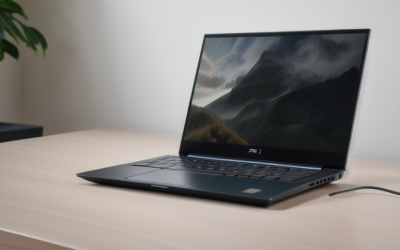
- Top Pick: HP HyperX OMEN 15 inch Gaming Laptop, 2K 165Hz Display, AMD Ryzen 5 240, 16 GB RAM, 512 GB SSD, NVIDIA GeForce RTX 5050 GPU (8 GB Dedicated), Windows 11 Home, Shadow Black, 15-gb0099nr
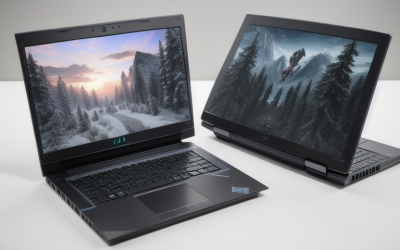
- Best Value: Alienware – 15.3" 2K Gaming Laptop – Intel Core 7 Series 2 240H 2026-16GB Memory – NVIDIA GeForce RTX 4050 6GB – 1TB Storage – Black
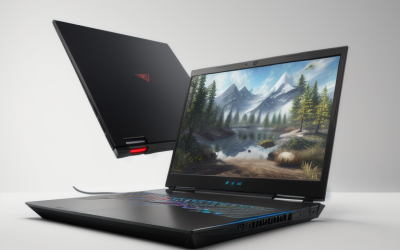
- Premium Choice: Acer Nitro V 16S AI Gaming Laptop | AMD Ryzen 7 260 Processor | NVIDIA GeForce RTX 5060 Laptop GPU (572 AI Tops) | 16" WUXGA IPS 180Hz Display | 32GB DDR5 | 1TB Gen 4 SSD | Wi-Fi 6 | ANV16S-41-R2AJ
“2K” on a gaming laptop listing usually means a 2560 x 1440 panel, sometimes called QHD, and it changes the shopping math. That resolution pushes roughly 1.8 times as many pixels as 1080p, so the graphics chip matters more than the processor badge, and a panel that looks sharp on paper can still feel sluggish if the GPU runs out of memory. Buyers searching this phrase are usually stepping up from a 1080p machine and want sharper text and scenery without paying for a desktop-class rig.
This guide sorts seven gaming laptops by what their listed specs say, and it is upfront about where a title says 2K and where it only says FHD+ or WUXGA. A 16:10 panel at 1920 x 1200 is a fine screen, but it is not 1440p, so it is flagged each time. We also left out one laptop in the same search results, an HP OmniBook with a 2K touchscreen, because its listed Radeon 610M graphics and Ryzen 3 chip put it in the everyday-laptop group rather than gaming. Everything here is judged on the spec sheet for 2026 shoppers, not on play sessions.
Quick Picks
As an Amazon Associate we earn from qualifying purchases at no extra cost to you.



| Product | Best for | Key spec from the title |
|---|---|---|
| HP OMEN 15 (Ryzen 5 240) | Entry 1440p with an AMD chip | 2K 165Hz, RTX 5050 8 GB, 512 GB SSD |
| Alienware 15.3-inch | Compact 2K with roomy storage | 2K panel, RTX 4050 6 GB, 1 TB |
| Acer Nitro V 16S AI | Memory-heavy multitasking | RTX 5060, 16-inch WUXGA 180Hz, 32 GB DDR5 |
| Thunderobot Storm 17 | Big-screen QHD with ports | 17.3-inch QHD 165Hz, 5070, 32 GB DDR5 |
| ASUS ROG Strix G16 (RTX 5060) | High refresh at 1200p | FHD+ 16:10 165Hz/3ms, Core i7 14650HX |
| HP OMEN 15 (Core Ultra 7) | Intel build with 1 TB storage | 2K 165Hz, Core Ultra 7 365H, RTX 5050 |
| ASUS ROG Strix G16 (RTX 5070) | Top graphics tier in this group | RTX 5070, Ryzen 9 9955HX, DDR5-5600 |
How to Choose
Confirm the panel is really 1440p
Read the resolution, not the marketing shorthand. A true 2K or QHD screen is 2560 x 1440. Titles that say FHD+ or WUXGA describe 1920 x 1200, which is sharper than 1080p but noticeably lighter on the GPU. If sharp 1440p is the goal, shortlist only listings that say 2K or QHD, and treat the 16:10 models as a compromise that trades pixel count for frame rate.
Match the GPU to the resolution
At 1440p, video memory gets used up quickly. Look for 8 GB of dedicated graphics memory when a listing spells it out, and expect a 6 GB card to need lower texture settings in newer games. Within the RTX 50 and 40 families, a higher model number generally means more headroom, so an RTX 5070 listing has more room to grow than an RTX 5050 listing of the same size.
Check RAM and storage before you check the logo
Sixteen gigabytes of RAM is the practical floor for modern titles with a browser and chat app open beside them, and 32 GB suits streaming or heavy multitasking. Storage at 512 GB fills fast once a few large games are installed, so 1 TB is the more comfortable starting point. Check whether the title says Gen 4 for the SSD, which signals a faster drive than a basic entry model.
Ignore the AI badges, watch the ports
Terms like AI Tops or Copilot describe software features, not frame rates. Spend your attention on refresh rate (165Hz or 180Hz is plenty), Wi-Fi generation (Wi-Fi 6E or Wi-Fi 7 helps in crowded buildings), and physical ports such as Ethernet and HDMI. Budget models most often cut corners on storage size, RAM and panel resolution, while premium ones spend on the chip and cooling.
The 7 Best Options
HP OMEN 15 (Ryzen 5 240, RTX 5050)
This is the lowest-tier OMEN listed here, and it is one of the few where the title confirms a 2K 165Hz screen. It suits a player moving up from 1080p who wants a 1440p panel and a current-generation card without jumping to the top of the lineup.
- Strength: the title lists a 2K 165Hz display paired with an RTX 5050 carrying 8 GB of dedicated memory.
- Strength: Windows 11 Home is preinstalled, and the Ryzen 5 chip covers everyday multitasking.
- Trade-off: 512 GB of storage fills quickly with a modern game library.
Skip it if you want 32 GB of memory or plan to keep dozens of large installs on one drive.
Alienware 15.3-inch 2K Gaming Laptop
The Alienware stands out for its compact 15.3-inch frame combined with a 2K panel. It fits someone who carries a laptop between a dorm, a desk and a friend’s place and still wants a sharp screen.
- Strength: the listing combines a 2K display with a full 1 TB of storage and 16 GB of memory.
- Strength: an Intel Core 7 240H processor sits alongside the graphics card.
- Trade-off: the RTX 4050 carries 6 GB of video memory, the smallest amount in this group, which matters at 1440p.
Skip it if you plan to play the newest high-detail games at native resolution for years. Shoppers who value a larger screen should also look elsewhere, since this model keeps the footprint small and the display just over fifteen inches.
Acer Nitro V 16S AI
Acer pairs an RTX 5060 with a Ryzen 7 260 and a generous 32 GB of DDR5, which makes this the memory leader among the lower-tier options. It suits creators and streamers who game while keeping many apps open.
- Strength: 32 GB DDR5 and a 1 TB Gen 4 SSD are listed together.
- Strength: a 180Hz IPS screen is the fastest refresh rate here.
- Trade-off: the 16-inch panel is WUXGA, which is 1920 x 1200 rather than a true 2K screen.
Skip it if native 1440p is non-negotiable. Buyers who care most about frame rate, memory and a modern Ryzen processor, and who can live with a slightly lower resolution, will find it a sensible balance.
Thunderobot Storm 17
The Storm 17 is the large-screen choice, with a 17.3-inch QHD 165Hz panel that the title calls 2K. It targets desk-based players who want a big display, a numeric keypad and wired networking.
- Strength: the title lists Ethernet, HDMI, Wi-Fi 6 and Bluetooth, plus a numeric keypad and RGB backlighting.
- Strength: 32 GB of DDR5 and 1 TB of storage come standard.
- Trade-off: the Core i7-13620H is an older-generation chip, and Thunderobot is a less familiar brand for warranty questions.
Skip it if you want a thin, backpack-friendly machine. A 17-inch chassis is a better fit for a desk than a commute, and anyone who wants a mainstream brand name should compare it against the OMEN and Alienware listings first.
ASUS ROG Strix G16 (RTX 5060, Core i7 14650HX)
This Strix focuses on speed rather than pixel count, with a 16:10 FHD+ panel running 165Hz and 3ms response. It fits competitive players who value a quick screen and a powerful Intel processor.
- Strength: the title shows Wi-Fi 7 and a 1 TB Gen 4 SSD.
- Strength: the Core i7 14650HX is a high-power processor class.
- Trade-off: FHD+ is not 2K, so this is a step down in sharpness from the OMEN and Thunderobot listings.
Skip it if screen sharpness is your top priority. It makes more sense for players who prefer very fast response and a high refresh rate over the extra detail of a 1440p image, particularly in competitive shooters.
HP OMEN 15 (Core Ultra 7 365H, RTX 5050)
This OMEN keeps the same 2K 165Hz screen and RTX 5050 as its sibling but moves to an Intel Core Ultra 7 365H and doubles the storage to 1 TB. It suits buyers who prefer Intel and do not want to add a second drive.
- Strength: 1 TB of SSD space and a 2K 165Hz display come together.
- Strength: the 8 GB dedicated graphics memory is spelled out in the title.
- Trade-off: only 16 GB of RAM is listed, so heavy multitaskers may want more.
Skip it if you want a faster graphics tier than the RTX 5050. Anyone who needs 32 GB of memory should instead look at the Acer or Thunderobot listings, which both name that amount in the title.
ASUS ROG Strix G16 (RTX 5070, Ryzen 9 9955HX)
The most powerful specification on this list pairs an RTX 5070 with a Ryzen 9 9955HX and DDR5-5600 memory. It is for players who want the highest frame-rate ceiling and plan to keep the laptop for several seasons of releases.
- Strength: the RTX 5070 and Ryzen 9 combination is the top tier here.
- Strength: Wi-Fi 6E and a PCIe Gen 4 SSD are both named.
- Trade-off: like its sibling, the 16:10 panel is FHD+ instead of 2K.
Skip it if you need a 1440p display out of the box or are shopping in the budget tier. It sits at the premium end of this group, so it only makes sense when graphics horsepower is the main goal.
Which One Fits Your Situation
You want true 1440p without the highest tier
The HP OMEN 15 with the Ryzen 5 240 or the Core Ultra 7 365H gives you a 2K 165Hz screen in a mainstream package. Pick the Core Ultra version if you want 1 TB of storage included.
You game on a desk and want a large display
The Thunderobot Storm 17 offers a 17.3-inch QHD screen, Ethernet and a numeric keypad, which suits a fixed setup better than a commute. A wired connection also keeps online matches steadier than Wi-Fi in a busy apartment building.
You run many apps while gaming
The Acer Nitro V 16S AI is the one to shortlist, thanks to 32 GB of DDR5 and a 180Hz display. Accept that its panel is WUXGA.
You want the strongest graphics available here
The ASUS ROG Strix G16 with the RTX 5070 offers the most headroom, and you can connect an external 1440p monitor if you want sharper visuals at your desk. That combination gives you high frame rates on the go and a sharper picture at home.
Common Mistakes
- Assuming every 16:10 panel is 2K, when many are 1920 x 1200.
- Ignoring video memory, then running out at 1440p with a 6 GB card.
- Buying 512 GB of storage and filling it within a few game installs.
- Chasing AI performance numbers instead of refresh rate, RAM and GPU tier.
- Overlooking physical ports, such as Ethernet, when online play matters.
Frequently Asked Questions
Is 2K the same as 1440p?
In laptop listings, 2K usually means 2560 x 1440, also called QHD. Some sellers stretch the label to cover 1920 x 1200, so confirm the exact resolution in the specifications.
Do I need an RTX 5070 for 1440p gaming?
Not necessarily. An RTX 5050 or 5060 can drive a 1440p panel with adjusted settings, while an RTX 5070 gives more headroom in demanding titles.
Is 16 GB of RAM enough?
For gaming alone, yes. If you stream, edit video or keep many browser tabs open, 32 GB is the more comfortable choice, and the Acer and Thunderobot listings both name that amount.
Are renewed or customized listings a good idea?
Every laptop here is listed as a standalone gaming model, but listing details vary by seller. Confirm the condition, the warranty terms and the exact model number before you buy.