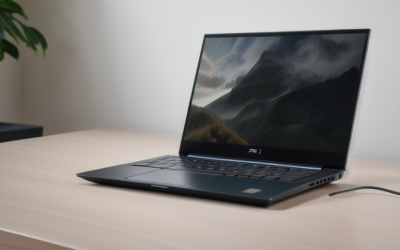
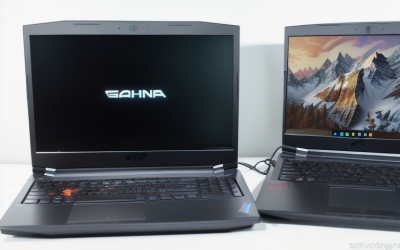
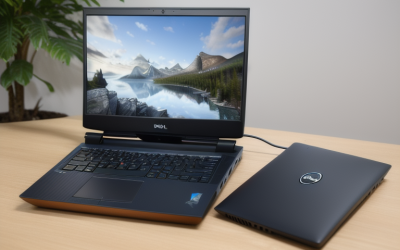
- Top Pick: ASUS TUF Gaming A16 Laptop: AMD Ryzen 7 7445HS, 16" Full HD+ 145Hz Display, NVIDIA GeForce RTX 4050, 16GB DDR5 RAM, 512GB SSD, Backlit Keyboard, Windows 11
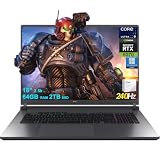
- Best Value: ASUS ROG Strix G18 G815 Gaming AI Laptop 18" 2560×1600 240Hz (100% DCI-P3) Intel 24-core Ultra 9 275HX 64GB RAM 2TB SSD GeForce RTX 5070 (Up to 798 AI Tops) RGB Backlit Win11Pro ICP Acc/
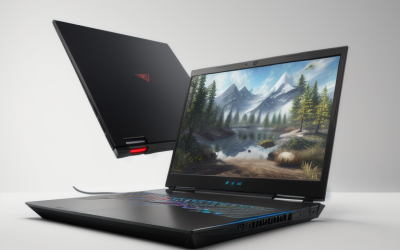
- Premium Choice: MSI Cyborg 15 Gaming AI Laptop | 15.6" FHD IPS 144Hz | AMD 8-core Ryzen 9 270 (>i9-12950HX) | 16GB DDR5 512GB SSD | GeForce RTX 5060 GDDR7 Up to 572 TOPS | 4-zone RGB Backlit Win11Pro w/DLCA Accessory
League of Legends is one of the friendliest competitive games for laptop hardware, and that changes how you should shop. The game is old enough, and built around a stylized look, that it does not need the most powerful graphics card on the market to run smoothly. What it rewards is a screen that refreshes quickly, a processor that keeps frame times steady during team fights, and a cooling design that does not throttle during a long ranked evening. Buying the biggest GPU you can find is usually a way of solving a problem the game does not have.
This 2026 guide is for players who want a laptop that handles League first and still has headroom for newer titles, streaming and schoolwork. The six models below all come from the gaming ranges of ASUS, MSI, Lenovo and Acer, and every comparison is drawn from what the listings state: processor, graphics card, memory, storage, screen size and refresh rate. Where a listing is thin on detail, the write-up says so instead of filling in the blanks.
Quick Picks
As an Amazon Associate we earn from qualifying purchases at no extra cost to you.



| Product | Best for | Key spec from the title |
|---|---|---|
| ASUS TUF Gaming A16 | Sensible, entry-tier League machine | Ryzen 7 7445HS, RTX 4050, 16-inch 145Hz |
| ASUS ROG Strix G18 G815 | Large screen and top refresh rate | 18-inch 240Hz, 64GB RAM, 2TB SSD |
| MSI Cyborg 15 | Compact 144Hz play on a mid-tier GPU | RTX 5060, 15.6-inch 144Hz, Ryzen 9 270 |
| Lenovo Legion 5 (RTX 5070) | Premium OLED display | 15.1-inch QHD+ OLED 165Hz, 1000 nits |
| Acer Nitro V Slim | Highest refresh rate in a slim 16-inch body | 16-inch WQXGA 180Hz, RTX 5070 |
| ASUS ROG Strix G18 (RTX 5070) | Another RTX 5070 option in the ROG line | RTX 5070, 18-inch Strix G18 |
How to Choose
Prioritize refresh rate over graphics power
For a game like League, a 144Hz screen is the practical floor and anything from 165Hz to 240Hz is a bonus. A high refresh panel makes cursor movement, camera panning and last-hit timing feel crisper, provided the laptop can actually produce those frames. Also check the panel type: IPS screens, listed on several models here, keep colors and viewing angles consistent, while the OLED option trades that for deeper contrast. Among these models, the refresh rates run from 144Hz on the MSI Cyborg 15 to 240Hz on the ROG Strix G18 G815, so even the lowest of them clears the bar.
Choose a processor that holds steady
League leans on the processor more than many players expect, especially in crowded team fights and when you stream or run voice chat at the same time. Look for modern chips with plenty of cores, such as the 8-core Ryzen 7 260 and Ryzen 9 270 listed here, or the high-end Intel HX-series parts. Do not be swayed by marketing comparisons printed in a listing; read the actual model name and core count instead. Laptop chips with an H or HX suffix are the performance parts, while U-series chips aim at battery life and are a poor fit for a gaming laptop.
Size the memory and storage honestly
16GB of RAM is a sound target for League plus a browser, chat apps and a stream. 32GB or more only matters if you edit video or keep dozens of tabs open. For storage, 512GB is enough for the game and a few others, but it fills quickly if you also install large single-player titles, so a 1TB or 2TB drive gives breathing room. Memory and storage are the easiest places for a bundle listing to look generous, so read exactly what is included.
Think about size, weight and where it runs
An 18-inch laptop is a desk machine. A 15 or 16-inch model fits a backpack and a dorm desk far better. Cooling matters more than raw numbers: a slim chassis may limit sustained performance, while a thicker one gives the processor more room. If you carry the laptop daily, favor the smaller screens and accept slightly lower specs. Budget models often cut corners on panel quality and cooling, so check the display type, listed as IPS or OLED, before deciding. Keyboard layout also matters for a game with many hotkeys, and every model here lists a backlit or RGB keyboard, which helps in dim rooms.
The 6 Best Options
ASUS TUF Gaming A16
The TUF A16 is the straightforward choice here: an AMD Ryzen 7 7445HS, an RTX 4050, 16GB of DDR5 and a 512GB SSD behind a 16-inch Full HD+ 145Hz display. A backlit keyboard and Windows 11 are listed. For League, it ticks every box without adding features the game cannot use. It also leaves the door open to newer titles at moderate settings, which makes it a sound first gaming laptop for a student.
- Strength: 145Hz panel clears the competitive threshold.
- Strength: 16GB of DDR5 memory suits League plus background apps.
- Trade-off: 512GB of storage is the smallest drive in the group alongside the MSI and Acer.
Skip it if you want a bigger-resolution screen or plan to run demanding single-player games at high settings.
ASUS ROG Strix G18 G815
This is the maximum-spec option: an 18-inch 2560×1600 display at 240Hz with 100% DCI-P3 coverage, an Intel Core Ultra 9 275HX with 24 cores, 64GB of RAM, a 2TB SSD and an RTX 5070. RGB lighting and Windows 11 Pro are listed. For League, this is far more machine than the game demands, but it keeps room for streaming, video editing and newer releases. The wide color coverage is a bonus for anyone who also edits photos.
- Strength: 240Hz is the highest refresh rate here.
- Strength: 64GB of memory and 2TB of storage.
- Trade-off: an 18-inch laptop is heavy to carry between classes.
Skip it if portability matters more than screen size.
MSI Cyborg 15
MSI lists a 15.6-inch Full HD IPS display at 144Hz, an 8-core AMD Ryzen 9 270, an RTX 5060 with GDDR7, 16GB of DDR5 and a 512GB SSD. The keyboard has four-zone RGB lighting, and the listing includes Windows 11 Pro. It is the compact option, and its Ryzen 9 sits at the top of the AMD range listed in this group. The RGB keyboard and Windows 11 Pro round out a tidy package for a dorm desk.
- Strength: RTX 5060 and an 8-core processor in a 15.6-inch body.
- Strength: 144Hz IPS panel is a good match for League.
- Trade-off: only 512GB of storage and a 1080p screen.
Skip it if you want a higher-resolution panel or a roomier drive.
Lenovo Legion 5 (RTX 5070)
The Legion 5 pairs an Intel Core i9-14900HX with an RTX 5070 and a 15.1-inch QHD+ OLED display at 165Hz, listed at up to 1000 nits. The bundle includes 32GB of RAM and a 2TB SSD, a 24-zone RGB keyboard and Wi-Fi 7. The OLED screen is the distinguishing feature, giving deep contrast for games and video, and the 1000-nit figure points to a bright panel for HDR content. Wi-Fi 7 is also useful for a game where connection stability matters.
- Strength: OLED panel with 165Hz refresh.
- Strength: 32GB of RAM and 2TB of storage included.
- Trade-off: the listing is a bundle, so check what exactly ships.
Skip it if you would rather have a plain, uncomplicated configuration.
Acer Nitro V Slim
Acer lists a 16-inch WQXGA 2560×1600 IPS display at 180Hz, an 8-core AMD Ryzen 7 260, an RTX 5070, 16GB of RAM and a 512GB SSD with RGB backlighting and Windows 11 Pro. It combines a high refresh rate with the same GPU class as the Legion and ROG models. The slim label suggests a lighter body than the 18-inch ROG models, which makes it easier to move between rooms.
- Strength: 180Hz at a sharper 2560×1600 resolution.
- Strength: RTX 5070 in a 16-inch body.
- Trade-off: 16GB of RAM and 512GB of storage are modest next to the Legion and ROG.
Skip it if you want a lot of storage out of the box.
ASUS ROG Strix G18 (RTX 5070)
This listing is sparse: the title gives only the ROG Strix G18 name, an RTX 5070 and the gaming AI label. It does not state the processor, memory, storage or refresh rate, so it is hard to compare against the others. It is the same family as the G815 above, which suggests an 18-inch body, but the details need confirming on the product page. If a seller cannot state the processor and refresh rate plainly, the other five models in this roundup are safer choices for a League-focused purchase.
- Strength: RTX 5070 graphics in the ROG Strix line.
- Strength: 18-inch size per the Strix G18 name.
- Trade-off: almost no specifications are given, so you are buying partly blind.
Skip it unless you can verify the processor, RAM and refresh rate before checkout.
Which One Fits Your Situation
You want a no-fuss League laptop
The ASUS TUF Gaming A16 has 145Hz, 16GB of DDR5 and a solid mid-range graphics card, which is more than the game needs. It suits first-time gaming laptop buyers well.
You carry it to class or work
The MSI Cyborg 15 is the most compact option, while the Acer Nitro V Slim is the lighter-looking 16-inch pick with a sharper screen.
You also edit video or stream
The ASUS ROG Strix G18 G815 with 64GB of RAM and a 24-core processor gives the most headroom, and the Lenovo Legion 5 adds an OLED display for color-sensitive work.
You care most about screen quality
The Legion 5 with its QHD+ OLED panel is the one built around the display, while the ROG Strix G18 G815 offers full DCI-P3 coverage at 240Hz.
Common Mistakes
- Chasing the top graphics card when League is limited by the processor and screen.
- Choosing a 60Hz or 120Hz display for a competitive game.
- Treating a processor comparison printed in a listing title as proof of real-world speed.
- Skipping the storage size, then running out of space after two more installs.
- Buying a thin model without considering cooling and sustained performance.
Related guides
- Battery Operated Smoke And Carbon Monoxide Detectors
- Combination Smoke And Carbon Monoxide Detectors
- Aio Liquid Coolers For High Performance Gaming
Frequently Asked Questions
Do I need an RTX card to play League of Legends?
No, the game runs on far weaker graphics. An RTX card matters only if you plan to play other, more demanding titles on the same laptop, or want ray tracing and upscaling features in newer releases.
Is 144Hz enough?
Yes, 144Hz is a good baseline for League. Higher refresh rates such as 165Hz, 180Hz or 240Hz are a bonus if the laptop can keep up.
How much RAM is enough?
16GB covers League with a browser and chat apps open. Choose 32GB if you stream or edit video at the same time.
Is an OLED laptop good for gaming?
An OLED panel gives strong contrast and color, and the Legion 5 listing pairs it with 165Hz. Check how long you plan to keep static interface elements on screen, since OLED can be sensitive to that.