For programming, a gaming laptop’s GPU matters far less than its RAM, display quality, and keyboard — unless you’re specifically doing GPU-accelerated ML/AI work, your IDE, containers, and browser tabs care about CPU, RAM, and screen real estate first. We pulled 11 real gaming laptop configurations currently sold on Amazon across three searches, selected for 32GB+ RAM and sharp, high-resolution displays rather than top-tier GPUs.
Compare at a Glance
| Model | Price | RAM | Display |
|---|---|---|---|
| HILLSUSU 15.6″ | $1,499.99 | 24GB | FHD |
| HP HyperX Omen 15 | $1,399.49 | 16GB | 15″ 2K 165Hz |
| Acer Nitro V 16S AI | $1,399.99 | 32GB | 16″ WUXGA 180Hz |
| ASUS ROG Strix G16 | $1,899.99 | 16GB | 16″ FHD+ 165Hz |
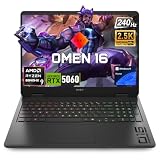
| HP Omen 16 Slim | $1,999.99 | 32GB | 16″ 2K 144Hz |
| HP Omen (Ryzen 9) | $1,949.00 | 32GB | 16″ WQXGA 240Hz |
| ASUS ROG Strix G16 (i7) | $1,616.88 | 16GB | 16″ FHD+ 165Hz |
| HP Omen 17.3″ | $2,199.99 | 32GB | 17.3″ 2K QHD 240Hz |
| HP Omen MAX 16 | $2,149.00 | 32GB | 16″ WQXGA 240Hz |
| msi Crosshair 18 HX AI | $2,309.99 | 32GB | 18″ 2560×1600 240Hz |
| MSI Vector 16 HX | $3,360.99 | 64GB | 16″ QHD+ 240Hz |
Quick List
- HP HyperX Omen 15 ($1,399.49) — Best Budget Pick — 2K display at a sub-$1,400 price.
- Acer Nitro V 16S AI ($1,399.99) — Best Value — 32GB RAM already included at this price.
- HP Omen 16 Slim ($1,999.99) — Best Overall — strong balance of RAM, 2K display, and a slim, portable chassis.
- MSI Vector 16 HX ($3,360.99) — Best for Heavy Multitasking — 64GB RAM, ideal for running multiple VMs/containers alongside your IDE.
See All Picks




Why RAM and Screen Beat GPU for Most Programming Work
Modern development workflows are RAM-hungry — a few browser tabs, a heavy IDE, a couple of Docker containers, and a local dev server can eat 16-20GB before you’ve written a line of code. That’s why most picks here target 32GB+ RAM rather than the strongest GPU. A sharp, high-resolution display (2K or better) also matters more day-to-day than GPU tier, since you’re staring at text and code for hours, not rendering 3D scenes.
When Does GPU Actually Matter for Developers?
If you’re doing local machine learning training, GPU-accelerated data processing, or game development with real-time rendering, GPU tier becomes genuinely important — in that case, lean toward the RTX 5070/5080 configs in this list (HP Omen MAX 16, MSI Vector 16 HX) rather than the lighter RTX 5050/5060 picks.
Technical Comparison Table
| Model | CPU | GPU |
|---|---|---|
| HILLSUSU 15.6″ | AMD Ryzen 7 6800H | Integrated (Radeon) |
| HP HyperX Omen 15 | AMD Ryzen 5 240 | RTX 5050 |
| Acer Nitro V 16S AI | AMD Ryzen 7 260 | RTX 5060 |
| ASUS ROG Strix G16 | AMD Ryzen 9 9955HX | RTX 5070 |
| HP Omen 16 Slim | Intel Ultra 9 285H | RTX 5070 |
| HP Omen (Ryzen 9) | AMD Ryzen 9 8940HX | RTX 5060 |
| ASUS ROG Strix G16 (i7) | Intel Core i7-14650HX | RTX 5060 |
| HP Omen 17.3″ | AMD Ryzen AI 7 350 | RTX 5070 |
| HP Omen MAX 16 | AMD Ryzen AI 7 350 | RTX 5070 |
| msi Crosshair 18 HX AI | Intel Ultra 9 275HX | RTX 5070 |
| MSI Vector 16 HX | Intel Ultra 9 275HX | RTX 5080 |
How We Chose These
We ran two broader searches — one for high-RAM developer/multitasking laptops, one for high-resolution-display gaming laptops — to go beyond our original 5-config list. We excluded several results with no discrete GPU and weak CPUs (budget laptops that happened to have 32GB RAM but weak overall specs) and one Android tablet that the display-focused search mixed in. We kept the one no-discrete-GPU laptop already in our original list (HILLSUSU, integrated graphics) since it genuinely fits this article’s “RAM and screen over GPU” framing for pure-coding use cases that don’t touch the GPU at all.
Why Trust GamingPCGuru
Every configuration here is a live Amazon listing via our own product data pipeline. We prioritized RAM and display quality in our curation rather than just defaulting to the highest-GPU-tier results, matching how developers actually use these machines.
Questions
Do I need a discrete GPU for web development?
No — for pure web/backend development, integrated graphics are fine. A discrete GPU only matters if you’re doing local ML work, game dev, or GPU-accelerated data science.
Is 32GB RAM enough for running multiple Docker containers?
Yes, for most typical multi-container local dev setups. If you’re running larger services or multiple VMs simultaneously, the 64GB MSI Vector 16 HX gives you more headroom.
Update History
Published October 2026, expanded from an initial 5-config pass to 11 across two broader RAM/display-focused searches.
Sources and Verification
Product specifications, pricing and availability sourced directly from live Amazon product listings as of October 2026 via this site’s own product data pipeline.