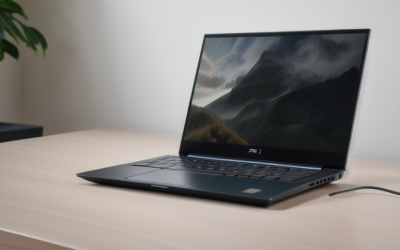
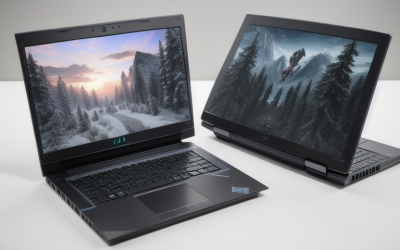
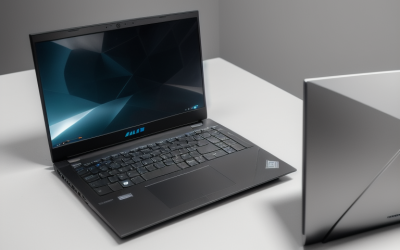
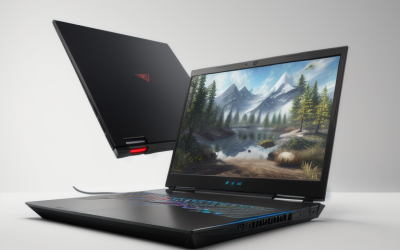
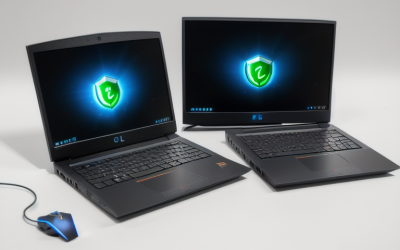
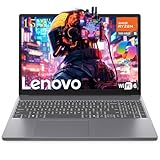
- Top Pick: Lenovo Legion 5a Gaming Laptop, AMD Ryzen 7 250, GeForce RTX 5060, 15.3" WQXGA (2560×1600) 165Hz OLED Display, 32GB DDR5 RAM, 1TB SSD, Wi-Fi 7, RGB Backlit, Win 11, Black, w/Portable 500GB Drive
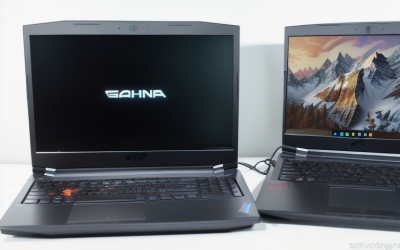
- Best Value: Lenovo LOQ Gaming Laptop, GeForce RTX 4050, AMD Ryzen 5 7235HS Processor | 15.6" 144Hz FHD Display, 16GB DDR5, 512GB SSD, Wi-Fi 6, Ethernet, USB-C, HDMI, Backlit Keyboard, Windows 11 Home
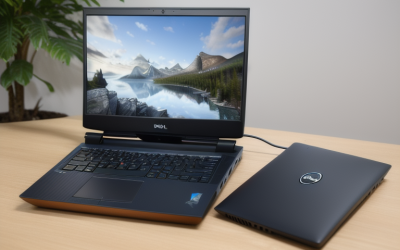
- Premium Choice: Lenovo Legion 5 16" WQXGA 240Hz Gaming Laptop, Intel Core Ultra 9 275HX; NVIDIA GeForce RTX 5060 8GB GDDR7; 32GB DDR5 RAM; 1TB NVMe M.2 SSD; Gigabit LAN, 2×2 WiFi 7
Lenovo sells gaming laptops under two badges that behave very differently on a shopping list: LOQ for the mainstream tier and Legion for the performance tier, with the Pro 7i sitting at the top. Picking a Lenovo means deciding which badge matches your graphics card, display type and memory needs, because the same RTX 5060 name can appear on a 15.6 inch IPS LOQ and on a 16 inch 240Hz Legion with a very different screen and processor around it.
This guide is for buyers comparing ten current Lenovo configurations in 2026, from an entry-level Ryzen 5 machine with 8GB of memory up to a Legion Pro 7i with an RTX 5080. Each entry is judged only on the specs written into its listing, so you can match processor, graphics, display and storage to the games and the room you actually have.
Quick Picks
As an Amazon Associate we earn from qualifying purchases at no extra cost to you.




| Product | Best for | Key spec from the title |
|---|---|---|
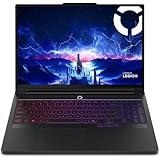
| Legion Pro 7i Gen 10 | Top-tier performance | RTX 5080, Core Ultra 9 275HX, 16 inch OLED, 240Hz |
| Legion 5 15IRX10 OLED | OLED plus strong graphics | RTX 5070, Core i9 14900HX, 15.1 inch WQXGA OLED |
| Legion 5 Ultra 9 RTX 5070 | Bright OLED, long battery spec | 15.3 inch 165Hz, 1000nits, 80Wh battery |
| Legion 5 16 inch 240Hz | High refresh competitive play | RTX 5060, 16 inch WQXGA 240Hz, 32GB DDR5 |
| Legion 5a Ryzen 7 250 | OLED with an AMD platform | RTX 5060, 15.3 inch 165Hz OLED, Wi-Fi 7 |
| LOQ RTX 5060 15.3 inch | Mainstream 1TB storage | RTX 5060, WUXGA IPS 165Hz, 1TB |
| LOQ RTX 5060 15.6 inch | Mainstream 1080p play | RTX 5060, IPS FHD 144Hz, 512GB |
| LOQ RTX 4050 | Entry RTX gaming | RTX 4050, Ryzen 5 7235HS, 144Hz FHD |
| Lenovo 15 Ryzen 5 7535HS, 256GB | Light games, entry level | 15 inch FHD+, 8GB DDR5, Wi-Fi 6 |
| Lenovo Gaming Laptop Radeon 660M | Esports titles and school use | Ryzen 5 7535HS, Radeon 660M, 15 inch FHD IPS |
How to Choose
Start with the graphics tier
The GPU sets your ceiling. An RTX 4050 or RTX 5060 handles 1080p well, an RTX 5070 suits 1440p-class panels, and an RTX 5080 is built for the highest settings on a 16 inch 240Hz display. Listings with only integrated Radeon 660M graphics are for older and lighter games, not modern AAA titles.
Pick the panel before the processor
Resolution and refresh rate show up on every screen. FHD at 144Hz is the mainstream baseline; WQXGA at 165Hz or 240Hz is the step up. OLED options in the Legion 5 range add contrast and, in one listing, a stated 1000nits of brightness. IPS stays the safer choice for long desk sessions.
Memory and storage thresholds
Aim for 16GB of DDR5 as the floor and 32GB if you stream, edit or keep many apps open. Eight gigabytes with a 256GB drive is workable for light play but fills quickly with a few installed games. A 1TB NVMe drive is the practical target, and the Pro 7i lists a Gen 5 NVMe.
Connectivity and what to ignore
Wi-Fi 7, Gigabit LAN and USB-C appear on the higher Legion listings, while LOQ and entry models list Wi-Fi 6. Bundled extras such as a portable drive are nice, but they should never outweigh the GPU and display. Budget models usually trim memory, storage and screen quality first.
The 10 Best Options
Lenovo Legion Pro 7i Gen 10
The Pro 7i is the flagship of this group: a Core Ultra 9 275HX with 24 cores, an RTX 5080, a 16 inch OLED panel, 32GB of memory and a 1TB Gen 5 NVMe drive, with Windows 11 Pro. It is for players who want the highest tier in a Lenovo and also care about display quality at WQXGA, 240Hz and 500 nits, such as someone who plays recent releases at high settings and edits video on the same machine.
- Strength: RTX 5080 graphics with a 240Hz OLED display.
- Strength: 32GB of RAM and a fast Gen 5 SSD.
- Trade-off: it sits in the premium tier and will be more than most gamers need.
Skip it if 1080p play on a mid-range budget is enough.
Lenovo Legion 5 15IRX10 OLED
This Legion 5 pairs a Core i9 14900HX with an RTX 5070 with 8GB of GDDR7 and a 15.1 inch WQXGA OLED screen. It also lists 32GB of DDR5, a 1TB NVMe drive, Gigabit LAN and 2×2 Wi-Fi 7. It suits buyers who want OLED and a high-tier processor without moving to the Pro series.
- Strength: OLED WQXGA display with an RTX 5070.
- Strength: wired Gigabit LAN plus Wi-Fi 7.
- Trade-off: the 8GB of video memory is the limit for very demanding textures.
Skip it if you want the latest Core Ultra platform.
Lenovo Legion 5 Ultra 9 RTX 5070
The listing combines a Core Ultra 9 275HX, an RTX 5070 and a 15.3 inch QHD+ OLED at 165Hz with 1000nits. It adds a numeric keypad, 24-zone RGB keyboard, Wi-Fi 7 and an 80Wh battery. It fits players who want a bright panel and a full keyboard for work and games alike.
- Strength: 1000nits brightness on an OLED panel.
- Strength: 32GB DDR5 and an 80Wh battery stated in the title.
- Trade-off: it ships as a bundle, so check what is included.
Skip it if you dislike a numeric keypad on a compact deck.
Lenovo Legion 5 16 Inch 240Hz
A 16 inch WQXGA 240Hz screen drives this Legion 5, along with a Core Ultra 9 275HX, an RTX 5060 with 8GB GDDR7, 32GB DDR5 and a 1TB NVMe drive. Gigabit LAN and 2×2 Wi-Fi 7 are listed too. It targets fast shooters where refresh rate matters more than OLED contrast.
- Strength: 240Hz at WQXGA resolution.
- Strength: a powerful processor with 32GB of memory.
- Trade-off: an RTX 5060 may struggle to fill a 240Hz panel in newer games.
Skip it if you prefer a smaller 15 inch body.
Lenovo Legion 5a Ryzen 7 250
The Legion 5a mixes an AMD Ryzen 7 250 with an RTX 5060, a 15.3 inch WQXGA 2560×1600 OLED at 165Hz, 32GB DDR5, a 1TB SSD and Wi-Fi 7. A portable 500GB drive is included. It is the pick for AMD fans who want OLED and generous memory.
- Strength: OLED display with 32GB DDR5.
- Strength: Wi-Fi 7 and an RGB backlit keyboard.
- Trade-off: the bundle drive is a bonus rather than a core spec.
Skip it if you want an Intel Core Ultra processor.
Lenovo LOQ RTX 5060 15.3 Inch
This LOQ lists an RTX 5060, Ryzen 7 250, 16GB of memory, 1TB of storage and a 15.3 inch WUXGA IPS panel at 165Hz in Luna Grey. It fits buyers who want the newer GPU and roomy storage without stepping up to OLED or the Legion badge.
- Strength: RTX 5060 with 1TB storage.
- Strength: 165Hz IPS panel.
- Trade-off: 16GB of memory is less headroom than the Legion models.
Skip it if you need a WQXGA display.
Lenovo LOQ RTX 5060 15.6 Inch
Another LOQ with an RTX 5060 and Ryzen 7 250, here with a 15.6 inch IPS FHD 144Hz screen, 16GB of RAM and 512GB of storage. The title also carries an AI Gaming Laptop label. It suits 1080p players who want the current GPU generation and a standard 15.6 inch body, and it is the simplest 5060 configuration in the group to compare against the others.
- Strength: RTX 5060 for 1080p at 144Hz.
- Strength: 16GB RAM in a standard 15.6 inch body.
- Trade-off: 512GB fills quickly with large games.
Skip it if you need more storage than the 15.3 inch LOQ offers.
Lenovo LOQ RTX 4050
The RTX 4050 LOQ pairs an RTX 4050 with a Ryzen 5 7235HS, a 15.6 inch 144Hz FHD display, 16GB DDR5 and 512GB. Ethernet, USB-C, HDMI and a backlit keyboard are listed. It is for first-time gaming laptop buyers working to a tighter budget who still want a dedicated RTX card and ports for a monitor, a wired network and a USB-C accessory.
- Strength: DDR5 memory and a full port list.
- Strength: 144Hz FHD for smooth 1080p play.
- Trade-off: Wi-Fi 6 and a lower graphics tier than the RTX 5060 models.
Skip it if you want the newest graphics generation.
Lenovo Gaming Laptop Radeon 660M
This model runs a six-core Ryzen 5 7535HS with Radeon 660M graphics, 8GB DDR5, a 256GB PCIe SSD and a 15 inch FHD IPS display. Copilot AI, Wi-Fi 6 and Bluetooth 5.3 round it out. It suits esports titles, school work and casual play, and buyers should expect the 256GB drive to hold only a handful of installed games next to the operating system.
- Strength: FHD IPS display on a budget-tier machine.
- Strength: DDR5 memory and Bluetooth 5.3.
- Trade-off: integrated graphics limit modern 3D games.
Skip it if you want AAA titles at high settings.
Lenovo 15 Gaming Laptop Ryzen 5 7535HS
Described as an entry-level gaming laptop, it lists a Ryzen 5 7535HS, 8GB DDR5, 256GB PCIe storage, a 15 inch FHD+ display, Wi-Fi 6, Bluetooth 5.3 and a webcam in Luna Grey. It fits students who play lighter games and need one machine for classes, video calls and weekend sessions, with the usual caution that the listing never names a graphics card.
- Strength: webcam and Bluetooth 5.3 for class and calls.
- Strength: Windows 11 Home included.
- Trade-off: the title names no dedicated graphics card.
Skip it if you need RTX-class graphics.
Which One Fits Your Situation
Maximum performance with a premium display
Choose the Legion Pro 7i Gen 10 with the RTX 5080, 240Hz OLED and 32GB of memory. It is the only listing with that graphics tier.
Competitive shooters
The Legion 5 16 inch 240Hz fits fast-paced play, giving you the highest refresh rate among the mid-tier models plus wired LAN.
Mid-range gaming with a strong screen
Take the Legion 5 Ultra 9 RTX 5070 for 1000nits OLED and an 80Wh battery, or the Legion 5a if you prefer AMD and want a bundled drive.
Starting out on a tight budget
The LOQ RTX 4050 offers real RTX graphics, while the Lenovo 15 Ryzen 5 model suits students who mostly play lighter games and need a webcam.
Common Mistakes
- Choosing by the GPU name alone and ignoring the wattage, screen and processor around it.
- Buying 8GB of memory and a 256GB drive for modern game libraries.
- Assuming every Legion has OLED; several listings use IPS panels instead.
- Treating bundled extras as a reason to pick a weaker core spec.
- Overlooking Wi-Fi 6 versus Wi-Fi 7 and LAN if you play online from a router.
Related guides
- Battery Operated Smoke And Carbon Monoxide Detectors
- Combination Smoke And Carbon Monoxide Detectors
- Aio Liquid Coolers For High Performance Gaming
Frequently Asked Questions
Is LOQ or Legion better for gaming?
Legion models list higher-tier processors, OLED or 240Hz screens and more memory. LOQ models target 1080p play with the same family of RTX 5060 and 4050 chips, which makes them the mainstream pick.
How much RAM do I need?
16GB DDR5 is a sensible minimum for current games, and 32GB suits streaming or multitasking. The 8GB listings are for lighter use.
Is OLED worth choosing on a gaming laptop?
OLED adds contrast and, in one listing, 1000nits of stated brightness. IPS remains easier to live with for long desk sessions, so choose by how you play.
Can the entry-level models run modern games?
The Radeon 660M and entry Ryzen 5 listings suit esports and older games. For recent releases, start at the RTX 4050 LOQ.