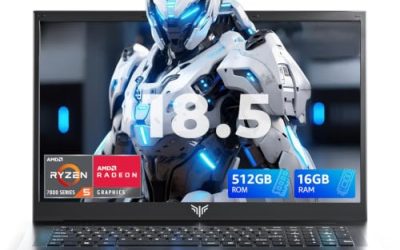
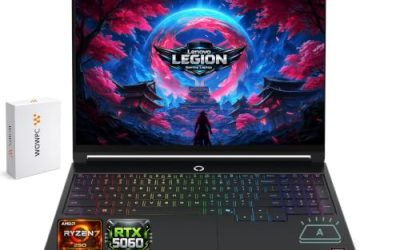
- Top Pick: ASUS ROG Strix G16 (2025) Gaming Laptop, 16” FHD+ 16:10 165Hz/3ms, NVIDIA® GeForce RTX™ 5060, Intel® Core™ i7 Processor 14650HX, 16GB DDR5, 1TB Gen 4 SSD, Wi-Fi 7, Windows 11 Home, G615JMR-AS74
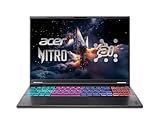
- Best Value: Acer Nitro 16S AI Copilot+ PC Gaming Laptop | AMD Ryzen AI 9 365 Processor | NVIDIA GeForce RTX 5070 Ti Laptop GPU | 16" WQXGA IPS 180Hz Display | 32GB DDR5 | 2TB Gen 4 SSD | Wi-Fi 6E | AN16S-61-R5K4
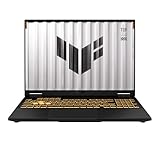
- Premium Choice: ASUS TUF Gaming F16 (2025) Gaming Laptop, 16” FHD+ 165Hz 16:10 Display, Intel® Core™ i5 Processor 13450HX, NVIDIA® GeForce RTX™ 5050, 16GB DDR5, 512GB PCIe Gen4 SSD, Wi-Fi 6E, Win 11 Home
Amazon has become the default destination for gaming laptops, offering a vast selection, quick delivery, and thousands of buyer reviews that expose weak machines fast. But that sheer volume can be paralyzing when every listing shouts about frame rates and refresh rates.
We’ve cut through the clutter to spotlight gaming laptops that combine strong GPUs, quality displays, and reliable cooling at a range of price points. Whether you want a flagship RTX powerhouse or a value-focused everyday machine, here are the best gaming laptops on Amazon right now.

Prime
Best Seller
Quick answer: for most buyers the best online gaming laptop is a 16-inch model with an RTX 5060 or better, 16GB of RAM at minimum and a 144Hz-plus screen. The Acer Nitro 16S AI is the pick for demanding AAA games, the ASUS ROG Strix G16 is the best all-rounder, and the Acer Nitro V or ASUS TUF Gaming F16 are the value picks for 1080p.
Updated October 2026 – unavailable listings were removed, exact prices were dropped because they change daily, and more RTX 50-series models were added.
How we chose: we compared manufacturer specifications, published documentation and recurring buyer feedback on thermals, screens and build quality. We did not run our own benchmarks, so frame rates depend on the exact configuration you buy.
Top Gaming Laptops at a Glance
| Laptop | GPU | Best for | Tier |
|---|---|---|---|
| Acer Nitro 16S AI | RTX 5070 Ti | High-end AAA and AI work | Premium |
| MSI Vector 16 HX AI | RTX 5070 Ti | Performance per dollar at 16 inches | Premium |
| Razer Blade 16 (2026) | RTX 5070 Ti | Thin OLED flagship | Flagship |
| ASUS ROG Strix G16 | RTX 5060 | All-round balance | Upper mid |
| Lenovo Legion 5 16 | RTX 5060 | 240Hz WQXGA panel | Upper mid |
| HP OMEN 16 Slim | RTX 5060 | Slim 240Hz QHD+ display | Upper mid |
| Acer Nitro V 16S AI | RTX 5060 | 32GB RAM at a mid price | Mid |
| Lenovo LOQ 15.6 | RTX 5060 | Budget RTX 5060 | Value |
| MSI Cyborg 15 | RTX 5050 | Thin and light 1080p | Value |
| ASUS TUF Gaming F16 | RTX 5050 class | Durable daily driver | Value |
The three names to remember are the Acer Nitro 16S AI for power, the ASUS ROG Strix G16 for balance and the Lenovo LOQ for the lowest cost of entry into the RTX 5060 tier.
ASUS V16 Gaming 5060 Laptop, Intel Core 7 Processor 240H, GeForce RTX 5060, 16” WUXGA 144Hz 16:10 Display, 32GB DDR5, 1TB SSD, Turbo Blue Backlit, Numeric Keypad, HDMI, Windows 11 Home, w/Bundle


Acer Nitro V 15in Gaming Laptop ANV15-52-73D8 i7-13620H 16GB RAM 1TB SSD | FHD IPS 165Hz display, NVIDIA RTX 5060 graphics, WiFi 6, backlit keyboard, Windows 11 Home, dual fan cooling design
View on Amazon.com
As an Amazon Associate we earn from qualifying purchases at no extra cost to you.



🎮 Get More From Your Setup — Free
Prime Gaming gives you free PC games every month, in-game loot, and a free Twitch channel sub — plus fast free shipping on all the gear above. New members get a 30-day free trial.
Watch: Best Gaming Laptop Amazon — Video Review
Best Gaming Laptop by Budget
Under $1,200: 1080p value
- Lenovo LOQ 15.6 · RTX 5060 · Ryzen 7 · 144Hz FHD · 16GB RAM
- MSI Cyborg 15 · RTX 5050 · Core 7 240H · 144Hz FHD · thin and light
- Acer Nitro V 15 · RTX 4050 or 5050 class · 165Hz FHD
$1,200 to $1,800: RTX 5060 sweet spot
- ASUS ROG Strix G16 · RTX 5060 · 165Hz FHD+ · 16:10 panel
- Acer Nitro V 16S AI · RTX 5060 · Ryzen 7 260 · 180Hz WUXGA · 32GB DDR5
- Alienware 16 Aurora · RTX 5050 class · 120Hz WQXGA
$1,800 and up: 1440p and high-end
- Acer Nitro 16S AI · RTX 5070 Ti · Copilot+ PC
- MSI Vector 16 HX AI · RTX 5070 Ti 12GB · Core Ultra 7 255HX
- Razer Blade 16 (2026) · RTX 5070 Ti · 240Hz OLED · Wi-Fi 7
Prices move often and many listings are sold in several configurations, so use these tiers as a guide and check the live listing for the exact RAM and storage.
What Matters Most When You Buy a Gaming Laptop Online
Marketplace listings often describe the same model name with different processors, RAM and SSD sizes. Before buying, match four things against the spec sheet on the listing and the maker site: the exact GPU name (RTX 5050, 5060, 5070 Ti), the RAM type and amount, the panel resolution and refresh rate, and the model number printed near the end of the title. Two listings with the same series name can differ by a full GPU tier.
Check the seller too. Sold-by-the-manufacturer listings and well-known retailers keep the warranty simple. Third-party bundles sometimes add accessories but can complicate returns, so read the return window before checkout.
How to Choose a Gaming Laptop on Amazon
- GPU tier: The graphics card defines your gaming experience. Match it to your resolution goals, with higher-end RTX cards for 1440p and demanding titles.
- Refresh rate: A 144Hz-plus panel delivers smooth, responsive gameplay, especially in fast-paced esports. Pair it with a GPU that can hit those frame rates.
- Read the reviews: Buyer feedback on thermals, battery life, and build quality reveals the real story behind the spec sheet.
- RAM and storage: Aim for 16GB of DDR5 minimum and a 512GB or larger SSD. 32GB and 1TB future-proof heavier gaming and multitasking.
- Cooling and portability: Effective cooling sustains performance under load, while weight and size determine how easily the laptop travels with you.
The Best Gaming Laptops on Amazon Reviewed
ASUS ROG Strix G16
The Strix G16 combines a Core i7 14650HX, RTX 5060, and 165Hz panel for a versatile high-tier experience. Its blend of power and features makes it a consistent bestseller.
Acer Nitro 16S AI
This Copilot+ Nitro packs a Ryzen AI processor and an RTX 5070 Ti, with configurations up to 32GB of RAM and 2TB of storage. It is a powerhouse for demanding AAA gaming and AI workloads alike.
Alienware 16 Aurora
The Alienware 16 Aurora brings an RTX 5050, Core 7 240H, and a 120Hz WQXGA display in Dell’s premium chassis. It offers polished design and dependable performance.
ASUS TUF Gaming F16 (2026)
The rugged TUF F16 pairs an RTX 5050 with a 165Hz screen and Core i5, delivering excellent value for 1080p gaming. Its durability makes it a dependable daily driver.
Acer Nitro V
The Nitro V offers a Core i5-13420H, RTX 4050, and 165Hz FHD display at a wallet-friendly price. It is a strong entry-level pick for high-refresh 1080p gaming.
Related Guides
- Multiple Laptop Display (2026)
- Triple Laptop Monitor Extender (2026)
- Co Pilot Laptop (2026)
- Best Gaming Laptop UK 2026: Top Picks Every Budget
More Gaming Laptops Worth Considering
Acer Nitro V 16S AI – Best mid-price laptop with 32GB RAM

The Nitro V 16S AI pairs an RTX 5060 with a Ryzen 7 260 and a 16-inch 180Hz WUXGA screen. The listed configuration includes 32GB of DDR5 and a 1TB Gen 4 SSD, which is unusual at this tier and helps if you stream or multitask.
- AMD Ryzen 7 260 processor
- NVIDIA GeForce RTX 5060 laptop GPU
- 16-inch WUXGA IPS 180Hz display
- 32GB DDR5 and 1TB Gen 4 SSD
- Wi-Fi 6
Pros: generous RAM and storage; fast 180Hz panel; RTX 5060 performance for 1080p and many 1440p titles.
Cons: Wi-Fi 6 rather than Wi-Fi 7; plastic chassis.
Skip it if you want an OLED or 240Hz screen.
Lenovo Legion 5 16 – Best for a high-refresh WQXGA screen

The Legion 5 16 listing pairs an Intel Core Ultra 9 275HX with an RTX 5060 8GB GDDR7, a 16-inch WQXGA 240Hz display and 32GB of DDR5. It is a good fit if you want a sharper panel than FHD without jumping to RTX 5070 Ti pricing.
- Intel Core Ultra 9 275HX
- NVIDIA GeForce RTX 5060 8GB GDDR7
- 16-inch WQXGA 240Hz display
- 32GB DDR5 and 1TB NVMe SSD
- Gigabit LAN and 2×2 Wi-Fi 7
Pros: sharp 240Hz panel; strong CPU; wired and Wi-Fi 7 networking.
Cons: an 8GB GPU can limit the highest texture settings at native WQXGA.
Skip it if you only play at 1080p and want to save money.
MSI Vector 16 HX AI – Best RTX 5070 Ti value

The MSI Vector 16 HX AI listing combines an Intel Core Ultra 7 255HX with an RTX 5070 Ti 12GB, 16GB of DDR5 and a 1TB SSD behind a 16-inch 144Hz display. It targets players who want RTX 5070 Ti power without paying flagship-brand pricing.
- Intel Core Ultra 7 255HX
- NVIDIA GeForce RTX 5070 Ti 12GB
- 16-inch 144Hz display
- 16GB DDR5 and 1TB PCIe SSD
- Windows 11
Pros: 12GB GPU memory; easy to upgrade RAM later; strong value among 5070 Ti models.
Cons: 144Hz panel is modest for this price tier; 16GB RAM is the minimum.
Skip it if you want a slim, quiet laptop.
HP OMEN 16 Slim – Best slim 240Hz option

The OMEN 16 Slim configuration uses an Intel Ultra 9 285H with an RTX 5060, 32GB of DDR5 and a 1TB SSD, plus a 16-inch 240Hz QHD+ anti-glare display and four-zone RGB keyboard. It suits players who carry their laptop to class or work.
- Intel Ultra 9 285H
- NVIDIA RTX 5060
- 16-inch 240Hz QHD+ anti-glare display
- 32GB DDR5 and 1TB SSD
- Wi-Fi 6E and HyperX audio
Pros: slim body; high-refresh QHD+ panel; plenty of RAM.
Cons: this listing is a third-party bundle; thin chassis can run hotter under load.
Skip it if sustained heavy loads matter more than portability.
MSI Cyborg 15 – Best thin and light value pick

The Cyborg 15 is a 15.6-inch 144Hz FHD laptop with an RTX 5050, Intel Core 7-240H, 32GB of DDR5 and a 1TB SSD in the listed configuration. It fits students and casual esports players.
- Intel Core 7-240H
- NVIDIA RTX 5050
- 15.6-inch FHD 144Hz display
- 32GB DDR5 and 1TB SSD
- Wi-Fi 6E
Pros: thin and light; large RAM and SSD for the tier.
Cons: RTX 5050 is an entry GPU; screen is basic.
Skip it if you want 1440p performance.
Razer Blade 16 (2026) – Best flagship OLED laptop

The Razer Blade 16 (2026) pairs an RTX 5070 Ti with an Intel Ultra 9 386H, 32GB of DDR5, a 1TB SSD and a 16-inch QHD+ 240Hz 0.2ms OLED display with Wi-Fi 7 and Thunderbolt 5. It is the premium choice for players who also create content.
- Intel Ultra 9 386H
- NVIDIA RTX 5070 Ti
- 16-inch QHD+ 240Hz OLED, 0.2ms
- 32GB DDR5 and 1TB SSD
- Wi-Fi 7 and Thunderbolt 5
Pros: OLED panel; thin metal design; fast ports.
Cons: sits at the top of the price range; limited upgrade options.
Skip it if value per dollar is your priority.
Also Consider
Lenovo LOQ 15 (RTX 5050) – Best budget Lenovo

A 15.6-inch 144Hz FHD laptop with an Intel Core i7-13650HX, RTX 5050, 16GB of memory, 1TB storage and G-Sync. A straightforward entry model for 1080p play.
Skip it if you want a newer CPU generation.
HP OMEN 16 (RTX 5070) – Best for a 5070 on a budget

A 16-inch 240Hz WQXGA laptop with an AMD Ryzen 9 8940HX, RTX 5070, 32GB of DDR5 and a 1TB SSD. It offers a step up from RTX 5060 models.
Skip it if you need a lightweight machine.
MSI Thin 15 (RTX 4050) – Best older-generation bargain

A 15.6-inch 144Hz laptop with a Core i7-13620H, RTX 4050, 16GB DDR4 and 512GB SSD. Older parts, but a low-cost way to start PC gaming.
Skip it if you want DLSS 4 multi-frame generation, which needs RTX 50-series hardware.
Frequently Asked Questions
Is buying a gaming laptop on Amazon reliable?
Yes. Amazon’s return policy and extensive buyer reviews add protection, and major brands honor their warranties. Verify the seller and read recent reviews before purchasing.
Which laptop is best for high-end AAA gaming?
The Acer Nitro 16S with an RTX 5070 Ti leads for demanding titles, offering the GPU power needed for high settings at 1440p and beyond.
Do I really need a 165Hz display?
High refresh rates make fast-paced games noticeably smoother and more responsive. If you play competitive shooters, a 144Hz-plus panel is well worth it.
How much RAM should a gaming laptop have?
16GB is the practical minimum for 2026 gaming, while 32GB, as found in the Nitro 16S, provides extra headroom for streaming and multitasking.
What is the best gaming laptop for the money?
For most players an RTX 5060 laptop with 16GB or more of RAM and a 144Hz-plus screen, such as the ASUS ROG Strix G16 or Lenovo LOQ, gives the best balance of price and performance.
Is an RTX 5050 enough for gaming?
Yes for 1080p at medium to high settings in most current games, especially with DLSS. It is less comfortable for 1440p or ray tracing.
Should I buy a 15-inch or 16-inch gaming laptop?
16-inch models usually have better cooling and a taller 16:10 panel, while 15-inch models are lighter. Pick by how often you travel.
Do I need a 240Hz screen?
Only if your GPU can push 200-plus frames per second in the games you play. Competitive shooters benefit most. Otherwise 144Hz to 165Hz is enough.
Why do the same laptop names show different prices?
Each series ships in several configurations with different CPUs, RAM and SSD sizes, and sellers also change prices often. Compare the model number and full spec line, not just the series name.
Final Thoughts
The Acer Nitro 16S AI is our top pick for high-end performance, while the ASUS ROG Strix G16 offers the best all-around balance. Budget-minded gamers should look closely at the ASUS TUF Gaming F16 for excellent value at 1080p.