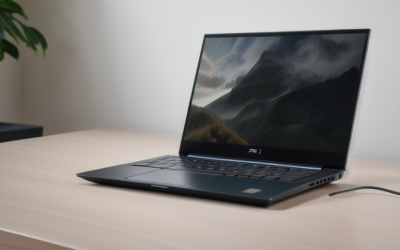
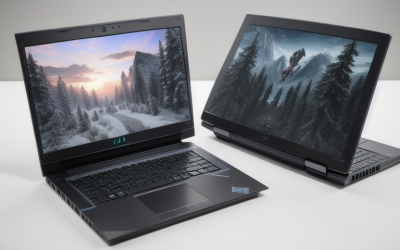
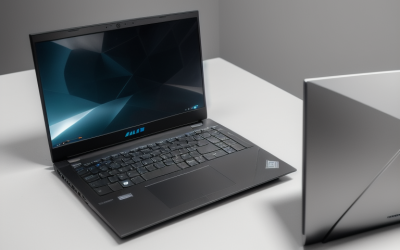
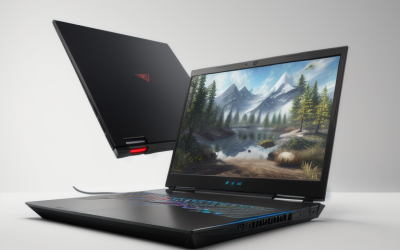
- Top Pick: ROG Strix GL502VM 15.6" G-SYNC VR Ready Thin and Light Gaming Laptop NVIDIA GTX 1060 6GB Intel Core i7-7700HQ 16GB DDR4 128GB SSD 1TB HDD
- Best Value: Asus TUF Gaming Laptop FX504 15.6” 120Hz 3ms Full HD, Intel Core i7-8750H Processor, GeForce GTX 1060 6GB, 16GB DDR4, 256GB PCIe SSD + 1TB HDD, Gigabit WiFi, Windows 10 Home – FX504GM-ES74
- Premium Choice: msi GE63 Raider RGB-012 15.6" 120Hz 3ms Performance Gaming Laptop GTX 1060 6G i7-8750H (6 Cores) 16GB 128GB SSD + 1TB Per Key RGB KB, VR Ready, Metal Chassis, Windows 10 64 bit
A GTX 1060 laptop is a deliberate choice. The card belongs to an older generation, so anyone shopping for one is usually trying to land a capable 1080p gaming machine without paying for the newest silicon, or hunting for a specific chassis they have wanted for years. That makes the decision less about the graphics chip, which is the same family name across every model here, and more about everything wrapped around it: the processor generation, the screen refresh rate, how much storage is fast, and how big a laptop you are willing to carry.
This guide is written for budget-minded gamers, students who want one machine for class and evenings, and anyone building a first VR-ready setup on a limited allowance. In 2026 the listings below are mostly older configurations, so the comparisons stick to what each product title states: panel size, refresh rate, CPU, memory and drive layout. Two laptops that carry a different graphics chip in their titles were left out, because they do not belong in a GTX 1060 roundup.
Quick Picks
As an Amazon Associate we earn from qualifying purchases at no extra cost to you.





| Product | Best for | Key spec from the title |
|---|---|---|
| ROG Strix GL502VM | Slim 15-inch with G-SYNC | G-SYNC, i7-7700HQ, 128GB SSD plus 1TB HDD |
| Asus TUF FX504 | Smooth 120Hz play at a modest tier | 120Hz 3ms, i7-8750H, 256GB PCIe SSD plus 1TB HDD |
| MSI GE63 Raider RGB | Six-core power and per-key lighting | i7-8750H (6 cores), metal chassis |
| Alienware 13 R3 | Carrying it everywhere | 13.3-inch screen, 256GB SSD |
| Acer Predator Helios 300 G3-571 | Plain 15-inch value | i7-7700HQ, 16GB DDR4, 256GB SSD |
| Acer Predator Helios 300 PH315-51 | Fast panel and fast storage | 144Hz IPS, 256GB NVMe SSD |
| Alienware 15 R3 | Lowest-tier entry into the brand | Core i5, 1TB HDD, VR ready |
| ASUS ROG Strix GL703VM Scar | Big-screen desktop replacement | 17.3-inch 120Hz, 256GB PCIe SSD plus SSHD |
How to Choose
Match the screen to the frame rate you can reach
A 1060-class card pushes many esports and older titles well past 60 frames per second at 1080p, and a 120Hz or 144Hz panel is the only way to see that. Titles in this group list 120Hz, 144Hz, or nothing at all. If the listing is silent about refresh rate, assume a 60Hz screen. For competitive shooters a 120Hz or 144Hz panel is worth prioritizing over an extra processor tier.
Read the processor generation, not just the i7 label
The i7-7700HQ is a four-core part, while the i7-8750H named in several titles is a six-core part. For modern games that lean on more threads, and for streaming while playing, the six-core chips have more headroom. An i5 can still feed this graphics card in many games, but it is the first place a budget configuration cuts corners.
Look for an SSD for the operating system
Several of these machines pair a small SSD with a 1TB hard drive. A 128GB SSD fills quickly once Windows and a few big games land on it, which pushes installs onto the slower disk. A 256GB drive is a more comfortable floor, and the NVMe or PCIe wording in a title signals a faster interface than a plain SATA drive. A hard-drive-only machine will feel slow loading anything.
Decide on size before brand
Screens here run from 13.3 to 17.3 inches. Smaller machines are easier to carry but have less room for cooling and fewer ports; the 17-inch model is a desktop replacement you will rarely move. Also confirm memory: 16GB DDR4 is common in these titles, while 8GB configurations leave less room for modern games and a browser at once.
The 8 Best Options
ROG Strix GL502VM
This 15.6-inch machine is the one for buyers who want a thin and light frame with a G-SYNC display, a VR-ready label, a 7700HQ processor and 16GB of DDR4. It suits someone moving between a desk and a backpack, and it is the oldest processor generation of the 15-inch group, which is worth weighing against the slimmer styling.
- Strength: G-SYNC support is listed, which helps keep motion tidy when the frame rate wobbles.
- Strength: 16GB DDR4 gives comfortable headroom for games plus background apps.
- Trade-off: the 128GB SSD is small and the 1TB HDD will hold most of your library.
Skip it if you want a six-core processor or lots of fast storage.
Asus TUF Gaming FX504
The FX504 pairs a 120Hz 3ms full HD screen with the six-core i7-8750H, 16GB DDR4 and a 256GB PCIe SSD plus 1TB hard drive. It is the straightforward choice for a student who wants one machine for lectures and games.
- Strength: the 120Hz panel makes the most of what the graphics card can deliver in lighter titles.
- Strength: PCIe SSD plus gigabit Wi-Fi is a sensible mix for installs and online play.
- Trade-off: the title does not call out a premium metal chassis or per-key lighting.
Skip it if keyboard lighting and a metal body matter to you. Buyers who simply want a dependable screen and a balanced drive layout will find the spec sheet more than adequate.
MSI GE63 Raider RGB-012
MSI pushes the look here: per-key RGB, a metal chassis and a six-core i7-8750H alongside a 120Hz 3ms panel. It targets players who want their desk setup to look like a gaming rig, with a VR-ready badge as a bonus.
- Strength: six cores and 16GB memory suit games that scale with threads.
- Strength: the metal chassis and per-key lighting give it a premium feel.
- Trade-off: only a 128GB SSD is listed, so the 1TB drive does the heavy lifting.
Skip it if you want a quiet, plain-looking laptop for a shared office, or if you would rather spend on storage than styling.
Alienware 13 R3
A 13.3-inch body with a 7th generation Core i7, 8GB of RAM and a 256GB SSD, built around a GTX 1060. This is the compact option for commuters and dorm dwellers who cannot lug a 15-inch.
- Strength: the small screen makes it the easiest model here to carry daily.
- Strength: a 256GB SSD with no spinning drive listed means quick boots and loads.
- Trade-off: only 8GB of memory, with no mention of a second storage drive.
Skip it if you want a big display or plenty of internal storage. It is also the weakest match for anyone planning to run several demanding programs at once.
Acer Predator Helios 300 G3-571-77QK
This Predator uses a 15.6-inch full HD screen, a 7700HQ, 16GB DDR4 and 256GB of SSD storage alongside a GTX 1060 6GB. The red backlit keyboard and metal chassis make it a plain, dependable value choice.
- Strength: 16GB memory and a 256GB SSD are a balanced base.
- Strength: metal chassis and VR-ready labeling at this tier.
- Trade-off: the title mentions no high refresh rate, so expect a standard panel.
Skip it if smooth motion at over 60Hz is a priority. Shoppers who mostly play single-player adventures at 60 frames per second will not miss it.
Acer Predator Helios 300 PH315-51-78NP
The PH315 steps up with a 144Hz full HD IPS display, a six-core i7-8750H, a GTX 1060 6GB OC and a 256GB NVMe SSD. Competitive players and anyone chasing high refresh will find the most appeal here.
- Strength: 144Hz IPS is the fastest panel in this group.
- Strength: NVMe storage plus six cores is a strong pairing for the class.
- Trade-off: only 256GB of storage is listed, so a big library will need external help.
Skip it if you need a large built-in drive from day one. Anyone comfortable adding an external drive or a second internal one will find it the sharpest overall package here.
Alienware 15 R3
This 15.6-inch Alienware pairs a 7th generation Core i5 with 8GB of RAM and a 1TB hard drive, plus a GTX 1060 and a VR-ready label. It is the entry-tier route into the brand.
- Strength: 1TB of storage holds a sizable game library.
- Strength: still carries the VR-ready label and the GTX 1060.
- Trade-off: a hard drive only, with no SSD named, and an i5 with 8GB of memory.
Skip it if fast load times or heavy multitasking matter, since an SSD upgrade would be a priority. Treat it as a project machine rather than a ready-made gaming laptop.
ASUS ROG Strix GL703VM Scar Edition
The Scar Edition is the large format of the group: a 17.3-inch 120Hz screen, a 7700HQ, 16GB DDR4, a 256GB PCIe SSD plus a 1TB SSHD and an RGB keyboard. It suits a permanent desk setup better than a backpack.
- Strength: the bigger display makes open-world and strategy titles easier on the eyes.
- Strength: PCIe SSD plus SSHD combines quick boot with roomy storage.
- Trade-off: a 17-inch laptop is the least portable option here.
Skip it if you travel often or share a small desk. The size is the whole point of the model, so buy it only if you will keep it plugged in at one spot.
Which One Fits Your Situation
You want the smoothest competitive screen
Choose the Acer Predator Helios 300 PH315-51-78NP. Its 144Hz IPS panel and NVMe drive are the strongest pairing of display and storage in this list, and the six-core processor keeps pace with fast shooters that ask a lot of the CPU.
You need a laptop you can carry to class
The Alienware 13 R3 is the compact pick, and its 256GB SSD helps with quick starts between lectures. Accept the 8GB memory ceiling in exchange for the small footprint.
You want a big screen at a fixed desk
The ASUS ROG Strix GL703VM Scar Edition puts a 17.3-inch 120Hz display in front of you, with a fast SSD and a large drive for games.
You care about looks and lighting
The MSI GE63 Raider RGB-012 combines per-key RGB with a metal chassis and a six-core processor, so it fits a desk that doubles as a showpiece. If your budget is tighter and you care more about a roomy library, the Alienware 15 R3 with its 1TB drive is the lower-tier way in, provided you plan an SSD upgrade.
Common Mistakes
- Assuming every GTX 1060 laptop performs the same, when processor generation and memory differ widely between listings.
- Ignoring storage layout and ending up with a small SSD that fills after a few installs.
- Buying on keyboard lighting alone and overlooking the refresh rate in the title.
- Forgetting that a 13-inch machine has less room for cooling and ports than a 15 or 17-inch body.
- Treating older stock as new without checking battery condition and warranty terms with the seller.
Related guides
- Aio Liquid Coolers For High Performance Gaming
- How To Lower Input Delay In Competitive Shooters
- External Hard Drives For Music Production
Frequently Asked Questions
Is a GTX 1060 laptop still worth buying?
It can be, if your priority is 1080p play in older and esports titles at a modest tier. Newer demanding games will need lower settings, so match expectations to the hardware.
What does VR ready mean on these listings?
It is a label indicating the graphics card meets the minimum bar for headsets of that era. Check the headset maker requirements, including ports, before relying on it.
Are six cores better than four?
Six-core i7-8750H models have more headroom for streaming and modern games. If your games are older and lightly threaded, a four-core 7700HQ model is still workable.
Can storage be added later?
Many gaming laptops offer extra drive slots, but the product title does not confirm it. Check the maker specifications for the exact model before planning an upgrade.