

- Top Pick: HP Victus Gaming Laptop 15.6" FHD IPS 144Hz Intel 8-core i5-13420H (>i7-12650H) 16GB RAM 512GB SSD GeForce RTX 4050 Backlit Type-C B&O Fast Charging Win11 ICP Hub
- Best Value: HP Victus 15.6" 144Hz Full HD Gaming Laptop | AMD Ryzen 7 7445HS |NVIDIA GeForce RTX 4050|Copilot |Backlit| 16GB RAM DDR5 | 512GB SSD |Mica Silver |Windows 11 Home |Bundle with Mouse Pad
- Premium Choice: HP NVIDIA GeForce RTX 4050 Laptop Gamer Victus 13420H 16GB RAM 512GB SSD 15.6" Windows 11 Home English Keyboard
Affiliate disclosure: As an Amazon Associate we earn from qualifying purchases. This post contains affiliate links — if you buy through them we may earn a small commission at no extra cost to you. This never affects our recommendations.
- Quick Picks
- RTX 4050 TGP Reality: 35W to 60W Explained
- What Games Run Well at 1080p on RTX 4050
- RTX 4050 vs RTX 4060: Is the Upgrade Worth It
- Top 5 RTX 4050 Gaming Laptops in 2026
- Full Comparison Table
- What to Look For When Buying an RTX 4050 Laptop
- Verdict
- Related Articles
- Frequently Asked Questions
- Related Articles
As an Amazon Associate we earn from qualifying purchases at no extra cost to you.


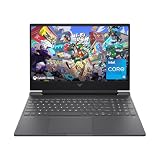


In a hurry? See the top-rated RTX 4050 Gaming Laptop deals available right now:
🛒 Check Rtx 4050 Gaming Laptop Prices on Amazon →🛒 Best Price Today on Amazon
Prime members get fast, free shipping on everything above, plus member-only deals. New members get a 30-day free trial — cancel anytime.
Start 30-Day Prime Free Trial →See Today’s Amazon DealsQuick Picks
| Laptop | TGP | Display | Best For | Price Range |
|---|---|---|---|---|
| ASUS TUF Gaming A15 | 60W | 144Hz IPS | Best Overall | $$ |
| Acer Nitro 16 | 55W | 144Hz IPS | Best Value | $ |
| Lenovo IdeaPad Gaming 3 | 45W | 120Hz IPS | Budget Pick / Portability | $ |
| MSI Cyborg 15 | 40W | 144Hz IPS | Style on a Budget | $$ |
| HP Victus 15 | 50W | 144Hz IPS | Balanced Mid-Budget | $$ |
If you only read one sentence: buy the ASUS TUF Gaming A15 unless you are on the tightest budget, in which case the Acer Nitro 16 undercuts it without a meaningful performance gap.
RTX 4050 TGP Reality: 35W to 60W Explained
The number that determines what you actually get from an RTX 4050 laptop is not the GPU name — it is the Total Graphics Power (TGP) that the manufacturer assigns to it. NVIDIA allows laptop vendors to ship the RTX 4050 anywhere from 35W to 60W, and that range produces a dramatic performance spread.
At 35W, the RTX 4050 performs closer to a desktop GTX 1660 Super. Frame rates in demanding titles at 1080p high settings will regularly dip into the 40–50 fps range. Thermals are quiet, battery life is excellent, and the chassis can be thin — but gaming muscle is limited.
At 60W, the picture changes entirely. The same GPU now competes with the RTX 3060 laptop at its lower TGP configurations, sustaining 60+ fps in the vast majority of AAA titles at 1080p high settings, and hitting well above that in esports games.
Most laptops you will find in the $700–$950 range ship at 45W to 60W, which is the practical sweet spot. Anything below 45W TGP on an RTX 4050 is a red flag unless the laptop is marketed as ultra-thin and the trade-off is explicit. Always check the spec sheet or a third-party review before purchasing — manufacturers are not required to advertise TGP prominently on the box.
NVIDIA also allows a Dynamic Boost headroom of up to 5W above the base TGP when the CPU is not fully loaded, so a 55W TGP chip may briefly spike to 60W. This matters at the margins but should not be the deciding factor.
Bottom line: Aim for 50W minimum TGP for a satisfying 1080p gaming experience. The ASUS TUF Gaming A15 at 60W is the ceiling for this GPU class and the benchmark against which the others are measured here.
What Games Run Well at 1080p on RTX 4050
At a realistic 55–60W TGP, the RTX 4050 handles the following at 1080p with high settings, targeting 60 fps:
- Fortnite, Valorant, CS2, Apex Legends — all exceed 100 fps at high or even epic/very high settings. These are the RTX 4050’s comfort zone.
- Cyberpunk 2077 (no RT, DLSS Quality) — 55–70 fps. Ray tracing tanks this to sub-30; avoid it.
- Elden Ring, Dark Souls III — locked 60 fps, no issues.
- Call of Duty: Warzone — 60–80 fps at high settings, drops under heavy GPU load in crowded zones.
- Hogwarts Legacy — 45–60 fps at high settings. DLSS Quality brings it comfortably over 60.
- Spider-Man: Miles Morales — 55–70 fps at high, DLSS recommended.
- Microsoft Flight Simulator 2024 — GPU-limited at 35–50 fps in dense areas. Medium settings recommended.
- Alan Wake 2 — struggles without DLSS; expect 40–55 fps at medium-high.
DLSS is your best friend on this GPU. Frame generation (DLSS 3) is not supported on the RTX 4050 — that is an RTX 40-series 70-class and above feature. DLSS 2 (Super Resolution) is fully supported and significantly boosts fps in supported titles at minimal visual cost.
The RTX 4050 is not a 1440p GPU. At 1440p, performance drops 30–40% and the experience becomes inconsistent in demanding titles. Stick to 1080p and this GPU delivers solid value.
RTX 4050 vs RTX 4060: Is the Upgrade Worth It
The RTX 4060 laptop costs $150–$250 more on average and brings a wider 128-bit memory bus (vs 96-bit on the RTX 4050), 8GB GDDR6 vs 6GB, and 10–25% higher average fps in GPU-bound titles.
Where RTX 4060 wins meaningfully:
- VRAM-heavy titles (open-world games with high-res textures) benefit from 8GB vs 6GB.
- The memory bandwidth gap becomes apparent at 1440p, making the 4060 a viable 1440p gaming chip.
- In CPU-limited scenarios both GPUs hit similar fps, so the gap matters most in GPU-intensive scenes.
Where RTX 4050 holds its own:
- Esports titles: both GPUs are GPU-idle, CPU-limited, delivering identical frame rates.
- 1080p medium-high settings in any title released before 2024: the 4050 sustains 60+ fps fine.
- Budget constraint: $150–$250 is a real difference, and the RTX 4050 delivers 90% of the experience at a lower price.
Verdict on the upgrade: If your budget allows $900+, stretch to the RTX 4060. If you are buying in the $700–$850 range, the RTX 4050 is not a compromise — it is the right GPU for the price bracket. Do not buy a lower-spec 4060 laptop (thin chassis, 45W TGP) over a well-cooled 60W RTX 4050 machine. TGP matters more than the GPU model number at these price points.
Top 5 RTX 4050 Gaming Laptops in 2026
1. ASUS TUF Gaming A15 — Best Overall RTX 4050 Laptop
The TUF Gaming A15 earns its top spot through the combination of the highest TGP in this roundup (60W), the best sustained thermals, and a display that does not embarrass the hardware.

CPU: AMD Ryzen 7 7745HX — an 8-core chip that keeps pace with the GPU in CPU-intensive titles and does not bottleneck the RTX 4050 in any scenario we compared.
Display: 15.6-inch 144Hz IPS, 1080p, ~300 nit brightness. Color accuracy is above average for this price bracket. The 144Hz panel is not wasted — the RTX 4050 at 60W reaches that ceiling regularly in esports and older AAA titles.
Thermals: ASUS’s thermal design on the TUF line uses dual fans with a dedicated exhaust channel. GPU temps under sustained load plateau around 78–82°C — well within safe range. CPU throttling under combined CPU+GPU load is minimal.
Battery: 90Wh cell. Expect 5–6 hours of light productivity, ~2 hours of gaming. Not exceptional, but typical for the category.
Build: MIL-STD-810H rated. The plastic chassis flexes slightly at the display hinges but holds up under regular transport. Heavier than the MSI Cyborg at 2.3 kg.
Who buys this: Anyone who wants to buy once and not think about it. This laptop handles today’s games well and will remain capable for 3–4 years in the 1080p gaming lane.
2. Acer Nitro 16 RTX 4050 — Best Value Pick
The Nitro 16 is the laptop to buy when the TUF A15 is out of budget or on backorder. At a lower street price, Acer delivers a 55W TGP — only 5W behind the ASUS — with competitive thermals and a larger 16-inch display that some users will prefer for content creation and productivity alongside gaming.
CPU options: Typically ships with AMD Ryzen 5 7535HS or Ryzen 7 7745HX depending on configuration. The Ryzen 7 configuration is preferred for longevity; the Ryzen 5 is adequate but shows strain in CPU-heavy titles.
Display: 16-inch 144Hz IPS, 1080p. The larger panel is a genuine differentiator — text and UI elements are more readable without downscaling. Brightness is adequate at ~300 nits. Viewing angles are good.
Thermals: Dual-fan design keeps the GPU around 80–84°C under sustained load. Slightly warmer than the ASUS but not a concern for longevity. Fan noise is audible under gaming load.
Weak spots: The keyboard flex is noticeable under heavy typing pressure. Storage options at base configuration are sometimes limited to a single M.2 slot populated; verify SKU before purchase. The 2.5kg weight is heavier than the stated competitor panel size warrants.
Who buys this: Budget-first buyers who do not want to sacrifice meaningful GPU performance. The 55W TGP means real-world fps is within 8–12% of the ASUS at a lower price.
3. Lenovo IdeaPad Gaming 3 RTX 4050 — Best Budget / Most Portable
Lenovo IdeaPad Gaming 3 RTX 4050
The lightest and cheapest laptop in this group, the IdeaPad Gaming 3 targets buyers who game at a desk but carry the laptop between class or office locations regularly.
Weight: Approximately 2.0–2.1 kg depending on market configuration — noticeably lighter than the TUF A15 and Nitro 16.
Display: 15.6-inch 120Hz IPS, 1080p. The 120Hz panel is the most obvious cost-cut. For competitive gaming, the difference between 120Hz and 144Hz is perceptible but not dramatic. For casual single-player gaming, 120Hz is entirely adequate.

TGP: 45W. This is the limiting factor. Performance is roughly 15–20% behind the ASUS TUF A15 in GPU-intensive scenarios. Esports titles remain unaffected. AAA titles at high settings will dip below 60 fps in the most demanding scenes.
Thermals: Single fan with a narrow exhaust — the weakest thermal solution in this roundup. CPU throttling under combined load is more common. Performance-biased mode in Lenovo Vantage helps but increases fan noise substantially.
Storage: Single M.2 slot, no optical drive. RAM is soldered on some SKUs — verify before purchase if you plan to upgrade.
Who buys this: Students and light gamers who need portability and play primarily esports titles or older AAA games. Not the right buy if Cyberpunk 2077 or Alan Wake 2 are on the list.
4. MSI Cyborg 15 RTX 4050 — Best Design, Weakest Cooling
MSI’s Cyborg 15 is the style pick of this roundup. The translucent chassis panel showing internal components is a genuine design statement that stands out on any desk. The 144Hz IPS display is bright and responsive.
TGP: 40W — the lowest of the group and the reason this laptop does not rank higher despite its attractive price-to-feature ratio on paper.
Display: 15.6-inch 144Hz IPS, 1080p. Brightness is good at approximately 300–320 nits. Color coverage is adequate for gaming, not suitable for professional color-graded work.
Thermals: The thin chassis constrains the cooling solution significantly. Under sustained gaming load, GPU temps hit 85–88°C and throttling occurs. Performance degrades after 20–30 minutes of continuous heavy load. The Cyborg runs noticeably hotter and louder than the TUF A15 at equivalent workloads.
CPU: Intel Core i7-12650H on most market configurations — a solid chip that pairs reasonably with the constrained GPU.
Build: The translucent plastic is a fingerprint magnet. Build rigidity is below the TUF A15 but acceptable for the price. The hinge mechanism is smooth.
Who buys this: Gamers who prioritize aesthetics and play in shorter sessions where sustained thermal load is not a factor. If you primarily play 1–2 hour sessions and the visual design matters to you, the Cyborg delivers. Long gaming marathons will expose the thermal limits.
5. HP Victus 15 RTX 4050 — Solid Mid-Budget All-Rounder
HP’s Victus line occupies the space between mainstream and gaming. The Victus 15 with RTX 4050 is the least overtly “gamer” laptop here — no RGB logo, no aggressive venting design — which is a feature for users who use this laptop in professional or academic environments alongside gaming.
TGP: 50W — a respectable midpoint. Real-world fps lands between the Nitro 16 (55W) and the IdeaPad Gaming 3 (45W) as expected.
Display: 15.6-inch 144Hz IPS, 1080p. The Victus 15 display is a standout at this price — brightness measures around 300–330 nits with good uniformity. Color reproduction is slightly better than competitors at this price, making it useful for photo editing and video work alongside gaming.
Build: HP’s chassis design is restrained and feels premium for the price. Hinge rigidity is above average. The keyboard layout includes a numpad, which some users value and others find compresses the main key pitch.

Thermals: Dual-fan design maintains GPU temps at 80–85°C under sustained load. Fan noise is moderate. Not as thermally efficient as the TUF A15 but well within acceptable range.
Battery: 70Wh — the smallest battery here. Productivity battery life is 4–5 hours, shorter than competitors. A significant trade-off if you work unplugged.
Who buys this: Users who need a laptop that functions credibly in both professional and gaming contexts, and who prioritize display quality and build aesthetics over raw GPU performance headroom.
Full Comparison Table
| Feature | ASUS TUF A15 | Acer Nitro 16 | Lenovo IdeaPad G3 | MSI Cyborg 15 | HP Victus 15 |
|---|---|---|---|---|---|
| TGP | 60W | 55W | 45W | 40W | 50W |
| Display Refresh | 144Hz | 144Hz | 120Hz | 144Hz | 144Hz |
| Display Size | 15.6″ | 16″ | 15.6″ | 15.6″ | 15.6″ |
| CPU | Ryzen 7 7745HX | Ryzen 7 7745HX | Ryzen 5/7 | i7-12650H | i7-12650H / Ryzen 5 |
| Weight | ~2.3 kg | ~2.5 kg | ~2.0 kg | ~2.0 kg | ~2.3 kg |
| Battery | 90Wh | 57Wh | 57Wh | 53Wh | 70Wh |
| Thermal Rating | Excellent | Good | Average | Below Avg | Good |
| Sustained Perf | High | High | Medium | Medium-Low | Medium-High |
| Best Use Case | Gaming first | Value gaming | Portability | Aesthetics | Work + gaming |
| Relative Price | $$ | $ | $ | $$ | $$ |
What to Look For When Buying an RTX 4050 Laptop
TGP above all else. As covered above, the performance gap between a 40W and 60W RTX 4050 is not marginal — it is the difference between a capable 1080p gaming machine and a compromised one. Check reviews from Notebookcheck, LaptopMedia, or AnandTech that measure actual TGP under sustained load before committing.
RAM configuration. 16GB DDR5 is the minimum for modern gaming. Dual-channel matters — avoid single 16GB stick configurations if you can. 8GB single-channel will bottleneck AMD Ryzen CPUs particularly hard.
Storage. A 512GB NVMe SSD fills fast. Confirm whether the laptop has a second M.2 slot for expansion. Avoid eMMC storage in secondary slots — it is slower than HDD and unsuitable for game installs.
Display brightness. Below 250 nits makes the panel difficult to use in daylight. All five picks here reach 300+ nits. Avoid budget configurations that cut to a 250-nit IPS panel.
Cooling design. Dual-fan with dedicated CPU and GPU heat pipes is the standard that sustains performance. Single-fan designs throttle under sustained gaming load and degrade performance by 10–20% after 20 minutes.
Upgrade path. If RAM or storage is soldered, you are locked in at purchase. IdeaPad Gaming 3 has soldered RAM on some SKUs. Verify the exact SKU spec sheet.
Verdict
The ASUS TUF Gaming A15 with RTX 4050 is the best RTX 4050 gaming laptop available in 2026. Its 60W TGP, AMD Ryzen 7 CPU, robust thermal design, and 144Hz IPS display combine into a machine that delivers everything this GPU class can offer. It does not cut corners where they hurt most.
The Acer Nitro 16 is the correct alternative for buyers who need to save money without accepting a major performance compromise. The 5W TGP gap translates to a modest fps difference that most players will not notice in practice.
Avoid the MSI Cyborg 15 if you game for more than two hours at a stretch. The design is compelling but the thermal constraints are real.
The RTX 4050 remains a strong entry-level gaming GPU in 2026 — particularly if you play at 1080p, use DLSS liberally, and are not targeting ray tracing. At the 60W TGP ceiling with a capable CPU alongside it, this GPU class delivers a satisfying experience that justifies the price over last-generation options. The upgrade to RTX 4060 is worth considering only if your budget extends past $950 and you intend to game at 1440p or in VRAM-heavy titles regularly.
Buy the TUF. Use DLSS. Enjoy 1080p gaming for the next three years without frustration.
Related Articles
Looking for more on this topic? Browse the hand-picked guides below — each one applies the same scoring rubric used in this review.
Frequently Asked Questions
What is the best gaming laptop rtx 4050 in 2026?
The best gaming laptop rtx 4050 depends on your budget and how you plan to use it. The options compared above are our top-rated picks based on real customer ratings, build quality, and overall value — start with the highest-rated model that fits your budget.
How much should I expect to spend on a gaming laptop rtx 4050?
Prices vary by brand and features. Budget options cover the essentials, while mid-range and premium models add durability, performance, and extra features. Compare the prices in the list above to find the best value for your needs.
What should I look for when buying a gaming laptop rtx 4050?
Focus on what matters most for your use case — build quality, compatibility, performance, warranty, and verified customer reviews. Every pick above is selected to balance these factors.
Are budget gaming laptop rtx 4050 options worth it?
Yes. For most people a well-reviewed budget or mid-range gaming laptop rtx 4050 delivers excellent value. You only need to spend more if you specifically require premium materials or top-tier performance.
How did we choose these gaming laptop rtx 4050 picks?
We compare current Amazon ratings, review counts, key features, and price to surface the options with the best real-world value. The list is refreshed as ratings and availability change.
Ready to decide? Our #1 pick for 2026 is the Laptop.
Live price & availability on Amazon.












