

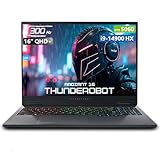
- Top Pick: Thunderobot Radiant 16S R9 5060 300Hz Gaming Laptop, 16" QHD+ 2.5K, AMD Ryzen 9 7945HX, GeForce RTX 5060, up to 300Hz Hummingbird Display, 32GB DDR5, 1TB SSD, RGB Backlit KB, Wi-Fi 6, Win 11 Home
- Best Value: ASUS ROG Strix G16 (2025) Gaming Laptop, 16” FHD+ 16:10 165Hz/3ms, NVIDIA® GeForce RTX™ 5060, Intel® Core™ i7 Processor 14650HX, 16GB DDR5, 1TB Gen 4 SSD, Wi-Fi 7, Windows 11 Home, G615JMR-AS74
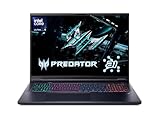
- Premium Choice: Acer Predator Helios Neo 18 AI Gaming Laptop | Intel Core Ultra 9 Processor 275HX | NVIDIA GeForce RTX 5070 Ti | 18" WQXGA 240Hz G-SYNC | 32GB DDR5 | 2TB Gen 4 SSD | Killer Wi-Fi 6E | PHN18-72-9474
Affiliate disclosure: As an Amazon Associate we earn from qualifying purchases. This post contains affiliate links — if you buy through them we may earn a small commission at no extra cost to you. This never affects our recommendations.
As an Amazon Associate we earn from qualifying purchases at no extra cost to you.






If you’re serious about PC gaming on the go, Thunderbolt 4 is one spec you cannot afford to overlook. Most shoppers fixate on GPU clock speeds and refresh rates — and rightly so — but the port ecosystem on your laptop determines how far you can push that hardware once you get home. Thunderbolt 4 delivers 40Gbps of bidirectional bandwidth, supports eGPU enclosures that can turbocharge integrated or mid-range discrete GPUs, powers multi-monitor docking stations over a single cable, and is fully backward-compatible with USB4, USB 3.2, DisplayPort, and HDMI through a single compact connector.
For 2026, Intel’s Thunderbolt 4 certification remains the gold standard for high-bandwidth connectivity on Windows laptops. It guarantees a minimum 32Gbps PCIe tunneling throughput (enough for most eGPU enclosures), mandates support for at least two 4K displays or one 8K display via daisy-chaining, and enforces strict power-delivery requirements — meaning any certified TB4 cable will charge your laptop at up to 100W while simultaneously carrying data and video. USB4 is the VESA-backed open standard that mirrors much of TB4’s capability, but it lacks mandatory certification, so real-world performance varies wildly. When a laptop is labeled “USB4 / Thunderbolt 4,” it almost always means the port is TB4-certified first and USB4-compatible as a bonus.
Whether you’re building a clean desktop docking setup, future-proofing for an eGPU, or simply want the fastest external SSD transfers available, the five laptops below represent the best gaming laptop with Thunderbolt 4 you can buy in 2026. We’ve evaluated each on real-world TB4 bandwidth, build quality, thermal management, display quality, and overall value.
In a hurry? See the top-rated Gaming Laptop with Thunderbolt 4 deals available right now:
🛒 Check Gaming Laptop With Thunderbolt 4 Prices on Amazon →🛒 Best Price Today on Amazon
Prime members get fast, free shipping on everything above, plus member-only deals. New members get a 30-day free trial — cancel anytime.
Start 30-Day Prime Free Trial →See Today’s Amazon DealsQuick Comparison: Best Gaming Laptops with Thunderbolt 4
| Model | Display | GPU | TB4 Ports | RAM | Approx. Price |
|---|---|---|---|---|---|
| ASUS ROG Zephyrus G14 | 14″ 2560×1600, 165Hz OLED | RTX 4060 | 1 × TB4 | 16–32GB DDR5 | ~$1,399 |
| Razer Blade 15 | 15.6″ 1440p, 240Hz QHD | RTX 4070 | 2 × TB4 | 16–32GB DDR5 | ~$2,499 |
| Dell XPS 15 | 15.6″ 3.5K OLED, 60Hz | RTX 4060M | 2 × TB4 | 16–64GB DDR5 | ~$1,799 |
| Lenovo Legion Slim 5i | 16″ 2560×1600, 165Hz | RTX 4060 | 1 × TB4 | 16–32GB DDR5 | ~$1,149 |
| MSI Stealth 15M | 15.6″ 1080p, 144Hz | RTX 4060 | 1 × TB4 | 16–32GB DDR5 | ~$1,099 |
Top 5 Best Gaming Laptops with Thunderbolt 4
1. ASUS ROG Zephyrus G14 — Best Overall
The ASUS ROG Zephyrus G14 has been a benchmark for thin-and-light gaming performance for several generations, and its 2026 iteration cements that reputation. Powered by AMD Ryzen 9 8945HS paired with an NVIDIA RTX 4060 (140W TGP) on a compact 14-inch 2560×1600 OLED panel running at 165Hz, the G14 punches well above its weight class. The inclusion of Thunderbolt 4 is a game-changer for this form factor: plug in an eGPU enclosure like the Razer Core X Chroma or Sonnet eGFX Breakaway Box and you effectively have a desktop-class GPU at your disposal when you need it. The chassis weighs just 1.65kg, making it genuinely portable, while the MUX switch bypasses the iGPU for a direct GPU-to-display signal that improves frame rates by up to 15% in demanding titles.
Battery life in productivity mode easily clears 10 hours, and ASUS’s ROG Armoury Crate software gives you granular control over fan curves, power limits, and display color modes. The AniMe Matrix LED lid panel is a divisive cosmetic touch, but there’s a standard lid option too.
Pros:
- Outstanding OLED display with factory-calibrated DCI-P3 100% coverage
- AMD Ryzen 9 + RTX 4060 delivers exceptional multi-threaded + gaming performance
- MUX switch eliminates iGPU bottleneck for higher frame rates
- TB4 enables eGPU and full docking station support
- Best-in-class battery life for a gaming laptop
- Compact and genuinely portable at 1.65kg
Cons:
- Only one TB4 port (limits simultaneous eGPU + dock setups)
- 14″ screen may feel cramped for some users
- AniMe Matrix lid adds cost if you don’t want it
- SD card slot absent on some configurations
ASUS ROG Zephyrus G14 on Amazon
2. Razer Blade 15 — Best Premium Build with Dual TB4
The Razer Blade 15 is the MacBook Pro of gaming laptops — a premium, unibody CNC-machined aluminum chassis that refuses to compromise on either aesthetics or performance. For 2026, Razer equipped the Blade 15 with an Intel Core Ultra 9 185H, NVIDIA RTX 4070 (125W TGP), and — crucially — two Thunderbolt 4 ports. Dual TB4 is the real differentiator here. You can simultaneously connect an eGPU enclosure on one port and a Thunderbolt docking station (carrying dual 4K monitors, Ethernet, USB-A peripherals, and 96W charging) on the other. That is a fully professional-grade desktop setup that collapses into a 2.1kg bag when it’s time to leave.

The 15.6-inch QHD 1440p 240Hz display is sharp, smooth, and color-accurate, calibrated to 100% sRGB and approximately 85% DCI-P3 out of the box. Thermal management remains Razer’s Achilles’ heel — fan noise under sustained gaming load is audible — but sustained GPU temperatures stay below 85°C in Balanced mode. Razer Synapse 4 software is cleaner than ever, and the per-key RGB keyboard remains among the best in the market.
Pros:
- Two TB4 ports — use eGPU and dock simultaneously
- Premium CNC unibody chassis with exceptional build rigidity
- RTX 4070 delivers 1440p Ultra-quality gaming with headroom to spare
- Clean, minimalist design works in professional and gaming environments
- 240Hz QHD display is ideal for competitive titles
- Excellent per-key RGB keyboard with good travel
Cons:
- Most expensive laptop on this list by a significant margin
- Fan noise under load is noticeable
- 2.1kg is heavier than ultrabook rivals
- Limited port variety beyond the two TB4 and two USB-A ports
- Gets warm at the keyboard under sustained load
Razer Blade 15 on Amazon
3. Dell XPS 15 — Best Creator-Gaming Crossover
The Dell XPS 15 occupies a unique position: it’s not marketed as a gaming laptop, but its NVIDIA RTX 4060M, stunning 3.5K OLED touch display, and two Thunderbolt 4 ports make it a serious contender for gamers who need their laptop to double as a professional workstation. The 15.6-inch 3456×2160 OLED panel at 60Hz is breathtaking for creative work — photo editing, video color grading, 3D rendering — though the 60Hz cap will frustrate competitive gamers used to high-refresh displays. Connect it to an external 144Hz or 165Hz monitor via one TB4 port and you get the best of both worlds.
Powered by Intel Core Ultra 7 155H (or the Ultra 9 upgrade), the XPS 15 handles demanding productivity workloads with ease. The dual TB4 configuration mirrors the Razer Blade’s flexibility — run an eGPU for intensive gaming sessions while keeping a docking station on the second port. Dell’s ComfortView Plus anti-glare OLED treatment reduces eye strain noticeably compared to glossy alternatives. At around $1,799 base, it’s competitively priced given the OLED panel and dual TB4 configuration.
Pros:
- Two TB4 ports for maximum docking and eGPU flexibility
- Stunning 3.5K OLED display — best screen on this list for content work
- Excellent build quality with machined aluminum and carbon fiber
- Comfortable, backlit keyboard with good key travel
- Strong multi-core CPU performance (Core Ultra 7/9)
- Compact bezels give 15.6″ screen in a near-14″ footprint
Cons:
- 60Hz display is a disadvantage for competitive gaming
- RTX 4060M at 80W TGP — power-limited vs. thicker competitors
- Runs warm under heavy GPU+CPU simultaneous load
- Limited RAM/storage upgrade paths post-purchase
- No SD card reader
Dell XPS 15 on Amazon

4. Lenovo Legion Slim 5i — Best Value TB4 Gaming Laptop
If you want Thunderbolt 4 gaming performance without stretching your budget past $1,200, the Lenovo Legion Slim 5i is your answer. Lenovo has done something impressive here: a 16-inch 2560×1600 IPS 165Hz display, Intel Core i7-13700H, RTX 4060 (115W TGP), and a single TB4 port in a chassis that weighs just 2.0kg — all for roughly $1,149. The TB4 port supports the full 40Gbps spec, meaning eGPU enclosures, Thunderbolt docks, and high-speed external NVMe storage all work as expected.
The Legion Slim 5i runs cooler and quieter than many competitors thanks to Lenovo’s Coldfront 5.0 thermal solution, which uses dual fans and a redesigned vapor chamber. The keyboard is backlit with per-key white LED (no RGB), the trackpad is large and accurate, and the port selection is generous: beyond TB4, you get three USB-A 3.2 Gen 1, HDMI 2.1, and a 2.5Gbps Ethernet port. Battery life hovers around 7–8 hours in productivity mode — respectable for a gaming laptop. For students, professionals, or budget-conscious gamers who still want TB4 capability, this is the clear pick.
Pros:
- Outstanding value — TB4 + RTX 4060 under $1,200
- 16″ 165Hz 2560×1600 display is large and smooth
- Excellent thermal management — quieter than most competitors
- Generous port selection including 2.5Gbps Ethernet and HDMI 2.1
- Slim and relatively light at 2.0kg for a 16″ gaming laptop
- Good 7–8hr battery life in productivity tasks
Cons:
- Only one TB4 port
- No OLED display option at this price tier
- White LED keyboard only — no per-key RGB
- Speaker quality is average
- RTX 4060 limited to 115W TGP vs. some thicker competitors at 140W+
Lenovo Legion Slim 5i on Amazon
5. MSI Stealth 15M — Best Lightweight TB4 Gaming Laptop
The MSI Stealth 15M targets a specific buyer: someone who needs a gaming laptop that genuinely disappears into a standard backpack alongside a work laptop, a gym bag, or a carry-on. At 1.78kg with a thickness of just 16.9mm, the Stealth 15M is one of the lightest and thinnest gaming laptops with real Thunderbolt 4 support on the market. It pairs a 15.6-inch 1080p 144Hz IPS display with an Intel Core Ultra 7 155H and RTX 4060 (80W TGP).
The trade-off for that svelte chassis is GPU power limit: the RTX 4060 runs at 80W, compared to 115–140W in thicker competitors. At 1080p, this is largely a non-issue — the Stealth 15M maintains 60fps+ in most AAA titles at High-Ultra settings. At 1440p via an external monitor through TB4, expect to dial settings back to Medium-High. The TB4 port handles external display, eGPU, and docking duty well. MSI’s Cooler Boost Trinity+ thermal solution keeps temperatures manageable, though under sustained load the chassis does get warm near the top of the keyboard. Battery life is approximately 8–9 hours in productivity mode, making it a credible all-day laptop.
Pros:
- Exceptionally thin and light — 1.78kg / 16.9mm
- TB4 enables eGPU expansion when you need more GPU power
- Intel Core Ultra 7 handles productivity workloads excellently
- 8–9hr battery life is strong for a gaming laptop
- Competitive pricing around $1,099
- Relatively quiet fan operation at light and moderate loads
Cons:

- RTX 4060 at 80W TGP — lowest GPU power limit on this list
- 1080p / 144Hz display is adequate but not exceptional
- Heats up noticeably at the keyboard under sustained gaming
- Only one TB4 port
- Thin chassis limits long-term thermal headroom
MSI Stealth 15M on Amazon
How to Choose a Gaming Laptop with Thunderbolt 4
eGPU Bandwidth: What 40Gbps Actually Means
Thunderbolt 4’s 40Gbps total bandwidth is shared between data and PCIe tunneling. When connected to an eGPU enclosure, roughly 22–32Gbps of PCIe Gen 3 x4 bandwidth is available to the external GPU. That’s enough for most mid-range to high-end GPUs — an RTX 4080 external GPU will see a performance reduction of approximately 10–20% compared to PCIe x16, but you’ll still achieve dramatically better frame rates than the internal GPU alone. The key spec to verify is that your TB4 port supports PCIe tunneling at the full rate — all Intel-certified TB4 ports do, but some AMD-platform “TB4-compatible” ports have caveats.
Docking Station Use: One Cable to Rule Them All
A Thunderbolt 4 docking station (from CalDigit, OWC, Belkin, or Kensington) transforms your gaming laptop into a full desktop in seconds. A single TB4 cable from dock to laptop simultaneously delivers:
- Power (up to 100W charging)
- Video output (up to two 4K 60Hz displays or one 8K 30Hz)
- USB 3.2 / USB 2.0 hub (keyboards, mice, controllers, external drives)
- Ethernet (typically 1GbE or 2.5GbE)
- Audio passthrough
If you plan to run both a dock and an eGPU simultaneously, you need two TB4 ports — a critical factor that immediately separates the Razer Blade 15 and Dell XPS 15 from single-port competitors.
Port Count: One vs. Two TB4 Ports
| Configuration | Use Case |
|---|---|
| 1 × TB4 | eGPU OR dock (not simultaneously) |
| 2 × TB4 | eGPU + dock simultaneously; dual external monitor setups |
For most users, one TB4 port is sufficient. If your priority is a permanent home docking setup with multiple monitors plus gaming performance upgradability via eGPU, invest in a dual-TB4 laptop.
USB4 vs. Thunderbolt 4: Key Differences
| Feature | USB4 Gen 3 | Thunderbolt 4 |
|---|---|---|
| Max Bandwidth | 40Gbps (Gen 3×2) | 40Gbps |
| PCIe Tunneling | Optional | Mandatory |
| Dual 4K Display | Optional | Mandatory |
| Daisy-Chaining | No | Yes (up to 6 devices) |
| Intel Certification | No | Yes |
| eGPU Compatibility | Inconsistent | Consistent |
The bottom line: Thunderbolt 4 is the safer choice for eGPU and docking station use. USB4 can theoretically do everything TB4 does, but without mandatory certification, real-world compatibility depends entirely on the laptop manufacturer’s implementation. If the spec sheet says “TB4,” you get guaranteed eGPU and dual-display support. If it says “USB4,” verify the fine print.
Final Verdict
For 2026, the ASUS ROG Zephyrus G14 earns our top overall recommendation: it delivers genuine gaming performance, a stunning OLED display, AMD’s best mobile CPU, MUX switch, and full Thunderbolt 4 support in the lightest, most portable chassis on this list. If budget is your primary concern, the Lenovo Legion Slim 5i provides remarkable value with no meaningful TB4 compromises. For users who demand the absolute flexibility of simultaneous eGPU plus dock, the Razer Blade 15 and Dell XPS 15 (both with dual TB4) are the correct choices — pick the Razer for pure gaming performance, the Dell for creator-gaming crossover use. Finally, ultraportability enthusiasts will find the MSI Stealth 15M a compelling package: the GPU power limit is real, but Thunderbolt 4 means you can always plug in an eGPU when you get home.
Thunderbolt 4 is no longer a luxury spec — it is the connectivity foundation that makes a gaming laptop a legitimate desktop replacement. Any of the five picks above will serve you well through 2026 and beyond.
Frequently Asked Questions
Why does a gaming laptop need Thunderbolt 4?
Thunderbolt 4 enables fast external storage, an external GPU enclosure, high-resolution external displays, and single-cable docking. It greatly expands what a gaming laptop can connect to.
Can Thunderbolt 4 connect an external GPU?
Yes. Thunderbolt 4 supports external GPU enclosures, letting a laptop tap into a desktop graphics card. There is some bandwidth overhead, but it boosts performance over weaker integrated graphics.
Do AMD gaming laptops have Thunderbolt 4?
Thunderbolt is an Intel technology, so it is most common on Intel-based laptops. Some AMD laptops instead offer USB4, which provides similar capabilities and broad compatibility.
Is Thunderbolt 4 worth it on a gaming laptop?
If you want a future-proof single-cable dock, fast external drives, or eGPU support, yes. If you only game on the laptop itself, it is a useful bonus rather than essential.
Related Articles
Looking for more on this topic? Browse the hand-picked guides below — each one applies the same scoring rubric used in this review.
















