

- Top Pick: HP 2027 Everyday Laptop, Intel CPU, 628GB Storage (With Ext 500GB HDD) | 1TB Cloud Storage, Office 365, Copilot AI, Windows 11, WiFi 6, Long Battery Life, Lightweight, Study & Work, Willow Green
- Best Value: HP New Everyday Slim Laptop • 2027 Edition • Microsoft Office 365 Included • Intel N150 • 128GB SSD + 1TB Cloud Storage • Stunning Color • Long Battery Life • Copilot AI • Windows 11
- Premium Choice: TRHRO Laptop 15.6 Inch, 12GB RAM 128GB SSD, Pentium Gold 6500Y Up to 3.4GHz | Outperforms the N4020, FHD IPS Screen, USB C, USB 3.2, WiFi 5, BT 5.2, Lightweight Laptop for Student, Home and Everyday Use
“Everyday use” sounds vague, but it points to a specific set of jobs: a browser with a dozen tabs, email, documents, video calls, streaming, and the occasional photo upload. Nobody in that group needs a graphics card or a workstation processor. What they need is a laptop that wakes quickly, stays comfortable on a lap or kitchen table, and does not run out of memory halfway through a video meeting.
That makes this a decision about memory, storage, and screen size rather than raw speed. In 2026, the entry-level market is crowded with Intel N150 machines, older Pentium chips, and a Chromebook or two, and the listings are full of bundled extras such as cloud storage and office subscriptions. Below are eight options judged only on what their titles state, followed by the thresholds worth checking before you commit.
Quick Picks
As an Amazon Associate we earn from qualifying purchases at no extra cost to you.


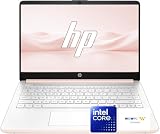

| Product | Best for | Key spec from the title |
|---|---|---|
| HP Everyday Slim (N150, 4GB) | Light, portable basics | Intel N150, 4GB DDR5, 128GB SSD |
| HP 14 Inch Everyday | Thin and portable carry | 14 inch, N150, Microsoft 365 included |
| TRHRO 15.6 Inch | Extra memory on a budget | 12GB RAM, Pentium Gold 6500Y |
| EVOSPEX 15.6 Inch | Port selection | Dual Type-C, HDMI, 8GB RAM |
| HP Everyday Laptop (8GB) | Office-first users | 8GB RAM, Office 365, fast charge |
| Acer Chromebook 15.6 Inch | Web-based school and home use | 10-hour battery, WiFi 6 |
| KINOBUC 15.6 Inch | Storage headroom | 256GB SSD, expandable to 1TB |
| HP 15.6 Inch FHD (16GB) | Multitasking and wired networking | 16GB RAM, 256GB, RJ-45 |
How to Choose
Memory is the first spec to check
Eight gigabytes is a sensible floor for Windows 11 with a modern browser. Four gigabytes can work for very light use, but expect slowdowns once you open many tabs or run a video call beside a document. Twelve or sixteen gigabytes give real breathing room. If a laptop’s memory is soldered, as it often is at this level, you cannot upgrade later, so pick the amount you need on day one. A good check of your own habits is simple: if you already notice your current machine slowing with a dozen tabs, step up to the 12GB or 16GB listings here rather than the 4GB one.
Storage and cloud extras
A 128GB SSD fills quickly once Windows updates and a few apps land. Several listings here pair that drive with 1TB of cloud storage, which helps for documents and photos but needs an internet connection. A 256GB drive is more comfortable, and a card slot or expandable bay adds a simple way to grow later. Check how long any bundled office subscription runs, since the listing may cover only the first year.
Screen size and portability
A 14 inch laptop is easier to carry and fits a tray table. A 15.6 inch model gives more room for side-by-side windows and usually adds a number pad. Full HD resolution, listed as FHD, is the baseline for comfortable reading; look for IPS where possible for better viewing angles. Battery claims in titles are worth reading, but treat them as maximums for light use.
What to ignore and where budget models cut corners
Ignore processor boasts that compare against older chips, and ignore AI labels on entry-level hardware. Budget models trim memory, storage speed, and build quality first. Check the ports you rely on, since some skip HDMI or full-size USB, and confirm Wi-Fi generation if your router is recent. A Chromebook trades Windows software for simplicity, so confirm your apps run on Chrome OS. Also look at keyboard layout and webcam placement if you take frequent calls, since those details rarely appear in a title but affect daily comfort.
The 8 Best Options
HP Everyday Slim (Intel N150, 4GB)
This slim HP pairs an Intel N150 processor with 4GB of DDR5 memory and a 128GB SSD, along with 1TB of cloud storage, Windows 11, and Microsoft 365. The title stresses portability and long battery life.
- Strength: Fast DDR5 memory and a software bundle make it ready for documents out of the box.
- Strength: Lightweight, portable framing suits carrying between rooms or classes.
- Trade-off: Four gigabytes is tight for heavy multitasking.
Skip it if you keep many browser tabs open at once or plan to hold onto the laptop for years. It is better matched to a second laptop for a sofa or a student who mostly writes in one document at a time.
HP 14 Inch Everyday Laptop
A 14 inch HP with an Intel N150 CPU, 128GB SSD, 1TB cloud storage, Microsoft 365, Windows 11, and Copilot AI. The listing calls it thin and portable with long battery life.
- Strength: The 14 inch size is easy to carry and fits small desks.
- Strength: Microsoft 365 is included, which covers the core office jobs.
- Trade-off: The title does not state memory, so confirm RAM before ordering.
Skip it if you prefer a larger screen with a number pad. Commuters and anyone with a small desk will get the most from the smaller footprint, and the Copilot label is simply a software feature of Windows 11 here.
TRHRO 15.6 Inch Laptop
The TRHRO leads on memory in this group with 12GB of RAM alongside a 128GB SSD and a Pentium Gold 6500Y processor. The title adds an FHD IPS screen, USB-C, USB 3.2, WiFi 5, and Bluetooth 5.2.
- Strength: Twelve gigabytes of RAM suits browser-heavy use.
- Strength: An IPS FHD screen is a good match for reading and video.
- Trade-off: WiFi 5 is a generation behind newer routers.
Skip it if you want the newest wireless standard or a recognized big-name brand. Households that share one laptop for homework and streaming are the natural audience, since extra memory keeps a crowded browser responsive.
EVOSPEX 15.6 Inch Laptop
EVOSPEX pairs a Pentium 6500Y with 8GB of RAM and a 128GB SSD, plus an IPS FHD display. The ports are the draw: dual Type-C and HDMI, with WiFi 5 and Bluetooth 5.0.
- Strength: HDMI plus two Type-C ports ease connection to monitors and chargers.
- Strength: Eight gigabytes covers everyday multitasking.
- Trade-off: A 128GB drive leaves limited local storage.
Skip it if you store large photo or video libraries on the laptop itself. People who plug into a monitor, a dock, or a TV regularly will appreciate the port mix more than the processor name.
HP Everyday Laptop (8GB, Office 365)
A straightforward HP configuration: Intel processor, 8GB RAM, 128GB SSD, 1TB of cloud storage, Windows 11, Office 365, and fast charge with long battery life.
- Strength: Eight gigabytes is the memory sweet spot at this level.
- Strength: Fast charge is handy for busy days away from an outlet.
- Trade-off: The exact processor model and screen size are not given in the title.
Skip it if you need to know the exact processor before buying. It reads best as a plain, office-first configuration for someone who wants Windows, a software bundle, and a quick top-up charge without extra frills.
Acer Chromebook 15.6 Inch
A Chrome OS laptop with a 15.6 inch FHD display, dual-core Intel Celeron processor, 64GB storage, WiFi 6, a 10-hour battery claim, and a glare-reducing webcam. A sleeve is included.
- Strength: WiFi 6 and a glare-reducing webcam suit video calls.
- Strength: The included sleeve helps with transport.
- Trade-off: Chrome OS does not run Windows-only programs.
Skip it if your work depends on desktop software built for Windows. Schools, families, and web-first workers get the most from this type of machine because updates and setup are simpler than on a typical Windows laptop.
KINOBUC 15.6 Inch Laptop
KINOBUC lists 8GB of RAM and a 256GB SSD that can expand to 1TB, with a Pentium processor up to 3.4GHz. Connectivity includes USB 3.2, dual USB-C, a TF card slot, and HDMI on an FHD IPS screen.
- Strength: 256GB starts roomier than most rivals here.
- Strength: The TF card slot and expansion option add flexibility.
- Trade-off: The brand is less established, so check support terms.
Skip it if you want a name-brand warranty experience. Buyers who expect to accumulate files, or who like swapping data with a memory card, will find the storage setup more flexible than the 128GB drives elsewhere.
HP 15.6 Inch FHD (16GB RAM)
This HP stands out with 16GB of RAM, a 256GB PCIe SSD, an AMD dual-core Silver CPU, Type-C, an RJ-45 Ethernet port, a year of Office 365, and Windows 11 Pro.
- Strength: Sixteen gigabytes gives clear multitasking headroom.
- Strength: Ethernet and Windows 11 Pro suit home offices.
- Trade-off: A dual-core processor limits raw speed despite the memory.
Skip it if you want a slim, ultra-portable build. It is aimed at students and home-office users who value wired networking, extra memory, and a larger 15.6 inch screen over low weight.
Which One Fits Your Situation
You carry the laptop between rooms or classes
Go with the HP 14 Inch Everyday Laptop for its thin, portable size, or the HP Everyday Slim if the lower memory is acceptable. Either one slips into a bag easily and keeps battery life in focus for long days.
You live in the browser with many tabs
The TRHRO 15.6 Inch with 12GB of RAM, or the HP 15.6 Inch with 16GB, offers the most memory. Either gives a tab-heavy workday more room than the 4GB and 8GB machines on this list.
You want plenty of ports and storage room
The KINOBUC with its 256GB drive and card slot, or the EVOSPEX with HDMI and dual Type-C, fits this need best.
Your work happens entirely on the web
The Acer Chromebook is simple and light on maintenance, and its 10-hour battery claim suits long days.
Common Mistakes
- Buying 4GB of memory because the rest of the specification looks good.
- Assuming cloud storage replaces a drive of reasonable size.
- Skipping a check on how long the bundled office subscription lasts.
- Ignoring ports until a monitor or drive refuses to connect.
- Choosing a Chromebook without confirming that the apps you need run on Chrome OS.
Frequently Asked Questions
Is 8GB of RAM enough for everyday use?
Yes for most people. It handles a browser, documents, and video calls together. Move to 12GB or 16GB only if you routinely keep dozens of tabs open or run several programs side by side. For a typical email, document, and streaming mix, 8GB leaves a comfortable cushion.
What does an Intel N150 do well?
It is an entry-level processor suited to web browsing, office tasks, and streaming. It is not designed for heavy editing or gaming.
Is cloud storage enough instead of a bigger drive?
It helps, but you need a connection to reach files and the local drive still holds the system and apps. A 256GB drive is more comfortable than 128GB.
Should I choose a Chromebook or Windows laptop?
Choose a Chromebook if your tasks live in the browser and you want simplicity. Choose Windows if you need desktop programs or specific peripherals.









