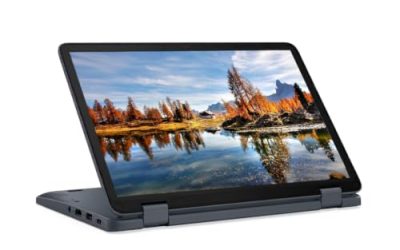
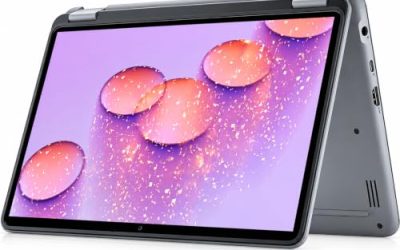
A touchscreen alone does not make a laptop an art tool. What separates a drawing machine from a media laptop is active pen support with pressure sensitivity, a panel that covers the colour gamut your work is graded in, and a hinge that lets the screen sit flat or fold away so you can draw at a natural angle. Every pick below has a proper active stylus system, and four of the five use OLED panels with full DCI-P3 coverage as quoted by their makers.

The Samsung, HP and Lenovo are integrated-graphics convertibles built around portability, while the ASUS and Microsoft entries add dedicated NVIDIA graphics for heavier brush engines, 3D sculpting and large layered files. Readers working with a tighter spending limit can start with our roundup of the best touchscreen laptops under 500, then step up to the pen-first models below when drawing becomes the main job.
Disclosure: As an Amazon Associate we earn from qualifying purchases.
How to Choose a Touchscreen Laptop for Art
Check the pen protocol, not just the touchscreen. A capacitive screen that responds to any finger is not the same as an active pen digitiser. The main systems here are Wacom EMR (Samsung S Pen, battery-free), Microsoft Pen Protocol or MPP (HP, ASUS, Surface) and Lenovo’s pen system on the Yoga. A pen only works with the protocol its screen supports, so match any replacement pen to the laptop.
Pressure levels and tilt shape the line. Makers quote figures such as 4,096 pressure levels for MPP pens, and tilt support matters for shading strokes in apps like Clip Studio Paint and Photoshop. A pen with no pressure sensitivity at all is a hard pass for drawing.
Gamut coverage is the spec that protects your colour. Look for a quoted DCI-P3 figure. Panels below cover 100 percent of DCI-P3 per their makers, the gamut most digital illustration and video work is delivered in. A panel that only covers sRGB can clip saturated reds and greens before your work ever leaves the machine.
Pick the hinge for how you draw. Full 360-degree convertibles fold into a tablet you can hold or lay flat on a desk. The Surface Laptop Studio 2 instead pulls its screen forward into an easel position over the keyboard, suiting a fixed desk setup where the machine also does laptop duty all day.
Note whether the pen is in the box. Samsung, HP and Lenovo include a pen below. The Surface Slim Pen 2 is a separate purchase, and marketplace bundles of the ASUS vary, so read the box contents on the exact listing before ordering.
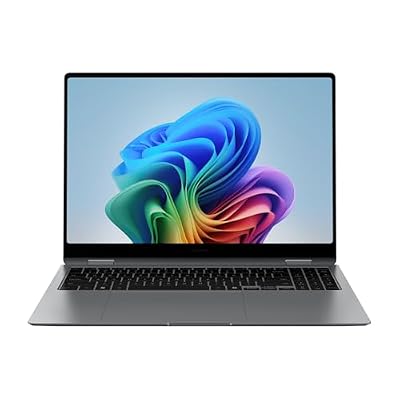
1. Samsung Galaxy Book5 Pro 360: the big AMOLED canvas
The Galaxy Book5 Pro 360 gives you the largest drawing surface in this group. Its 16-inch Dynamic AMOLED 2X panel runs at 2880 x 1800 with a refresh rate of up to 120Hz, and Samsung quotes colour volume at 120 percent of the DCI-P3 gamut. The 360-degree hinge folds the screen flat for tablet-style sketching, and at 12.7mm thin and 3.72 lb it stays easy to move between desk and sofa.
The S Pen is included in the box and uses Wacom EMR technology, so it needs no charging or pairing and stays pressure sensitive for line weight control. The configuration below pairs the Core Ultra 7 258V with 32GB of memory and a 1TB SSD, ample headroom for large Photoshop and Clip Studio files. Samsung quotes up to 25 hours of video playback from the 76Wh battery; drawing loads will land short of that figure, but it is still the joint-largest cell here.
Specs
- Display: 16-inch Dynamic AMOLED 2X touchscreen, 2880 x 1800, up to 120Hz
- Colour: 120% of the DCI-P3 colour volume (Samsung figure)
- Pen: S Pen included in the box, Wacom EMR, pressure sensitive, no charging needed
- Processor: Intel Core Ultra 7 258V
- Graphics: Intel Arc integrated
- Memory: 32GB LPDDR5X
- Storage: 1TB SSD
- Battery: 76Wh; up to 25 hours of video playback per Samsung
- Weight: 3.72 lb (1.69 kg), 12.7mm thin
- Model: NP964QHA-KG2US
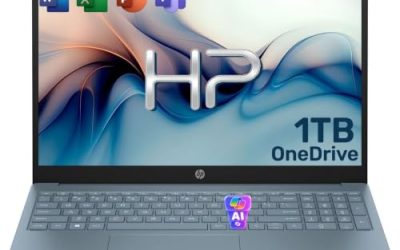
2. HP Spectre x360 14: the compact OLED with pen in the box
The Spectre x360 14 is the travel-friendly option. HP’s 2.8K OLED panel covers 100 percent of the DCI-P3 gamut per HP, with a variable 48 to 120Hz refresh rate and an HDR peak of 500 nits, and the 360-degree hinge turns the 3.19 lb chassis into a drawing slate. HP includes its USB-C Rechargeable MPP 2.0 Tilt Pen, and HP quotes 4,096 pressure levels plus tilt support for that pen, covering shading work as well as line art.
This configuration runs the Core Ultra 7 155H with 32GB of memory and a 2TB SSD, the largest storage in this roundup, which suits artists who keep years of layered files on the machine. The listing is a seller bundle that adds a portable USB hub; the pen is part of HP’s standard package for this model.
Specs
- Display: 14-inch OLED touchscreen, 2880 x 1800, 48–120Hz variable refresh
- Colour: 100% DCI-P3 (HP figure), HDR 500 nits peak
- Pen: HP USB-C Rechargeable MPP 2.0 Tilt Pen included; 4,096 pressure levels per HP
- Processor: Intel Core Ultra 7 155H
- Graphics: Intel Arc integrated
- Memory: 32GB LPDDR5x
- Storage: 2TB PCIe Gen4 NVMe SSD
- Battery: 68Wh
- Weight: 3.19 lb (1.45 kg)
- Operating system: Windows 11 Pro
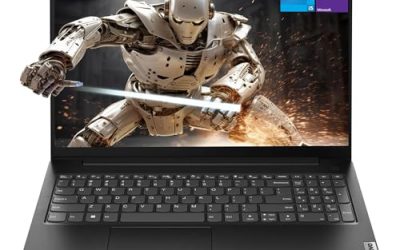
3. Lenovo Yoga 9i 2-in-1 Aura Edition: the brightest screen here

Lenovo’s flagship convertible pairs a 14-inch 2.8K OLED touchscreen with the highest brightness figure in this group: up to 1,100 nits at HDR peak, per Lenovo, which helps when you draw in a bright room. Lenovo also quotes 100 percent DCI-P3 coverage for the panel, and the refresh rate runs up to 120Hz. The Yoga Pen is included in the box with this configuration and attaches magnetically to the machine.
The hardware pairs a Core Ultra 7 258V with 32GB of LPDDR5X-8533 memory and a 1TB PCIe Gen4 SSD, with Wi-Fi 7 on board. The rotating soundbar hinge is a multimedia extra, but for artists the useful part is the 360-degree fold into tablet mode for sketching away from the desk.
Specs
- Display: 14-inch OLED touchscreen, 2880 x 1800, up to 120Hz
- Brightness: up to 1,100 nits HDR peak (Lenovo figure)
- Colour: 100% DCI-P3 (Lenovo figure)
- Pen: Yoga Pen included in the box
- Processor: Intel Core Ultra 7 258V
- Graphics: Intel Arc integrated
- Memory: 32GB LPDDR5X-8533
- Storage: 1TB PCIe Gen4 SSD
- Operating system: Windows 11 Pro
4. ASUS ProArt PX13: the small convertible with real GPU muscle

The ProArt PX13 is built for artists whose work spills into 3D and video. Alongside the Ryzen AI 9 HX 370 sits a GeForce RTX 4050 Laptop GPU with 6GB of GDDR6, which accelerates brush engines, AI-assisted tools and Blender viewports in a way integrated graphics cannot. It is also the lightest machine here at 1.38 kg, in a 13.3-inch chassis with a full 360-degree hinge.
The ASUS Lumina OLED touchscreen covers 100 percent of DCI-P3 and carries PANTONE Validation, per ASUS. Pen support follows the MPP standard with up to 4,096 pressure levels for a compatible ASUS Pen; the pen ships with the standard retail package, but this is a marketplace bundle listing, so confirm the pen is in the box contents before ordering. The ASUS DialPad in the touchpad gives dial control of brush size and similar sliders in supported apps, and the UHS-II microSD reader is a direct line in for camera work.
Specs
- Display: 13.3-inch ASUS Lumina OLED touchscreen, 2880 x 1800, 60Hz
- Colour: 100% DCI-P3, PANTONE Validated (ASUS figures)
- Pen: MPP active pen support, up to 4,096 pressure levels; pen supplied with the standard retail package, check this listing’s box contents
- Processor: AMD Ryzen AI 9 HX 370
- Graphics: NVIDIA GeForce RTX 4050 Laptop GPU, 6GB GDDR6
- Memory: 32GB LPDDR5X
- Storage: 1TB PCIe 4.0 SSD
- Battery: 73Wh
- Weight: 1.38 kg
- Extras: ASUS DialPad, UHS-II microSD reader
- Operating system: Windows 11 Pro
5. Microsoft Surface Laptop Studio 2: the easel design for desk artists

The Surface Laptop Studio 2 does not fold flat. Instead, its 14.4-inch PixelSense Flow screen pulls forward on a double hinge into a stage position that hovers over the keyboard, like a small drawing easel at a desk. The 3:2 aspect ratio gives more vertical room for portrait-format work than the 16:10 panels above, and the refresh rate runs up to 120Hz. Microsoft offers sRGB and Vivid colour profiles on the panel.
It is the natural partner for the Surface Slim Pen 2, which supports 4,096 pressure levels and adds haptic signals that mimic pen on paper resistance; the pen is sold separately and stores with wireless charging beneath the front edge of the base. This configuration pairs the Core i7-13800H with an RTX 4050 Laptop GPU, 32GB of memory and a 1TB SSD, so it handles the same heavy creative apps as the ASUS inside the Surface pen ecosystem.
Specs
- Display: 14.4-inch PixelSense Flow touchscreen, 2400 x 1600 (3:2), up to 120Hz
- Colour: sRGB and Vivid colour profiles
- Pen: Surface Slim Pen 2 support, 4,096 pressure levels and haptic signals; pen sold separately, stores and charges under the front edge
- Processor: Intel Core i7-13800H
- Graphics: NVIDIA GeForce RTX 4050 Laptop GPU, 6GB GDDR6
- Memory: 32GB LPDDR5x
- Storage: 1TB SSD
- Weight: 4.18 lb (1.89 kg)
- Ports: 2x USB-C with Thunderbolt 4, 1x USB-A 3.1, microSDXC reader, Surface Connect
FAQ
Does any touchscreen laptop work with a pressure-sensitive pen?
No. Drawing needs an active pen digitiser, not just a touch layer. Each laptop above pairs its screen with a named pen system, EMR on the Samsung and MPP-based systems on the HP, ASUS and Surface, and the pen has to match that system. A generic capacitive stylus gives finger-style input with no pressure control.
Which screen size is best for digital painting?
The 16-inch Samsung gives the most canvas room and suits a fixed workspace, while the 14-inch HP and Lenovo and the 13.3-inch ASUS travel better. If you mostly draw at one desk, take the larger panel; if the laptop moves between home, studio and classes, the smaller convertibles are easier to live with.
Why do these picks favour OLED panels?
OLED panels in this class pair deep contrast with wide quoted gamut coverage: 100 percent of DCI-P3 on the HP, Lenovo and ASUS, and a 120 percent DCI-P3 colour volume figure on the Samsung. That coverage keeps saturated colours accurate on screen. The Surface uses an LCD with sRGB and Vivid profiles instead, earning its place through its pen and easel design.
Can these laptops run Photoshop, Clip Studio Paint and Blender?
Yes. Every configuration here has 32GB of memory, the comfortable level for large layered illustration files. For Blender and other 3D work, the ASUS ProArt PX13 and Surface Laptop Studio 2 are the stronger picks, since their RTX 4050 graphics take on viewport and render work that integrated graphics handle slowly.
Verdict
If drawing is the whole job, the Samsung Galaxy Book5 Pro 360 offers the biggest pen-ready canvas with the S Pen in the box. The HP Spectre x360 14 and Lenovo Yoga 9i 2-in-1 Aura Edition shrink the same formula for travel, the Lenovo adding the brightest panel. Artists who also sculpt, render or edit video should look at the ASUS ProArt PX13 for RTX graphics in a 1.38 kg frame, or the Surface Laptop Studio 2 if the easel-style screen and Slim Pen 2 appeal more than a folding hinge.