As an Amazon Associate we earn from qualifying purchases
Best Laptops for Digital Marketing
Digital marketing work rarely stays inside a single program. A morning can move from analytics dashboards and search reports to ad managers, a social scheduling queue, a spreadsheet of campaign results, a presentation deck, and a video call, often with dozens of browser tabs open at once. Later, the same laptop may need to resize images in Canva, make light edits in Creative Cloud tools, export a short social video, or record a client walkthrough. The best laptops for digital marketing therefore need more than one headline feature. They need a responsive processor, enough memory for multitasking, fast storage, a clear display for reading data and judging creative work, a good webcam, and ports that make presenting straightforward.
The picks below cover portable machines, display-focused options for creative review, and a business model with wired networking and Windows 11 Pro. Each model is described only with specifications from its listing or the manufacturer. If creative work is a large part of the role, this guide to the best digital cameras is a useful companion for a wider content kit.
How to Choose a Laptop for Digital Marketing
Processor and Graphics
The processor handles tab switching, dashboard loading, spreadsheet recalculation, and exports. For browser-heavy work, a modern multi-core processor matters more than a dedicated graphics card. Integrated graphics are sufficient for Canva, light photo editing, presentations, and short video edits. Compare the exact processor name and core count in the listing, rather than relying on a family name alone.
Memory and Storage
With analytics, ad platforms, keyword tools, email, chat, and documents open together, 16GB is a comfortable target for most marketers. A model with 8GB can handle writing, scheduling, and fewer tabs, but leaves less headroom. A 512GB solid-state drive, found in most picks here, gives room for presentations, exported videos, and image libraries. Marketers with large video archives should also plan external or cloud storage.
Display Quality
Marketers spend hours reading small numbers and judging colour in creative assets, so resolution, panel type, and brightness matter. A 1920 x 1200 display gives more vertical room for spreadsheets than a standard 1080p panel, while OLED panels here offer stronger contrast for images and video. Touch can help when presenting, but it is not essential.
Ports, Webcam, and Connectivity
Webcam resolution deserves attention alongside processor speed. Listings below include 1080p cameras and one 1440p camera for client calls. HDMI simplifies connecting to a meeting-room screen, USB-A helps with older drives and clickers, and USB-C with DisplayPort support allows a single-cable desk setup. Wired Ethernet, on the ThinkPad pick, can help where wireless coverage is inconsistent.
Warranty and Upgradeability
Warranty terms differ by model and seller, so confirm coverage on the listing before buying. Upgradeability also varies: some laptops use memory modules, while many thin models use onboard memory that cannot be upgraded. Where no upgrade path is stated, buy the configuration needed for the full period of ownership.
Apple MacBook Air 13-inch with M3 Chip

The MacBook Air with the M3 chip suits marketers who prioritise portability and battery life while working mainly in browser-based tools. Its 13.6-inch Liquid Retina display supports one billion colours according to Apple, which is relevant when reviewing social creative, landing pages, and short videos. The listing describes an 8-core CPU and a 10-core GPU in this configuration, with 8GB of unified memory and 256GB of SSD storage. That capacity is the main point to consider: it fits writing, SEO research, analytics, scheduling, and presentations, but marketers who keep very large numbers of tabs open or store large video files locally may prefer a higher configuration from the same family. For lighter, mobile workloads, the appeal is a thin machine that moves easily between meetings, with up to 18 hours of battery life stated by Apple, a backlit keyboard, and Touch ID. It runs macOS, so confirm that any specialist marketing software, browser extensions, or client network tools needed for the role are available on that platform.
Specs
- Processor: Apple M3 chip with 8-core CPU and 10-core GPU
- Memory: 8GB unified memory
- Storage: 256GB SSD storage
- Display: 13.6-inch Liquid Retina display with support for one billion colours
- Operating system: macOS
- Battery life: Up to 18 hours as stated by Apple
- Keyboard and security: Backlit keyboard and Touch ID
- Colour in this listing: Space Gray
ASUS Zenbook 14 OLED with Ryzen 7 8840HS

The Zenbook 14 OLED is the display-focused pick for marketers who spend much of their time reviewing creative assets. The listing for model UM3406HA-WS74T describes a 14-inch OLED touchscreen at 1920 x 1200, an AMD Ryzen 7 8840HS processor, 16GB of LPDDR5X memory, and a 512GB M.2 NVMe PCIe 4.0 SSD. Those memory and storage figures match ad managers, analytics, and design tools running together, while integrated AMD Radeon 780M graphics cover light photo and video editing. Ports are practical for presenting and desk work, with USB-C ports supporting display output and power delivery, a USB-A port, HDMI 2.1, and a combined audio jack. Wi-Fi 6E and Bluetooth 5.3 are listed. The specification summary also describes a 75Wh battery and a weight of approximately 2.65 pounds, making it portable for client visits. For a marketer mixing campaign management with frequent creative review in Canva or light Creative Cloud work, this balance of screen, memory, and portability is the central reason to consider it.
Specs
- Processor: AMD Ryzen 7 8840HS, 8 cores and 16 threads, up to 5.1 GHz
- Graphics: Integrated AMD Radeon 780M
- Memory: 16GB LPDDR5X
- Storage: 512GB M.2 NVMe PCIe 4.0 SSD
- Display: 14-inch OLED touchscreen, 1920 x 1200 resolution
- Operating system: Windows 11 Home
- Connectivity: Wi-Fi 6E and Bluetooth 5.3
- Ports: USB 4 Type-C, USB 3.2 Gen 2 Type-C, USB 3.2 Gen 1 Type-A, HDMI 2.1, and 3.5mm combo audio jack
- Battery: 75Wh
- Model: UM3406HA-WS74T, Jade Black
Lenovo ThinkPad E14 Gen 5

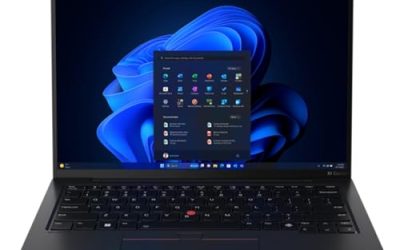
The ThinkPad E14 Gen 5 is the business-oriented option, aimed at marketers working in larger organisations or handling client work on Windows 11 Pro. Its listing describes an AMD Ryzen 7 7730U processor with 8 cores and 16 threads, up to 4.5 GHz, alongside 16GB of DDR4 memory and a 512GB PCIe NVMe M.2 SSD. That combination addresses browsers, spreadsheets, presentations, and communication tools. The 14-inch display is described as FHD+ at 1920 x 1200, giving extra vertical space for reports. Connectivity is a strength for office use: two USB Type-A ports, two USB Type-C ports, HDMI, a headphone and microphone combo jack, and an RJ45 Ethernet port for wired networking. A fingerprint reader and backlit keyboard are also listed. At 3.7 pounds, it focuses less on minimal weight than the thinnest picks here, but prioritises ports and a professional operating system. Marketers who present in offices with varied equipment, or who need wired access for large file transfers, will find that trade-off easier to justify.
Specs
- Processor: AMD Ryzen 7 7730U, 8 cores and 16 threads, up to 4.5 GHz
- Graphics: AMD Radeon Graphics, integrated
- Memory: 16GB DDR4
- Storage: 512GB PCIe NVMe M.2 SSD
- Display: 14-inch FHD+ display, 1920 x 1200
- Operating system: Windows 11 Pro
- Ports: 2 x USB Type-A, 2 x USB Type-C, HDMI, RJ45 Ethernet, and headphone/microphone combo jack
- Security and keyboard: Fingerprint reader and backlit keyboard
- Connectivity: Wi-Fi 6
- Weight: 3.7 pounds
Dell XPS 13 9345 with Snapdragon X Elite

The XPS 13 9345 is a compact Windows option built around the Snapdragon X Elite X1E-80-100 processor. The listing describes 12 cores, up to 3.4 GHz with dual-core boost up to 4.0 GHz, and an NPU rated at up to 45 TOPS, together with 16GB of LPDDR5X memory and a 512GB SSD. Its 13.4-inch FHD+ display is listed as 1920 x 1200, anti-glare, with 500 nits brightness and a 30 to 120Hz range, which suits reading dashboards in varied lighting. For calls, the product description lists a 1080p RGB camera and an infrared camera, plus a fingerprint reader in the palm rest. Connectivity includes Wi-Fi 7 and Bluetooth 5.4. Ports are minimal, with two USB4 Type-C ports supporting DisplayPort and power delivery, so marketers using USB-A accessories or a separate HDMI cable will need a hub or adapters. The listing gives a warranty description of 90 days for this offer, shorter than the terms stated for some other models here, and it should be checked carefully before purchase. This pick fits a highly mobile marketer who can work within a USB-C-only setup.
Specs
- Processor: Snapdragon X Elite X1E-80-100, 12 cores, up to 3.4 GHz with boost up to 4.0 GHz
- Graphics: Qualcomm Adreno GPU, integrated
- Memory: 16GB LPDDR5X
- Storage: 512GB SSD
- Display: 13.4-inch FHD+ 1920 x 1200 anti-glare display, 500 nits, 30 to 120Hz
- Operating system: Windows 11 Home
- Webcam: 1080p RGB camera and infrared camera as described in the listing
- Connectivity: Wi-Fi 7 and Bluetooth 5.4
- Ports: Two USB4 40 Gbps USB Type-C ports with DisplayPort and power delivery
- Battery: 3-cell, 55Wh lithium-ion
- Warranty description in this listing: 90 days
Acer Swift Go 14

The Swift Go 14, model SFG14-73-58EP, stands out for its high-resolution OLED screen and webcam. The listing describes a 14-inch OLED display at 2880 x 1800 with a 90Hz refresh rate, giving sharp text for analytics work and detailed playback when reviewing video creative. It lists a 1440p QHD webcam, a relevant detail for marketers who lead webinars, record updates, or spend much of the day on client calls. This configuration includes 8GB of LPDDR5 memory and a 512GB SSD, so it best matches a focused workload with fewer simultaneous applications, rather than the heaviest tab and spreadsheet multitasking. The listing describes it as an Intel Evo Edition laptop with Windows 11 Home and Wi-Fi 6E, a fingerprint reader, and a backlit keyboard. It weighs 2.87 pounds according to the listing, and the warranty description states a one-year International Travelers Limited Warranty. For a marketer who prioritises screen sharpness and call quality, travels frequently, and works in a manageable set of browser tools, documents, and light editing apps, those features define its place here.
Specs
- Display: 14-inch OLED display, 2880 x 1800 resolution, 90Hz refresh rate
- Memory: 8GB LPDDR5
- Storage: 512GB SSD
- Operating system: Windows 11 Home
- Webcam: 1440p QHD webcam
- Connectivity: Wi-Fi 6E
- Security and keyboard: Fingerprint reader and backlit keyboard
- Weight: 2.87 pounds
- Model: Swift Go 14 SFG14-73-58EP, model number NX.KSGAA.002
- Warranty description in this listing: One-year International Travelers Limited Warranty
Frequently Asked Questions
How much memory does a digital marketing laptop need?
For most roles, 16GB supports many tabs, dashboards, ad managers, spreadsheets, and communication tools together. An 8GB laptop can work for writing, scheduling, and lighter research, but offers less headroom. Buying enough memory at the start matters on models where it cannot be upgraded later.
Is a dedicated graphics card necessary for marketing work?
No. Integrated graphics in the listed models support browser work, presentations, Canva, light photo editing, and short video edits. A dedicated card is more relevant for complex video production or motion graphics. Campaign-focused marketers should prioritise processor, memory, storage, and display first.
Which screen size works best for analytics and creative review?
A 13-inch or 14-inch laptop is easier to carry and works well with an external monitor, while a larger screen gives more room for side-by-side dashboards. A 1920 x 1200 panel adds vertical space for reports, and OLED models here provide higher contrast for images and video.
What should marketers check before buying for video calls and presenting?
Check webcam resolution in the listing and which ports are available for presentation rooms. HDMI simplifies connection to meeting screens, while USB-C with DisplayPort can drive a monitor through a compatible cable or hub. Also confirm warranty terms and whether adapters are needed for USB-A accessories.
Conclusion
Choosing among the best laptops for digital marketing starts with the working day. Frequent travellers can prioritise thin designs such as the MacBook Air or XPS 13, checking memory, storage, ports, and warranty for the exact configuration. Creative reviewers may value the OLED displays of the Zenbook 14 or Swift Go 14, while office-focused buyers may prefer the ThinkPad E14 Gen 5 for connectivity and Windows 11 Pro. Confirm webcam, ports, and warranty from the listing before buying.