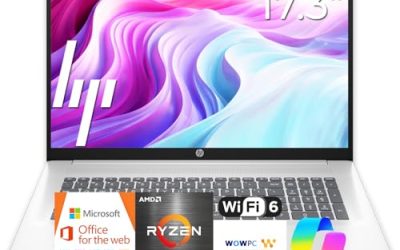
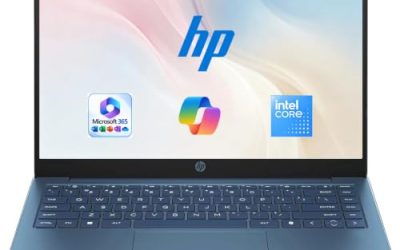
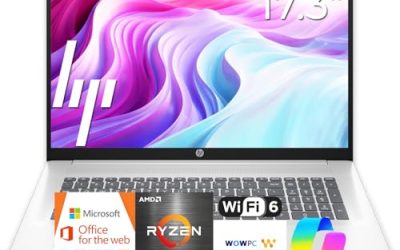
- Top Pick: HP 17 inch Business Laptop Computer • 2026 Edition • Latest AMD Ryzen 5 CPU • 16GB RAM • 512GB SSD • 17.3" FHD Display • Numeric Keypad • Long Battery Life • Windows 11 with Office 365 for The Web
- Best Value: HP 2026 New Business Laptop, Powerful AMD Ryzen 5 7430U(Beats Intel Core i7-1335U), 17.3" FHD Display, Wi-Fi 6, 16GB RAM, 512GB PCIe, Long Battery Life, Windows 11 with MS 365 for Web
- Premium Choice: HP 255 G10 Business Laptop, AMD Quad-core CPU, 16GB RAM, 512GB SSD, W11 Pro | 15.6" Full HD Display, Webcam w/ shutter, Numeric Keypad, Microsoft Copilot, HDMI, Wi-Fi 6, Dark Ash Silver
A business laptop is not defined by the word “business” in a listing title. It is defined by whether the machine can run payroll software, a dozen browser tabs, and video meetings all day without slowing the person who depends on it. HP sells a wide range under that label, from 17-inch workhorses with a full keyboard to 14-inch models that are closer to student laptops with a business sticker, and the difference shows up in memory, storage, and the operating system edition.
This guide is written for owners of small offices, freelancers, and managers who buy a handful of laptops at a time and want to know which listed HP models match real office work in 2026. Each of the five picks below is judged only on what its title states, and where a title is truncated, the advice is to open the full listing and confirm before ordering.
Quick Picks
As an Amazon Associate we earn from qualifying purchases at no extra cost to you.


| Product | Best for | Key spec from the title |
|---|---|---|
| HP 255 G10 (AMD quad-core) | Standard office deployments | 15.6-inch Full HD, 16GB RAM, 512GB SSD, Windows 11 Pro, webcam shutter |
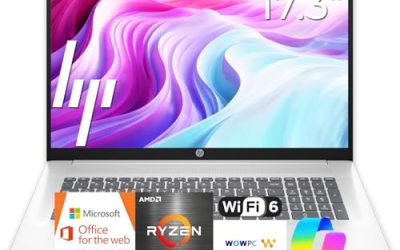
| HP 17-inch Business (Ryzen 5) | Spreadsheet and data-entry desks | 17.3-inch FHD, 16GB RAM, 512GB SSD, numeric keypad |
| HP Windows 11 Pro 15 (Core i5-1135G7) | Intel-standardized offices | 11th Gen Core i5, 16GB RAM, 512GB SSD, Iris Xe graphics |
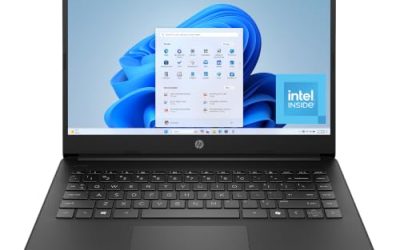
| HP 14 Business (Office 365 bundle) | Light travel and email | Intel N150 quad-core, 4GB RAM, 128GB UFS, 1-year Office 365 |
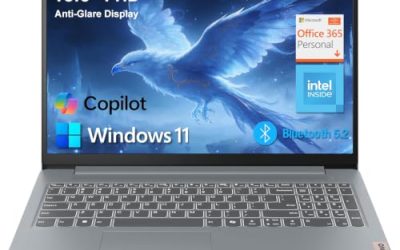
| HP 14 Business Students (Copilot AI + MS 365) | Portable note-taking | 14-inch LED, 128GB UFS, WiFi 6, 500GB external drive |
How to Choose
Operating system edition
Windows 11 Pro is the edition that makes sense for a company. It adds the management features that Home leaves out, such as joining a company domain and using full-disk encryption tools. Several listings here name Pro in the title, while the N150 model names Home. If your IT setup assumes Pro, a Home laptop will need an upgrade license, which erases much of its apparent savings. When the title is silent about the edition, assume nothing and confirm.
Memory and storage that match office workloads
Sixteen gigabytes of RAM and a 512GB SSD is the combination worth targeting for accounting software, CRM dashboards, and constant meetings. Eight gigabytes can manage, but it leaves little margin in a year or two. Four gigabytes is a warning sign for any business use. On storage, 128GB drives, especially the UFS type, run out quickly once Windows updates and local files accumulate. Treat a bundled external drive as a stopgap, not as a replacement for internal capacity.
Screen size, keypad, and webcam privacy
A 15.6-inch screen with a numeric keypad suits anyone who types figures all day. A 17.3-inch panel adds more room for side-by-side documents, but it is heavier in a bag and less convenient on a train. A 14-inch screen is the mobile option. Look for a webcam privacy shutter if your staff handle client calls or sensitive material; the HP 255 G10 title calls this out. Full HD resolution should be the standard across the group, since HD panels at this size look noticeably soft.
What to ignore and where budget models cut corners
Think of the title as a checklist and mark off each item that is missing.
Ignore claims about “AI” branding, free earphones, and bundled subscriptions that expire after a year; they do not change how well the hardware performs. Budget business laptops usually trim memory, storage, and the screen panel, and sometimes ship with a Home edition of Windows. Also be wary of any title that compares itself to a different processor, since that kind of wording is marketing rather than a spec you can verify.
Before you commit to a quantity, order one unit, let an actual employee use it for a week of normal work, and gather their notes on the keyboard, screen, and fan noise. Small purchases of a single unit are cheap insurance against an expensive batch mistake, and the return window gives you room to change course.
The 5 Best Options
HP 255 G10 (AMD quad-core)
The 255 G10 is the clearest business listing in the group. The title states an AMD quad-core CPU, 16GB of RAM, a 512GB SSD, Windows 11 Pro, a 15.6-inch Full HD display, a webcam with a shutter, and a numeric keypad. It is the sort of machine an office manager can order in multiples and expect to behave consistently from desk to desk. Because its keyboard, screen size, and memory match the other units in an order, onboarding a new hire becomes a matter of unboxing and signing in rather than troubleshooting hardware differences.
- Strength: Windows 11 Pro is named in the title, which suits managed office environments.
- Strength: the webcam shutter and numeric keypad serve privacy and data-entry needs.
- Trade-off: the exact AMD processor model is not shown, so confirm it on the listing.
Skip it if you need a 17-inch screen or an Intel-only fleet.
HP 17-inch Business Laptop (Ryzen 5)
This model brings a 17.3-inch Full HD display, a Ryzen 5 processor, 16GB of RAM, a 512GB SSD, and a numeric keypad. It is a good fit for people who live in spreadsheets and want to see more columns without plugging into an external monitor. Bookkeepers, schedulers, and inventory clerks tend to prefer this layout because the numeric keypad sits beside a full-size keyboard, and the large panel makes reconciling two documents side by side far less tiring than on a 14-inch screen.
- Strength: the 17.3-inch screen offers extra working area for data-heavy tasks.
- Strength: 16GB of RAM and 512GB of SSD match the office target configuration.
- Trade-off: a 17-inch body is bulkier to carry, and the title does not name the Windows edition.
Skip it if you travel often or share a small desk.
HP Windows 11 Pro 15 (Core i5-1135G7)
For offices that prefer Intel, this listing offers an 11th Gen Core i5-1135G7, 16GB of RAM, a 512GB SSD, Iris Xe graphics, and a 15.6-inch FHD screen under Windows 11 Pro. The processor generation is older than newer chips, but the memory and storage keep it practical for ordinary business software. In a small firm that already owns Intel-based docking stations and has IT habits built around that family, continuity can matter more than chasing the latest chip, and the 16GB and 512GB pairing means it will not feel starved during a normal workday.
- Strength: Intel Iris Xe graphics and Windows 11 Pro suit mixed office and light creative tasks.
- Strength: a numeric pad is listed, helpful for finance work.
- Trade-off: the 11th Gen processor is dated compared with current options.
Skip it if you want the newest processor generation or the longest support runway.
HP 14 Business Laptop (Office 365 bundle)
This compact 14-inch HP uses an Intel quad-core N150 processor with 4GB of RAM and 128GB of UFS storage, and the title lists a one-year Office 365 subscription on Windows 11 Home. It is a light-use machine for answering email, writing documents, and joining calls on the move, and nothing more demanding. A sales representative who mostly lives in a browser and a mailbox can get by, provided the plan does not include video editing, large datasets, or running several heavy applications together, because 4GB leaves almost no margin.
- Strength: a small footprint makes it easy to carry between meetings.
- Strength: the bundled one-year Office 365 helps a new employee get started.
- Trade-off: 4GB of RAM and the Home edition limit its use as a real business tool.
Skip it if you need multitasking power or managed Windows features.
HP 14 Business Students (Copilot AI + MS 365)
The last listing positions itself for both students and professionals, with a 14-inch LED display, 128GB of UFS storage, WiFi 6, and a 500GB external hard drive. The title also names Copilot AI and Microsoft 365. It is a portable second computer for notes and documents, not a primary workstation. Because the title leaves out the processor and memory details, the buying advice is simple: open the full listing, confirm those two lines, and only then decide whether it deserves a place in the office.
- Strength: the external drive adds extra storage for backups and files.
- Strength: WiFi 6 supports stable meeting connections in busy buildings.
- Trade-off: the processor and memory amount are not specified clearly in the title.
Skip it if you need a dependable main office laptop.
Which One Fits Your Situation
You are equipping a small accounting or admin team
The HP 255 G10 fits best, thanks to Windows 11 Pro, the numeric keypad, and a configuration of 16GB RAM and a 512GB SSD that is consistent across units.
Your staff works in large spreadsheets all day
Choose the HP 17-inch Ryzen 5 model, since the 17.3-inch Full HD display puts more rows and columns in view.
Your office is standardized on Intel
The HP Windows 11 Pro 15 with the Core i5-1135G7 keeps the processor family familiar while delivering the 16GB and 512GB baseline.
You need a lightweight extra for a traveling employee
Between the two 14-inch models, the HP 14 with Office 365 is the simpler choice for email and documents, while the Business Students model adds an external drive for backups. Either way, treat both as supplementary machines to a main desktop or a stronger laptop.
If your team is mixed, there is nothing wrong with buying two models: the HP 255 G10 for desk staff and a 14-inch unit for the occasional traveler. Just keep the Windows edition consistent across the group so that policies, updates, and encryption settings behave the same way everywhere.
Common Mistakes
- Buying a Home edition laptop and discovering later that management features require Pro.
- Choosing 4GB of RAM for staff who use accounting or CRM software all day.
- Counting a bundled external drive as if it were internal storage.
- Paying extra for a one-year software subscription instead of long-term hardware quality.
- Skipping the webcam shutter and keypad details, then discovering they matter for the team.
Related guides
- Aio Liquid Coolers For High Performance Gaming
- Wireless Gaming Headsets Under 100 For Pc
- Travel Backpack With Laptop Compartment
Frequently Asked Questions
Is Windows 11 Pro necessary for a business laptop?
For companies with managed devices or encryption policies, yes. For a sole proprietor using only common apps, Home can be enough, but Pro avoids upgrade costs later, and it keeps the door open if the business grows and begins using managed devices.
How much RAM should a business laptop have?
Sixteen gigabytes is the comfortable target for current office software and meetings. Eight is the bare minimum, and four is best avoided for daily business use.
Are 14-inch HP laptops good for business?
They are good for portability, but the listed 14-inch models here carry modest memory and storage. Treat them as secondary devices unless the full listing shows stronger specs.
What does UFS storage mean for office use?
UFS is a compact flash format common in phones. It works for basic use but offers limited capacity at 128GB, so confirm you will not outgrow it quickly. If the laptop will hold client files, a larger internal SSD is the safer route than relying on an external drive that can be lost or forgotten.