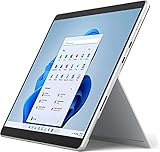
- Top Pick: HP 17 inch Business Laptop Computer • 2026 Edition • Latest AMD Ryzen 5 CPU • 16GB RAM • 512GB SSD • 17.3" FHD Display • Numeric Keypad • Long Battery Life • Windows 11 with Office 365 for The Web
- Best Value: HP 2026 New Business Laptop, Powerful AMD Ryzen 5 7430U(Beats Intel Core i7-1335U), 17.3" FHD Display, Wi-Fi 6, 16GB RAM, 512GB PCIe, Long Battery Life, Windows 11 with MS 365 for Web
- Premium Choice: Lenovo V15 Gen 4 Business Laptop, 15.6" FHD Display, Intel Core i5-13420H (Beat i7-1355U), HDMI, RJ45, Webcam, Numeric Keypad, Wi-Fi, Windows 11 Pro, Black (16GB RAM | 512GB SSD)
Shopping for a professional business laptop means deciding which kind of workday the machine has to survive. A spreadsheet-heavy finance role wants a large screen and a numeric keypad. A road warrior wants a compact chassis with Thunderbolt and a sharp webcam. A small office buying several units wants Windows 11 Pro for management features, plus enough memory that nobody files a ticket about slowdowns by spring.
This 2026 roundup compares ten listings that all market themselves to office users, from big 17 inch HP models to a Dell Pro 14 built on Latitude lineage. The comparison relies only on what each listing title states, so treat the notes below as a spec-sheet screen rather than a verdict on long-term reliability. Budget, mid-range, and premium tiers all appear, and several titles carry marketing comparisons to other processors that buyers should read skeptically. Focus on the memory, storage, ports, and operating system edition, since those are the details a business user actually lives with.
Quick Picks
As an Amazon Associate we earn from qualifying purchases at no extra cost to you.






| Product | Best for | Key spec from the title |
|---|---|---|
| HP 17 Business Laptop (Ryzen 5, 16GB) | Large-screen office work | 17.3″ FHD, 16GB RAM, 512GB SSD, numeric keypad |
| HP 17 Ryzen 5 7430U (Windows 11 with 365 for web) | Spreadsheet and document work | Ryzen 5 7430U, 16GB RAM, 512GB PCIe |
| Lenovo V15 Gen 4 | Wired office connectivity | Core i5-13420H, HDMI and RJ45, Windows 11 Pro |
| Dell 16 Touchscreen | Memory-hungry multitasking | Core 7 150U, 32GB DDR5, 1TB SSD, 16:10 FHD+ |
| Lenovo Business 15.6″ (8GB) | Light, basic tasks | 8GB DDR5, 128GB storage, USB-C |
| Lenovo 16″ Business (i5-13420H) | Roomy display with a keypad | 8-core H-series, 16GB DDR5, 512GB SSD |
| HILLSUSU 15.6″ Business | Warranty-minded buyers | Core i5-6200U, 16GB RAM, 2-year warranty |
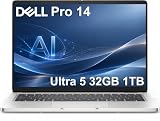
| Dell Pro 14 PC14250 | Mobile professionals | Ultra 5 235U, 32GB DDR5, Thunderbolt 4, IR webcam |
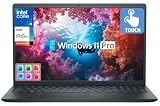
| Dell Inspiron 15.6″ Touchscreen | Touch-friendly all-rounder | 10-core Core i5-1334U, 16GB RAM, 1TB total storage |
| HP 17 Ryzen 5 7430U (Windows 11 Pro) | Managed fleets on a large screen | 17.3″ FHD IPS, Windows 11 Pro, fast charging |
How to Choose
Windows edition and security features
Windows 11 Pro adds BitLocker, domain join, and remote management, which matter for company-issued machines. Home edition lacks several of those. A fingerprint reader or infrared webcam adds Windows Hello sign-in, and Thunderbolt 4 helps with docking stations and external displays.
Memory and storage floors
Treat 16GB of RAM as the working minimum for a professional machine that runs a browser with many tabs, video calls, and office suites at the same time. Eight gigabytes is workable only for light tasks. For storage, 512GB is comfortable; 128GB fills quickly with local files and updates. Note that some titles count an external drive toward total storage, which does not live inside the laptop.
Processor generation, not just branding
A listing that names an exact chip tells you more than one saying only Intel Processor. A Core i5-6200U is a much older design than a Core i5-13420H or a Ryzen 5 7430U, even though all appear in the same product category. Ignore marketing lines claiming a chip beats another, because they are not a substitute for the model number.
Screen, keyboard, and ports
Full HD at 15 to 17 inches is standard, while a 16:10 panel gives extra vertical space for documents. Anti-glare coatings help under office lighting, and a numeric keypad is worth having if you work in spreadsheets. Budget laptops cut corners on webcam quality, keyboard backlighting, and port variety, so look for HDMI, USB-C, and an Ethernet jack if you need wired networking.
The 10 Best Options
HP 17 Business Laptop (Ryzen 5, 16GB)
This HP is built around a 17.3 inch FHD display, an AMD Ryzen 5 processor, 16GB of RAM, and a 512GB SSD. The title also lists a numeric keypad, Windows 11, and Office 365 for the web. That combination points to a straightforward desk machine for documents, email, and browser-based tools.
- Strength: The big screen and numeric keypad suit accounting and data-entry roles.
- Strength: 16GB of RAM and a 512GB SSD cover everyday office multitasking.
- Trade-off: A 17 inch body is less portable.
Skip it if you commute daily or need a Pro edition for management policies.
HP 17 Ryzen 5 7430U (Windows 11 with 365 for Web)
This variant names the Ryzen 5 7430U, a 17.3 inch FHD display, Wi-Fi 6, 16GB of RAM, and a 512GB PCIe drive. The title adds Microsoft 365 for the web and a long battery life description. Because it names the web version of the suite, expect browser-based Office tools unless you add a license.
- Strength: Naming the exact 7430U chip makes the spec easy to verify.
- Strength: Wi-Fi 6 and a PCIe SSD suit modern office networks.
- Trade-off: The title leans on a comparison to an Intel chip, which is marketing language rather than a spec.
Skip it if you need Windows 11 Pro features.
Lenovo V15 Gen 4
The V15 Gen 4 pairs a 15.6 inch FHD display with a Core i5-13420H, 16GB of RAM, and a 512GB SSD. Its title lists HDMI, an RJ45 Ethernet port, a webcam, a numeric keypad, and Windows 11 Pro. The mix of wired and wireless connectivity makes it a practical pick for shared desks and conference rooms.
- Strength: Built-in Ethernet and HDMI suit desks and meeting rooms.
- Strength: Windows 11 Pro supports business management tools.
- Trade-off: The title does not mention a backlit keyboard or premium build details.
Skip it if you want a touchscreen or an ultraportable.
Dell 16 Touchscreen (Core 7 150U)
Dell offers a 16 inch touchscreen with a 16:10 FHD+ IPS panel rated at 300 nits, a Core 7 150U, 32GB of DDR5 memory, and a 1TB SSD. The title lists a backlit keyboard with number pad, Windows 11 Pro, a Copilot key, and Wi-Fi 6. The taller display ratio is a quiet productivity feature for long documents and side-by-side windows.
- Strength: 32GB of memory and 1TB of storage leave generous room for demanding workflows.
- Strength: The taller 16:10 display shows more of a document at once.
- Trade-off: A 16 inch touchscreen model is larger and likely to sit at a higher tier.
Skip it if portability is the priority.
Lenovo Business 15.6″ (8GB)
This Lenovo lists a 15.6 inch FHD anti-glare display, an unnamed Intel processor, 8GB of DDR5 RAM, and 128GB of storage, with Office 365, USB-C, Wi-Fi 6, and Windows 11. It reads as a basic-tier option for email, browsing, and document editing rather than a heavy-duty workstation.
- Strength: The anti-glare screen is friendlier to bright offices.
- Strength: USB-C and Wi-Fi 6 cover modern connectivity basics.
- Trade-off: 8GB of RAM and 128GB of storage are the thinnest figures in this group, and the processor is not named.
Skip it for heavy multitasking or large local files.
Lenovo 16″ Business Laptop (i5-13420H)
This 16 inch Lenovo lists a Core i5-13420H with eight cores, 16GB of DDR5 RAM, a 512GB SSD, Wi-Fi 6, Bluetooth 5.2, fast charge, an HD webcam, and a numeric keypad. The 16 inch size sits between a standard 15.6 inch laptop and a 17 inch desktop replacement.
- Strength: An H-series processor with DDR5 memory leaves more headroom than basic U-series chips.
- Strength: Fast charge helps between meetings.
- Trade-off: The title does not state Windows Pro, so managed environments should confirm the edition.
Skip it if you need Pro-only features.
HILLSUSU 15.6″ Business Laptop
HILLSUSU lists a Core i5-6200U, 16GB of RAM, a 512GB SSD, Windows 11 Pro, a backlit keyboard, fan cooling, Office 365, and a two-year warranty. It targets students and small-business owners who want a bundled warranty and a familiar 15.6 inch layout.
- Strength: The two-year warranty and Pro edition give small offices some reassurance.
- Strength: The backlit keyboard helps in dim spaces.
- Trade-off: The Core i5-6200U is a much older processor than the other chips here.
Skip it if you want current-generation performance or lasting software support.
Dell Pro 14 PC14250
The Dell Pro 14 lists an Intel Ultra 5 235U, 32GB of DDR5, a 1TB SSD, a 14 inch FHD+ anti-glare display, a 12-core design, an IR webcam, a backlit keyboard, Thunderbolt 4, and Windows 11 Pro. The listing connects it to the Latitude 5450 line, which signals a business-class design rather than a consumer one.
- Strength: Thunderbolt 4 and an IR webcam suit docked and secure setups.
- Strength: The 14 inch size balances screen space with portability.
- Trade-off: It sits near the premium end of this group.
Skip it if you want a numeric keypad or a very large screen.
Dell Inspiron 15.6″ Touchscreen
This Inspiron lists a 15.6 inch FHD touchscreen, a 10-core Core i5-1334U, 16GB of RAM, and 1TB of combined storage made up of a 512GB SSD and a 500GB external drive. It also lists Wi-Fi 6, Windows 11 Pro, and Microsoft Office. The touchscreen makes it a flexible option for presentations and quick annotations.
- Strength: Touch input and Windows 11 Pro are a useful pairing.
- Strength: Bundled office software saves a setup step.
- Trade-off: Only 512GB sits inside the laptop; the extra 500GB is external.
Skip it if you want all storage built in.
HP 17 Ryzen 5 7430U (Windows 11 Pro)
This HP offers a 17.3 inch FHD IPS display, an AMD Ryzen 5 7430U, 16GB of RAM, a 512GB SSD, a Copilot key, fast charging, Wi-Fi 6, and Windows 11 Pro. Of the three HP 17 inch listings, this one pairs the Pro edition with the named 7430U chip.
- Strength: The IPS panel and Pro edition suit large-screen office use.
- Strength: Fast charging helps on busy days.
- Trade-off: It does not list extras like Thunderbolt or an IR camera.
Skip it if you need a compact, travel-friendly laptop.
Which One Fits Your Situation
You need a laptop for a mobile sales or consulting job
The Dell Pro 14 PC14250 has the compact screen, Thunderbolt 4, and secure sign-in hardware that traveling professionals benefit from.
You manage spreadsheets all day
Pick the HP 17 with Windows 11 Pro or the first HP 17 for its big display and numeric keypad.
You outfit a small office with Ethernet desks
The Lenovo V15 Gen 4 combines RJ45, HDMI, and Windows 11 Pro at a reasonable tier.
You run many apps at once
The Dell 16 Touchscreen brings 32GB of DDR5 and a 1TB SSD, which is the safest spec for heavy multitasking.
Common Mistakes
- Trusting a marketing comparison to another processor instead of reading the actual model name.
- Buying 8GB of RAM or 128GB of storage for a machine meant to last several years.
- Overlooking that Windows 11 Pro is not stated on every listing.
- Counting an external drive as internal storage.
- Choosing a 17 inch laptop for a job that involves daily commuting.
Frequently Asked Questions
Is Windows 11 Pro worth insisting on?
For company-managed devices, yes. It adds disk encryption and domain features that Home edition lacks.
How much RAM does a business laptop need?
Aim for 16GB. Choose 32GB if you run virtual machines, large spreadsheets, or many collaboration tools together.
Are older processors acceptable for office work?
They can handle basic tasks, but older chips like the Core i5-6200U miss newer efficiency and security improvements. Prefer recent generations when possible.
Do I need Thunderbolt?
Only if you plan to use docks, fast external drives, or multiple displays. Otherwise, USB-C and HDMI are enough.