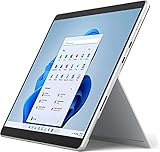
- Top Pick: Lenovo Flagship Chromebook, 14'' FHD Touchscreen Slim Thin Light Laptop Computer, 8-Core MediaTek Kompanio 520 Processor, 4GB RAM, 64GB eMMC, WiFi 6,Chrome OS, Abyss Blue
- Best Value: Dell 2027 Portable 11-inch IPS Touchscreen Convertible Laptop, Intel Pentium Processor Up to 3.3GHz, 8GB RAM, 128GB SSD, Ultra-Fast 6th Gen WiFi, Windows 11 OS, Dale Gray (Renewed)
- Premium Choice: Acer 15.6” FHD Touch Chromebook, Intel N50, 8GB RAM, 128GB eMMC, Chrome OS | Laptop, DDR5, Sparkling Silver, CB315-7HT-C7GN, Business & Study
Touch screen laptops under 300 dollars sit in an odd corner of the market. New models at that level are almost always Chromebooks with entry-level processors, while Windows touch machines in the same range tend to be renewed business laptops or compact convertibles. So the real question is not “which touch laptop is best” but which trade-off you can live with: a new Chromebook with limited memory, a renewed Windows laptop with older hardware, or a small 11-inch convertible that is easy to carry but cramped to type on.
This guide is built for students, parents shopping for a first laptop, and anyone who wants a tablet-style second computer for streaming, notes, and web browsing in 2026. Each pick is judged only on what its title states: screen size, processor, memory, storage, operating system, and whether the unit is renewed. Titles are not always complete, so confirm touch support and condition on the full listing before ordering, especially for the models that describe themselves only as 2-in-1.
Quick Picks
As an Amazon Associate we earn from qualifying purchases at no extra cost to you.




| Product | Best for | Key spec from the title |
|---|---|---|
| Lenovo Flagship Chromebook 14 | Chrome OS with a Full HD touch panel | 14 in FHD touch, 8-core MediaTek, WiFi 6 |
| Dell 11-inch Touchscreen Convertible (Renewed) | Portable Windows 2-in-1 | Pentium, 8GB RAM, 128GB SSD |
| Acer 15.6 FHD Touch Chromebook CB315-7HT | Big touch screen with more storage | Intel N50, 8GB RAM, 128GB eMMC |
| Lenovo 300e Chromebook 11.6 (Renewed) | Classroom-style small convertible | MediaTek M8173C, 4GB, 32GB flash |
| HP 15.6 Touchscreen 15-fc0099nr | New Windows laptop with touch | Ryzen 3 7320U, 8GB, 128GB SSD |
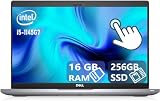
| Dell Latitude 5420 (Renewed) | Most powerful hardware in the group | Core i5-1145G7, 16GB, 256GB SSD |
| Dell Latitude 3190 2-in-1 (Renewed) | Compact Windows 2-in-1 for light work | N5030, 8GB, 128GB SSD |
| Microsoft Surface Laptop Go 64GB (Renewed) | Slim touch laptop with a Core i5 | 12.4 in touch, i5-1035G1, 4GB |
| HP 14 2-in-1 Chromebook 14b (Renewed) | Convertible Chromebook with FHD | 14 in FHD, 4GB, 64GB |
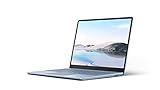
| Microsoft Surface Laptop Go 128GB (Renewed) | Better-equipped Surface Go | 12.4 in touch, i5, 8GB, 128GB SSD |
How to Choose
New versus renewed
A renewed laptop is a previously owned unit restored for resale, and condition and battery wear can vary. That can be a good way to get stronger hardware such as a Core i5 and 16GB of RAM within a strict budget, but it also means older processors and possible cosmetic marks. New models such as the HP 15-fc0099nr and the Acer touch Chromebook come with current-generation chips and a clearer upgrade path for software updates.
Memory and storage thresholds
For Windows, 8GB of RAM is the practical floor, so be wary of the 4GB Surface Laptop Go and anything with 4GB on Windows. Chromebooks can manage on 4GB for light work, but 8GB feels smoother with many tabs. For storage, 128GB is comfortable; 32GB, as on the 300e Chromebook, leaves very little space after the operating system and updates.
Screen size and resolution
Choose between 11 to 12 inches for portability, 14 inches as a balance, and 15.6 inches for a roomy workspace. Resolution matters: FHD is sharper than HD for documents and web pages, and titles that say HD only will look softer. For tablet-style use, look for a true 2-in-1 or convertible hinge, since a touch screen on a standard clamshell is still reachable but awkward to hold.
What to ignore and where budget models cut corners
Ignore terms like “flagship” and “business” in the title, which are marketing labels. At this level, expect modest processors such as Celeron-class chips, slower eMMC storage on Chromebooks, plastic builds, and dim screens. Also check that Windows in S Mode is acceptable, because it limits installs to the Microsoft Store.
The 10 Best Options
Lenovo Flagship Chromebook 14
A 14-inch Full HD touchscreen Chromebook with an 8-core MediaTek Kompanio 520, 4GB of RAM, 64GB eMMC, and Wi-Fi 6, in Abyss Blue. It suits students who live in Google apps and want a sharp display, and the Abyss Blue finish gives it a bit more personality than the usual gray.
- FHD touch display at 14 inches is a good balance of size and clarity.
- Wi-Fi 6 and an 8-core processor are both listed.
- Trade-off: 4GB of RAM limits heavy multitasking.
Skip it if you need Windows programs, or if your coursework involves software that only runs on a desktop operating system. Buyers who already depend on Google Docs and web tools are the natural fit.
Dell 11-Inch Touchscreen Convertible (Renewed)
A portable IPS touchscreen convertible with an Intel Pentium processor listed up to 3.3GHz, 8GB of RAM, a 128GB SSD, Wi-Fi 6, and Windows 11. The title marks it as renewed.
- 8GB of RAM and an SSD are strong specs at this tier.
- Convertible design supports tablet-style use.
- Trade-off: an 11-inch screen is small for long typing sessions.
Skip it if you want a large display or a brand-new unit. Because it is renewed, ask about battery condition and the return window before you commit, and plan on an external keyboard if you type for long stretches.
Acer 15.6 FHD Touch Chromebook CB315-7HT
A large 15.6-inch Full HD touchscreen Chromebook with an Intel N50, 8GB of RAM, and 128GB of eMMC, with DDR5 memory named in the title. It stands out for pairing a big screen with more memory than most Chromebooks here.
- 8GB of DDR5 RAM and 128GB storage are unusually generous for a Chromebook.
- A big FHD touch screen suits streaming and documents.
- Trade-off: a 15.6-inch laptop is less portable than the 11-inch models.
Skip it if you prefer a compact, tablet-like device, since this one is a full-size clamshell rather than a convertible. It is the better fit for a desk, couch, or dorm bed than for a crowded train seat.
Lenovo 300e Chromebook 11.6 (Renewed)
An 11.6-inch 2-in-1 touchscreen Chromebook with a quad-core MediaTek M8173C at 2.1GHz, 4GB of LPDDR3, and 32GB of flash. It is a renewed unit for light browsing and school tasks.
- 2-in-1 design supports tablet mode.
- Compact size is easy to carry.
- Trade-off: 32GB storage and LPDDR3 memory are the weakest specs in the group.
Skip it if you want much storage or a sharper screen. It is best viewed as a classroom-style secondary device for reading, video, and web forms rather than a main computer, and the renewed status deserves a close look at the seller’s notes.
HP 15.6 Touchscreen 15-fc0099nr
A 15.6-inch HD touchscreen Windows laptop with a Ryzen 3 7320U, 8GB of RAM, 128GB SSD, and Radeon graphics, in Natural Silver. It is the only new Windows touch laptop among the ten.
- Modern Ryzen 3 processor with 8GB of RAM.
- Large touch display with SSD storage.
- Trade-off: Windows 11 Home in S Mode limits installs to the Microsoft Store, and the display is HD, not Full HD.
Skip it if you need a classic desktop app. Switching out of S Mode is possible, but buyers who want to install software freely should know about the restriction before they set it up.
Dell Latitude 5420 (Renewed)
A 14-inch FHD touchscreen business laptop with a Core i5-1145G7, 16GB of RAM, a 256GB SSD, a camera, and Windows 11 Pro. It is renewed, but it leads the group on specs.
- 16GB of RAM and a 256GB SSD give real multitasking room.
- Full HD touch screen and Windows 11 Pro.
- Trade-off: business laptops tend to be heavier than consumer models.
Skip it if you want a lightweight convertible that doubles as a tablet. Anyone who edits large spreadsheets, juggles many browser tabs, or works from a desk will get the most from the extra memory.
Dell Latitude 3190 2-in-1 (Renewed)
An 11.6-inch HD 2-in-1 touchscreen laptop with an Intel N5030 at 1.1GHz, 8GB of RAM, a 128GB SSD, and Windows 11 Professional. It is a renewed pick for note-taking and web use.
- 8GB of RAM and an SSD for a small Windows 2-in-1.
- Windows 11 Professional is included.
- Trade-off: the N5030 is a low-power processor and the screen is HD.
Skip it if you plan to run demanding software. It makes sense as a small second computer for the couch or a backpack, where a fold-over screen and a Windows desktop matter more than raw speed.
Microsoft Surface Laptop Go 64GB (Renewed)
A 12.4-inch touch laptop with a Core i5-1035G1 at 1.0GHz, 4GB of RAM, 64GB eMMC, and Windows 11 Home, in Platinum. It is renewed and compact.
- Core i5 processor in a slim, recognizable design.
- 12.4-inch touch display.
- Trade-off: 4GB of RAM and 64GB eMMC are tight for Windows 11.
Skip it if you want smooth multitasking, or if you cannot add storage later. Compare it directly with the 8GB Surface listing below before deciding, because the processor name is the same family but the memory differs.
HP 14 2-in-1 Chromebook 14b (Renewed)
A 14-inch FHD 2-in-1 Chromebook with an Intel CPU, 4GB of RAM, and 64GB of storage, listed as renewed. The title calls it a 2-in-1 but does not spell out touch support, so confirm that detail.
- FHD resolution at 14 inches.
- 2-in-1 design for tablet-style use.
- Trade-off: the processor model is not named.
Skip it if you need a confirmed touchscreen from the title alone. Because renewed Chromebooks vary in battery wear and age, look at the seller’s condition notes and return terms first.
Microsoft Surface Laptop Go 128GB (Renewed)
A 12.4-inch touchscreen laptop with an Intel Core i5, 8GB of RAM, and a 128GB SSD, in Ice Blue. It improves on the 4GB model.
- 8GB of RAM and an SSD.
- Touchscreen and a Core i5 in a slim body.
- Trade-off: the exact processor generation is not listed in the title.
Skip it if you want a larger display, since 12.4 inches is closer to a notebook than a full workstation. It suits a student who values a slim form and enough memory to keep Windows responsive.
Which One Fits Your Situation
A student on Google Workspace
The Acer 15.6 FHD Touch Chromebook gives the roomiest screen and memory.
A Windows user who needs real multitasking
The renewed Dell Latitude 5420 offers 16GB and a 256GB SSD.
A traveler who wants a small tablet-style machine
The Dell 11-inch Touchscreen Convertible or the Latitude 3190 2-in-1 both fold into tablet mode.
A parent who prefers new over renewed
The HP 15.6 Touchscreen 15-fc0099nr and the Lenovo Flagship Chromebook are the options that are not marked renewed, so they avoid questions about used batteries and cosmetic wear.
Common Mistakes
- Assuming every 2-in-1 has a touch screen without checking.
- Buying Windows with 4GB of RAM and expecting a smooth experience.
- Ignoring storage size on Chromebooks.
- Overlooking Windows in S Mode restrictions.
- Skipping battery condition questions on renewed units.
Frequently Asked Questions
Is a renewed laptop a good choice?
It can be, especially for stronger specs. Check the return window and the seller’s condition notes.
Do I need Windows or Chrome OS?
Choose Windows for desktop software and Chrome OS for simple, browser-based use.
Can touch screens be used with a stylus?
Some can, but these titles do not mention stylus support, so confirm on the listing.
How much RAM is enough?
8GB for Windows; 4GB can work on Chromebooks for lighter tasks.