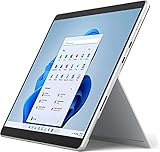
- Top Pick: HP 15.6 inch Laptop, HD Touchscreen Display, AMD Ryzen 3 7320U, 8 GB RAM, 128 GB SSD, AMD Radeon Graphics, Windows 11 Home in S Mode, Natural Silver, 15- fc0099nr
- Best Value: HP OmniBook 3 16 inch Laptop PC, 2K Touchscreen, AMD Ryzen 3 30, 8 GB RAM, 512 GB SSD, AMD Radeon 610M GPU, Windows 11 Home, Mica Silver, 16-by0299nr
- Premium Choice: Lenovo Flagship Chromebook, 14'' FHD Touchscreen Slim Thin Light Laptop Computer, 8-Core MediaTek Kompanio 520 Processor, 4GB RAM, 64GB eMMC, WiFi 6,Chrome OS, Abyss Blue
Touch used to be a premium feature, and finding it on a laptop under 500 dollars meant accepting a weak screen or a slow processor. That has changed. Chromebooks, convertibles and a few conventional Windows laptops now offer touch panels in the entry tier, but the trade-offs are different from model to model. Some hand you a big storage drive and little memory, others the reverse, and a few are renewed units rather than new stock.
This guide is for students who want to tap and annotate, for parents choosing a first laptop, and for anyone who simply prefers a touchscreen to a trackpad. Eight listings are compared using only the details in their titles, and because listings change, confirm that the current figure still fits under 500 dollars before buying. In 2026 the best approach is to pick the operating system first, then the memory, and only then the screen shape.
Quick Picks
As an Amazon Associate we earn from qualifying purchases at no extra cost to you.




| Product | Best for | Key spec from the title |
|---|---|---|
| HP 15.6 Touchscreen (15-fc0099nr) | Everyday Windows use | Ryzen 3 7320U, 8GB, 128GB SSD, HD touch |
| HP OmniBook 3 16 | Sharper display and more storage | 2K touchscreen, 8GB, 512GB SSD |
| Lenovo Flagship Chromebook 14 | Browser-based school tasks | 14 inch FHD touch, 4GB, 64GB eMMC |
| Tylvx 15.6 2-in-1 | Note-taking and drawing | 360 degree flip, 16GB, 512GB SSD |
| Lenovo 11-inch Convertible (Renewed) | Compact tablet-style use | 11 inch IPS touch, 8GB DDR5, 128GB SSD |
| Lenovo Chromebook 14 Student | Extra storage through a card | 128GB (eMMC plus card), WiFi 6 |
| Lenovo Chromebook 14 FHD IPS | Bright screen on Chrome OS | FHD IPS 300nits, WiFi 6 |
| Dell 11-inch Convertible (Renewed) | Light Windows touch use | IPS touch, 8GB, 128GB SSD, 6th Gen WiFi |
How to Choose
Choose the operating system before the hardware
Windows laptops run desktop programs, while Chromebooks run web apps and Android-style apps and update quietly in the background. If you need specific Windows software, skip the Chromebooks. If everything you do lives in a browser, Chrome OS makes better use of modest hardware. Also check whether the system ships in S Mode, because that setting limits installs to the Microsoft Store until you switch out.
Memory and storage: the real limits
Aim for 8GB of RAM on Windows and treat 4GB as acceptable only on Chrome OS. For storage, an SSD of 128GB works for light use, while 512GB gives breathing room. eMMC storage is slower than an SSD, and memory cards add space but not speed.
Screen type and touch behavior
Full HD is a worthwhile target on a 14 or 15 inch screen. IPS panels keep colors steady from an angle, and a brightness figure like 300nits helps in lit rooms. Convertibles that flip 360 degrees suit drawing and note-taking, though the hinge adds weight. An 11 inch screen is portable but cramped for long documents, and a 15 inch panel is the opposite: roomy but heavier in a bag.
What to ignore and where budget models cut corners
Bundled extras and cloud storage allowances add little to daily performance. Entry-tier touch laptops usually cut corners on processors, battery life and build stiffness, and renewed units add condition and warranty questions. Be careful with titles that mix odd combinations of specs, such as a Chromebook that claims a hard drive, and confirm unusual lines on the seller page before buying.
The 8 Best Options
HP 15.6 Touchscreen Laptop (15-fc0099nr)
This HP lists a 15.6 inch HD touchscreen, AMD Ryzen 3 7320U, 8GB of RAM, a 128GB SSD, AMD Radeon graphics and Windows 11 Home in S Mode, in Natural Silver.
- Strength: 8GB with an SSD is a solid base for a Windows touch machine.
- Strength: a larger 15.6 inch screen suits reading and split windows.
- Trade-off: HD resolution and 128GB of storage are modest, and S Mode limits software.
It suits a family laptop for browsing, homework and video, where a few taps on the screen make web pages and documents easier to move around. Skip it if you need a sharper display, lots of local storage, or the freedom to install programs from outside the Microsoft Store.
HP OmniBook 3 16
The OmniBook 3 lists a 16 inch laptop with a 2K touchscreen, AMD Ryzen 3 30, 8GB of RAM, a 512GB SSD, AMD Radeon 610M graphics and Windows 11 Home, with the model number 16-by0299nr.
- Strength: a 2K touchscreen is the sharpest panel in the group.
- Strength: a 512GB SSD leaves room for files and apps.
- Trade-off: 16 inches means a bulkier laptop for carrying.
It fits a student or home user who wants a large, crisp display for reading, spreadsheets and video, with enough storage to keep a semester of files. Skip it if you want a compact, tablet-like form, or if you carry your laptop between classes all day.
Lenovo Flagship Chromebook 14
This Chromebook lists a 14 inch FHD touchscreen, an eight-core MediaTek Kompanio 520, 4GB of RAM, 64GB of eMMC storage, WiFi 6 and Chrome OS, in Abyss Blue.
- Strength: full HD touch at this size is a good fit for reading and notes.
- Strength: WiFi 6 helps in busy homes or classrooms.
- Trade-off: 64GB of eMMC storage fills quickly if you save files locally.
It suits browser-based coursework and younger students who benefit from touch input in web apps and online lessons. Skip it if you need Windows programs, or if you plan to keep large video or photo libraries stored on the device.
Tylvx 15.6 2-in-1
The Tylvx lists a 15.6 inch 360 degree flip FHD touchscreen, an Intel Core m3-8100Y up to 3.4GHz, 16GB of RAM, a 512GB SSD and Windows 11, aimed at note-taking, design and entertainment.
- Strength: 16GB with a 512GB SSD is a generous combination for the tier.
- Strength: the flip design supports tablet-style folding for notes.
- Trade-off: the Core m3 is an older low-power processor, and the brand is less established.
It fits note-takers, sketchers and students who want memory and storage above all and who will fold the screen back to write. Skip it if processor speed and brand support matter most, or if you want the lightest possible body for carrying.
Lenovo 11-inch Convertible (Renewed)
This renewed convertible lists an 11 inch HD IPS touchscreen, an Intel N processor up to 3.60GHz, 8GB of DDR5, a 128GB SSD, HDMI, a webcam, fast WiFi and Windows 11 Pro, in Dale Gray.
- Strength: DDR5 memory and an SSD in a small body suit portable use.
- Strength: HDMI allows connection to a monitor or television.
- Trade-off: renewed status means the condition and coverage differ from new stock.
It suits a compact secondary device for the kitchen, the couch or a school bag, where a small touchscreen and an HDMI port are all that is needed. Skip it if you want a new unit with full factory coverage, or a bigger display for long documents.
Lenovo Chromebook 14 Student Edition
This Chromebook is listed as a 14 inch touchscreen for business and students, with an eight-core MediaTek Kompanio 520, 4GB of RAM, 128GB of storage split between 64GB eMMC and a 64GB card, WiFi 6, long battery and Chrome OS, plus accessories.
- Strength: the card slot adds storage for documents.
- Strength: the Kompanio 520 and WiFi 6 match the other Chromebooks here.
- Trade-off: only 64GB is built in, and accessory bundles add little.
It fits students who carry files on a card and move between school and home computers. Skip it if you want integrated storage only, since a card can be lost, and remember the accessory bundle named in the title is not a performance feature.
Lenovo Chromebook 14 FHD IPS
The last Lenovo Chromebook lists a 14 inch touchscreen with an eight-core CPU, 64GB of storage and a 500GB HDD according to the title, an FHD IPS panel at 300nits, WiFi 6 and a lightweight portable design.
- Strength: a 300nit IPS full HD screen is a clear step toward readability.
- Strength: lightweight design suits a daily carry.
- Trade-off: the storage description is unusual for a Chromebook, so confirm it with the seller.
It suits bright rooms, classrooms by a window and daily travel, where a brighter panel and a lighter body both help. Skip it if you are unsure about the storage claim, because the title is unusual and deserves a quick check with the seller.
Dell 11-inch Convertible (Renewed)
Dell lists a portable 11 inch IPS touchscreen convertible with an Intel Pentium processor up to 3.3GHz, 8GB of RAM, a 128GB SSD, 6th Gen WiFi and Windows 11, in Dale Gray and renewed condition.
- Strength: 8GB with an SSD is useful for light Windows tasks.
- Strength: IPS and convertible design suit tablet-style use.
- Trade-off: renewed condition and an 11 inch screen limit appeal.
It fits light office or school use, such as email, documents and video lessons on a compact touch device. Skip it if you want a new unit, a larger display or the processor headroom that a heavier workload would call for.
Which One Fits Your Situation
You want the best screen and storage
The HP OmniBook 3 16 offers the sharpest panel and a 512GB SSD in a conventional Windows laptop, which makes it the safest pick for someone who keeps a lot of files and wants a large, clear display.
You take handwritten notes
The Tylvx 15.6 2-in-1 offers a 360 degree hinge, 16GB of memory and a 512GB SSD, so drawing, annotating and long note files all fit comfortably.
You live in a browser
The Lenovo Flagship Chromebook 14 or the 300nit Lenovo Chromebook 14 FHD IPS keep things light and simple, with updates handled in the background and very little maintenance for parents or teachers.
You want something small and portable
The Lenovo 11-inch Convertible and Dell 11-inch Convertible are compact, as long as you accept renewed condition. Read the seller’s return window first, since refurbished stock varies in cosmetic wear.
Common Mistakes
- Choosing Chrome OS and then needing a Windows-only program.
- Accepting 4GB of RAM on Windows, where the system itself uses a large share before any app opens.
- Overlooking S Mode restrictions on app installs.
- Treating a bundled accessory or cloud allowance as a spec upgrade.
- Skipping the condition and return terms on renewed devices, then discovering wear that the listing mentioned.
Related guides
- Battery Operated Smoke And Carbon Monoxide Detectors
- Combination Smoke And Carbon Monoxide Detectors
- Aio Liquid Coolers For High Performance Gaming
Frequently Asked Questions
Is a touchscreen worth it on a budget laptop?
It helps with notes, reading and tablet-style use. If you mostly type, a non-touch model may offer better hardware for the same budget.
Chromebook or Windows laptop?
Choose a Chromebook for browser-based tasks and simplicity. Choose Windows for desktop programs or broader file handling.
Are renewed laptops reliable?
Quality varies by seller and listing, so read the condition notes and warranty terms before buying.
How much memory do I need?
Eight gigabytes suits Windows for general use, while 16GB adds comfort for many tabs. Chrome OS is workable with 4GB.