Software development and web design don’t need a powerful GPU – they need RAM for running an IDE, browser, and local dev environment simultaneously, a reliable CPU for build/compile times, and good battery life if you work away from a desk. Chasing GPU specs here is money spent on the wrong line item. We checked real laptops currently sold on Amazon across that spread, from a business laptop under $900 to Apple’s M5 MacBook Air.
Quick List
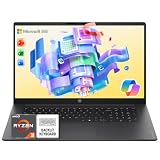
- HP OmniBook 3 ($839.99) – Best Budget Pick – 17.3″ screen, Microsoft 365 included.
- Apple MacBook Air 13″ (M5, 2026) ($1,149.00) – Best for Web Development – Unix terminal, long battery life.
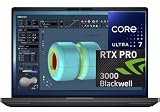
- Acer Nitro V 16S ($1,399.99) – Best for ML-Adjacent Work – RTX 5060 for local model experimentation.
- ASUS ROG Strix G16 ($1,623.83) – Best Overall – 32GB-class performance, handles containers and heavy IDEs comfortably.
See All Picks



Which One Is Right for You?
If you’re a student or just starting out and want the lowest realistic entry price, the HP OmniBook 3’s 17.3″ screen gives you real side-by-side editor-and-browser space without needing an external monitor. If you’re doing web development specifically, the MacBook Air is the common choice among developers for a reason – its Unix-based terminal environment matches most server deployment targets, and its battery life is hard to match on Windows at a similar price. If you also dabble in local ML experimentation or lightweight game development alongside your main work, step up to the Acer Nitro V or ASUS ROG Strix G16 for the extra GPU headroom – between the two, the ASUS is the stronger all-rounder for running multiple containers and heavier IDEs at once.
All Picks in Detail
1. ASUS ROG Strix G16 – Best Overall
At $1,623.83, this is the most capable all-rounder for development work in this lineup – enough RAM and CPU headroom to comfortably run an IDE, several Docker containers, a local dev server, and a browser with many tabs simultaneously without grinding to a halt. Its RTX 5060 is a genuine bonus if you ever dip into local ML model experimentation or game development alongside your main work, rather than a core requirement for most software/web development.
2. Apple MacBook Air 13″ (M5, 2026) – Best for Web Development
At $1,149.00, the Mac’s Unix-based terminal is a genuine practical convenience for web developers, since most server deployment targets are also Unix-based – fewer environment quirks between local dev and production. Its battery life is also a real advantage for working away from a desk, and its efficient M5 chip runs modern IDEs and browsers without breaking a sweat.
3. Acer Nitro V 16S – Best for ML-Adjacent Work
At $1,399.99, this gives you the same RTX 5060 GPU headroom as the pricier ASUS at a lower cost – worth it specifically if you do any local machine learning experimentation, GPU-accelerated data work, or game development alongside your main software work.
4. HP OmniBook 3 – Best Budget Pick
At $839.99, this is the cheapest pick on the list, with a 17.3″ screen that’s genuinely useful for side-by-side editor and browser windows if you don’t use an external monitor. Microsoft 365 is bundled in, a small extra for documentation and planning work alongside your code.
Specs Compared
| Laptop | Price | CPU | GPU | Screen |
|---|---|---|---|---|
| HP OmniBook 3 | $839.99 | AMD Ryzen | Integrated | 17.3″ FHD IPS |
| Apple MacBook Air 13″ M5 | $1,149.00 | Apple M5 | Integrated | 13.6″ Liquid Retina |
| Acer Nitro V 16S | $1,399.99 | AMD Ryzen 7 260 | RTX 5060 | 16″ FHD |
| ASUS ROG Strix G16 | $1,623.83 | Intel Core (12th/13th-gen class) | RTX 5060 | 16″ FHD+ 165Hz |
How We Chose These
We filtered for RAM headroom and a reliable multi-core CPU, deliberately not weighting GPU tier heavily since it’s irrelevant to the vast majority of software and web development work. We excluded several similarly-priced generic business laptops the search surfaced with very low RAM (4-8GB) or old, weak processors unsuitable for running a modern IDE alongside containers and a browser.
What to Look For
- RAM over GPU. 16GB is workable, 32GB is comfortable for running multiple containers, a database, and an IDE at once.
- Multi-core CPU for build/compile times and test suites. A faster CPU means less time waiting on builds, especially in larger codebases.
- Battery life if you work mobile. Matters a lot more here than for a desk-bound workstation laptop.
- Screen size if you don’t use an external monitor. A bigger panel genuinely helps side-by-side editor/terminal/browser work.
Questions
Do I need a discrete GPU for web development?
No, for the vast majority of frontend, backend, or full-stack web work. A discrete GPU matters specifically if you’re also doing game development, ML/AI work, or GPU-accelerated data processing alongside your main dev work.
Is 16GB RAM enough for running Docker containers?
It’s workable for one or two lightweight containers but gets tight quickly with more. If you regularly run multiple containers plus a database and an IDE, 32GB gives meaningfully more comfortable headroom.
Mac, Windows, or Linux for development?
Mac’s Unix terminal is a convenience for Unix-targeted deployments; Windows is the right pick for Windows-only tooling or more raw hardware for the money, and runs Linux well via WSL2 if that’s your preferred environment.
Should I prioritize screen size for coding?
It helps for side-by-side windows but isn’t essential if you dock to an external monitor at your main workspace. The 17.3″ HP OmniBook here is a good pick specifically if you don’t use a second monitor.
Update History
Published October 2026 with current live Amazon listings and pricing.
Sources
Product specifications, pricing and availability sourced directly from live Amazon product listings as of October 2026.