

- Top Pick: acer Aspire 3 A315-24P-R7VH Slim Laptop | 15.6" Full HD | AMD Ryzen 3 7320U Quad-Core | AMD Radeon Graphics | 8GB LPDDR5 | 128GB NVMe SSD | Wi-Fi 6 | Windows 11 Home
- Best Value: acer Aspire Go 15 AI Ready Laptop | 15.6" FHD (1920 x 1080) IPS Display | Intel Core 3 Processor N355 | Intel Graphics | 8GB DDR5 | 128GB UFS | Wi-Fi 6 | Windows 11 Home in S Mode | AG15-32P-39R2
- Premium Choice: Acer Aspire Go 15 AI Ready Laptop | 15.6" FHD IPS Display | AMD Ryzen 3 30 Processor | AMD Radeon Graphics | 8GB LPDDR5 | 128GB PCIe SSD | Wi-Fi 6 | Windows 11 Home | AG15-21P-R42Z
Picking an Acer for school sounds simple until the listings pile up: three different Aspire Go 15 variants, a trio of Chromebooks with nearly identical processors, and one Ryzen 7 model packed with memory that no student obviously needs. The real decision is not “which Acer is best” but which operating system and hardware tier match the way assignments get done. A student whose district hands out Google Classroom links needs something different from a student writing papers in Word, running a spreadsheet for chemistry labs, and joining video calls in the same evening.
This guide is built for parents shopping before the semester starts, high schoolers choosing their own machine, and college freshmen who want a 15.6-inch screen without paying for features they will never open. Every pick below is judged only on what its listing spells out, so you can compare processors, memory, storage, and battery claims directly. Where a listing is thin on detail, the write-up says so instead of guessing, which matters for a 2026 back-to-school list where several look-alike models compete.
Quick Picks
As an Amazon Associate we earn from qualifying purchases at no extra cost to you.
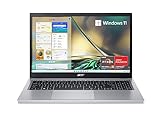


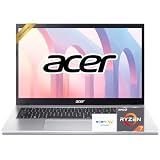
| Product | Best for | Key spec from the title |
|---|---|---|
| Acer Aspire 3 A315-24P-R7VH | All-round Windows homework machine | Ryzen 3 7320U, 8GB LPDDR5, 128GB NVMe SSD |
| Acer Aspire Go 15 AG15-32P-39R2 | Light Windows use in S Mode | Intel Core 3 N355, 8GB DDR5, 128GB UFS |
| Acer Aspire Go 15 AG15-21P-R42Z | Windows with an SSD at the base tier | Ryzen 3 30, 8GB LPDDR5, 128GB PCIe SSD |
| Acer Chromebook 315 | Classroom web apps and docs | Celeron N4020, 4GB RAM, 12.5H battery listed |
| Acer Chromebook 2023 Flagship | Chromebook buyers who want an accessory bundle | Celeron N4020, 4GB RAM, 64GB eMMC |
| Acer Chromebook 15.6 FHD | K12 students who want a sharper screen | FHD 1080p, WiFi 6, 10-hour battery listed |
| Acer Aspire Go 15 Ryzen 7 7730U | College students running heavy multitasking | Ryzen 7 7730U, 64GB RAM, 1TB SSD |
How to Choose
Windows or Chrome OS first
Settle the operating system before anything else. Chrome OS models in this list pair a Celeron N4020 with 4GB of RAM, which is fine for browser-based coursework but leaves little room for desktop software. If your school requires Microsoft Office desktop apps, a lockdown browser that only runs on Windows, or a coding editor, pick one of the Windows 11 Aspire models. Ask the teacher or the school IT page what software is mandatory before you buy anything.
Memory and storage thresholds
For Windows, treat 8GB of RAM as the floor; several Aspire listings here meet it, while the Chromebooks stop at 4GB. For storage, 128GB is workable if files live in cloud drives, and 64GB eMMC on a Chromebook is only comfortable when Google Drive does the heavy lifting. Remember that the listing says 128GB UFS on one model and PCIe or NVMe SSD on others; SSD labels generally point to faster app loading than UFS or eMMC.
Screen and battery for a school day
A Full HD 1920 x 1080 panel makes spreadsheets and split-screen reading far less cramped than an HD panel. Two Chromebooks here list an HD display, one lists FHD, and the Aspire Go 15 variants list FHD with IPS on most. For battery, look for a claim of ten hours or more, such as the 10-hour and 12.5-hour numbers on the Chromebooks, and treat those as manufacturer claims, not guarantees a full class schedule will match.
What to ignore and where budgets cut corners
Ignore bundled extras like sleeves and accessory kits when comparing core hardware, and ignore vague words such as “flagship” or “AI Ready” in a title; neither tells you how fast a homework session will feel. Instead, read the processor name, memory type, and storage type line by line. The usual corner-cutting at this tier is a dim or low-resolution screen, a plain Celeron processor, soldered memory you cannot expand, and slow storage. Wi-Fi 6, listed on several models, is worth keeping because dorm and campus networks get crowded.
The 7 Best Options
Acer Aspire 3 A315-24P-R7VH
This is the most straightforward Windows pick for a student who needs one laptop to cover essays, research, and video calls. The listing pairs a quad-core Ryzen 3 7320U with 8GB of LPDDR5 memory and a 128GB NVMe SSD, a combination that should keep the system responsive with a dozen browser tabs open.
- Full HD 15.6-inch screen gives room for side-by-side windows.
- NVMe storage and Wi-Fi 6 are both named in the title.
- Trade-off: 128GB fills up quickly if you store lecture videos locally.
Skip it if your school runs entirely on Chromebooks, or if you need heavy engineering software.
Acer Aspire Go 15 AG15-32P-39R2
Built around an Intel Core 3 N355 with 8GB of DDR5, this model targets students who mostly write, browse, and stream. The title calls it AI Ready and lists a 15.6-inch FHD IPS display, which helps with viewing angles when a screen is shared across a desk.
- DDR5 memory and Wi-Fi 6 are both listed.
- IPS panel at 1920 x 1080 suits long reading sessions.
- Trade-off: it ships in Windows 11 Home in S Mode, which limits installs to the Microsoft Store unless you switch out.
Skip it if you need a classic desktop app that is not in the Store, or if 128GB UFS storage feels tight.
Acer Aspire Go 15 AG15-21P-R42Z
The AMD sibling of the model above, this version lists a Ryzen 3 30 processor, Radeon graphics, 8GB of LPDDR5 and a 128GB PCIe SSD. Unlike the S Mode variant, the title simply says Windows 11 Home, so installing software from outside the Store is not restricted by the listing.
- PCIe SSD storage is named rather than UFS.
- FHD IPS display and Wi-Fi 6 round out the specs.
- Trade-off: the processor name is unfamiliar, so compare it against the Aspire 3 before deciding.
Skip it if you already lean toward the Aspire 3, since the two overlap closely on paper. Choose between them by comparing processor naming and the exact model code printed on the listing.
Acer Chromebook 315
A no-frills Chrome OS laptop for students whose assignments live in Google Docs, Slides, and the browser. The title lists a Celeron N4020 running up to 2.8GHz, 4GB of RAM, 64GB of eMMC storage, and a long 12.5H battery claim.
- The 12.5-hour battery figure is the longest claim in this group.
- Bluetooth and Wi-Fi are both listed for headphones and campus networks.
- Trade-off: the display is listed as HD, not Full HD, so text looks softer.
Skip it if you want Windows software or plan to keep dozens of tabs open at once. Students who rely on Chrome OS for school-issued accounts, though, will find the interface familiar from the first login.
Acer Chromebook 2023 Flagship
This one repeats the same Celeron N4020, 4GB RAM, and 64GB eMMC trio as the Chromebook 315, while adding a webcam mention and an accessory bundle in the title. The thin-and-light wording signals it is meant for carrying between classes.
- Dual-core Celeron with Chrome OS keeps the setup simple for younger students.
- The listing includes an extra accessory in the package.
- Trade-off: the processor, memory, and storage match the Chromebook 315, so the bundled accessory is the only real difference on paper.
Skip it if you want the sharper Full HD screen found on the next Chromebook.
Acer Chromebook 15.6 FHD
Aimed at education buyers, this Chromebook lists a 1080p Full HD display, a dual-core Intel Celeron, 64GB storage, Wi-Fi 6, and a 10-hour battery. A bundled sleeve and a glare-reducing webcam are also named, with K12 use called out directly.
- Full HD resolution is rare among the Chromebooks in this list.
- Wi-Fi 6 and a carry sleeve come with the listing.
- Trade-off: the exact Celeron model and RAM amount are not stated in the title.
Skip it if you need to confirm memory before buying, or if Windows apps are required. Because the title leaves the processor model vague, confirm the full specification on the product page before ordering.
Acer Aspire Go 15 Ryzen 7 7730U
The roomiest configuration here, with a Ryzen 7 7730U, 64GB of RAM, and a 1TB SSD on a 15.6-inch Full HD screen. The title frames it for school, business, and productivity, so it suits a college student who juggles design files, spreadsheets, and many open programs.
- 1TB of SSD space can hold project folders and installed software.
- 64GB of memory leaves headroom for multitasking.
- Trade-off: it is the premium tier of the group and overkill for note-taking.
Skip it if your coursework is mostly browser-based or a younger student needs a basic laptop. Buyers who keep a laptop through four years of college are the ones who benefit most from this much headroom.
Which One Fits Your Situation
A middle schooler on a school-managed Google account
The Acer Chromebook 15.6 FHD fits best: it names K12 and education use, offers a sharper screen than the other Chromebooks, and includes a sleeve for the backpack.
A high school junior writing papers and building slideshows
The Acer Aspire 3 A315-24P-R7VH covers desktop Office, plenty of browser tabs, and video calls, with an NVMe drive and 8GB of memory.
A college freshman in a design, data, or engineering major
The Acer Aspire Go 15 with the Ryzen 7 7730U gives the memory and storage that larger files and several simultaneous programs demand.
A parent who wants the simplest low-maintenance option
The Acer Chromebook 315 keeps things basic, with Chrome OS handling updates and a long battery claim for days away from an outlet. Pair it with cloud storage so the small eMMC drive never becomes a problem.
Common Mistakes
- Buying a Chromebook before confirming the school does not need Windows-only software.
- Assuming every 15.6-inch screen is Full HD when some listings say HD.
- Ignoring Windows 11 Home in S Mode and then being surprised when a desktop installer will not run.
- Paying attention to accessory bundles instead of processor, memory, and storage.
- Treating a battery claim as a promise, then forgetting to pack the charger.
Related guides
- Combination Smoke And Carbon Monoxide Detectors
- Aio Liquid Coolers For High Performance Gaming
- Graphics Cards For Low Wattage Power Supplies
Frequently Asked Questions
Is 4GB of RAM enough for a school Chromebook?
For Google Docs, Classroom, and video lessons it generally works, but it can feel crowded with many tabs. If your student multitasks heavily, step up to an 8GB Windows model from this list.
What does Windows 11 in S Mode mean?
It restricts app installs to the Microsoft Store for added simplicity and security. Most students can leave it on, and the mode can be switched off if a needed program is not in the Store.
Do I need a Ryzen 7 for school?
Most coursework runs fine on a Ryzen 3 or Core 3 chip. The Ryzen 7 with 64GB of RAM makes sense only for demanding majors or long-term ownership through several years of college.
Which Acer here has the longest listed battery life?
The Acer Chromebook 315 lists a 12.5H claim, ahead of the 10-hour figure on the Full HD Chromebook. Treat both as manufacturer claims and expect real results to vary with brightness and workload.









