Photo editing is less GPU-hungry than video editing, but it rewards a sharp, accurate display more than almost any other workload on this list – if your screen can’t show color and detail accurately, you’re editing blind, and every print or client delivery is a gamble. We checked real laptops currently sold on Amazon against this specific need, including Apple’s M5 MacBook Air lineup and RTX-equipped Windows options that help with AI-powered editing tools in Lightroom and Photoshop.
Quick List
- Apple MacBook Air 13″ (M5, 2026) ($1,149.00) – Best Overall – Liquid Retina display, excellent out-of-the-box color accuracy.
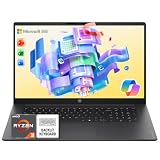
- HP 15.6″ FHD Touchscreen ($937.49) – Best Budget Pick – 32GB RAM, touch input for retouching tools.
- Acer Nitro V 16S ($1,399.99) – Best GPU Value – RTX 5060 accelerates Lightroom/Photoshop AI tools.
- ASUS ROG Strix G16 ($1,623.83) – Best for AI-Powered Editing – RTX 5060, 165Hz panel, strongest spec sheet here.
- Apple MacBook Air 15″ (M5, 2026) ($1,649.00) – Best for More Working Space – same display quality as the 13″, bigger 15.3″ panel.
See All Picks





Which One Is Right for You?
If display quality and battery life matter more to you than chasing AI-feature speed, the MacBook Air 13″ is the easiest recommendation on this list – its Liquid Retina panel is accurate enough out of the box that most photographers won’t feel the need to calibrate it before client work. If you regularly need more on-screen working space for side-by-side before/after comparisons or a full Lightroom catalog panel, step up to the 15″ Air for the same display quality in a bigger package. If you lean heavily on Lightroom’s AI Denoise or Photoshop’s Generative Fill and Neural Filters, the RTX-equipped ASUS and Acer picks process those noticeably faster thanks to real GPU acceleration those AI tools actually use – between the two, the ASUS’s higher refresh panel and stronger overall build make it the better buy if your budget allows it. The HP is the pick if you want the lowest price while still getting 32GB of RAM and touch input for retouching.
All Picks in Detail
1. Apple MacBook Air 13″ (M5, 2026) – Best Overall
At $1,149.00, this is the easiest all-around recommendation on the list. None of these laptops carry a formal color-accuracy certification like Pantone validation, but Apple’s Liquid Retina displays have a well-earned reputation for strong out-of-the-box accuracy without third-party calibration – a real practical advantage when you’re editing on location or without a calibrator handy. Its efficient M5 chip also means long battery life through a full editing session.
2. ASUS ROG Strix G16 – Best for AI-Powered Editing
At $1,623.83, the most expensive pick here, this ROG Strix pairs an RTX 5060 with a 165Hz display. The GPU is the real draw for photo work specifically: Lightroom’s AI Denoise and Photoshop’s Generative Fill and Neural Filters both lean on GPU acceleration and run meaningfully faster on dedicated graphics than on integrated graphics alone. If you use those AI features regularly in a busy editing workflow, the time saved adds up fast.
3. Acer Nitro V 16S – Best GPU Value
At $1,399.99, this gives you the same RTX 5060 AI-acceleration benefit as the ASUS for about $225 less, in a less refined but perfectly capable chassis. The pick if GPU-accelerated AI editing tools matter to you but the ASUS’s extra polish doesn’t.
4. Apple MacBook Air 15″ (M5, 2026) – Best for More Working Space
At $1,649.00, this is the same display quality and color accuracy as the 13″ Air in a 15.3″ panel – genuinely useful if you want more room for Lightroom’s side panels and a full-size before/after comparison without constantly zooming. The tradeoff is less portability and a real price jump over the 13″.
5. HP 15.6″ FHD Touchscreen – Best Budget Pick
At $937.49, this is the cheapest way to get 32GB of RAM and a 1TB SSD on this list, with a touchscreen that’s a genuine nice-to-have for brush and retouch tools. No discrete GPU here, so treat it as the budget pick for traditional editing rather than AI-feature-heavy workflows.
Specs Compared
| Laptop | Price | Display | GPU | RAM | Storage |
|---|---|---|---|---|---|
| Apple MacBook Air 13″ M5 | $1,149.00 | 13.6″ Liquid Retina | Integrated | 16GB unified | — |
| Apple MacBook Air 15″ M5 | $1,649.00 | 15.3″ Liquid Retina | Integrated | 16GB unified | — |
| ASUS ROG Strix G16 | $1,623.83 | 16″ FHD+ 165Hz | RTX 5060 | — | — |
| Acer Nitro V 16S | $1,399.99 | 16″ FHD | RTX 5060 | — | — |
| HP 15.6″ Touchscreen | $937.49 | 15.6″ FHD touch | Integrated | 32GB | 1TB SSD |
How We Chose These
We filtered real, currently-listed laptops for display quality reputation, RAM (16GB minimum, since batch-processing RAW files benefits from headroom), and noted GPU tier separately for its specific relevance to modern AI-powered editing tools in Lightroom and Photoshop. We excluded several similarly-priced business laptops the search surfaced that had only 8GB RAM or unspecified, low-end integrated graphics with no stated color performance.
What to Look For
- Display accuracy over resolution. A sharp, accurate FHD or Retina panel serves most photographers better than a higher-resolution screen with mediocre color.
- Check sRGB/P3 coverage for color-critical work. None of these specific listings carry a formal certification – verify the exact coverage percentage on the listing if your work is print or client color-critical.
- GPU matters more now than it used to. Modern AI-powered tools (Denoise, Generative Fill, Neural Filters) genuinely benefit from a discrete GPU in a way older-generation Photoshop/Lightroom didn’t.
- 16GB RAM minimum, 32GB for batch work. Processing large RAW libraries in batches is where extra RAM pays off most.
Questions
Do I need a 4K display for photo editing?
Not strictly – color accuracy and brightness matter more than raw pixel count for most editing work. A sharp FHD or Liquid Retina display, like the picks here, is enough for most photographers; 4K becomes more valuable specifically for fine detail inspection and if you also do video work.
Mac or Windows for Lightroom and Photoshop?
Both run Adobe’s Creative Suite well. Mac tends to have an edge in display quality and battery life out of the box; Windows laptops with a discrete GPU like the RTX 5060 picks here have an edge in raw AI-feature acceleration and typically cost less for similar RAM/storage.
Is 16GB RAM enough for photo editing?
Yes for most photographers working with RAW files in Lightroom/Photoshop one session at a time. 32GB gives more comfortable headroom if you batch-process large RAW libraries or keep many apps open simultaneously.
Does screen size matter for photo editing?
It mainly affects how much panel/palette space you have on screen at once, not editing quality itself. A 15″ display gives more comfortable working room than a 13″ one for complex multi-panel workflows, at the cost of portability.
Update History
Published October 2026 with current live Amazon listings and pricing.
Sources
Product specifications, pricing and availability sourced directly from live Amazon product listings as of October 2026.