

- Top Pick: 2026 Laptops Computer,15.6" Windows 11 Pro Laptop with Office 365 included,8GB RAM 256GB SSD,Intel Pentium Process,6H Battery,Mini HDMI,cam|Mic,Portable Thin Lap Top for College Student Business Work
- Best Value: HP 17 inch Business Laptop Computer • 2026 Edition • Latest AMD Ryzen 5 CPU • 16GB RAM • 512GB SSD • 17.3" FHD Display • Numeric Keypad • Long Battery Life • Windows 11 with Office 365 for The Web
- Premium Choice: Phatom 15.6" FHD Laptop Computer 4GB RAM 128GB SSD Windows 11 Compatible | Upgradeable RAM+SSD,Pentium (Beats Celeron), Support UP to 2TB, 1080P HDMI, for Business, Student laptops for school
A cheap business laptop has a narrower job than a general-purpose one: open spreadsheets and video calls all day, hold a few dozen browser tabs, connect to a projector or dock without drama, and survive a few years of commuting. The tricky part is that bargain listings advertise the same buzzwords, so a 4GB machine and a 16GB machine can both claim to be built for work. This guide separates them by the numbers printed in each title.
It is written for owners equipping a small team, freelancers who need a dependable second machine, and managers setting up a back office on a firm budget. Ten models are covered for 2026, from compact 14-inch units to 17.3-inch workstations with a numeric keypad. Nothing here assumes gaming power; the focus is memory, storage, ports, screen size, and the operating system a business actually needs.
Quick Picks
As an Amazon Associate we earn from qualifying purchases at no extra cost to you.







| Product | Best for | Key spec from the title |
|---|---|---|
| NIAKUN 15.6″ Pro | Entry spreadsheet work | 8GB RAM, 256GB SSD, Windows 11 Pro |
| HP 17-inch Ryzen 5 | Large screen multitasking | 16GB RAM, 512GB SSD, 17.3″ FHD |
| Phatom 15.6″ | Upgrade-minded buyers | 4GB RAM, 128GB SSD, upgradeable to 2TB |
| Lenovo Business 15.6″ | Light office and USB-C use | 8GB DDR5, 128GB, Wi-Fi 6, USB-C |
| HP 15.6 Business | Quiet shared offices | 128GB SSD, 4-core CPU, ultra-quiet design |
| Lenovo V15 Gen 4 | Wired networking desks | Core i5-13420H, 16GB, 512GB, RJ45 |
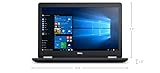
| Dell Latitude E5570 (Renewed) | Lowest tier, large disk | Core i5-6200U, 8GB, 1TB hard drive |
| HP 17.3″ Ryzen 5 7430U | Power users on a limit | Ryzen 5 7430U, 16GB, 512GB PCIe |
| HP 14″ N150 | Travel and light email | N150 quad-core, 4GB RAM, 128GB UFS |
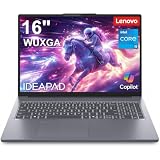
| Lenovo 16″ i5-13420H | Best-equipped mid-range | 16GB DDR5, 512GB SSD, Bluetooth 5.2 |
How to Choose
Memory is the first spec to protect
Eight gigabytes is the practical floor for a business machine running a browser, a mail client, and a video call at once. Four gigabytes can get through basic email but strains under heavy tabs, so treat it as a last resort. Sixteen gigabytes is where multitasking stops feeling cramped. DDR5 listings are newer than DDR4 and are worth noting, but total capacity counts more than the generation at this tier.
Storage type and size
An SSD makes startup and file opening far faster than a spinning disk, so a 256GB SSD usually beats a 1TB hard drive for daily work. A 128GB drive is workable if documents live in cloud storage, though updates eat into it fast. Look for 512GB if you keep local files, scans, or large presentations on the machine.
Processor, screen, and ports
A Core i5-13420H or Ryzen 5 sits clearly above the Pentium and N150 chips found on the lowest tier. For the screen, FHD (1920 by 1080) is the minimum worth buying, and 15.6 inches is a good balance of portability and room to work. A numeric keypad matters if you enter figures all day. For ports, HDMI is essential for presentations, RJ45 helps in offices with wired networks, and USB-C adds flexible charging and docking.
Operating system and software
Windows 11 Pro adds business features such as device encryption management and domain support that Windows 11 Home lacks. Be careful with the word “Office”: several titles say Microsoft 365 for the web or a one-year subscription, which is different from a permanent desktop install. Also note that the Dell here runs Windows 10 Pro, an older release, and plan its upgrade path before buying.
The 10 Best Options
NIAKUN 15.6″ Windows 11 Pro
The NIAKUN pairs a 15.6-inch screen with 8GB of RAM, a 256GB SSD, and an Intel Pentium processor, all running Windows 11 Pro with Office 365 included per the title. It lists a 6-hour battery, mini HDMI, and a camera and microphone.
- Strength: Windows 11 Pro on a modest machine suits business features.
- Strength: 8GB and 256GB cover everyday office tasks.
- Trade-off: a Pentium chip limits heavy spreadsheets.
Skip it if you juggle many applications at once. It makes sense for a receptionist, a part-time bookkeeper, or a student-run office where documents and browsing dominate and the included office suite saves a setup step.
HP 17-inch Ryzen 5
This HP lists a Ryzen 5 processor, 16GB of RAM, a 512GB SSD, and a 17.3-inch FHD display with a numeric keypad. The title mentions Windows 11 with Office 365 for the web.
- Strength: 16GB and 512GB give it a comfortable base for multitasking.
- Strength: the 17.3-inch screen and keypad suit data entry.
- Trade-off: a 17-inch body is less portable for frequent travel.
Skip it if you carry your laptop on public transit daily. It is a natural desk anchor for accounting, scheduling, or order entry, where the extra screen area and the keypad save time over a long shift.
Phatom 15.6″
The Phatom lists a 15.6-inch FHD screen, a Pentium processor, 4GB of RAM, and a 128GB SSD. Its selling point is that the RAM and SSD are upgradeable, supporting up to 2TB of storage, with a 1080P HDMI output.
- Strength: upgradeable memory and storage extend its working life.
- Strength: HDMI output makes presentations simple.
- Trade-off: 4GB of RAM is thin until you upgrade it.
Skip it if you want a machine that is ready out of the box. Confirm the upgrade details with the seller, since a handy owner can add memory later and turn a thin starting point into a more usable workstation.
Lenovo Business 15.6″
This Lenovo has a 15.6-inch FHD anti-glare screen, an Intel processor, 8GB of DDR5 memory, and 128GB of storage. The title adds Office 365, Copilot AI, Wi-Fi 6, USB-C, and Windows 11.
- Strength: DDR5 memory with Wi-Fi 6 is a current pairing.
- Strength: an anti-glare screen helps in bright offices.
- Trade-off: 128GB of storage leaves limited local room.
Skip it if you store large files on the device. It suits teams that keep work in cloud folders, where a small drive is less of a problem and a glare-resistant screen helps near windows.
HP 15.6 Business
This HP lists a 128GB SSD, an Intel four-core processor, Wi-Fi 6, and an ultra-quiet design, with Windows 11 and Microsoft 365. The title does not state the RAM amount.
- Strength: the quiet design suits libraries and shared rooms.
- Strength: Wi-Fi 6 supports quicker wireless connections.
- Trade-off: the missing RAM detail means you should verify memory.
Skip it if you need a confirmed memory figure before buying. Check the full listing for RAM before ordering, and treat the quiet design as a bonus for open offices rather than a performance feature.
Lenovo V15 Gen 4
The V15 Gen 4 lists a 15.6-inch FHD display, an Intel Core i5-13420H, 16GB of RAM, a 512GB SSD, and Windows 11 Pro. It also has HDMI, RJ45, a webcam, a numeric keypad, and Wi-Fi.
- Strength: the Ethernet port helps in wired offices.
- Strength: a Core i5 with 16GB and Windows 11 Pro is a strong business combination.
- Trade-off: the listing does not mention USB-C.
Skip it if you want a thin travel design. It is aimed at desks with a wired network drop, a monitor, and long days of mixed office work, where the port selection matters more than weight.
Dell Latitude E5570 (Renewed)
The Dell Latitude E5570 is a renewed business notebook with a Core i5-6200U, 8GB of RAM, a 1TB hard drive, HDMI, camera, Wi-Fi, a numeric keyboard, and Windows 10 Pro.
- Strength: 1TB of storage is generous for the tier.
- Strength: the Latitude line has a business pedigree.
- Trade-off: an older processor, a spinning drive, and Windows 10 age it.
Skip it if you want a modern chip or a fast SSD. It can still serve as a basic terminal for email and records, particularly where a lot of local storage matters and speed is secondary.
HP 17.3″ Ryzen 5 7430U
This HP lists a Ryzen 5 7430U, a 17.3-inch FHD display, Wi-Fi 6, 16GB of RAM, and a 512GB PCIe drive, running Windows 11 with Microsoft 365 for the web.
- Strength: a Ryzen 5 7430U with 16GB is a capable pairing.
- Strength: the PCIe drive helps with quick file access.
- Trade-off: a large chassis is not very portable.
Skip it if you travel often. It suits a fixed workstation for estimating, payroll, or inventory, and buyers should compare it with the other HP 17-inch listing, which differs in processor naming.
HP 14″ N150
The HP 14-inch has an Intel quad-core N150 processor, 4GB of RAM, and 128GB of UFS storage. It lists a one-year Office 365 subscription, Windows 11 Home, and earphones.
- Strength: a smaller 14-inch size is easy to carry.
- Strength: a bundled Office subscription is useful for documents.
- Trade-off: Windows 11 Home and 4GB of RAM limit business use.
Skip it if you need domain features or heavy multitasking. As a travel notebook for email and documents, or a simple machine for a sales rep on the road, it is the easiest laptop here to carry.
Lenovo 16″ i5-13420H
This Lenovo has a 16-inch FHD display, an Intel i5-13420H with 8 cores, 16GB of DDR5, and a 512GB SSD. The title adds Office 365, Copilot AI, Wi-Fi 6, Bluetooth 5.2, fast charge, a numeric keypad, and an HD webcam.
- Strength: it is the best-equipped listing in this roundup.
- Strength: fast charge and Bluetooth 5.2 are practical.
- Trade-off: a 16-inch screen adds bulk.
Skip it if you want a compact bag-friendly laptop. It suits managers and analysts who work across many windows, take video calls, and want one machine that does not feel like a compromise.
Which One Fits Your Situation
Equipping a small team on a firm budget
The NIAKUN and the Lenovo Business 15.6″ both give you 8GB of RAM, but the NIAKUN adds a 256GB SSD and Windows 11 Pro. For a team that handles more data, step up to the Lenovo V15 Gen 4.
Spreadsheet-heavy accounting desks
The HP 17-inch Ryzen 5 or the HP 17.3″ Ryzen 5 7430U combine a big screen, a numeric keypad, and 16GB of memory.
Mobile staff and light email
The HP 14″ N150 is the most portable pick, as long as tasks stay simple.
Owners who like to upgrade
The Phatom 15.6″ supports RAM and SSD upgrades, which suits a handy buyer who will invest a little more later.
Common Mistakes
- Accepting 4GB of RAM for full-time office work.
- Assuming “Office 365” means a permanent desktop install.
- Buying Windows 11 Home when a business needs Pro features.
- Choosing a spinning hard drive over an SSD for speed.
- Ignoring ports such as HDMI, RJ45, and USB-C that office setups rely on.
Related guides
- Battery Operated Smoke And Carbon Monoxide Detectors
- Combination Smoke And Carbon Monoxide Detectors
- Aio Liquid Coolers For High Performance Gaming
Frequently Asked Questions
How much RAM does a business laptop need?
Eight gigabytes is the practical minimum, and 16GB is more comfortable for multitasking. Four gigabytes only suits very light email and web use.
Is a renewed laptop a safe choice for work?
It can be if the seller states the condition and offers returns, though an older chip and operating system, like the Dell here, will age sooner.
Do I need Windows 11 Pro?
Pro adds management and encryption features that Home lacks, so it matters if you join a company domain or need tighter security.
Is a 17-inch laptop too large?
For a fixed desk it is a plus because of the screen and keypad. For daily travel, a 14 or 15.6-inch model is easier to carry.









