

- Top Pick: Lenovo Flagship Chromebook, 14'' FHD Touchscreen Slim Thin Light Laptop Computer, 8-Core MediaTek Kompanio 520 Processor, 4GB RAM, 64GB eMMC, WiFi 6,Chrome OS, Abyss Blue
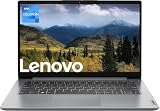
- Best Value: Lenovo IdeaPad 1 Laptop, 14.0" HD Display, Intel Celeron N4020, 4GB RAM, 64GB Storage, Intel UHD Graphics 600, Windows 11 in S Mode, Ice Blue
- Premium Choice: Lenovo 15.6" FHD Essential Laptop, Intel Processor, 8GB DDR5, 128GB Storage | 1TB Cloud Storage, 2027 Edition, Copilot AI, Office 365, Long Battery Life, WiFi 6, Anti-Glare Screen, Abyss Blue, Win 11
Lenovo sells an unusually wide ladder of entry-level machines, and at the bottom rungs the differences hide inside small spec lines: a Celeron versus a Ryzen 5, 4GB versus 16GB of memory, an eMMC chip versus a real SSD. Shoppers searching for the best cheap Lenovo laptops are usually buying for a child, a classroom, a parent or a spare desk, so the goal here is to sort ten listings by what each one is genuinely suited to, using only the facts in the titles.
Two themes run through the list. First, several models are Chromebooks or Windows machines in S Mode, which limits what software you can install. Second, a couple of listings are renewed units or bundles with extras. Read those labels carefully, because they change warranty expectations. As 2026 buying advice goes, the most useful single habit is to compare memory and storage type before looking at color or screen size.
Quick Picks
As an Amazon Associate we earn from qualifying purchases at no extra cost to you.





| Product | Best for | Key spec from the title |
|---|---|---|
| Lenovo Flagship Chromebook 14 | Browser-based schoolwork | 14 inch FHD touchscreen, Kompanio 520, Chrome OS |
| IdeaPad 1 14 (Ice Blue) | Basic Windows tasks | Celeron N4020, 4GB, 64GB, Windows 11 S |
| Lenovo 15.6 Essential | Home use with a bigger screen | 15.6 inch FHD, 8GB DDR5, anti-glare |
| IdeaPad 14 Student Bundle | Extra storage via card | Celeron N4020, 128GB (eMMC plus card) |
| Lenovo V15 | Heaviest everyday workloads | Ryzen 5 5500U, 16GB, 512GB SSD |
| Lenovo Business 15.6 | Office-style tasks with USB-C | 8GB DDR5, 128GB, USB-C, Office 365 |
| IdeaPad Slim 3 Chromebook | Video calls and media | MaxxAudio speakers, 720p camera |
| IdeaPad 1 14 (Cloud Grey) | Light home Windows use | Celeron N4020, 14 inch HD, Windows 11 S |
| Lenovo 100e 2nd Gen | Compact classroom device | 11.6 inch HD, AMD 3015E, 4GB |
| Lenovo 11-inch Convertible | Touch and tablet-style use | 11 inch IPS touchscreen, 8GB DDR5, Renewed |
How to Choose
Memory is the first number to read
Four gigabytes is the floor on several listings here, and it is tolerable only for Chrome OS or a handful of browser tabs. Eight gigabytes is the practical minimum for Windows with a few apps open, and the sixteen gigabytes on the V15 is the clear outlier for longevity.
Storage type matters as much as storage size
An SSD, as on the V15, loads software noticeably faster than eMMC or MMC flash. Listings with 64GB leave very little free space once Windows updates arrive, and cloud storage bundled with a laptop is not local space. Cards help, but they are slower and can be lost.
Know what S Mode and Chrome OS allow
Windows 11 in S Mode installs only Microsoft Store apps unless you switch out of it, and Chrome OS runs web and Android-style apps rather than desktop programs. If a school or employer needs a specific Windows program, confirm compatibility first.
Screens and ports reveal where corners were cut
HD at 1366 by 768 is the lowest tier, full HD is the sensible target, and IPS panels hold their color better when viewed from the side. At this level, extras such as HDMI, a numeric keypad or a wired network port are signs of a more practical machine.
The 10 Best Options
Lenovo Flagship Chromebook 14
This Chromebook pairs a 14 inch FHD touchscreen with an eight-core MediaTek Kompanio 520, 4GB of RAM, 64GB of eMMC storage and WiFi 6, running Chrome OS in an Abyss Blue shell.
- Strength: a full HD touchscreen is uncommon in this class and helps with reading.
- Strength: WiFi 6 suits a busy home network.
- Trade-off: 64GB of eMMC and Chrome OS limit offline and desktop software.
It fits a student whose coursework lives in a browser and who benefits from tapping or scrolling directly on the screen. Skip it if you need Windows programs, or if you expect to store large offline libraries of video and files.
IdeaPad 1 14 (Ice Blue)
The IdeaPad 1 lists a 14.0 inch HD display, Intel Celeron N4020, 4GB of RAM, 64GB of storage, Intel UHD Graphics 600 and Windows 11 in S Mode.
- Strength: a familiar Windows environment with a compact screen size.
- Strength: the lightweight spec list suits email, documents and video streaming.
- Trade-off: 4GB and 64GB leave little headroom for updates and multitasking.
It suits a relative who only needs the basics: a place to read mail, join a video call and browse the web from a couch. Skip it if you plan to keep it for years or run several programs at once.
Lenovo 15.6 Essential Laptop
This model combines a 15.6 inch FHD anti-glare screen with an Intel processor, 8GB of DDR5, 128GB of storage plus 1TB of cloud storage, Office 365, Copilot AI, WiFi 6 and Windows 11.
- Strength: 8GB of DDR5 is a meaningful step up from the 4GB entries.
- Strength: an anti-glare full HD screen is easier on the eyes in bright rooms.
- Trade-off: the title does not name the exact processor, so check the spec sheet.
It fits a home user who values screen size and wants a bundled office suite on day one. Skip it if you need lots of local storage, since the cloud allowance does not replace a bigger drive.
IdeaPad 14 Student Bundle
This listing describes a 14 inch HD screen, Celeron N4020, 4GB of RAM and 128GB split between 64GB eMMC and a 64GB card, with WiFi 6, a webcam, Windows 11 S and a bundled accessory.
- Strength: the card slot effectively doubles storage for documents and media.
- Strength: WiFi 6 and a webcam cover remote lessons.
- Trade-off: the processor and 4GB of RAM are the same modest base as the plain IdeaPad 1.
It suits someone who wants extra file space for documents and media without stepping up to a larger model. Skip it if you prefer buying direct from the brand without third-party bundles or extras.
Lenovo V15
The V15 lists a 15.6 inch FHD display, AMD Ryzen 5 5500U hexa-core processor, 16GB of RAM, a 512GB SSD, HDMI, RJ45, a numeric keypad and Windows 11 Pro.
- Strength: 16GB with a 512GB SSD is the strongest memory and storage combination here.
- Strength: HDMI, Ethernet and a number pad make it practical for desk work.
- Trade-off: it is the largest, least portable chassis in this group.
It fits office work, spreadsheets and long-term use, especially at a desk with a monitor and a wired connection. Skip it if you want an ultra-light bag companion, since a 15.6 inch body is the bigger format.
Lenovo Business 15.6
Another 15.6 inch FHD model, it lists an Intel processor, 8GB of DDR5, 128GB of storage with 1TB of cloud storage, Office 365, Copilot AI, WiFi 6, USB-C, an anti-glare screen and Windows 11.
- Strength: USB-C adds flexibility for charging or accessories.
- Strength: the Office-style bundle suits a paperwork-heavy routine.
- Trade-off: it looks very similar on paper to the Essential model, so the difference is small.
It suits a small office or home worker handling documents, email and video calls with a single cable for charging. Skip it if you want the larger SSD and extra memory of the V15 instead.
IdeaPad Slim 3 Chromebook
This Chromebook lists Waves MaxxAudio speakers, a 14 inch HD display, a 720p camera, 4GB of memory, 64GB of storage and a MediaTek Kompanio 520, in Abyss Blue.
- Strength: speaker tuning and a camera help with calls and videos.
- Strength: a lightweight design is called out in the title.
- Trade-off: 4GB of memory and 64GB of storage mean tight multitasking.
It fits video-heavy use, such as family calls, streaming shows and classroom lessons delivered online. Skip it if you need a full HD screen, because the display listed here is HD only.
IdeaPad 1 14 (Cloud Grey)
This is the same core specification as the Ice Blue version, with a Celeron N4020, 4GB of RAM, 64GB of storage, Intel UHD Graphics 600 and a 14.0 inch HD display under Windows 11 in S Mode.
- Strength: a neutral gray finish suits office or school.
- Strength: it keeps the compact, Windows-based formula.
- Trade-off: only the finish differs, so there is no extra capability.
Pick whichever finish is listed more attractively, since both IdeaPad 1 versions share one spec list. Skip it if you want more memory or a sharper display, which the 15.6 inch models provide.
Lenovo 100e 2nd Gen
The 100e is the smallest conventional laptop in the group, with an 11.6 inch HD display at 1366 by 768, AMD 3015E processor with Radeon graphics, 4GB of RAM, 64GB of MMC storage and Windows 11.
- Strength: the compact size suits small desks and young users.
- Strength: Windows 11 provides a conventional desktop.
- Trade-off: 1366 by 768 resolution and 64GB of MMC are dated.
It suits a classroom cart or a child’s first laptop, where small size and familiar Windows tools count for most. Skip it if you want a larger or sharper screen for reading long documents.
Lenovo 11-inch Convertible (Renewed)
This renewed convertible lists an 11 inch HD IPS touchscreen, an Intel N processor up to 3.60GHz, 8GB of DDR5, a 128GB SSD, HDMI, a webcam, WiFi and Windows 11 Pro.
- Strength: 8GB with an SSD beats most 4GB eMMC models.
- Strength: touch and convertible flexibility suit note-taking.
- Trade-off: renewed status means condition and warranty terms differ from new units.
It fits touch-oriented use, sketching ideas and quick note-taking on a small body. Skip it if you want a factory-new device with standard new-product coverage, or a screen larger than 11 inches.
Which One Fits Your Situation
You are buying for a student
The Lenovo Flagship Chromebook 14 offers a full HD touchscreen and simple upkeep, while the Lenovo 15.6 Essential gives a larger Windows screen with 8GB.
You need a lasting everyday laptop
The Lenovo V15 is the strongest long-term option on paper, thanks to its Ryzen 5, 16GB of memory and 512GB SSD.
You want the lightest basics
The IdeaPad 1 14 versions and the IdeaPad Slim 3 Chromebook keep the formula small and simple for browsing and video.
You want a tablet-style option
The Lenovo 11-inch Convertible adds touch and 8GB of DDR5, as long as you are comfortable with a renewed unit.
Common Mistakes
- Ignoring memory and choosing 4GB for a Windows laptop meant to last several years.
- Confusing cloud storage with local storage when comparing capacity.
- Overlooking S Mode, then discovering a required program will not install.
- Buying a renewed unit without reading the condition and return terms.
- Choosing by color when two models share identical internals.
Related guides
- Battery Operated Smoke And Carbon Monoxide Detectors
- Combination Smoke And Carbon Monoxide Detectors
- Aio Liquid Coolers For High Performance Gaming
Frequently Asked Questions
Is a Chromebook better than a Windows laptop for school?
It depends on the software. Browser-based coursework works well on Chrome OS, while specialized Windows programs need a Windows laptop such as the V15.
Can I leave S Mode?
Windows lets you switch out of S Mode through the Microsoft Store settings, and the change is one-way. Do it only if you need desktop programs.
Is 64GB of storage enough?
For a Chromebook that keeps files online, it can be. For Windows, updates and apps consume a large share quickly, so 128GB or more is safer.
Are renewed laptops a poor choice?
Not necessarily, but the condition and warranty vary by seller. Read the listing terms and confirm what is covered.








