

- Top Pick: HP 14" Laptop 2025 Business Student Slim Computer, MS Office Suite, Copilot AI, Quad-Core Intel CPU, 16GB RAM, 628GB Storage (128GB UFS+500GB Ext), MarxsolAccs, Wi-Fi 6, Win 11 Pro, Sky Blue
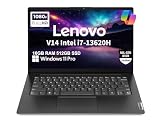
- Best Value: Lenovo Laptop V14 Gen 4, 14" FHD, Intel i7-13620H, 16GB RAM, 512GB SSD | V14 Beat IdeaPad, > Ultra 7 155U, For Business, College & Home, RJ45, WIFI, Privacy Shutter, Anti-Glare, Windows 11 Pro
- Premium Choice: Dell Latitude 5420 14" FHD Business Laptop Computer, Intel Quad-Core i5-1145G7, 16GB DDR4 RAM, 256GB SSD, Camera, HDMI, Windows 11 Pro (Renewed)
Fourteen inches is the size where a business laptop still slides into a shoulder bag next to a folder and a charger, yet leaves room for two windows side by side. Buyers shopping for a 14-inch model are usually weighing a handful of trade-offs at once: a taller screen or a lighter chassis, wired Ethernet or thin-and-light styling, a fingerprint reader or a privacy shutter. This guide narrows the field to eight 14-inch machines whose listings are built around work rather than games.
The answer depends on what your day looks like. A manager who lives in spreadsheets and video calls needs a different machine from a field rep who docks at a client site, or an IT lead standardizing a small team on Windows 11 Pro. As 2026 software gets heavier, the memory and storage figures in each title matter more than the logo on the lid, so every pick below is judged only on the specs its listing states.
Quick Picks
As an Amazon Associate we earn from qualifying purchases at no extra cost to you.



| Product | Best for | Key spec from the title |
|---|---|---|
| HP 14-inch Slim Business Laptop | Light office work plus extra file space | 16GB RAM, 128GB UFS plus 500GB external |
| Lenovo V14 Gen 4 | Docked desks that need Ethernet | Core i7-13620H, 512GB SSD, RJ45 |
| Dell Latitude 5420 (Renewed) | Refurbished fleet seats | Core i5-1145G7, 16GB DDR4 |
| Dell Pro 14 PC14250 | Hybrid workers who dock | FHD+, Thunderbolt 4, IR webcam |
| Lenovo ThinkPad E14 Gen 7 | Security-minded teams | Fingerprint reader, configurable up to 64GB RAM |
| Lenovo ThinkBook 14x | Frequent travelers | 120Hz FHD+, Ultra 5 226V, 16GB DDR5 |
| Lenovo V14 G5 | Multitasking on a fixed setup | Core 7 240H, 10 cores, 16 threads |
| HP ProBook 4 G1a | Managed corporate deployments | Ryzen 7 250, Wolf Security |
How to Choose
Screen: FHD or FHD+
A standard FHD panel is 1920 by 1080; FHD+ is 1920 by 1200 in a 16:10 shape. That extra 120 pixels of height shows several more rows of a spreadsheet or a few more lines of a contract without scrolling. Look for anti-glare finishes if you work near windows, and treat 120Hz as a comfort feature for scrolling rather than a business requirement. Ignore marketing terms like “vivid” unless the listing names the panel type. On a 14-inch screen, 1920 pixels across is plenty sharp, so resolution beyond FHD+ rarely changes how documents look.
Memory and storage
Sixteen gigabytes of RAM is the practical floor for browser-heavy work with video calls running; 8GB works for a single task at a time and 4GB leaves little headroom once Windows updates arrive. For storage, a 512GB NVMe SSD is comfortable, while 256GB fills quickly with Teams caches and local mail. Be wary of totals that combine internal and external storage, because an external card is not the same as a fast internal drive.
Ports and security hardware
Count what you will plug in daily: HDMI for projectors, USB-C or Thunderbolt 4 for a single-cable dock, and an RJ-45 jack if your office wiring beats Wi-Fi. An infrared webcam enables face sign-in, a fingerprint reader is the alternative, and a physical privacy shutter blocks the camera outright. Windows 11 Pro, rather than Home, adds the management and encryption features that IT departments expect.
Where entry-level models cut corners
Lower tiers tend to ship with 4GB of RAM, tiny eMMC or UFS storage, and processors in the Celeron, Athlon, or Intel N-series families. Two such listings were left out of this roundup for exactly that reason. Plastic bodies, no backlit keyboard, and a single USB-C port that doubles as the charger are common compromises, so read the port list before you commit. A model with no Ethernet jack can still work well if you add a USB-C adapter, but that is one more thing to carry.
The 8 Best Options
HP 14-inch Slim Business Laptop
This one suits someone who wants a light everyday machine with plenty of document space. The listing states 16GB of RAM, Wi-Fi 6, Windows 11 Pro, and a combined 628GB of storage made up of 128GB internal UFS plus a 500GB external drive.
- Strength: 16GB of RAM is more than many basic 14-inch models carry.
- Strength: Windows 11 Pro with Wi-Fi 6 covers the basics for office networks.
- Trade-off: only 128GB is internal, so the rest relies on an external device.
Skip it if you need a fast, large internal drive for local databases or big project files. The slim, student-friendly styling also suggests it is better for light duty than for a role that lives in heavy applications all day.
Lenovo V14 Gen 4
Built for the person whose desk has a wall jack. The title lists a Core i7-13620H, 16GB of RAM, a 512GB SSD, an RJ45 port, an anti-glare 14-inch FHD screen, and a privacy shutter on the webcam.
- Strength: a wired Ethernet port keeps video calls steady in offices with congested wireless.
- Strength: the privacy shutter is a simple, hardware-level camera block.
- Trade-off: standard FHD means less vertical space than FHD+ rivals.
Skip it if you want a taller 16:10 display or a fingerprint reader. The title lists neither, so those buyers should look at the Dell Pro 14 or the ThinkPad E14 instead.
Dell Latitude 5420 (Renewed)
A fit for teams outfitting extra seats with refurbished hardware. The listing shows an 11th-generation Core i5-1145G7 quad-core, 16GB of DDR4, a 256GB SSD, HDMI, a camera, and Windows 11 Pro on a 14-inch FHD panel.
- Strength: Latitude is Dell’s business line, and the HDMI output suits projector rooms.
- Strength: 16GB of RAM on a renewed unit leaves headroom for multitasking.
- Trade-off: it is an older processor generation with only 256GB of storage.
Skip it if you want newer-generation silicon or a fresh, unopened unit. Renewed stock also varies by seller, so confirm the warranty terms before adding it to a fleet order.
Dell Pro 14 PC14250
Aimed at hybrid workers who move between home, office, and a dock. The title names a 14-inch FHD+ anti-glare display, Core 5 120U, 16GB of memory, a 512GB SSD, Thunderbolt 4, an IR webcam, a backlit keyboard, and Ethernet.
- Strength: Thunderbolt 4 plus Ethernet makes a one-cable docking routine possible.
- Strength: the IR webcam supports face sign-in, and the 16:10 panel adds vertical room.
- Trade-off: the title does not state the RAM type, so check the spec sheet.
Skip it if your workflow needs a processor with the headroom of an H-series chip. Anyone running large data exports or local virtual machines is better served by the Lenovo V14 G5.
Lenovo ThinkPad E14 Gen 7
The ThinkPad name draws buyers who care about keyboard feel and sign-in options. This listing mentions a 14-inch FHD+ screen, Core 5 210H, a fingerprint reader, an IR webcam, a backlit keyboard, Thunderbolt 4, and Windows 11 Pro, with configurations up to 64GB of RAM and 2TB of storage.
- Strength: both fingerprint and IR face sign-in are offered.
- Strength: the wide configuration range lets a power user choose more memory.
- Trade-off: the seller customizes builds, so confirm the exact configuration before ordering.
Skip it if you want one fixed, clearly specified configuration. Buyers who need an exact memory and storage pairing should confirm it with the seller first.
Lenovo ThinkBook 14x
Made for people who carry their laptop all day. The title states a 14-inch FHD+ 120Hz anti-glare display, Intel Ultra 5 226V, 16GB of 8533 MT/s DDR5, a 512GB SSD, an IR webcam, and Copilot+ PC branding, along with long battery life and light weight claims.
- Strength: the 120Hz FHD+ panel is the smoothest on this list.
- Strength: fast DDR5 memory and a Copilot+ designation point to a current platform.
- Trade-off: the title lists no Ethernet port.
Skip it if you rely on wired networking at the office or want to expand RAM beyond what the listing states.
Lenovo V14 G5
This pick appeals to buyers who want raw multitasking capacity at a fixed desk. The title lists a Core 7 240H with 10 cores and 16 threads, boosting up to 5.2GHz, 16GB of DDR5, a 512GB PCIe SSD, Wi-Fi 6, USB-C, RJ-45, and a privacy shutter.
- Strength: the 10-core, 16-thread processor suits many open applications.
- Strength: it combines USB-C, RJ-45, and a camera shutter in a single package.
- Trade-off: the display is plain FHD rather than FHD+.
Skip it if screen height and 120Hz smoothness matter more than core count. People who read documents for long stretches will prefer the taller FHD+ panels elsewhere on this list.
HP ProBook 4 G1a
Targeted at organizations rolling out managed laptops. The title lists a 14-inch FHD+ display, Ryzen 7 250, 16GB of DDR5, a 512GB SSD, Radeon 780M graphics, a 1080p webcam, Wolf Security, and Windows 11 Pro.
- Strength: the listing names Wolf Security, which corporate IT teams often look for.
- Strength: Radeon 780M graphics help with light creative work and external monitors.
- Trade-off: the title mentions no Thunderbolt port or Ethernet jack.
Skip it if your dock depends on Thunderbolt or a wired connection. Verify the port layout on the full spec sheet before buying, since the title does not list it.
Which One Fits Your Situation
You work at a desk with a dock
The Dell Pro 14 PC14250 pairs Thunderbolt 4 with Ethernet, which is the cleanest docking setup here. The Lenovo V14 Gen 4 is the simpler alternative if you just need a wall jack.
You travel several days a month
The Lenovo ThinkBook 14x is the pick for lightweight carrying and a smooth 120Hz FHD+ screen, assuming you can live without an Ethernet port.
You are outfitting extra seats with refurbished units
The Dell Latitude 5420 (Renewed) gives each seat 16GB of RAM and Windows 11 Pro. Plan for an SSD upgrade or cloud storage if 256GB feels tight.
You manage a team and care about security
The Lenovo ThinkPad E14 Gen 7 combines a fingerprint reader and IR webcam, while the HP ProBook 4 G1a adds Wolf Security for managed fleets.
Common Mistakes
- Adding up internal and external storage and treating the total as a fast drive.
- Accepting 8GB of RAM or less on a laptop meant to last several years.
- Ignoring the port list until the dock or projector will not connect.
- Choosing Windows 11 Home when the office needs Pro features such as encryption management.
- Skipping the screen type and discovering later that the panel is a standard FHD model with no anti-glare finish.
Related guides
- Battery Operated Smoke And Carbon Monoxide Detectors
- Combination Smoke And Carbon Monoxide Detectors
- Aio Liquid Coolers For High Performance Gaming
Frequently Asked Questions
Is a 14-inch screen big enough for business work?
Yes for most roles. At FHD+ resolution you see more rows than on a standard 16:9 panel, and pairing the laptop with an external monitor at the desk covers heavier spreadsheet or design work.
How much RAM does a business laptop need?
Sixteen gigabytes is the sensible target for browsers, Teams or Zoom, and Office running together. Models that allow memory upgrades or configurations up to 32GB give you room as software grows.
Does Windows 11 Pro matter?
For a business, usually yes. Pro adds domain join, group policy support, and full-disk encryption management, which Home editions omit.
Are renewed business laptops a sound choice?
They can be, especially for secondary seats. Confirm the processor generation, the storage size, and the return window, since older units may support fewer features than current models.









