

- Top Pick: Dell 15.6" FHD Touchscreen Laptop | 13th Gen Intel Core i5-1334U | 8GB RAM | 512GB PCIe SSD | Wi-Fi 6 | 1080p Webcam | Copilot AI | HDMI | Business & Study Ready | Windows 11
- Best Value: Acer 15.6” FHD Touch Chromebook, Intel N50, 8GB RAM, 128GB eMMC, Chrome OS | Laptop, DDR5, Sparkling Silver, CB315-7HT-C7GN, Business & Study
- Premium Choice: HP 15.6 inch Laptop, HD Touchscreen Display, AMD Ryzen 3 7320U, 8 GB RAM, 256 GB SSD, AMD Radeon Graphics, Windows 11 Home, Natural Silver, 15-fc0399nr
A touch screen laptop with 8GB of RAM sits in a sweet spot for a lot of buyers: students who annotate PDFs with a finger, parents who want a simple family computer, and office workers who prefer tapping through a spreadsheet to reaching for a mouse. Eight gigabytes is enough for a browser with a reasonable number of tabs, office apps, and video calls, as long as the rest of the machine is chosen with care. The processor, the storage type, and the operating system do more to shape daily speed than the touch panel itself.
This guide covers nine touch models across Windows laptops, a convertible, and two Chromebooks, so the first job is deciding what software you actually need. Everything is judged only on the facts printed in each listing, and for 2026 shoppers the spread between a modern Core i5 and an older entry chip is wide. Confirm the details on the product page before you buy.
Quick Picks
As an Amazon Associate we earn from qualifying purchases at no extra cost to you.







| Product | Best for | Key spec from the listing |
|---|---|---|
| Dell 15.6-inch FHD Touch (Core i5) | Study and business all-rounder | Core i5-1334U, 8GB RAM, 512GB SSD |
| Acer 15.6-inch Touch Chromebook (N50) | Web-first school use | Intel N50, 8GB DDR5, 128GB eMMC |
| HP 15.6-inch Touch (Ryzen 3 7320U) | Everyday Windows tasks | 8GB RAM, 256GB SSD, Windows 11 Home |
| HP 15.6-inch Touch (Ryzen 5 7520U) | More headroom for multitasking | Ryzen 5 7520U, 8GB RAM, 512GB SSD |
| HP OmniBook 3 16-inch | Larger, sharper display | 2K touchscreen, 8GB RAM, 512GB SSD |
| Dell 11-inch Touch Convertible (Renewed) | Portable note-taking | 11-inch IPS, convertible, 128GB SSD |
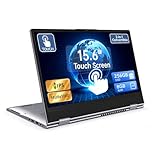
| Exilapsire 15.6-inch Yoga 2-in-1 | Tablet-style flexibility | Convertible, IPS FHD, 256GB SSD |
| HP 15-inch Touch (Ryzen 3 3250U) | Light home use | 256GB SSD, Windows 10 in S Mode |
| Acer Chromebook 315 (N100) | Simple Chrome OS users | Intel N100, 64GB storage, Full HD |
How to Choose
Treat 8GB as the floor, not a spec to brag about
All nine models here list 8GB, so memory will not separate them. What differs is what the memory has to support. A Windows machine juggling many tabs and office files will feel tighter than a Chromebook running a lighter operating system on the same RAM. If you keep dozens of browser tabs open daily, look for a faster processor and plan to stay within what the memory allows. Closing background apps and keeping startup items lean helps every model here last longer before it slows down.
Storage type matters more than capacity
An SSD loads Windows and apps far faster than eMMC, which is the slower flash storage named on one Acer listing. A 128GB eMMC or 64GB drive also fills quickly with updates and downloads. For a Windows laptop, aim for at least 256GB of SSD, and 512GB if you plan to keep photos, school work, and offline files on the machine. Cloud storage can stretch a small drive, but only while you have a dependable connection.
Choose the operating system before the brand
Chromebooks run Chrome OS and suit web apps, Google tools, and school accounts. Windows 11 Home models run traditional desktop programs. The HP with Windows 10 Home in S Mode is more limited, because S Mode generally restricts you to apps from the official store until you switch out of it. Pick the platform your software requires first. A quick check of your school portal, employer tools, or favorite editing program saves a return later.
Judge the screen and touch layout honestly
Resolution affects how much fits on screen. A 15.6-inch FHD panel is comfortable for documents, while the HD touch screens on two HP models are lower in resolution and look softer. The 2K touchscreen on the 16-inch OmniBook gives the sharpest image listed here. Convertibles that fold into tablet mode suit note-taking, but they tend to be heavier at larger sizes, and entry processors can feel slow when you swipe between busy windows. Also look at the ports in the title, such as HDMI or USB-C, because a touch laptop often doubles as a presentation machine.
The 9 Best Options
Dell 15.6-inch FHD Touch (Core i5)
Built around a 13th Gen Intel Core i5-1334U with 8GB of RAM and a 512GB PCIe SSD, with an FHD touch panel, Wi-Fi 6, a 1080p webcam, HDMI, and Windows 11. It is aimed at students and office users who want a solid daily laptop, including those who like the idea of Copilot AI features named in the listing. As the strongest all-round spec sheet here, it is the one to compare the others against.
- Modern Core i5 chip and a generous 512GB SSD.
- HDMI and a 1080p webcam cover calls and external displays.
- Trade-off: it carries only 8GB, so heavy multitasking will stretch it.
Skip it if you plan to do video editing or run large datasets.
Acer 15.6-inch Touch Chromebook (N50)
A 15.6-inch FHD touch Chromebook with an Intel N50 processor, 8GB of DDR5, and 128GB eMMC storage, running Chrome OS. It is built for school and everyday web use, such as research, writing in cloud documents, and video lessons. A 15.6-inch screen gives younger students enough room for split windows.
- DDR5 memory is called out in the listing.
- Chrome OS suits web-based learning and Google tools.
- Trade-off: eMMC storage is slower and smaller than an SSD.
Skip it if you need Windows desktop programs.
HP 15.6-inch Touch (Ryzen 3 7320U)
An HD touchscreen laptop with an AMD Ryzen 3 7320U, 8GB of RAM, a 256GB SSD, AMD Radeon graphics, and Windows 11 Home, in Natural Silver. It is a straightforward pick for homework and browsing, and a sensible choice for a shared family laptop that needs a touch screen for casual use.
- SSD storage keeps startup and app launches quick.
- Windows 11 Home is preinstalled.
- Trade-off: the HD display is lower in resolution than FHD screens.
Skip it if screen sharpness is a priority.
HP 15.6-inch Touch (Ryzen 5 7520U)
The step-up sibling: an AMD Ryzen 5 7520U with 8GB of RAM, a 512GB SSD, Radeon graphics, and Windows 11 Home, also with an HD touchscreen. It gives more processor and storage than the Ryzen 3 version, which makes it the better pick for a household that multitasks.
- Ryzen 5 processor tier and 512GB of SSD storage.
- Same 15.6-inch layout as the Ryzen 3 model.
- Trade-off: the screen is still HD rather than FHD.
Skip it if you want the sharpest display.
HP OmniBook 3 16-inch
A 16-inch laptop with a 2K touchscreen, an AMD Ryzen 3 processor, 8GB of RAM, a 512GB SSD, Radeon 610M graphics, and Windows 11 Home. The larger, sharper panel suits reading, spreadsheets, and streaming, and the extra screen area makes touch gestures like pinch and scroll easier to control.
- 2K touch display is the highest resolution in the group.
- The 512GB SSD gives room for files.
- Trade-off: a 16-inch body is bigger to carry.
Skip it if you want a compact laptop for backpack use.
Dell 11-inch Touch Convertible (Renewed)
A small 11-inch IPS touchscreen convertible with a Pentium processor, 8GB of RAM, a 128GB SSD, Wi-Fi 6, and Windows 11, sold renewed. It fits quick note-taking and light travel, such as a commuter who wants something small to open on a train. Since it is renewed, the condition notes on the product page deserve a careful read.
- Convertible design folds into tablet-style use.
- Small body is easy to carry.
- Trade-off: the Pentium chip and small screen limit it to light work.
Skip it if you want a full-size keyboard and larger display.
Exilapsire 15.6-inch Yoga 2-in-1
A 15.6-inch convertible touchscreen with an AMD A9 processor, 8GB of RAM, a 256GB SSD, an IPS FHD display, USB-C, and Windows 11. It is pitched at work, study, and home use, and the convertible hinge appeals to people who like to prop the screen up for video or fold it flat for reading.
- IPS FHD panel and USB-C are both named.
- 2-in-1 design for flexible positioning.
- Trade-off: the AMD A9 is an older entry chip.
Skip it if you need strong performance.
HP 15-inch Touch (Ryzen 3 3250U)
An older HP touchscreen laptop with a Ryzen 3 3250U, 8GB of RAM, a 256GB SSD, and Windows 10 Home in S Mode. It fits light email and web tasks for a household that wants an basic starter machine without much software variety. Check the S Mode limits before you commit.
- SSD storage gives faster boot times.
- Familiar 15-inch size.
- Trade-off: S Mode limits app choices, and the platform is dated.
Skip it if you need broad software support.
Acer Chromebook 315 (N100)
A Chromebook with an Intel N100, 8GB of RAM, 64GB of storage, a touch screen, Full HD, a 60Hz refresh rate, Wi-Fi, Bluetooth, and USB-C. It is a simple option for browsing and cloud tools, aimed at people who already keep their files online and want a touch display for tapping through pages.
- Full HD touch display with USB-C connectivity.
- Chrome OS keeps day-to-day use simple.
- Trade-off: 64GB of storage fills quickly.
Skip it if you store a lot of files locally.
Which One Fits Your Situation
You need one laptop for school and work
The Dell 15.6-inch FHD Touch (Core i5) combines a modern processor, 512GB of SSD storage, and Windows 11. It also has HDMI for presentations and a 1080p webcam for remote classes.
You live in the browser
The Acer Chromebook 315 (N100) or the Acer 15.6-inch Touch Chromebook (N50) suits web apps and school accounts.
You want a bigger, sharper screen
The HP OmniBook 3 16-inch has the highest-resolution panel in the list, which suits reading long documents or watching video on a large screen.
You take handwritten notes
The Dell 11-inch Touch Convertible (Renewed) or the Exilapsire 15.6-inch Yoga 2-in-1 folds into tablet-style use.
Common Mistakes
- Assuming 8GB of RAM makes every laptop equally fast.
- Choosing eMMC or tiny storage and then running out of space.
- Overlooking that S Mode restricts which apps you can install.
- Buying a Chromebook when your classes require Windows software, or a Windows laptop when a Chromebook would cover everything.
- Ignoring display resolution, since HD touch screens look soft at 15.6 inches.
Frequently Asked Questions
Is 8GB of RAM enough?
For browsing, office apps, and video calls, yes. If you edit video or run many programs together, consider more memory. Models with a fast SSD and a newer processor make 8GB feel noticeably smoother than older chips do.
Do touch screens hurt battery life?
Touch panels add a small draw, but the battery depends more on the processor and display. The listings here do not state battery hours.
Windows or Chrome OS?
Choose Windows for desktop software and Chrome OS for web-based work and school accounts. Check what your classes or employer require first. Chromebooks also tend to start quickly, but they cannot run every desktop program.
Are renewed laptops okay?
They can be, if the listing details meet your needs. The renewed Dell here has an older Pentium chip, so keep expectations modest, and read the condition notes before ordering.








