

- Top Pick: Dell Latitude 7420 2-in-1 Business Laptop, 14” FHD Touchscreen(Renewed) | 2-in-1 Business laptop,14"1080P Touch Screen Notebook, 512G SSD,Webcam,Win11 Pro
- Best Value: Samsung 12.2" FHD 2-in-1 Touchscreen Chromebook Plus Laptop for Business&Students, Intel Dual-Core, 4GB RAM, 224GB Storage(64GB eMMC+160GB Docking Station Set), Stylus Pen, Wireless Mouse, Silver
- Premium Choice: Dell Latitude 7420 2-in-1 Touchscreen Business Laptop, 14" FHD (1920×1080), 11th Gen Core i7-1185G7, 16GB RAM, 512GB SSD, Thunderbolt 4, HDMI Windows 11 Pro (Renewed)
A 2-in-1 business laptop has to do two jobs that pull in opposite directions. It must behave like a dependable work machine for spreadsheets, video calls and remote desktops, and it must fold or flip into a tablet for signing documents, marking up PDFs and presenting across a table. The decision is rarely about raw speed, since even modest chips handle office suites without strain. It is about whether the hinge, the screen, the ports and the security features match how a working day actually goes.
This guide is written for office workers, field staff and small-business owners shopping for a convertible in 2026. Most of the listings below are renewed business-class machines, so the comparison leans on what each title spells out: processor family, memory, storage, screen size and the ports and security extras that business buyers care about.
Quick Picks
As an Amazon Associate we earn from qualifying purchases at no extra cost to you.




| Product | Best for | Key spec from the title |
|---|---|---|
| Dell Latitude 7420 (14 inch, renewed listing) | Everyday office work with a webcam | 14″ FHD touchscreen, 512G SSD |
| Samsung 12.2″ Chromebook Plus | Light web-based work and note taking | 4GB RAM, stylus pen and mouse included |
| Dell Latitude 7420 (Core i7) | Docking and external displays | Core i7-1185G7, 16GB RAM, Thunderbolt 4 |
| Dell Latitude 5300 2-in-1 | Compact travel with a backlit keyboard | 13.3″ FHD, Core i5-8365U, 16GB DDR4 |
| Lenovo IdeaPad 5 2-in-1 | Big-screen multitasking and storage | 16″ WUXGA, Ryzen 7 8845HS, 1TB SSD |
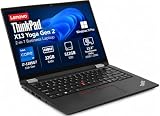
| Lenovo ThinkPad X13 Yoga Gen 2 | Memory-hungry multitasking | Core i7-1185G7, 32GB RAM |
| Dell Latitude 3190 | Basic tasks on a small screen | 11.6″ HD, Pentium N5030, 8GB DDR4 |
| Lenovo ThinkPad X13 Yoga | Mobile professionals who sign in by fingerprint | 13.3″ FHD+, Core i7-1165G7, 16GB RAM |
| Lenovo Yoga 7i 2-in-1 | Newest platform and fastest wireless | 16″ 2K, Core Ultra 7 155U, Wi-Fi 6E |
How to Choose
Screen size and resolution
Screen size decides whether the tablet mode feels natural or awkward. A 13.3-inch panel is the usual sweet spot for tent and tablet modes, while a 16-inch convertible is better as a desk machine that occasionally flips. Look for at least 1920×1080 on anything above 11 inches. An 11.6-inch HD panel is workable for email, but spreadsheets and split-screen windows feel cramped. Taller 16:10 panels, such as the 1920×1200 one listed on the IdeaPad, show more rows of a document.
Processor, memory and storage
For a business laptop that will juggle a browser with many tabs, a video call and an office suite, 16GB of RAM is the practical floor. Eight gigabytes survives on light workloads, and 4GB is only realistic on a Chromebook that keeps most work in the browser. For storage, 256GB covers a clean install and a year of documents, while 512GB or more gives room for local files and updates. An Intel Core i5 or i7 or a Ryzen 7 handles office multitasking; a Pentium-class chip is for basic tasks only.
Ports, security and wireless
Business buyers should read the port list as closely as the processor. Thunderbolt 4 or a Type-C port allows single-cable docking to monitors, HDMI covers projectors, and a microSD slot helps with field photos. A fingerprint reader speeds up secure sign-in, and Windows 11 Pro adds the management features that Home editions lack. Wi-Fi 6E matters mainly for offices with a modern router, so it can be ignored unless the office network can actually use it. Also count the physical connectors you rely on today: a second monitor, a projector and a wired network adapter can each demand a different port, and a single Type-C connection shared between charging and display leaves nothing free for accessories.
Renewed listings and where budget models cut corners
Most titles here carry the word Renewed, which means the unit is a refurbished business machine rather than a new retail one. Before ordering, confirm the warranty length, the return window and what the seller says about battery health, because the battery is the part that ages fastest. Budget models usually cut corners on panel brightness, hinge stiffness and memory upgradability; a low-resolution screen and soldered 4GB or 8GB of RAM are the most common compromises.
The 9 Best Options
Dell Latitude 7420 2-in-1 (14-inch, 512G SSD)
This listing describes a 14-inch 1080p touchscreen notebook with a 512G SSD, a webcam and Windows 11 Pro, sold as a renewed unit. It suits office workers who want a roomy 14-inch screen and plenty of local storage without a long spec chase.
- The 512G SSD leaves ample room for local project files.
- Windows 11 Pro brings business management features.
- Trade-off: the title does not state the processor or memory, so buyers must confirm both before ordering.
Skip it if you need a spec sheet that is fully spelled out up front; the Core i7 version of the same model below is easier to judge.
Samsung 12.2-inch Chromebook Plus 2-in-1
This convertible runs on an Intel dual-core processor with 4GB of RAM and a 12.2-inch FHD touchscreen. The 224GB figure combines 64GB of eMMC with a 160GB docking station set, and the bundle adds a stylus pen and a wireless mouse. It fits students and staff whose work lives in the browser.
- The stylus and mouse come in the set, ready for note taking and desk work.
- The 12.2-inch FHD screen is compact enough for tablet use.
- Trade-off: only 64GB is onboard storage, and ChromeOS cannot run traditional Windows business software.
Skip it if your job depends on desktop applications or heavy multitasking.
Dell Latitude 7420 2-in-1 (Core i7, 16GB)
This renewed Latitude pairs a 14-inch FHD touchscreen at 1920×1080 with an 11th Gen Core i7-1185G7, 16GB of RAM and a 512GB SSD. Thunderbolt 4 and HDMI make it the most dock-friendly Dell in the group, and the fully spelled-out specs make it easy to compare against rivals.
- Thunderbolt 4 supports single-cable docking to external monitors.
- 16GB RAM and a Core i7 suit heavy tab and call loads.
- Trade-off: an 11th Gen chip is a few generations behind the newest platforms.
Skip it if you want the latest processor generation or the longest software support horizon.
Dell Latitude 5300 2-in-1 (13.3-inch)
The 5300 packs a 13.3-inch FHD touchscreen, a Core i5-8365U, 16GB of DDR4, a 256GB SSD, a backlit keyboard, Type-C and HDMI. It is a travel-sized choice for people who type in dim rooms and trains, and who want a Type-C port alongside HDMI for presenting at client sites.
- Backlit keys help in low-light settings.
- 16GB of DDR4 is generous for a machine this compact.
- Trade-off: the title lists a dual-core eighth-generation chip, which will feel slower under sustained load.
Skip it if you edit large files or run many heavy applications at once.
Lenovo IdeaPad 5 2-in-1 (16-inch, Ryzen 7)
The largest screen of the group, a 16-inch WUXGA panel at 1920×1200, comes with an 8-core Ryzen 7 8845HS, 16GB of RAM and a 1TB SSD. A fingerprint reader, a microSD card reader and an FHD camera round out the title, which makes it a fit for someone who wants a desk-first machine with a flip-over hinge for the occasional presentation.
- An 8-core processor and 1TB of storage suit multitasking and big libraries.
- The 16:10 screen shows extra document rows.
- Trade-off: a 16-inch convertible is awkward to hold as a tablet.
Skip it if you plan to carry it around folded like a slate.
Lenovo ThinkPad X13 Yoga Gen 2
This renewed ThinkPad offers a 13.3-inch touchscreen, a Core i7-1185G7, a generous 32GB of RAM and a 512GB SSD, plus a backlit keyboard and a fingerprint reader. It targets professionals who keep dozens of windows open, such as analysts who bounce between spreadsheets, a browser full of tabs and a conferencing app.
- 32GB of RAM is the most memory in this lineup.
- The fingerprint reader and Windows 11 Pro support secure sign-in.
- Trade-off: the title does not mention a port list, so check for Thunderbolt and HDMI before buying.
Skip it if your workload is light and the extra memory would go unused.
Dell Latitude 3190 2-in-1 (11.6-inch)
The 3190 is an 11.6-inch HD notebook with a Pentium N5030, 8GB of DDR4 and a 256GB NVMe SSD, with a webcam and HDMI. It is the smallest and simplest option here, suited to light email and web tasks, a shared front-desk machine or a secondary device kept in a bag for signing forms.
- The compact body is easy to stash in a small bag.
- An NVMe SSD gives snappier boot and file access than older drives.
- Trade-off: an HD panel and a Pentium processor limit multitasking.
Skip it if you work in spreadsheets all day or need a sharp FHD display.
Lenovo ThinkPad X13 Yoga (FHD+, Core i7-1165G7)
This ThinkPad listing has a 13.3-inch FHD+ touchscreen, a Core i7-1165G7, 16GB of RAM, a 512GB SSD, a backlit keyboard and a fingerprint reader, running Windows 11 Pro. It is a balanced mobile choice for sign-in speed and screen sharpness, aimed at consultants and managers who open the lid dozens of times a day.
- FHD+ gives a taller view than plain 1080p.
- 16GB RAM with a 512GB SSD is a comfortable business baseline.
- Trade-off: it carries less memory than the Gen 2 sibling.
Skip it if you want 32GB of RAM or a newer processor generation.
Lenovo Yoga 7i 2-in-1 (16-inch, Core Ultra 7)
The Yoga 7i is the newest platform here, with a 16-inch 2K touchscreen, a Core Ultra 7 155U, 16GB of DDR5, a 512GB PCIe 4.0 SSD and Wi-Fi 6E. Thunderbolt 4, HDMI, a fingerprint reader and a backlit keyboard complete the list, so it suits buyers who want to keep one machine for several years of office work.
- DDR5 memory, a PCIe 4.0 SSD and Wi-Fi 6E form the most modern combination.
- Thunderbolt 4 and HDMI make docking simple.
- Trade-off: the 16-inch body is a desk machine first and a tablet second.
Skip it if portability in tablet mode is a priority.
Which One Fits Your Situation
You sit at a docking station most days
The Dell Latitude 7420 with the Core i7 and Thunderbolt 4 is the cleanest match, because one cable can carry displays, network and power.
You run many windows and large files
The Lenovo ThinkPad X13 Yoga Gen 2 with 32GB of RAM is the stronger match, and the IdeaPad 5 is the alternative if you also want 1TB of storage and a larger screen.
You mostly work in a browser and take handwritten notes
The Samsung Chromebook Plus bundle comes with a stylus and a mouse, so it covers browser work and note taking out of the box.
You need the newest platform for the next several years
The Lenovo Yoga 7i, with Core Ultra 7, DDR5 and Wi-Fi 6E, is the one to shortlist.
Common Mistakes
- Ignoring the word Renewed and skipping the warranty and return-window details.
- Choosing an 11.6-inch HD panel and later discovering that two windows side by side barely fit.
- Assuming every touchscreen listing includes a stylus; only the Samsung bundle mentions one.
- Buying a Chromebook for a job that depends on Windows-only software.
- Overlooking the port list when a dock, projector or second monitor is part of the daily routine.
Related guides
- Combination Smoke And Carbon Monoxide Detectors
- Aio Liquid Coolers For High Performance Gaming
- Graphics Cards For Low Wattage Power Supplies
Frequently Asked Questions
Is 16GB of RAM enough for business use?
For most office work, video calls and browser-heavy tasks, 16GB is comfortable. Choose 32GB only if you regularly keep very large files or many applications open together.
Do I need Windows 11 Pro?
Pro adds management and security features that IT departments often require, such as domain join. If you only use the laptop personally, the Home edition is usually sufficient.
Are renewed laptops a good idea for business?
They can be, provided the seller offers a clear warranty and return window. Ask about battery health, because batteries wear faster than other parts.
Which size works best in tablet mode?
Smaller panels, around 11 to 14 inches, are easier to hold. A 16-inch machine works better as a laptop that occasionally flips for presenting.









