

- Top Pick: Microsoft Surface Laptop, 13-inch | Snapdragon® X Plus (8 Core) | 8GB RAM | 256GB UFS | Platinum | Windows 11 | Latest Model (1st Edition)
- Best Value: Dell Latitude 7310 13 Inch Full HD Notebook Laptop, Intel Core i7-10th Gen, 16GB DDR5 RAM, 512GB NVMe SSD, HDMI, Thunderbolt, Windows 11 Pro | Webcamera | (Renewed).
- Premium Choice: Dell Latitude 7310 Laptop | 13" 1920×1080 FHD Non-Touch | Core i5-10310U 4 cores 4.4GHz | 8GB DDR4 RAM, 512GB PCLe SSD | Win 11 Pro Black (Renewed)
A 13-inch laptop is a deliberate choice: you want something that slides into a shoulder bag, runs on a small charger, and still opens a real desktop operating system. Add a ceiling of under 700 dollars and the decision gets sharper, because the screen size forces you to hunt through two very different shelves. One holds new thin-and-light machines with modest memory. The other holds renewed business notebooks that arrived with far more RAM and storage than a new laptop at the same cap would carry.
This 2026 guide is written for students who commute, remote workers who bounce between a desk and a cafe, and anyone replacing a bulky 15-inch machine. Every pick below is judged only on what its listing title states: processor, memory, storage, screen type, and operating system. Because the cap is tight, treat each configuration as something to verify at checkout rather than a promise that it fits the budget.
Quick Picks
As an Amazon Associate we earn from qualifying purchases at no extra cost to you.


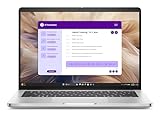


| Product | Best for | Key spec from the title |
|---|---|---|
| Microsoft Surface Laptop 13-inch | Light, modern Windows ultraportable | Snapdragon X Plus, 8 cores, 8GB RAM, 256GB UFS |
| Dell Latitude 7310 (Core i7, 16GB) | Ports and memory headroom | 16GB RAM, 512GB NVMe, Thunderbolt, HDMI |
| Dell Latitude 7310 (Core i5, non-touch) | Plain office work on a tighter budget | Core i5-10310U, 8GB DDR4, 512GB SSD |
| Dell Latitude 3340 2-in-1 | Touch plus a newer processor | Core i5-1335U, 16GB/512GB, FHD IPS touchscreen |
| Dell Pro 13 Plus | Multitasking with big memory | Ryzen 7 PRO 350, 32GB RAM, FHD+ touch |
| HP EliteBook 830 G7 | Heavy tab and document juggling | Core i7 10th gen, 32GB RAM, touchscreen |
| Dell Latitude 7310 (Core i7, touch) | Touch-first note taking | Core i7-10610U, 16GB DDR4, FHD touchscreen |
How to Choose
Start with memory, not the processor name
Eight gigabytes of RAM is the floor for a browser with a dozen tabs plus a video call, and sixteen is the comfortable target. Memory is also the spec you usually cannot raise later, since many thin laptops solder it to the board. Several renewed models here list 16GB or 32GB, which is unusual at this size and cap. If a listing shows 4GB or soldered memory with no capacity detail, move on.
Storage type and size
Look for an NVMe or PCIe SSD of at least 256GB, with 512GB preferred if you keep offline files. A phrase like UFS or eMMC points to slower, phone-style storage. Windows plus a few large apps fills 256GB faster than most buyers expect.
Touch, resolution, and ports
On a 13-inch panel, 1920×1080 is sharp enough; FHD+ adds extra vertical room for documents. Decide whether touch matters, since it narrows the field and often adds a 2-in-1 hinge. Check for HDMI, Thunderbolt, or USB-C if you plan to dock to a monitor, and ignore marketing words like Copilot or AI-ready unless you have a specific use for them.
Renewed versus new, and where budget models cut corners
Renewed business laptops often give you metal or magnesium builds, backlit keyboards, and extra ports, but they carry older processors and unknown battery wear. New budget laptops usually trim memory, storage, and port variety. Whichever way you lean, confirm the return window and warranty terms on the listing page, and look at the charger wattage and port type so you are not surprised on day one.
The 7 Best Options
Microsoft Surface Laptop 13-inch
This is the pick for anyone who wants a current, quiet, lightweight Windows machine. The listing names a Snapdragon X Plus with eight cores, 8GB of RAM, and 256GB of UFS storage, labeled as the first edition.
- Strength: a new-generation eight-core Arm processor in a 13-inch Windows 11 body.
- Strength: a clean spec sheet with a Platinum finish and no bundled extras to clutter the listing.
- Trade-off: 8GB of memory and UFS storage are the minimum for heavy multitasking, and some older Windows programs may not run natively on Arm.
Skip it if you rely on legacy desktop software or need more than 256GB for offline files. It also ships with only 8GB, so heavy browser sessions are where it will feel the limit first.
Dell Latitude 7310 (Core i7, 16GB)
A renewed business ultrabook aimed at people who care about connections and memory over novelty. The title lists a Core i7 10th generation chip, 16GB of RAM, a 512GB NVMe SSD, a Full HD display, HDMI, Thunderbolt, a webcam, and Windows 11 Pro.
- Strength: Thunderbolt and HDMI make docking to an external monitor straightforward.
- Strength: 16GB of RAM and 512GB of fast storage leave room to grow.
- Trade-off: it is a renewed unit built on an older processor generation, so battery wear is a question to settle with the seller.
Skip it if you want a touchscreen or a brand-new warranty. Note that the title pairs 16GB with DDR5 on a 10th-generation chip, an unusual combination worth confirming with the seller before you order.
Dell Latitude 7310 (Core i5, non-touch)
The simplest configuration in this lineup suits spreadsheet, email, and browser work. The listing shows a Core i5-10310U with four cores, 8GB of DDR4, a 512GB PCIe SSD, and a 1920×1080 non-touch display on Windows 11 Pro.
- Strength: a roomy 512GB drive paired with a business-class Windows 11 Pro license.
- Strength: the non-touch screen avoids the extra layer some buyers find reflective.
- Trade-off: 8GB of RAM will feel tight once many tabs and a video call stack up.
Skip it if you plan to run several heavy apps at once or want pen and touch input. It is the entry point of the Latitude trio, and a sensible fit for a student who mostly writes essays and joins video classes.
Dell Latitude 3340 2-in-1
This one targets buyers who want a newer processor and a touchscreen in one package. The title lists a Core i5-1335U, 16GB of RAM, 512GB of storage, an FHD IPS anti-glare touchscreen, a backlit keyboard, an infrared webcam, and a long-battery-life claim.
- Strength: 16GB and 512GB at a 13-inch size, with a 13th-generation style processor name.
- Strength: an anti-glare IPS touchscreen plus an IR camera for face sign-in.
- Trade-off: the title calls it a previous-generation model, and the battery claim is marketing language rather than a measured figure.
Skip it if you want the highest port count or never touch the screen. The 2-in-1 label also means the display can fold around, which suits reading and sketching on a train seat.
Dell Pro 13 Plus
The most powerful configuration here on paper, built for people who keep many windows open. The listing names a Ryzen 7 PRO 350 with eight cores, 32GB of RAM, a 512GB SSD, a 13-inch FHD+ touch display, and Windows 11 Pro.
- Strength: 32GB of RAM is far beyond what most 13-inch laptops offer.
- Strength: a taller FHD+ touch panel gives more room for documents and code.
- Trade-off: this is the configuration most likely to strain the cap, so confirm the total before committing.
Skip it if you only browse and write documents, since the extra memory would go unused. It also reads like a newer corporate design than the older Latitudes, with the Pro name signaling a business focus.
HP EliteBook 830 G7
A renewed workhorse for buyers who live in spreadsheets, browser tabs, and PDFs. The title lists a 13-inch touchscreen, a Core i7 10th generation processor, 32GB of RAM, a 512GB SSD, and Windows 11 Pro.
- Strength: 32GB of RAM is rare at this size and cap, and it helps long multitasking sessions.
- Strength: the touchscreen and business-line badge suggest a sturdier build than consumer notebooks.
- Trade-off: renewed status means the battery and chassis condition depend on the refurbisher.
Skip it if you want a recent processor or a lighter, newer chassis. EliteBook is HP’s business line, so buyers who value manageability features on the spec sheet will find this familiar.
Dell Latitude 7310 (Core i7, touch)
The touch version of the 7310 fits note takers who like to tap, scroll, and annotate. The listing shows a Core i7-10610U with four cores, 16GB of DDR4, a 512GB NVMe SSD, and a 1920×1080 touchscreen on Windows 11 Pro.
- Strength: it pairs touch with a higher-clocked i7 and a generous 512GB drive.
- Strength: 16GB of DDR4 handles everyday multitasking.
- Trade-off: it is renewed and uses a 10th-generation chip, so expect less efficiency than a current processor.
Skip it if you want a convertible hinge or the newest silicon. Compared with the non-touch i5 version, it is the one to shortlist when screen interaction matters more than raw battery efficiency.
Which One Fits Your Situation
You commute with a bag and want the lightest modern design
Choose the Microsoft Surface Laptop 13-inch. Its newer Arm chip and slim form make it the natural travel companion, provided your software runs on Windows for Arm. Carry weight matters more over a semester than a spec-sheet gap, so this is the one to favor if your bag is already heavy.
You manage dozens of tabs and big files
The HP EliteBook 830 G7 or the Dell Pro 13 Plus fits best, because 32GB of RAM gives the most breathing room. Pick the EliteBook if the cap is firm, and the Dell Pro if you want a newer processor family. Either way, you will not be the person closing tabs to keep the machine responsive.
You want touch without losing a keyboard
The Dell Latitude 3340 2-in-1 is the balanced answer, with an anti-glare IPS touchscreen, 16GB of RAM, and a backlit keyboard. The touch Latitude 7310 is the alternative if you prefer a classic clamshell. Both give you a Full HD screen to tap, scroll, and mark up PDFs.
You only need email, documents, and video calls
The Core i5 Latitude 7310 covers the basics with a large SSD and a Windows 11 Pro license, and it leaves the most headroom under the cap for a mouse, a sleeve, or a USB-C hub.
Common Mistakes
- Grabbing a 14-inch or 17-inch model because the listing looked attractive, then discovering it is not the compact size you wanted.
- Ignoring the word Renewed and assuming the battery is as good as new.
- Choosing 4GB or 8GB of RAM to stay under the cap, then outgrowing it within a year.
- Selecting touch when you never use it, or skipping it when you handwrite notes.
- Skipping the port list and ending up without HDMI or USB-C for a monitor.
Related guides
- Battery Operated Smoke And Carbon Monoxide Detectors
- Combination Smoke And Carbon Monoxide Detectors
- Aio Liquid Coolers For High Performance Gaming
Frequently Asked Questions
Is a renewed laptop a safe choice under 700 dollars?
It can be, if the seller offers a clear return window and warranty. Look for the refurbisher name, battery policy, and operating system license in the listing. Ask for the return window in writing before the order goes through.
How much RAM does a 13-inch laptop need?
Eight gigabytes is acceptable for light use, but sixteen is the practical target. Choose 32GB only for heavy multitasking or development work.
Does a 13-inch screen strain the eyes?
A Full HD panel keeps text sharp at this size. Raise the display scaling a notch and use an anti-glare or matte finish if you work near windows.
Is an Arm laptop or an Intel and AMD one the better pick?
Arm suits light, long-lasting daily tasks, while Intel and AMD machines run the widest range of older Windows programs. Check your must-have software before choosing, especially printer utilities, VPN clients, and any specialist programs from work or school.









